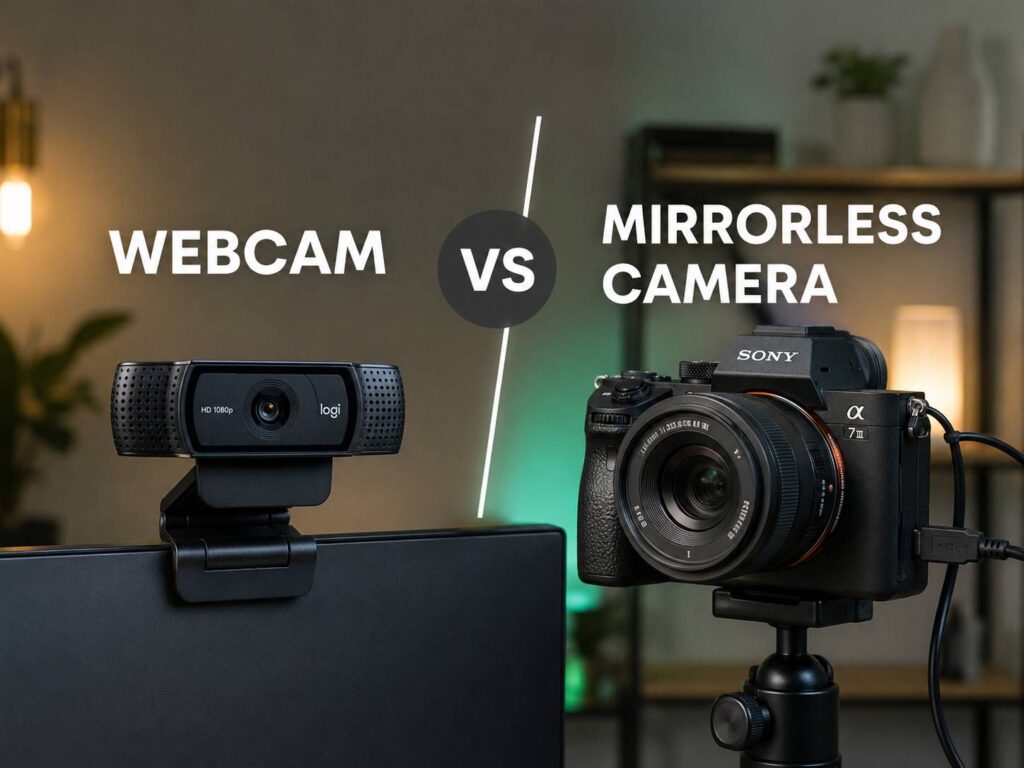
Webcam vs mirrorless camera for streaming: what really changes?
Choosing between a webcam and a mirrorless camera for streaming sounds easy at first. A webcam is simple. A mirrorless camera looks better. That is the short answer, but it does not cover the full story.
For many streamers, the best camera is not the one with the biggest sensor. It is the one that works every time. For that reason, webcams still make a lot of sense for Twitch, YouTube livestreams, Zoom calls, Discord chats, podcasts, online classes, and remote work.
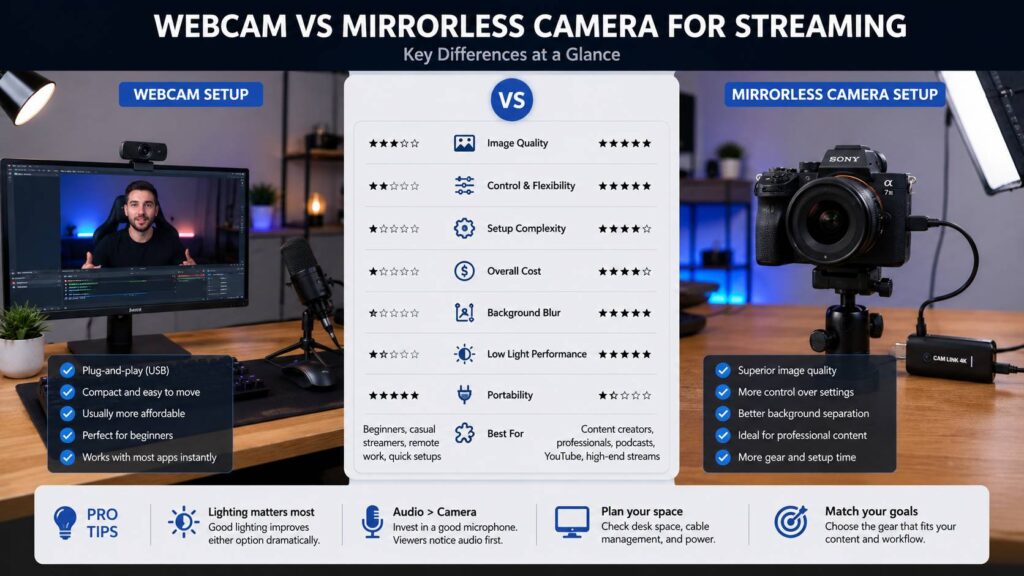
Still, mirrorless cameras have a clear advantage in image quality. They handle light better, create real background blur, and give you more control over the final picture. As a result, they can make a stream look more polished, even in a normal bedroom or home office.
So the real question is not only “Which one looks better?” A better question is this: which one fits the way you stream? If you go live often and want less setup stress, a webcam may be the smarter choice. If you want a premium look and you are willing to manage more gear, a mirrorless camera can be worth the money.
Why webcams are still a smart choice for streaming
A webcam is the easiest way to add video to a stream. You plug it into your computer, select it in OBS, Streamlabs, Discord, Zoom, Teams, or Twitch Studio, and start using it. That simple setup is a big deal, especially for beginners.
Modern webcams are much better than older laptop cameras. Many models now offer 1080p at 60fps, 4K resolution, HDR, autofocus, auto framing, software background blur, and manual controls for brightness, exposure, white balance, and field of view. So, for a clean desk setup, a good webcam can already look strong.
Another benefit is size. A webcam sits on top of your monitor and does not need a tripod, camera arm, dummy battery, HDMI cable, or capture card. That makes it perfect for small rooms, shared desks, dorm rooms, and work-from-home setups.
Next, there is reliability. A webcam draws power from USB, turns on fast, and usually works without much setup. You can restart your computer, open OBS, and go live in a few minutes. For daily use, that matters more than many camera reviews admit.
Still, webcams have limits. Small sensors struggle in dark rooms. Auto exposure can make your face too bright. Skin tones can look flat. The image can look sharp but harsh. In low light, noise can appear fast.
For this reason, lighting matters a lot. A good key light can make a basic webcam look cleaner than an expensive camera in a dark room. If you are comparing camera specs, this guide on 1080p vs 4K webcam can help you decide whether extra resolution is worth it for your setup.
Why mirrorless cameras look better on stream
A mirrorless camera usually has a much larger sensor than a webcam. That larger sensor captures more light and gives the image more depth. In practice, your face can look cleaner, the background can look softer, and the whole frame can feel more professional.
The lens makes a huge difference too. A webcam has one fixed lens. A mirrorless camera lets you choose the lens that fits your room and style. For example, a bright lens with an f/1.8 or f/2.8 aperture can create natural background blur. That effect looks better than most software blur from webcams.
Manual control is another major win. You can set shutter speed, aperture, ISO, white balance, focus mode, and picture style. Once you dial in the look, your stream can stay consistent from one session to the next.
This matters during long streams. A webcam may change exposure when your monitor brightness changes. It may shift color when a lamp turns on. It may refocus at the wrong time. A mirrorless camera set manually can avoid many of those problems.
That said, a mirrorless camera needs more work. You may need a capture card, an HDMI cable, a tripod, a power adapter, a clean HDMI output setting, and the right camera mode. Then you need to check focus, battery power, heat, framing, and audio sync.
So, yes, a mirrorless camera can look better. Still, it is not the right answer for everyone.
Image quality: webcam vs mirrorless camera
Image quality is the biggest reason people upgrade from a webcam to a mirrorless camera. A good mirrorless setup gives better detail, softer skin tones, cleaner shadows, and more natural background separation.
A webcam can look sharp, especially in bright light. Yet that sharpness often comes from software processing. Hair, skin, and fabric can look overprocessed. Fine details can turn crunchy. In darker rooms, the image can become grainy.
By comparison, a mirrorless camera handles poor lighting better. It can keep more detail in the face and background. It can also reduce the flat, “video call” look that many webcams create.
For example, a streamer using a mirrorless camera with a bright lens can sit in front of a shelf or gaming setup and still stand out clearly. The background looks soft, but not fake. A webcam can copy that effect with software blur, but it often struggles around hair, headphones, microphones, and chair edges.
Resolution matters too, but it is not everything. A 4K webcam is not automatically better than a 1080p mirrorless camera feed. Lens quality, sensor size, lighting, compression, and camera settings all matter.
For gaming streams, 1080p at 60fps often looks smoother than 4K at 30fps. For podcast video, interviews, or teaching, 4K can help with cropping and editing. So, the best choice depends on the content type.
My honest view: most people should fix lighting before buying a mirrorless camera. Better light improves every camera. Poor light makes even good gear look average.
Setup difficulty and daily comfort
A webcam wins for setup. There is no real contest here.
You connect one USB cable. Then you choose the webcam inside your streaming software. After that, you adjust the angle and maybe tweak the image in the webcam app. For a webcam, that is the full setup.
A mirrorless camera takes more patience. A typical setup may include the camera body, lens, HDMI cable, capture card, USB power, dummy battery, tripod, desk mount, and lighting. Each part adds one more thing that can fail.
For example, the capture card may not appear in OBS. The camera may show icons on screen. The HDMI cable may loosen. The camera may shut down after a timeout. The battery may drain during a long stream. Autofocus may hunt during a quiet moment. None of these problems are rare.
Still, once a mirrorless setup is built well, it can work smoothly. The key is planning the setup like a small studio, not like a simple webcam upgrade.
Desk layout matters too. A mirrorless camera takes more space. It may sit behind your monitor, beside your monitor, or on a boom arm. If your monitor setup is already tight, cable routing can get messy. If you are rebuilding your desk, this comparison of a USB-C monitor vs standard monitor may help you think about cable clutter and desk simplicity.
For daily meetings, casual streams, and quick calls, a webcam feels easier. For planned livestreams, YouTube sessions, and podcast recordings, a mirrorless camera feels more justified.
Cost: the real price of each setup
A webcam is cheaper in most cases. You buy the camera, plug it in, and start. Even a premium webcam usually costs less than a full mirrorless streaming setup.
A mirrorless camera costs more than the camera body. You need the right lens. You may need a capture card. You need a stand or mount. You need power for long sessions. You may need a better light to match the camera quality.
A mirrorless streaming kit often includes:
- Camera body
- Lens
- HDMI cable
- Capture card
- Dummy battery or USB-C power
- Tripod, clamp, or camera arm
- Key light
- Extra cables and cable management
That full cost can rise quickly. For streamers on a tight budget, that money may be better spent on audio, lighting, and a better internet connection.
Still, a mirrorless camera can be a better long-term tool for creators. You can use it for YouTube videos, product photos, thumbnails, tutorials, podcasts, family photos, travel, and short-form content. So it makes more sense if you create more than livestreams.
For stream-only use, a webcam is usually the better value. For content creators who record, shoot, and stream, a mirrorless camera can earn its place.
Autofocus, framing, and background blur
Autofocus matters more than people expect. A camera that looks great but loses focus during a stream becomes annoying fast.
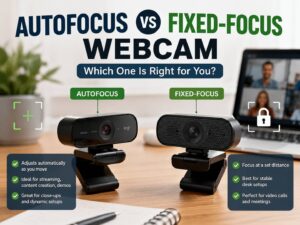
Most webcams are made for desk distance. They keep your face sharp with little effort. Some use fixed focus, which avoids focus hunting. Others use autofocus, which helps when you move closer or hold something up to the camera.
Mirrorless autofocus can be excellent, especially with face and eye tracking. Still, the result depends on the camera body, lens, lighting, and settings. Some lenses focus quietly. Others make noise or pulse in and out. That can distract viewers.
Background blur is where mirrorless cameras shine. Real lens blur looks natural. It handles hair, hands, microphones, and chair edges better than software blur. It also gives the frame more depth.
A webcam can blur the background through software, but the effect is not always clean. Headphones may get cut off. Fingers may blur. Chair edges may flicker. For quick calls, that is fine. For a polished stream, it can look rough.
Framing is easier with a webcam. Most webcams use a wide lens, so they fit your face and desk area easily. A mirrorless camera needs the right focal length. Too wide, and your face may look distorted. Too tight, and you may not fit in the frame.
For most desk setups, a 24mm to 35mm full-frame equivalent view works well. A tighter 35mm to 50mm look can feel more cinematic, but it needs more space.
Audio matters more than the camera
A better camera will not save bad audio. Viewers can forgive average video. They leave faster when audio sounds harsh, quiet, echoey, or full of keyboard noise.
Most webcam microphones are fine for basic calls. They are not ideal for serious streaming. A USB microphone, XLR microphone, lavalier mic, or good headset mic will make a bigger difference than a camera upgrade.
Mirrorless camera microphones are not ideal for desk streaming either. The camera usually sits too far from your mouth. It can pick up fans, keyboard clicks, desk noise, and room echo.
So, build the setup in the right order. Start with clear audio. Then fix lighting. Next, improve camera position. After that, think about a camera upgrade.
A simple webcam with a good mic and soft light often beats a mirrorless camera paired with bad sound.
Best choice for Twitch, YouTube, Zoom, and podcasts
For Twitch gaming, a webcam is enough for most streamers. Viewers care about gameplay, voice, chat, layout, and personality. A mirrorless camera can improve the face cam, but it should not take the whole budget.
For YouTube livestreams, a mirrorless camera makes more sense. Talking-head streams, interviews, product demos, and webinars benefit from better image quality. The result feels more polished on large screens.
For Zoom, Teams, Google Meet, and remote work, a webcam is the safer pick. It is simple, stable, and easy to manage. A mirrorless camera can look great, but it can feel like too much gear for daily meetings.
For video podcasts, a mirrorless camera is worth serious thought. Podcast clips often get reused on YouTube Shorts, TikTok, Instagram Reels, and full YouTube episodes. Better image quality gives you more room to crop, edit, and repurpose content.
For online teaching, the right choice depends on what you show. A webcam works well for slides and face video. A mirrorless camera is better for product demos, whiteboard work, art, crafts, cooking, and music lessons.
Common problems with mirrorless camera streaming
Mirrorless cameras can create a beautiful stream, but they bring real issues.
Common problems include:
- Overheating during long sessions
- No clean HDMI on some older models
- Camera icons showing on screen
- Auto shutoff settings
- Battery drain
- Loose HDMI cables
- Capture card errors
- Audio delay in OBS
- Autofocus hunting
- Extra desk clutter
- More heat from lights and camera gear
These problems are fixable, but they take time. For example, a dummy battery can solve battery drain. A better HDMI cable can reduce signal dropouts. Manual exposure can stop brightness shifts. A better lens can improve focus and background blur.
Still, every fix adds one more part to the setup. That is why beginners often feel surprised after buying a camera. They expected better video. Instead, they got a small production rig.
Common problems with webcams
Webcams are easier, but they are not perfect.
Common webcam issues include:
- Grainy video in low light
- Washed-out skin tones
- Harsh sharpening
- Unstable auto exposure
- Wide-angle distortion
- Weak built-in microphones
- Fake-looking background blur
- USB bandwidth limits
- Software bugs
- Poor monitor mounting
The good news is that many webcam issues are easy to improve. Lock exposure and white balance if the app allows it. Raise the camera to eye level. Add soft light from the front. Reduce bright light behind you. Move the webcam farther away if your face looks distorted.
Small changes can make a big difference. In fact, camera height and lighting often matter more than the model name printed on the box.
Which one should you buy?
Buy a webcam if you want a simple, reliable, low-maintenance setup. It is the better choice for beginners, remote workers, casual streamers, students, and people who join video calls every day.
Pick a mirrorless camera if you want stronger image quality and more control. It is the better choice for serious YouTube creators, professional streamers, podcast hosts, educators, product reviewers, and anyone who wants a studio-like image.
Here is the plain advice I would give a friend: do not buy a mirrorless camera first. Buy a good light and a good microphone first. Then improve your background and camera position. After that, upgrade the camera if you still feel limited.
That order saves money. It also gives you better results faster.
A premium webcam is the best middle ground for many people. It gives you clean video, easy setup, and fewer cables. You will not get true mirrorless-style depth, but you will get a setup that works with less effort.
Final verdict: webcam or mirrorless camera for streaming?
A webcam is the better choice for most streamers. It costs less, takes less space, starts faster, and causes fewer setup problems. For Twitch, Discord, Zoom, Teams, online classes, and casual YouTube livestreams, a good webcam is often enough.
A mirrorless camera is the better choice for creators who care about a premium image. It gives better low-light performance, real background blur, better lens control, and a more professional look. The tradeoff is clear: more cost, more cables, and more setup time.
So the winner depends on the user. Choose a webcam for speed, simplicity, and value. Choose a mirrorless camera for image quality, control, and a more polished stream.
For most beginners, the smartest path is simple. Start with a good webcam. Add better lighting. Upgrade the microphone. Then move to a mirrorless camera when your content needs it.