Logitech Lift review
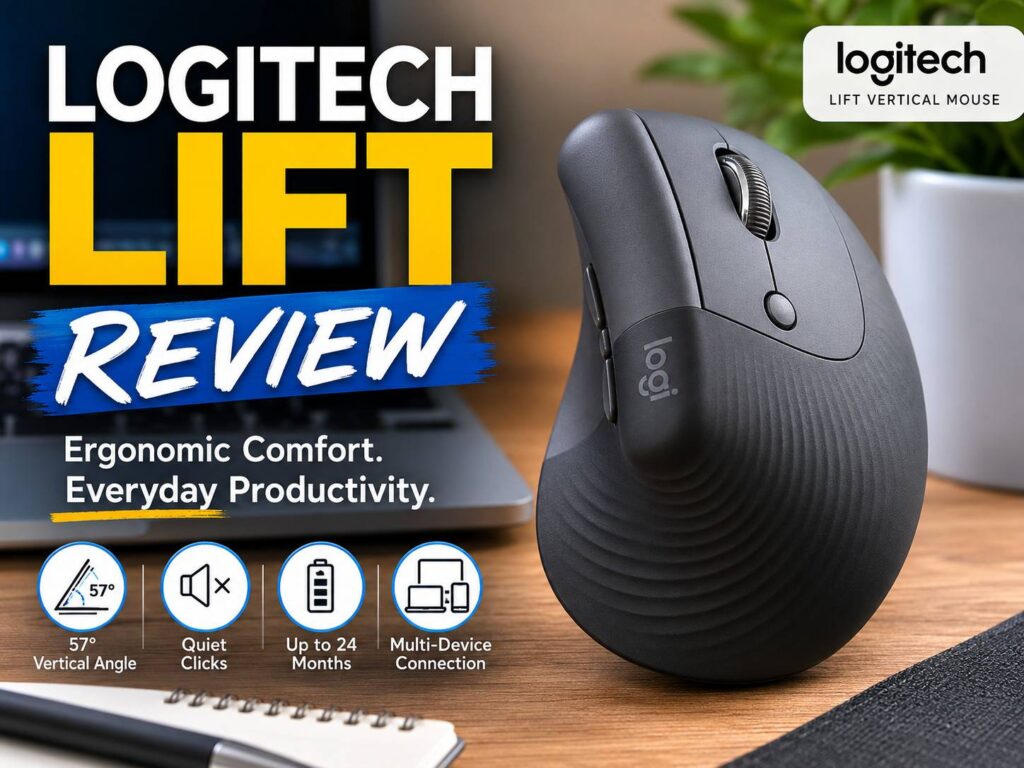
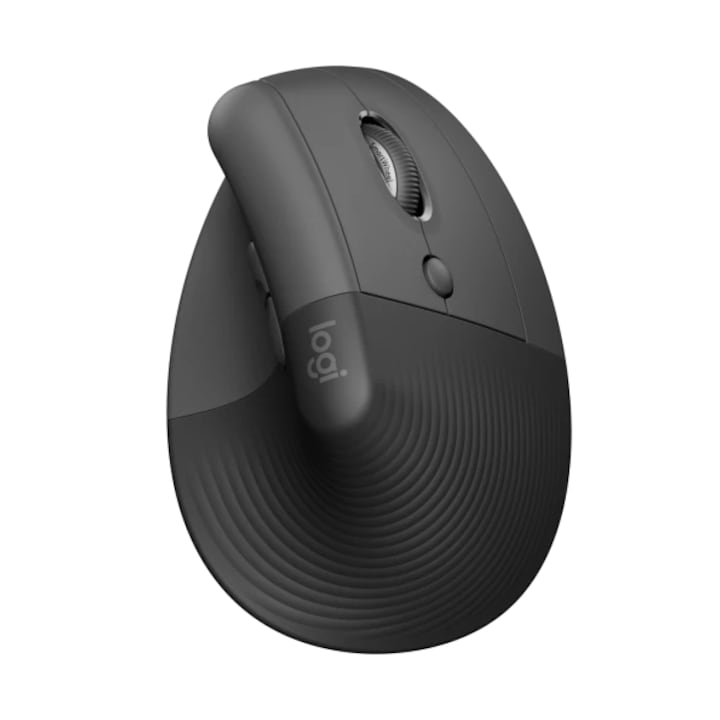
The Logitech Lift is a compact vertical mouse made for people who spend many hours at a desk. It looks simple at first, but the shape changes the way your hand sits on the mouse. Instead of placing your palm flat on the desk, the Lift turns your hand into a more natural handshake position.
That small change matters during long work sessions. Your wrist twists less, your thumb has a proper rest area, and your fingers fall more naturally over the buttons. So, if a normal mouse leaves your wrist tired after a full day of email, browsing, spreadsheets, or writing, the Lift feels like a smart upgrade.
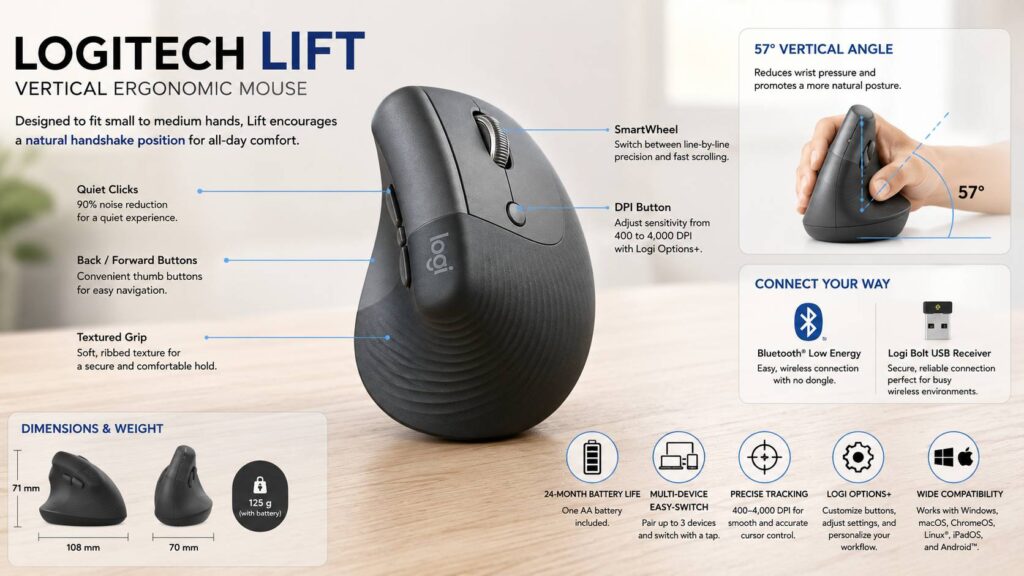
The mouse uses a 57-degree vertical angle. It is built for small to medium hands, which is one of its strongest selling points. Many vertical mice feel too tall or too wide. The Lift feels easier to hold, and it does not take over the whole desk.
It connects through Bluetooth Low Energy or the Logi Bolt USB receiver. Plus, it supports up to three devices, so it works well for people who switch between a work laptop, personal computer, and tablet. Battery life reaches up to 24 months from one AA battery, which keeps maintenance low.
At 108 mm long, 70 mm wide, and 71 mm tall, the Lift sits in a comfortable middle ground. It is not tiny, but it is smaller than many full-size ergonomic mice. Weight sits around 124 to 125 g, so it feels planted rather than light and fast.
For office work, the Logitech Lift makes a lot of sense. For fast gaming, it does not. Still, that trade feels fair. This mouse focuses on comfort, quiet clicks, steady tracking, and long daily use.
Main specifications
The Logitech Lift is a wireless vertical ergonomic mouse. It comes in right-handed and left-handed versions, though colors and stock change by region.
Here are the main specs buyers should know:
| Feature | Logitech Lift |
|---|---|
| Mouse type | Vertical ergonomic wireless mouse |
| Best fit | Small to medium hands |
| Angle | 57 degrees |
| Connectivity | Bluetooth Low Energy, Logi Bolt USB receiver |
| Device switching | Up to 3 devices |
| DPI range | 400 to 4,000 DPI through software |
| Battery | 1 AA battery |
| Battery life | Up to 24 months |
| Dimensions | 108 x 70 x 71 mm |
| Weight | About 124 to 125 g |
| Wireless range | Up to 10 m or 33 ft |
| Scroll wheel | SmartWheel |
| Software | Logi Options+ |
| Warranty | 2-year limited hardware warranty |
The Lift uses one replaceable AA battery. If you prefer USB-C charging, this detail is a drawback. Still, the long battery life helps. You do not need to charge it every week, and that makes it easy to live with.
Design and first impression
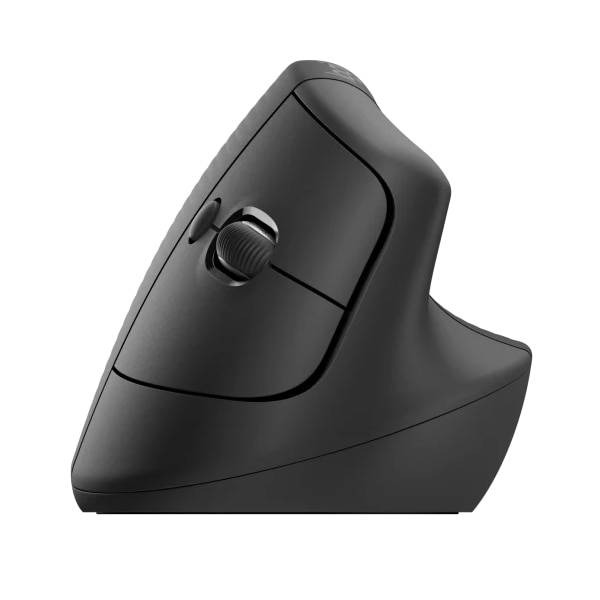
The Logitech Lift has a soft, rounded shape that looks more friendly than technical. The body rises on the left side for right-handed models, and your thumb rests in a curved side area. Then your index and middle fingers sit over the main buttons without much stretching.
The grip area has a textured finish. That texture helps your hand stay in place, mainly during longer desk sessions. A smooth vertical mouse can feel slippery, but the Lift avoids that problem well.
The 57-degree angle is the main design feature. It turns your wrist away from the flat palm-down position used with a standard mouse. So, instead of twisting your forearm toward the desk, your hand sits in a more relaxed posture.
At first, the shape feels different. The mouse moves from a new angle, so small cursor moves can feel slightly strange during the first few hours. After that, the body starts to feel natural. The learning curve is short for basic office work.
The Lift is clearly made for smaller hands. That is a good thing for the right buyer. Many ergonomic mice feel oversized, and smaller-hand users often lose control around the thumb and palm. Here, the shell feels easier to manage.
Large-hand users will notice the size in a different way. The mouse can feel short under the palm, and the fingers can reach too far forward. For those users, a larger vertical mouse will feel better.
Comfort during long desk sessions
Comfort is the main reason to buy the Logitech Lift. The vertical angle reduces wrist twist, and the raised shape supports the hand better than a flat office mouse. As a result, the wrist feels less forced into the desk.
The thumb rest helps too. On many small mice, the thumb drags along the desk or grips the side too tightly. The Lift gives it a clear place to sit. That makes the hand feel more relaxed during slower work.
The mouse works best with a light grip. If you squeeze it hard, the comfort gain drops. Instead, let the hand rest on the body and move the mouse with small arm movements. That feels better during long sessions.
The compact shape works well for writing, browsing, online research, customer support work, and admin tasks. It feels steady during everyday movement. Plus, the soft clicks make it nicer to use in a quiet room.
The Lift will not fix every desk problem. Chair height, keyboard position, monitor height, and arm support still matter. Even so, the mouse gives your wrist a better starting point, and that is the part you will notice first.
Real usage observations
In daily work, the Logitech Lift feels calm and controlled. It does not glide like an ultra-light gaming mouse. Instead, it moves with a steady feel that suits email, documents, spreadsheets, and web work.
The weight helps here. At around 124 to 125 g, the mouse feels stable. It does not jump around under the hand. For office work, that stability feels useful. For fast gaming, it feels too heavy and too upright.
The quiet clicks are one of the nicest day-to-day details. They do not feel silent, but they sound softer than many standard mice. So, the Lift works well in shared offices, family rooms, and late-night work setups.
The SmartWheel feels good for mixed scrolling. You can move slowly through a page, then scroll faster through long articles, product pages, or spreadsheets. The wheel is not as premium as the metal wheel on higher-end Logitech models, but it does the job well.
The side buttons are useful in browsers and folders. Back and forward actions save small amounts of time, and those small savings add up through the day. With Logi Options+, the buttons can handle other actions too.
Cursor movement feels smooth for office use. The 400 to 4,000 DPI range gives enough room for different monitor setups. On a 4K screen, a higher pointer speed helps reduce hand travel. On a smaller screen, a lower setting gives better control.
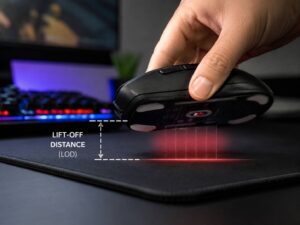
Lift-off behavior is not the main selling point of this mouse, since the Lift targets office comfort rather than gaming precision. Still, users who care about cursor control can read more about lift-off distance on a mouse explained, mainly if they compare the Lift with gaming mice or high-DPI productivity models.
Buttons and controls
The Logitech Lift keeps the button layout simple. You get the left and right buttons, a clickable scroll wheel, two side buttons, and a device-switching button. The layout feels easy to learn, which matters for an ergonomic mouse.
The main buttons have a quiet click feel. They do not feel mushy, but they feel softer than louder office mice. That makes repeated clicking less annoying during long work sessions.
The scroll wheel sits in a comfortable spot. It does not require finger stretching, and it works well for browsing. The middle click works for opening links in new tabs, though heavy middle-click users may prefer a mouse with a firmer wheel.
The side buttons sit near the thumb. They are easy to reach, but they are not huge. Users with larger thumbs may need a short adjustment period. Once the thumb finds the right position, back and forward clicks feel natural.
The bottom button handles device switching. This is useful for people who use more than one computer. For example, you can pair the Lift with a desktop, a laptop, and a tablet, then switch between them without reconnecting everything.
Software and setup
The Lift works as a basic mouse without software. Still, Logi Options+ makes it much better. The app lets you adjust pointer speed, change button actions, and create app-specific controls on supported systems.
Setup is simple through Bluetooth. That route keeps a USB port free, which helps on slim laptops. The Logi Bolt receiver gives another option for desktops, workstations, and business laptops.
The mouse supports Windows, macOS, ChromeOS, Linux, iPadOS, and Android for basic use. Full software control works best on Windows and macOS through Logi Options+.
The three-device switching feature is a real strength. If you work across a laptop, desktop, and tablet, one mouse that can move between them keeps the desk cleaner.
Flow support through Logitech software can help users move between compatible computers. This feature works best in a mixed work setup, mainly for users who already use Logitech keyboards or mice.
Office performance
For office work, the Logitech Lift performs very well. It tracks cleanly on normal desk mats and clean desk surfaces. The pointer feels steady, and the DPI range is wide enough for common monitor sizes.
The mouse is at its best during slower, repeated tasks. Writing, editing, WordPress work, spreadsheets, research, and inbox cleanup all feel comfortable. The shape encourages a relaxed hand position, and the quiet buttons make long sessions feel less tiring.
The Lift is not built for speed. Fast side-to-side movement feels less natural than it does on a flat mouse. That is normal for a vertical design. The trade is simple: you get better comfort, but you lose some fast movement control.
For most office users, that trade makes sense. A mouse used for eight-hour workdays should feel comfortable first. Speed matters less during email, web apps, and documents.
The Lift pairs well with a laptop stand, external keyboard, and proper chair height. Together, those changes make a desk setup feel much better. The mouse alone helps, but the full setup matters too.
Gaming and creative work
The Logitech Lift can handle casual games, but it is not a gaming mouse. The vertical shape, higher weight, and office-focused sensor setup make it less suitable for quick aiming or fast flicks.
For creative work, the Lift feels better with light editing than heavy design control. It works well for content editing, image sorting, browser-based design tools, and simple adjustments. For fast photo retouching or detailed design work, a flatter mouse, pen tablet, or trackball can feel more precise.
That does not make the Lift weak. It simply has a clear purpose. It is built for comfort during daily tasks, not fast gaming or pro design work.
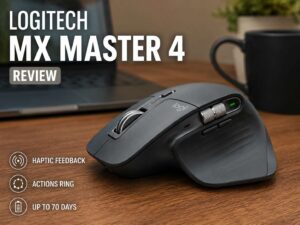
Users who want a more premium productivity mouse with a larger body, more controls, and a different scroll setup should compare it with the MX Master line. For that type of buyer, this Logitech MX Master 4 review is a better next read.
Who should buy the Logitech Lift?
The Logitech Lift is a strong pick for small and medium-hand users who feel wrist strain with a normal mouse. It suits remote workers, writers, students, developers, editors, office workers, and anyone who spends long hours at a desk.
It is also a good choice for quiet rooms. The softer clicks make it less distracting during calls, late work, and shared-space use.
People who switch between devices will like it too. The three-device pairing system makes the mouse useful for mixed setups. A work laptop, home desktop, and tablet can all share the same mouse.
Large-hand users should be careful. The Lift can feel too compact. Gamers should skip it too, unless they only play casual games. Buyers who want USB-C charging should know that the Lift uses one AA battery.
Still, for the right person, the Logitech Lift solves a real problem. It makes daily mouse use feel less harsh on the wrist, and it does that without a steep learning curve.
Pros
- Comfortable 57-degree vertical shape for long desk days.
- Great fit for small to medium hands.
- Left-handed version available in supported regions.
- Quiet main clicks work well in shared rooms.
- SmartWheel handles slow and faster scrolling.
- Bluetooth Low Energy and Logi Bolt support.
- Connects with up to 3 devices.
- Up to 24 months of battery life from one AA battery.
- Logi Options+ adds useful button control on Windows and macOS.
- Textured grip helps the hand stay in place.
- Compact for a vertical mouse.
- Good 400 to 4,000 DPI range for office monitors.
Cons
- Too small for many large-hand users.
- Not made for competitive gaming.
- Uses an AA battery instead of USB-C charging.
- No premium metal scroll wheel.
- Full software control works best on Windows and macOS.
- Vertical shape takes a little time to learn.
- Side buttons may feel small for some thumbs.
- About 124 to 125 g, so it is not a light mouse.
Price

Final verdict
The Logitech Lift is one of the best small vertical mice for daily office use. It feels comfortable, quiet, and easy to use after a short adjustment period. The 57-degree angle, thumb rest, textured grip, and compact body all work together to make long desk sessions easier.
It is not perfect. Large-hand users need a bigger mouse. Gamers need a faster and lighter shape. USB-C fans will not love the AA battery. Still, the Lift gets the main job right.
For writing, browsing, spreadsheets, admin work, study, coding, and remote work, the Logitech Lift is a smart buy. It gives your wrist a more natural position, reduces the harsh feeling of a flat mouse, and keeps the setup simple.
If your current mouse leaves your wrist tired by the end of the day, the Logitech Lift deserves a serious look.