What the Motor Really Does
A standing desk motor does more than move the desktop up and down. It carries the full weight of your setup every time you change height. That includes the desktop, monitors, laptop, monitor arms, speakers, cable tray, power strip, and anything else sitting on the surface.
This matters more than it seems. A desk can look strong in photos, yet feel shaky once it reaches standing height. The motor affects lift power, speed, noise, balance, and long-term wear. So, the choice between a dual-motor and single-motor standing desk is not just a small technical detail.
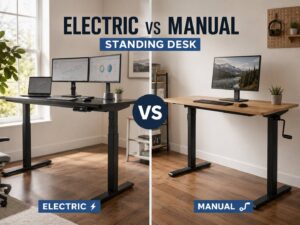
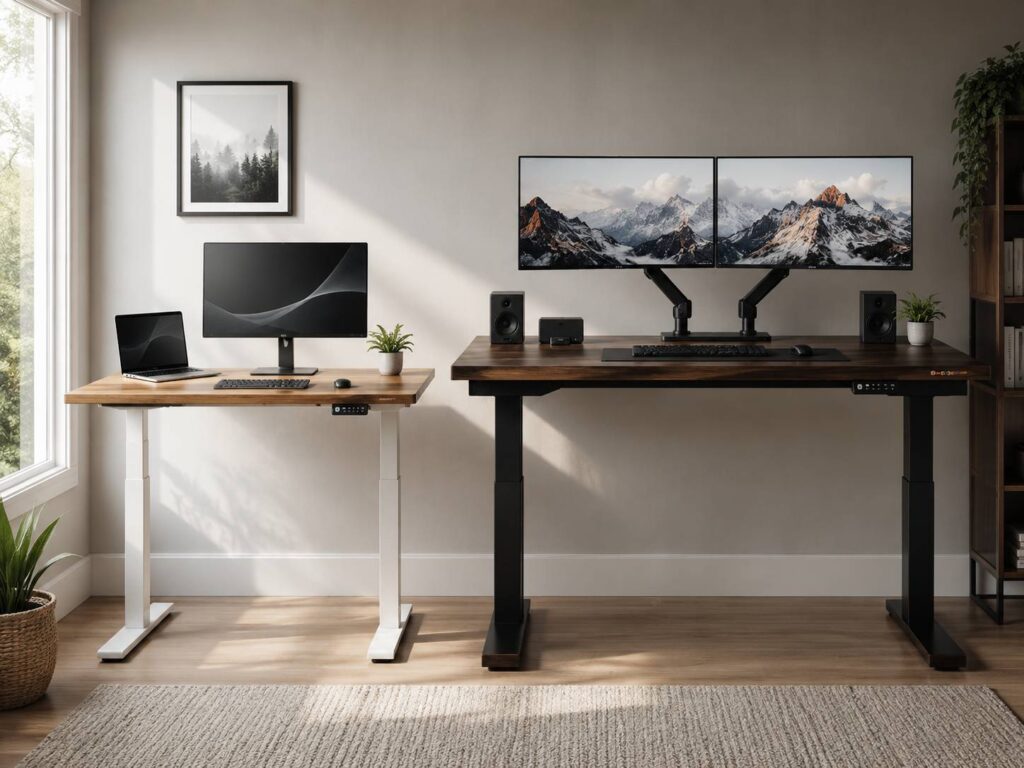
A single-motor desk uses one motor to move both legs. A dual-motor desk uses two motors, with one motor usually driving each leg. That simple difference changes how the desk feels in daily use.
For a small laptop setup, one motor can do the job. For a larger home office with two monitors and a heavier desktop, two motors often feel like the safer pick. The right choice depends on your setup, your room, your budget, and how often you plan to sit and stand during the day.
What Is a Single-Motor Standing Desk?
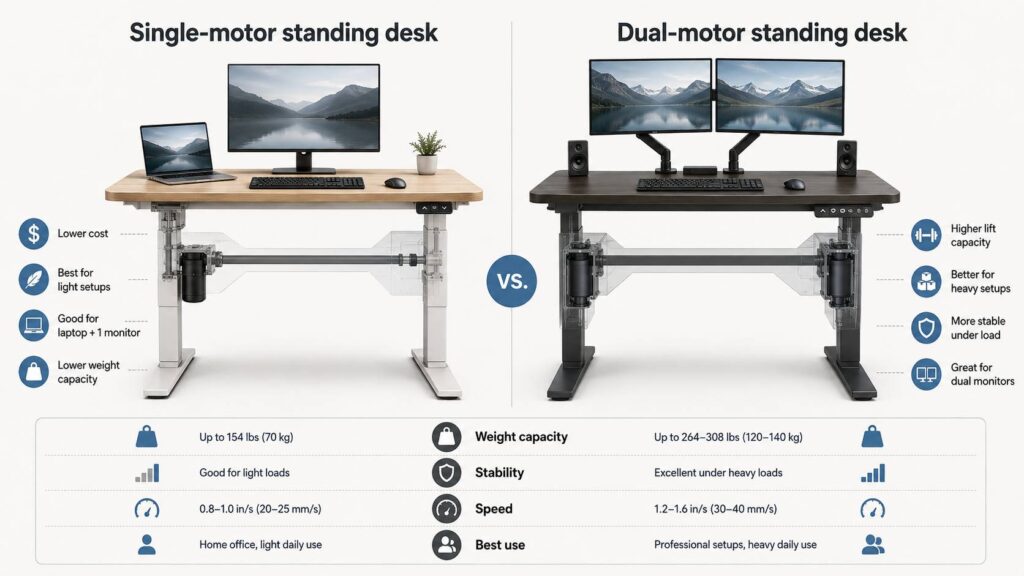
A single-motor standing desk has one motor inside the frame. That motor moves both lifting columns through a shared drive system. Press the button, and the desk moves as one unit.
This design keeps the price lower. It can also make the frame lighter and simpler to build. Many budget electric standing desks use this setup, and that is not a bad thing. For basic home office work, a single-motor desk can feel perfectly fine.
A single-motor desk works best for:
- A laptop
- One light monitor
- A compact desktop
- A student room
- A simple work-from-home setup
- A smaller office corner
- A buyer who wants a lower price
Still, one motor has limits. The motor carries the full load alone, so it works harder with heavier gear. Once you add a thick desktop, two monitors, a monitor arm, speakers, and a cable tray, the desk has less room to spare.
This does not mean every single-motor desk feels weak. Some models handle light and medium setups better than expected. Yet, a single-motor frame fits modest setups best.
My honest view: choose a single-motor desk only if your setup will stay light. It saves money, and it keeps things simple. Still, it is not the best long-term choice for a desk that will grow with more gear.
What Is a Dual-Motor Standing Desk?
A dual-motor standing desk uses two motors. Each motor controls one side of the frame. That gives the desk more lifting power and better balance.
This setup usually costs more, but it also feels stronger under real desk loads. The desk often moves faster, handles more weight, and feels smoother during height changes. Plus, the motors share the work, so each side carries less strain.
A dual-motor desk works well for:
- Dual monitors
- Ultrawide monitors
- Monitor arms
- Desktop PCs
- Large wooden desktops
- Audio gear
- Gaming setups
- Shared workstations
- Creative workstations
- People who adjust desk height often
Two motors do not fix every problem. A poor frame can still wobble. Thin legs, small feet, weak screws, and uneven floors can all create movement. Even so, dual motors give the desk a stronger starting point.
This type of desk makes sense if you plan to keep it for years. You can start with a laptop and one monitor, then add a larger display later. A stronger frame gives you more room to change your setup without replacing the whole desk.
Weight Capacity Is the First Spec to Check
Motor count matters, but weight capacity matters more. Counting only the visible gear on top of the desk gives a bad estimate.
The desktop itself adds weight. A thick wood top can weigh a lot before you add one monitor. A monitor arm adds more. So does a cable tray, docking station, lamp, speakers, and power strip.
Count these items before you buy:
- Desktop surface
- Monitor or monitors
- Laptop
- Desktop PC
- Monitor arms
- Keyboard and mouse
- Speakers
- Desk lamp
- Docking station
- Cable tray
- Power strip
- Webcam and microphone
- Desk shelf
- Printer or scanner
A single-motor desk can work well if the full load stays low. Once the load gets close to the listed limit, the motor may slow down or sound strained. In some cases, the desk may stop and need a reset.
A dual-motor desk gives more breathing room. It can lift heavier setups with less stress, and it usually handles daily height changes with more confidence.
For most buyers, it makes sense to leave extra capacity. Do not buy a desk that barely covers your current gear. Your setup will likely get heavier over time.
Stability and Wobble Matter Every Day
A standing desk can lift the weight and still feel annoying. Stability shows up every time you type, move your mouse, or adjust your monitor.
Wobble usually appears in three ways:
- The desk shakes from front to back
- The frame sways from side to side
- The monitor moves after each key press
A single-motor desk can feel stable at sitting height, then less steady at standing height. This happens more often with narrow feet, thin lifting columns, shallow desktops, or heavy monitor arms.
Dual-motor desks often feel better under load. The lift feels more balanced, and the frame carries heavy gear with less strain. Still, the frame design matters just as much as the motor setup.
Look for these stability features:
- Thick steel legs
- Wide desk feet
- A strong frame
- A crossbar or reinforced structure
- Good leveling feet
- Solid mounting points
- A desktop with enough depth
A common issue appears after adding a monitor arm. The arm lifts weight higher and moves it farther back. Then the desk starts to shake more. A stronger frame handles that change better.
If you care about a steady screen, do not judge the desk only by the motor count. Check the frame, desktop size, and leg design too.
Lift Speed and Smooth Movement
Lift speed matters more after you start using the desk every day. A slow desk can make height changes feel tedious. Then you stop switching between sitting and standing.
Single-motor desks can move at a decent speed with lighter setups. Add more weight, and some models slow down. The motor may sound rougher too.
Dual-motor desks often move faster with real equipment on the surface. The two motors split the work, so the lift feels smoother. This makes daily height changes feel less like a task.
Still, smooth movement matters more than raw speed. A good desk should rise and lower without jerks, clicks, or uneven motion. Your monitors, cables, and accessories will feel safer that way.
Memory presets help a lot. Set one height for sitting and one for standing. Then use those same positions every day. This keeps your posture more consistent and removes the guesswork.
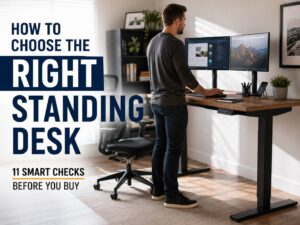
If you are still planning your full setup, this guide on how to choose the right standing desk can help you compare height range, frame size, and desk depth before you buy.
Noise Levels: What to Expect
Most electric standing desks sound quiet enough for a normal home office. Still, noise changes once you place real weight on the desktop.
A single motor can sound more strained with a heavy setup. You may hear a deeper hum or light vibration through the frame. This does not always point to a defect, but it can make the desk feel less refined.
Dual-motor desks often sound smoother, since the motors share the lift. Yet, a cheap dual-motor desk can still rattle or buzz. Loose parts, poor cable placement, and low-grade controls can all create noise.
Check these areas during setup:
- Loose frame bolts
- Uneven feet
- Cable tray touching the frame
- Power brick vibrating under the desktop
- Control box mounted too loosely
- Cables rubbing during movement
A quiet desk starts with careful assembly. Tighten the frame evenly, route the cables cleanly, and keep anything loose away from moving parts.
Height Range and Leg Design
Motor type gets most of the attention, but leg design matters too. A strong motor cannot fix a desk that does not reach the right height.
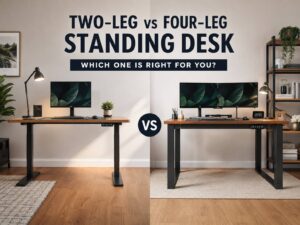
Two-stage legs use two telescoping sections. They usually cost less and work for many average-height users. You will find them on many entry-level desks.
Three-stage legs use three telescoping sections. They often offer a wider height range. That can help shorter users sit lower and taller users stand higher.
Choose three-stage legs if:
- You are shorter than average
- You are taller than average
- You use a thick desktop
- You want a wider height range
- You share the desk with another person
Your elbows should sit close to desk height during typing. Your shoulders should stay relaxed. The top of the screen should sit near eye level. A desk that fails those basics will feel wrong, no matter how strong the motor is.
Anti-Collision and Reset Issues
Many electric standing desks include anti-collision. This feature helps the desk stop or reverse after it meets resistance. It can protect chairs, drawers, cables, cabinets, and other items under the desk.
Still, anti-collision is not perfect. Some systems react faster than others. The desk can still pinch a cable or bump into an object before it stops. Clean cable routing matters.
Reset issues can happen with both single-motor and dual-motor desks. A desk may stop moving, show an error code, or refuse to rise after a power cut. Most of the time, it needs calibration.
Common fixes include:
- Lowering the desk fully
- Holding the down button for a reset
- Checking all cable plugs
- Removing extra weight
- Leveling the feet
- Reconnecting the control box
Read the reset steps before you need them. A desk can feel broken, yet the fix may take less than one minute.
Cost and Long-Term Value
Single-motor desks cost less. That makes them attractive for small rooms, student setups, and light workstations. If you only need a laptop and one monitor, a single-motor desk can be a smart buy.
Dual-motor desks cost more, but they give you more strength and flexibility. They handle heavier gear, wider desktops, and more frequent height changes. That extra cost can feel worth it after months of daily use.
Spend more on dual motors if:
- You use two monitors
- You use an ultrawide display
- You mount monitors on arms
- You place heavy gear on the desk
- You want a larger desktop
- You change height several times per day
- You want the desk to handle future upgrades
Save money with one motor if:
- Your setup is light
- Your desktop is small
- You use one monitor
- You need a basic electric desk
- Your budget has a hard limit
My real opinion: spend more on the frame before you spend more on looks. A nice desktop on a weak frame gets frustrating fast. A plain desktop on a strong frame feels better every day.
Best Choice for Work, Gaming, and Long Desk Days
For basic office work, either type can work. A laptop, one monitor, and a small desktop do not need much lift power. In that case, a single-motor standing desk can cover the basics.
For heavier work, dual motors make more sense. Two 27-inch monitors, a monitor arm, a docking station, speakers, and a cable tray can turn a normal desk into a heavy setup.
Gaming setups often need dual motors too. Monitors, consoles, lights, speakers, microphones, and large mouse pads add weight fast. A PC tower on the desktop adds even more load.
Creative workstations benefit from stronger frames as well. Designers, editors, streamers, and audio users often rely on large screens and extra hardware. A dual-motor desk gives that equipment a steadier base.
Comfort also comes from the small items you use every day. A good chair, correct monitor height, and a better mouse can reduce strain during long sessions. For example, this Logitech Lift review covers a small vertical mouse built for easier desk days.
Common Buying Mistakes
It is easy to choose a standing desk too quickly by focusing on price and ignoring the parts that affect daily use.
The most common mistake is buying for today only. Your setup may grow. You may add a monitor arm, a bigger screen, a desk shelf, a microphone, or lighting. A desk with extra lift capacity handles those changes better.
Other common mistakes include:
- Ignoring desktop weight
- Buying a desk that cannot sit low enough
- Choosing a shallow desktop for monitor arms
- Forgetting cable slack
- Placing a heavy PC tower on a weak frame
- Trusting motor count more than frame quality
- Skipping warranty details
- Building the desk on uneven flooring
- Leaving bolts slightly loose
- Running cables too tight
Assembly can make or break the experience. Loose bolts create wobble. Bad cable routing creates snags. A poorly mounted control box can rattle. Take your time during setup, and the desk will feel much better.
Which One Should You Buy?
Choose a single-motor standing desk if your setup stays light. It suits a laptop, one monitor, and a smaller desktop. It saves money and gives you basic electric height control.
Pick a dual-motor standing desk if you use heavier gear or plan to upgrade later. It gives you better lift power, smoother movement, and more stability under load. It also makes sense if you change height many times during the day.
For most home office users, the dual-motor desk is the safer long-term pick. It costs more, but it gives you extra strength and fewer limits. That matters if you want to keep the desk for several years.
A single-motor desk still has a place. It works well for compact setups and tighter budgets. Just keep the load light and check the height range before you buy.
Final Verdict
The dual-motor vs single-motor standing desk choice comes down to weight, stability, speed, noise, and future use. A single-motor desk gives you a lower price and simple height control. It fits light setups well.
A dual-motor desk gives you more power and better balance. It handles heavier workstations, wider desktops, monitor arms, and daily height changes with more confidence.
For a laptop and one monitor, a good single-motor desk can work. For two monitors, heavier gear, or a desk you plan to keep for years, choose dual motors. The extra strength feels useful every day, not just on paper.