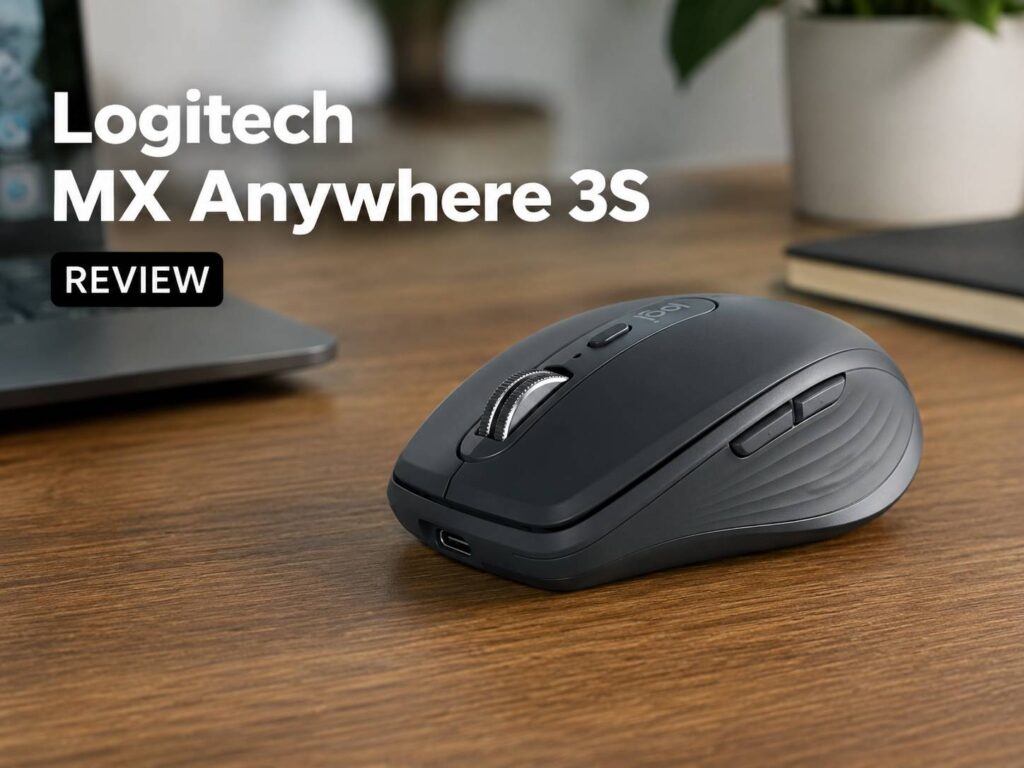
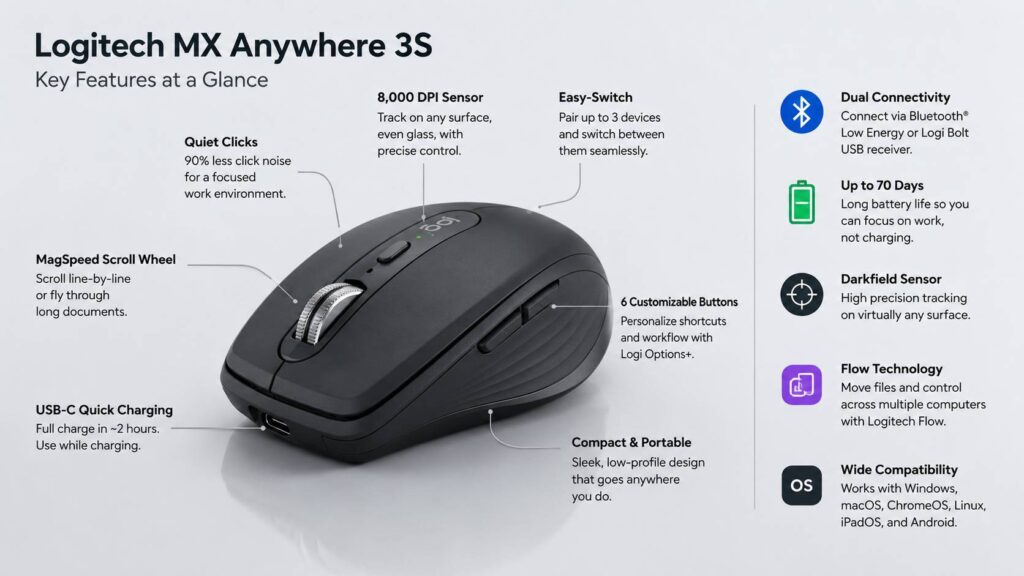
The Logitech MX Anywhere 3S is a small wireless mouse made for people who work across laptops, desks, travel bags, and shared spaces. It looks simple at first, but it packs many of Logitech’s best productivity features into a compact body. You get quiet clicks, an 8,000 DPI sensor, a premium MagSpeed scroll wheel, USB-C charging, and support for up to three paired devices.
That sounds great on paper. The real question is whether it feels like a smart buy, or just an expensive small mouse.
For many laptop users, the MX Anywhere 3S makes sense. It is easy to carry, quiet in use, and much better than the basic Bluetooth mice that usually come bundled with office setups. The scroll wheel alone makes long pages, spreadsheets, product research, and PDFs feel less annoying. The high-precision sensor also helps on 4K monitors, where cheaper mice can feel slow or jumpy.
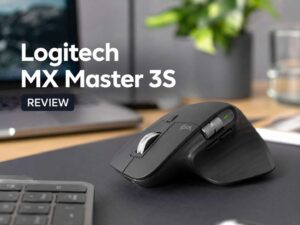
Still, this mouse is not perfect. The compact shape is the main strength, but it is also the main weakness. Larger hands may feel cramped. People who spend eight hours at a fixed desk may prefer a bigger mouse with more support. The Logitech MX Master line is better for that type of user, and our Logitech MX Master 3S review gives a clearer look at that larger desk-focused option.
This Logitech MX Anywhere 3S review covers the confirmed specs, daily usability, pros and cons, ratings, real buying issues, head-to-head comparisons, and who should buy it.
Logitech MX Anywhere 3S Specs
- Product type: Compact wireless productivity mouse
- Sensor: Darkfield high-precision sensor
- DPI range: 400 to 8,000 DPI
- Buttons: 6 buttons
- Scroll wheel: MagSpeed electromagnetic scroll wheel
- Clicks: Quiet Click technology
- Wireless connection: Bluetooth Low Energy and Logi Bolt receiver support
- Wireless range: Up to 10 meters
- Battery: Rechargeable 500 mAh Li-Po battery
- Rated battery life: Up to 70 days on a full charge
- Charging: USB-C
- Full charge time: About 2 hours
- Dimensions: 100.5 mm deep, 65 mm wide, 34.4 mm high
- Weight: 95 g
- Multi-device pairing: Up to 3 devices
- Software: Logi Options+
- Main platforms: Windows, macOS, iPadOS, ChromeOS, Linux, and Android
Design and First Impressions
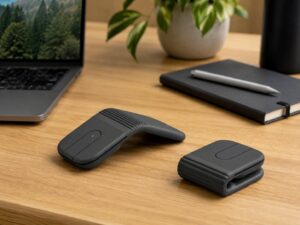
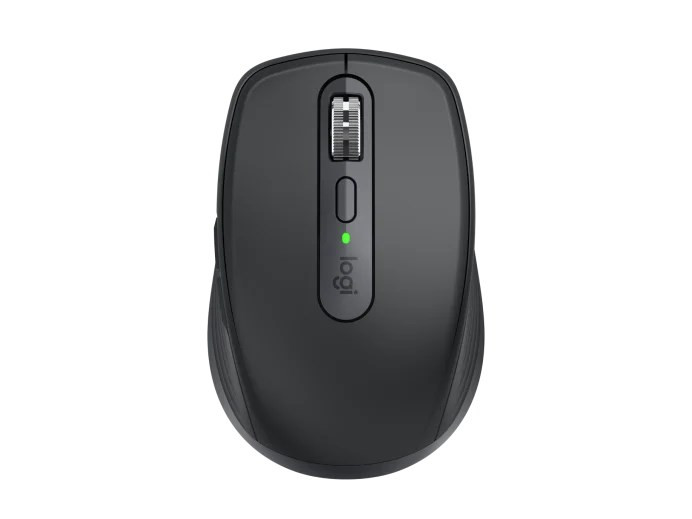
The MX Anywhere 3S has a clean, compact design that fits the “premium travel mouse” category very well. It does not look flashy. There is no RGB lighting, no aggressive gaming shape, and no oversized logo. That makes it easy to pair with a MacBook, a Windows ultrabook, a tablet setup, or a clean office desk.
Its small body makes it very easy to carry. You can throw it into a laptop sleeve, backpack pocket, or tech pouch without thinking too much about space. The 95 g weight gives it a solid feel, but it does not feel heavy in a bag.
The build feels better than most cheap portable mice. The buttons sit neatly, the side buttons are easy to reach, and the scroll wheel feels like the most premium part of the mouse. You can tell Logitech designed this mouse for productivity users who care about small daily details.
There is one clear trade-off. The low, narrow shape does not support the hand like a larger ergonomic mouse. People with small or medium hands may enjoy it more. Large-hand users may need to use fingertip grip or claw grip rather than a relaxed palm grip.
Comfort During Daily Use
The Logitech MX Anywhere 3S feels best during laptop work, office tasks, browsing, writing, email, and travel use. It is small enough to move quickly, and the shape gives you good control on small desks or tight workspaces.
Wrist comfort depends heavily on hand size. A small mouse can force a larger hand to pinch more with the fingers. After a longer session, that can feel tiring. This is not a fault in the build quality. It is simply the compromise of a compact mouse.
For short and medium work sessions, the shape works well. A few hours of browsing, writing, editing documents, and moving between tabs should feel natural. Full-day use is where the difference between the MX Anywhere 3S and a larger mouse becomes clear.
The MX Master 3S gives your palm more support. The MX Anywhere 3S gives your bag more room. That is the simplest way to compare them.
Tracking and Sensor Performance
The 8,000 DPI Darkfield sensor is one of the biggest upgrades in the MX Anywhere 3S. It gives the mouse a wide sensitivity range, so it works well with high-resolution screens and multi-monitor setups.
This matters in real use. On a 4K monitor, a low-DPI mouse can feel slow, even after you raise the pointer speed. The MX Anywhere 3S gives you more control without forcing huge hand movements. That makes it easier to move across large screens, wide spreadsheets, and multi-window layouts.
The sensor is also useful for travel. Logitech’s Darkfield tracking is made to work on many surfaces, including glass that meets the required thickness. That helps in hotel rooms, meeting rooms, shared offices, and coffee shops where the desk surface is not always ideal.
This is not a gaming sensor in the esports sense. It is very good for productivity, but competitive players should look at a proper gaming mouse. Fast polling rates, ultra-light shells, and gaming-focused switches matter more in that space.
For work, the MX Anywhere 3S tracks smoothly and accurately. That is exactly what office work needs.
MagSpeed Scroll Wheel
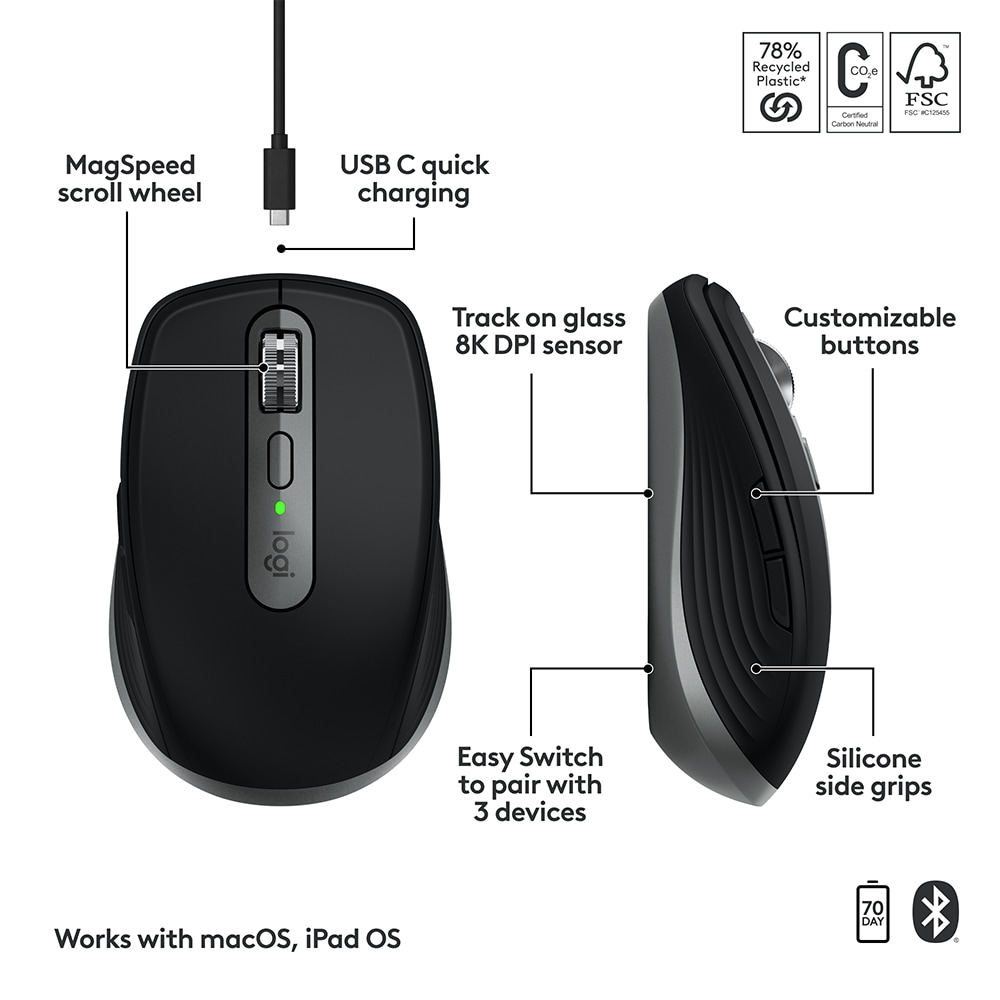
The MagSpeed scroll wheel is the part that makes the MX Anywhere 3S feel more expensive than a normal compact mouse. It can move slowly for precise scrolling, then spin quickly through long pages and documents.
This feature sounds small until you use a mouse for long workdays. Scrolling through long web pages, research tabs, product listings, Google Docs files, PDFs, and spreadsheets becomes much faster. You spend less time fighting the wheel.
The wheel can shift between precise and fast scrolling. That gives it a premium feel. Cheap mouse wheels often feel loose, loud, or rough. This one feels more controlled.
You may still prefer a traditional clicky wheel. That is fair. The MagSpeed wheel has a more modern feel, and not everyone likes automatic or fast scrolling. For productivity, though, it is one of the best reasons to buy this mouse.
Quiet Clicks
The quiet clicks are another major part of the MX Anywhere 3S experience. They feel soft, muted, and much less distracting than older clicky office mice.
This matters in real life. A loud mouse can become annoying during video calls, late-night work, shared office use, library sessions, or bedroom setups. The MX Anywhere 3S keeps click noise low without making the buttons feel cheap.
The click feel is not sharp or snappy. If you like loud, firm buttons, you may find the 3S a bit soft. For most office users, the quieter sound is a clear benefit.
The softer click also matches the character of the mouse. This is a calm productivity tool, not a high-energy gaming mouse.
Buttons and Customization
The MX Anywhere 3S has six buttons. You get left click, right click, middle click, a wheel mode button, and two side buttons. That is enough for most productivity workflows.
The side buttons are useful right away for browser back and forward. With Logi Options+, you can assign other actions, such as copy, paste, mute, screen capture, app switching, or custom app controls.
App-specific settings make the mouse more useful. For example, the same side button can perform one action in a browser and another action in a productivity app. This helps if you switch between writing, research, meetings, and spreadsheets during the day.
The limitation is clear. You do not get the thumb wheel found on the MX Master series. People who scroll horizontally through timelines, large spreadsheets, or creative apps may miss that feature. The MX Anywhere 3S is smart, but it is not the most control-heavy mouse Logitech makes.
Logi Options+ Software
Logi Options+ is the software that unlocks much of the mouse’s value. The mouse works without it, but the deeper customization comes from the app.
You can adjust pointer speed, change button actions, set app profiles, check battery status, and use Logitech Flow on supported systems. Flow is helpful for people who move between computers during work.
The best experience is on Windows and macOS. Basic mouse functions work across more platforms, but not every advanced software feature is available everywhere. This matters for Linux, ChromeOS, iPadOS, and Android users.
There is another real-world issue. Some work laptops block third-party software installs. In that case, the MX Anywhere 3S still works, but you lose some of the reason to pay extra for it.
Buyers should think about this before purchase. The hardware is strong, but the software makes it feel smarter.
Battery Life and Charging
Battery life is one of the easiest parts to like. Logitech rates the MX Anywhere 3S for up to 70 days on a full charge. That is plenty between charges.
Charging happens through USB-C, which fits modern setups better than older ports. The battery is built in, so you do not need to buy AA batteries or carry spares.
The mouse can be used during charging. That reduces the chance of downtime. A full charge takes about 2 hours, based on Logitech’s stated specs.
The built-in battery has one long-term downside. It is not as easy to replace as a standard battery. For people who keep mice for many years, that matters. For most users, the convenience will outweigh the concern.
Real-World Use: What Feels Great and What May Annoy You
The MX Anywhere 3S feels great in the situations it was built for. It suits people who move often, work on laptops, and need a serious mouse that does not take up much room.
The scrolling feels fast and smooth. The quiet clicks make work feel calmer. The small size helps on tight desks, airplane trays, hotel tables, and small home office setups. The sensor gives you confidence on surfaces where cheaper mice often fail.
The most likely annoyance is hand comfort. The compact body suits smaller hands, but larger hands will want more height, width, and palm support. This is the part no spec sheet can fully solve.
The second possible frustration is software access. Without Logi Options+, you still get a good mouse, but not the full custom workflow. A locked-down office laptop can reduce the value.
The third issue is price. The MX Anywhere 3S is not a budget mouse. It makes sense when you care about scroll quality, quiet clicks, multi-device pairing, and premium tracking. For basic use on one laptop, cheaper mice can be good enough.
Logitech MX Anywhere 3S vs MX Anywhere 3
The MX Anywhere 3S is a clear update over the MX Anywhere 3, but it is not a complete redesign.
The biggest changes are the quieter clicks and the higher 8,000 DPI sensor. The older MX Anywhere 3 used a lower maximum DPI. The newer sensor helps more on high-resolution displays, especially for users with 4K monitors or multi-screen setups.
The quiet clicks are the more noticeable daily upgrade. If you work near others, the 3S feels more pleasant. It creates less noise and feels better suited to shared spaces.
Current MX Anywhere 3 owners do not need to rush into an upgrade if their mouse still works well. The shape and main idea remain similar. New buyers should choose the 3S, especially if the price gap is small.
Logitech MX Anywhere 3S vs MX Master 3S
The MX Anywhere 3S is better for travel. The MX Master 3S is better for desk comfort.
The MX Anywhere 3S fits laptop bags and small workspaces. It is easier to carry and lighter on the desk. People who work from different places will probably enjoy it more.
The MX Master 3S gives your hand more support. It has a larger body, more controls, and a thumb wheel. That makes it stronger for long desk sessions, spreadsheets, creative apps, and heavier multitasking.
For a main workstation mouse, the MX Master 3S is the safer choice. For mobile work, the MX Anywhere 3S is easier to live with.
Logitech MX Anywhere 3S vs MX Master 4
You may also compare the MX Anywhere 3S with Logitech’s newer flagship desk options. The real decision comes down to size and purpose, not just price.
The MX Anywhere 3S is the better pick for compact setups and laptop bags. It feels lighter, smaller, and easier to carry. That makes it practical for people who switch between home, office, meetings, and travel.
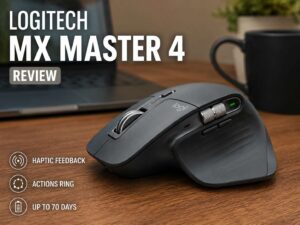
A bigger MX Master-style mouse suits users who want more hand support and more controls at a fixed desk. Readers looking at the larger model can check our Logitech MX Master 4 review before choosing between compact portability and a full-size productivity mouse.
The MX Anywhere 3S is not trying to replace a flagship ergonomic mouse. It is trying to give you a premium work mouse that fits almost anywhere.
Logitech MX Anywhere 3S vs a Gaming Mouse
A gaming mouse is better for fast competitive games. The MX Anywhere 3S is better for work.
Gaming mice often focus on low latency, high polling rates, lighter weight, large glide feet, and fast switches. The MX Anywhere 3S focuses on quiet clicks, long battery life, multi-device pairing, and smooth scrolling.
Casual gaming is fine. Fast shooters are not the ideal match. The shape is small, the weight is not ultra-light, and the feature set targets productivity rather than performance gaming.
People who work all day and play casual games at night can use the MX Anywhere 3S without much trouble. Serious gamers should buy a dedicated gaming mouse.
Pros
- Compact body fits laptop bags and small desks
- Premium feel for a portable mouse
- Quiet clicks work well in shared spaces
- 8,000 DPI sensor suits 4K monitors and multi-screen setups
- Tracks well on many surfaces, including suitable glass
- MagSpeed scroll wheel feels excellent for long pages
- USB-C charging is convenient
- Rated battery life reaches up to 70 days
- Multi-device pairing supports up to three devices
- Logi Options+ gives useful button customization
- Clean design looks good with office and laptop setups
Cons
- Small shape can feel cramped for large hands
- Not as comfortable as the MX Master 3S for full-day desk work
- No thumb wheel
- Best customization features need Logi Options+
- Not made for competitive gaming
- Costs more than basic Bluetooth mice
- Built-in battery is less serviceable than replaceable batteries
Price

Who Should Buy the Logitech MX Anywhere 3S?
The MX Anywhere 3S is best for laptop users, remote workers, students, writers, office workers, consultants, and people who move between multiple devices.
It makes the most sense if you care about portability but still want a premium feel. The scroll wheel, quiet clicks, strong sensor, and multi-device support make daily work smoother.
People with 4K monitors should also consider it. The 8,000 DPI sensor gives more pointer control across large screens.
Shared-space workers will like the quiet clicks. That includes people who work in open offices, libraries, coworking spaces, bedrooms, and video-call-heavy setups.
The best buyer is someone who wants a small mouse that does not feel cheap.
Who Should Not Buy It?
Skip the MX Anywhere 3S if you want a large ergonomic mouse for a fixed desk. The MX Master 3S or another full-size mouse will be more comfortable.
Large-hand users should be careful. The compact shape can feel tight during long sessions.
Gamers should choose a gaming mouse instead. The MX Anywhere 3S can handle casual games, but it is not built for competitive play.
People who cannot install Logi Options+ on their main computer should think twice. The mouse still works, but some of its best features become harder to use.
Budget buyers may also want a cheaper option. The MX Anywhere 3S is a premium compact mouse, not a basic accessory.
Final Verdict
The Logitech MX Anywhere 3S is one of the best compact wireless mice for productivity. It is small, quiet, precise, and easy to carry. The MagSpeed scroll wheel makes a real difference in daily work, and the 8,000 DPI sensor helps with modern high-resolution screens.
Its main weakness is comfort for larger hands. The compact body is great for travel, but it cannot match the support of a larger desk mouse. The missing thumb wheel and software dependence also count against it.
Still, the MX Anywhere 3S does what it promises. It gives you a premium work mouse that fits almost anywhere. For laptop users, mobile workers, and people who want a quiet mouse with serious productivity features, it is easy to recommend.
Choose it for portability. Choose the MX Master line for full-day desk comfort.