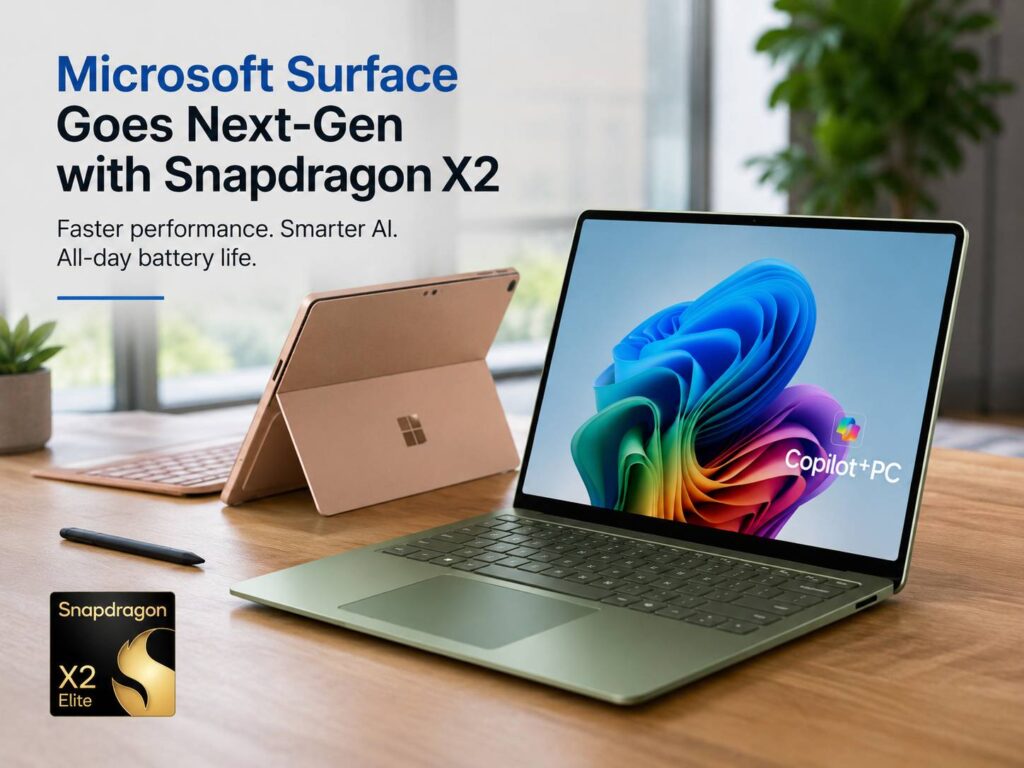
Microsoft has refreshed the Surface Laptop and Surface Pro line with Snapdragon X2 chips, and this update feels more useful than a simple yearly spec bump. The new models bring faster graphics, stronger on-device AI power, better battery life, and the same clean Surface design people already know.
The Surface Laptop 13.8-inch, Surface Laptop 15-inch, and Surface Pro 13-inch now come with Snapdragon X2 Plus or Snapdragon X2 Elite options, based on the model and setup. These chips replace the earlier Snapdragon X processors used in the first wave of Copilot+ PCs.
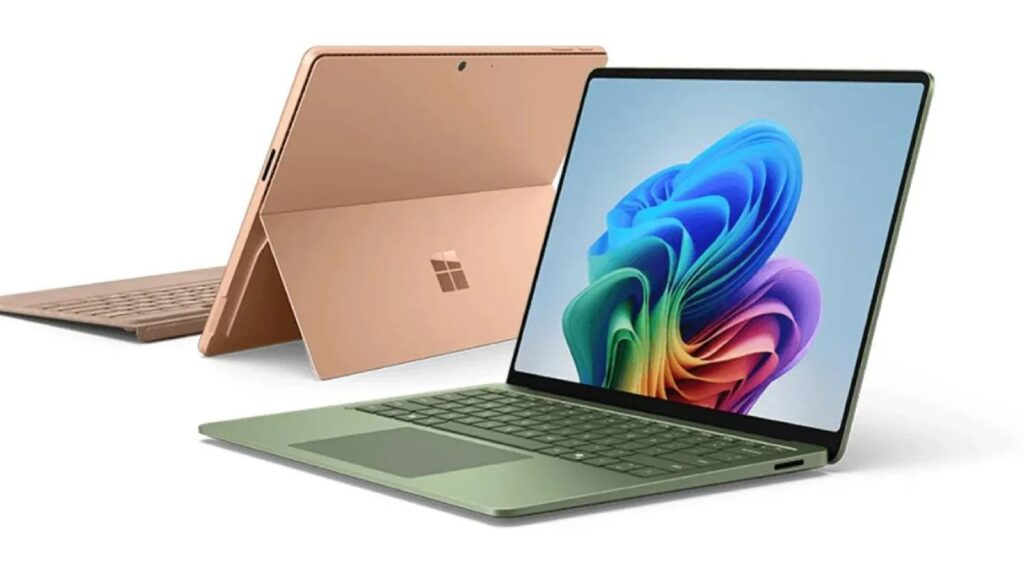
Microsoft did not rebuild the Surface line from scratch. The Surface Pro still works best for people who want a tablet that can turn into a laptop. The Surface Laptop still fits buyers who prefer a classic notebook with a great keyboard, touchscreen, and premium finish.
The real story sits inside the device. Microsoft wants these machines to feel faster, last longer, and handle more AI tasks on the laptop itself. That matters for students, remote workers, creators, and anyone who spends long hours in Windows apps, browser tabs, video calls, and documents.
Snapdragon X2 brings a real performance jump
Snapdragon X2 gives Microsoft’s Arm-based Surface line a stronger base. The Surface Pro 13-inch offers Snapdragon X2 Plus or Snapdragon X2 Elite chips. Microsoft lists up to 53% faster graphics performance compared with the prior model.
The Surface Laptop gets a similar boost. Microsoft lists up to 58% better graphics performance than the previous generation. That sounds technical, but the result is easy to understand. The laptop should feel smoother during daily work, light creative tasks, external display use, browser-heavy sessions, and photo edits.
These Surface models are not gaming laptops. They do not target people who want the highest frame rates in big PC games. Still, the graphics upgrade helps the devices feel less limited. It gives the Surface Laptop and Surface Pro more room for mixed workloads.
A student can run browser tabs, Teams, Word, and research tools with less slowdown. A remote worker can jump between video calls, presentations, and spreadsheets with fewer pauses. A creator can handle light editing work without reaching for a heavier machine every time.
The 80 TOPS NPU gives Surface more local AI power
The new Surface models support up to 80 TOPS through the NPU. That number refers to the chip’s AI processing power. The NPU handles tasks linked to artificial intelligence without putting all the strain on the CPU or GPU.
This helps with tools like background blur, image features, local search, video call effects, and future Copilot+ PC features. It can also help the laptop save battery during AI tasks, since the NPU is built for that type of work.
The best part is practical. More local AI power means the device can process certain tasks on the laptop itself. That can help with speed and privacy, since not every task needs a cloud request.
This AI push now shapes the wider Windows laptop market. Samsung is moving in the same direction with its Galaxy Book6 Edge Snapdragon X2 Elite AI laptop, so Microsoft clearly faces stronger competition in this new Windows on Arm race.
Surface Pro 13-inch stays flexible, but gets stronger
The new Surface Pro 13-inch keeps the familiar design. It has a built-in kickstand, touchscreen, pen support, and a detachable keyboard sold separately. The shape is the same idea, but the Snapdragon X2 chips give it more power.
Microsoft lists the Surface Pro 13-inch from $1,499.99. Buyers can choose Snapdragon X2 Plus or Snapdragon X2 Elite, based on the configuration. Display choices include LCD and OLED versions, with a 13-inch PixelSense touchscreen, 2880 x 1920 resolution, and up to 120Hz refresh rate.
Battery life reaches up to 15.5 hours for local video playback. For active web browsing, Microsoft lists up to 11.5 hours. Real use will vary. Screen brightness, video calls, browser tabs, background apps, and network strength all change battery life.
The Surface Pro makes the most sense for people who value flexibility first. It suits handwritten notes, drawing, reading, travel, presentations, and desk work in tight spaces. The design still feels special, and the tablet mode gives it an edge over normal laptops.
The main drawback is cost. The keyboard and pen can raise the final price fast. Without the keyboard it is a tablet, so the starting price does not tell the full story.
Surface Laptop feels like the safer pick for most buyers
The Surface Laptop update feels more practical for everyday users. Microsoft offers the new Snapdragon X2 chips in both 13.8-inch and 15-inch models. The 13.8-inch version starts at $1,599.99, and the 15-inch version starts at $1,699.99.
The 13.8-inch model lists up to 20 hours of local video playback and up to 16 hours of active web browsing. The 15-inch model lists up to 19 hours of local video playback and up to 14 hours of active web browsing.
Those numbers make the Surface Laptop a strong fit for workdays away from a charger. It should suit people who write, browse, attend meetings, edit documents, manage dashboards, and run Microsoft 365 for hours at a time.
The displays remain one of the best parts of the Surface Laptop line. The 13.8-inch model uses a 2304 x 1536 HDR PixelSense touchscreen with a 120Hz refresh rate. The 15-inch model steps up to 3270 x 2180 resolution, also with HDR and 120Hz support.
The sharper 15-inch screen matters for people who read text all day. It gives spreadsheets, documents, photos, and browser tabs more breathing room. For many buyers, that extra screen space will matter more than the tablet mode on Surface Pro.
Ports and daily comfort still matter
Microsoft gave the Surface Laptop a useful port setup for a thin premium machine. The 13.8-inch model includes two USB-C USB4 ports, USB-A 3.2, a 3.5mm headphone jack, and Surface Connect.
The 15-inch model adds a microSD card reader. That small detail helps photographers, creators, and people who move files from cameras, handheld devices, drones, or other gear.
Surface devices still win points for the basics. The keyboards feel good, the trackpads are large, the touchscreens work well, and the hardware feels polished. These things sound simple, but they matter every day.
A laptop can have a powerful chip and still feel annoying to use. Surface usually avoids that problem. Microsoft has spent years refining the feel of these machines, and that shows.
Windows on Arm looks more serious now
Windows on Arm has improved a lot. Older devices often felt slow or limited, and app support created real frustration. The newer Snapdragon chips changed that story, and Snapdragon X2 pushes it further.
The goal is clear: long battery life, quiet performance, fast wake, and full Windows in a thin machine. That is the same promise that made Apple Silicon MacBooks popular.
Still, buyers should check their apps first. Many common tools now work well on Arm-based Windows PCs. Microsoft 365, Edge, Chrome, Teams, Zoom, Slack, Notion, web apps, streaming tools, and many daily programs should fit this type of device.
Special apps can still cause problems. Older drivers, niche business tools, certain VPN clients, plug-ins, hardware utilities, and some creative workflows can run into limits. Power users should check every must-have app before buying.
For normal work, these new Surface models look ready. For heavy gaming, advanced 3D work, engineering software, and plug-in-heavy production, a Windows laptop with Intel, AMD, or dedicated graphics still makes more sense.
AI is useful, but the laptop still has to feel good
Microsoft talks a lot about AI with these devices. That makes sense, since the Snapdragon X2 NPU gives the Surface line more room for local AI features. Still, AI should not be the only reason to buy one.
The better reasons are simple. These laptops promise strong battery life, fast daily performance, slim builds, sharp screens, good webcams, and modern Windows features. AI adds value, but it should support the laptop experience, not replace it.
The best Surface buyer wants a premium Windows machine that feels light, quiet, and ready for long workdays. That person will get more from Snapdragon X2 than someone who only wants raw gaming power or full compatibility with old software.
Which new Surface model makes the most sense?
Choose the Surface Pro 13-inch with Snapdragon X2 if tablet use matters most. It works well for drawing, handwritten notes, reading, travel, presentations, and flexible work setups. Add the keyboard price before judging value.
Choose the Surface Laptop 13.8-inch with Snapdragon X2 if you want the best balance. It gives you a normal laptop shape, a bigger screen than the old compact Surface Laptop, strong battery life, and useful ports. This looks like the easiest model to recommend.
Choose the Surface Laptop 15-inch with Snapdragon X2 if screen space matters more than portability. It fits people who spend full days in spreadsheets, research tabs, documents, dashboards, and split-screen work. The sharper 15-inch display gives it a real advantage.
Skip these models if your work depends on old Windows tools, special drivers, advanced games, or software that has not adapted well to Arm. The hardware looks strong, but software support still decides the full experience.
Final opinion
This Surface refresh does not look dramatic from the outside. Microsoft kept the familiar designs and focused on the processor, graphics, AI power, and battery life. That choice makes sense.
The prices are still high, and the Surface Pro feels expensive once you add the keyboard and pen. For most buyers, the Surface Laptop 13.8-inch looks like the best mix of power, battery life, size, and comfort.
The move to Snapdragon X2 shows that Microsoft treats Windows on Arm as a core part of Surface’s future. That is the right direction. The new Surface Laptop and Surface Pro now feel more mature, more capable, and more ready for people who want a premium Windows laptop that can last through a long day.