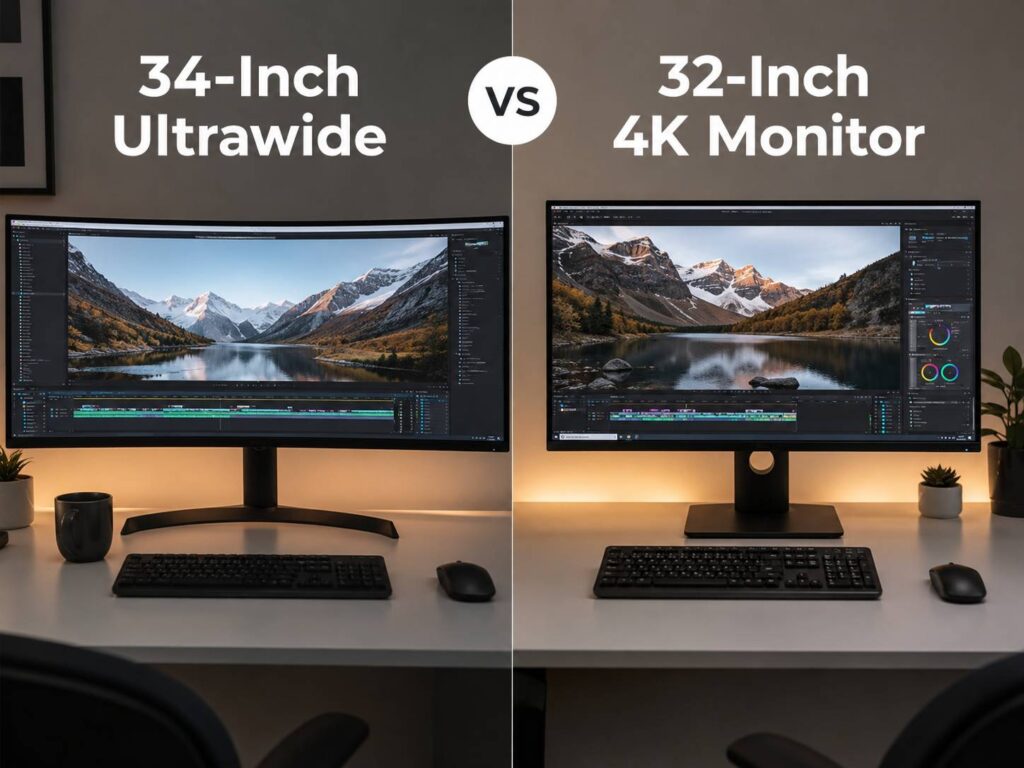
Choosing between a 34-inch ultrawide and a 32-inch 4K monitor can feel tricky at first. Both look premium. Both give you a lot more room than a basic 24-inch or 27-inch display. Still, they do not feel the same on a desk.
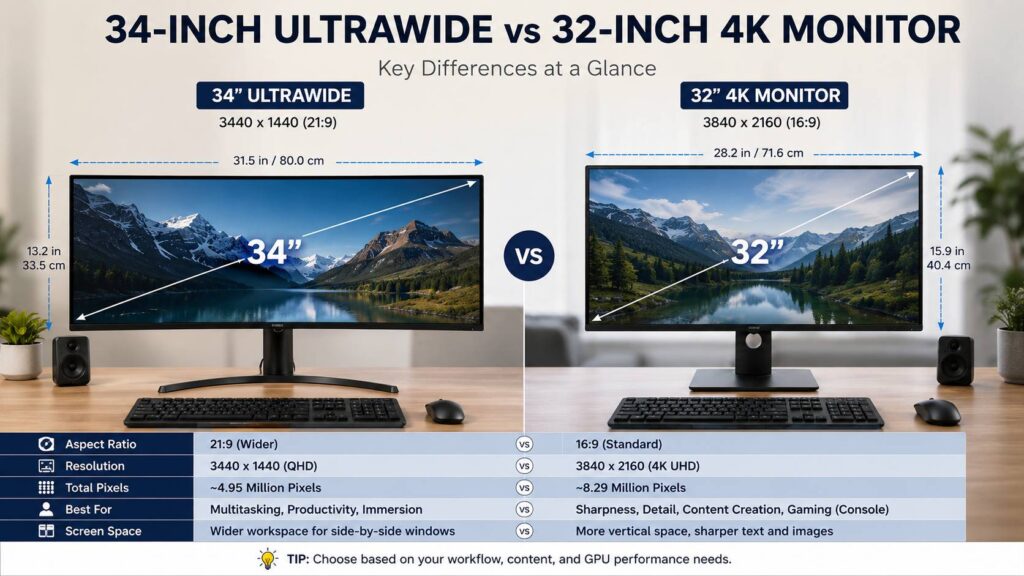
A 34-inch ultrawide monitor usually gives you a wide 21:9 screen with a 3440 x 1440 resolution. A 32-inch 4K monitor usually gives you a sharper 16:9 screen with a 3840 x 2160 resolution. So, one screen gives you more width. The other gives you more pixels.
That difference changes everything. It affects how you work, how games feel, how sharp text looks, and how much desk space you need. So, this guide breaks it down in a simple way, with real-world pros, issues, and buying advice.
Quick Answer: Which One Should You Buy?
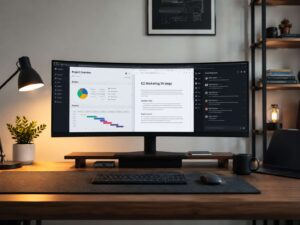
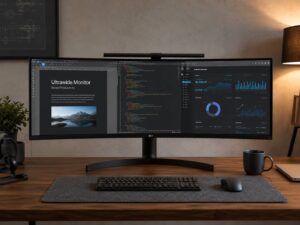
Choose a 34-inch ultrawide monitor if you want a wide workspace for multitasking, browser tabs, documents, timelines, spreadsheets, and PC gaming. It feels close to using two smaller monitors side by side, but without a bezel in the middle.
Choose a 32-inch 4K monitor if you want sharper text, more detail, stronger console support, better 4K video playback, and a screen shape that works with almost every app and device.
For office work, writing, research, and multitasking, the 34-inch ultrawide often feels more natural. For sharp text, photo editing, 4K video, coding, and console gaming, the 32-inch 4K monitor usually makes more sense.
The Main Difference Is Shape, Not Just Size
The biggest difference comes from the screen shape.
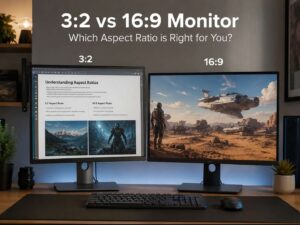
A 34-inch ultrawide monitor stretches wider across your desk. Most models use a 21:9 format, so you get more horizontal space for apps. That extra width helps when you want a browser on one side and a document on the other. It also feels great for video timelines, wide spreadsheets, and project boards.
A 32-inch 4K monitor uses the normal 16:9 shape. It is not as wide, but it has far more pixels. That means sharper text, cleaner images, and more fine detail. It also gives you more vertical space, which helps with long documents, coding, photo editing, and web pages.
Here is the simple pixel comparison:
- 34-inch ultrawide QHD: 3440 x 1440, about 4.95 million pixels
- 32-inch 4K UHD: 3840 x 2160, about 8.29 million pixels
So, the 32-inch 4K monitor has about 67% more pixels. That is a real jump. Still, more pixels do not always mean the monitor feels better for your work.
Workspace and Multitasking
For multitasking, the 34-inch ultrawide is hard to beat. You can keep two full-size windows open side by side without feeling cramped. For example, you can write in one window and keep research open in another. You can also keep email, chat, and a browser visible without moving things around all the time.
This is where ultrawide monitors feel very practical. They reduce window switching. They make your desk feel calmer. Plus, you do not need two separate monitors, two stands, or two display cables.
A 32-inch 4K monitor gives you more total pixels, but scaling changes the experience. At 100% scaling, text can look too small. At 125% or 150%, everything looks cleaner and easier to read, but the usable space drops. So, the monitor still looks sharp, but it may not feel as roomy as the pixel count suggests.
If your main goal is side-by-side work, the ultrawide wins. If your main goal is sharp detail, the 4K screen wins.
For buyers still comparing screen sizes, this guide on 27-inch vs 32-inch monitor gives useful context before moving up to a larger display.
Text Clarity and Reading Comfort
A 32-inch 4K monitor gives you sharper text. Letters look cleaner. Small icons look more refined. Fine lines in documents, charts, and design tools appear smoother too.
That matters if you read or write for long hours. It also matters for programming, editing spreadsheets, working with PDFs, or using tools with small menus. After a few days, the sharper image can feel easier on the eyes.
A 34-inch ultrawide with 3440 x 1440 still looks good. It is similar in sharpness to a 27-inch 1440p monitor. For many users, that is enough. Text looks clear, and the screen feels comfortable. Yet, next to a 32-inch 4K display, it looks softer.
So, pick 32-inch 4K if text clarity is your top priority. Pick 34-inch ultrawide if you care more about layout and width.
Gaming: Immersion vs Sharpness
For PC gaming, a 34-inch ultrawide monitor can feel fantastic. Racing games, flight simulators, RPGs, open-world games, and strategy titles benefit from the wider view. The screen fills more of your vision, so the experience feels more immersive.
Still, ultrawide gaming has a few issues. Some games do not support 21:9 correctly. Menus can look stretched. Cutscenes can show black bars. Some competitive games may limit ultrawide support too. So, check your favorite games before buying.
A 32-inch 4K monitor gives you a sharper image. Game textures, distant objects, and fine detail look cleaner. It also works better with PlayStation and Xbox consoles, since console games usually target a 16:9 screen.
There is one big catch: 4K gaming needs much more GPU power. A 32-inch 4K screen pushes far more pixels than a 3440 x 1440 ultrawide. So, a mid-range graphics card may run smoother on the ultrawide.
For PC-first gaming, a 34-inch ultrawide often feels more fun. For console gaming and crisp visuals, 32-inch 4K is the safer pick.
Productivity and Office Work
For office work, the ultrawide format feels very natural. You can run a document and a browser side by side. You can keep a spreadsheet wide enough to see more columns. You can also manage dashboards, calendars, and chat windows with less clutter.
That is why many remote workers like 34-inch ultrawide monitors. They feel productive without creating the mess of a dual-monitor setup.
A 32-inch 4K monitor works well too, especially for people who need clean text and more vertical space. Coders can see more lines. Writers can view more of a draft. Designers can inspect finer detail. Still, the screen shape does not feel as wide, so side-by-side apps can feel tighter.
My real opinion: for normal workdays with lots of browser tabs, documents, and admin tasks, I prefer the 34-inch ultrawide. It feels relaxed. For detail-heavy work, I would take the 32-inch 4K.
For a deeper look at work setups, this guide on whether an ultrawide monitor is worth it for work covers the practical side in more detail.
Creative Work and Content Editing
Creative users should think carefully before choosing.
A 34-inch ultrawide works very well for video editing timelines. You get more horizontal space, so clips, tracks, and panels feel less crowded. Audio editing tools benefit from this shape too. The wider screen lets you see more of the project at once.
A 32-inch 4K monitor works better for detail. If you edit 4K video, you can preview more of the final image. If you edit photos, you can inspect sharpness and fine texture more easily. Design work also benefits from the higher pixel density.
Panel quality matters a lot here. A cheap 4K monitor can have weak color. A good ultrawide can look better than a low-end 4K model. So, do not judge by resolution alone. Look at color coverage, brightness, contrast, panel type, and factory calibration.
For photo editing and 4K video detail, choose 32-inch 4K. For timeline-heavy editing, choose 34-inch ultrawide.
Movies, Streaming, and Everyday Media
A 34-inch ultrawide monitor sounds perfect for movies, and for some films, it really is. Many movies use a wide format, so they can fill more of a 21:9 screen. That gives the image a more cinematic feel.
Yet, everyday streaming is not always that clean. YouTube, TV shows, live sports, and many streaming apps use 16:9. On an ultrawide screen, that often means black bars on the sides. Some apps let you zoom, but zooming can crop the picture.
A 32-inch 4K monitor is simpler for mixed media. It matches most videos, consoles, and streaming devices. It also plays 4K content at full resolution where supported.
So, for movies alone, ultrawide can look great. For general entertainment, 32-inch 4K is easier to live with.
Desk Space and Comfort
Desk space matters a lot with both sizes.
A 34-inch ultrawide monitor is wide. It can dominate a small desk. Curved models help, since the edges point slightly toward you. Still, you need enough room to sit at a comfortable distance.
A 32-inch 4K monitor is tall and large, but it takes less horizontal space. It can fit better on narrow desks. It also works well with monitor arms, especially in compact setups.
Both monitors work best with a viewing distance of around 70 to 90 cm for many users. Sit too close to an ultrawide, and you may move your head more. Sit too close to a 32-inch 4K screen, and the height can feel too much.
Before buying, measure your desk. Check the stand depth too. Some monitor stands take up more space than expected.
Refresh Rate and Performance
Both monitor types come in many refresh rates. You can find basic 60Hz models, smoother 100Hz or 120Hz models, and gaming-focused 144Hz, 160Hz, 175Hz, 240Hz, or higher displays.
For office work, 60Hz is fine. Still, 100Hz or higher makes scrolling and mouse movement feel smoother. For gaming, 120Hz or higher is a better target.
Performance matters most for gamers. A 34-inch ultrawide at 3440 x 1440 is easier to run than a 32-inch 4K monitor. Your graphics card has fewer pixels to push, so frame rates can stay higher.
A 32-inch 4K monitor looks sharper, but it needs more power. For demanding games, you may need to lower settings, use upscaling, or buy a stronger GPU.
Common Problems With 34-Inch Ultrawide Monitors
A 34-inch ultrawide monitor has a lot of strengths, but it is not perfect.
Common issues include:
- Some games do not support 21:9 well.
- Streaming videos can show black bars.
- Screen sharing in meetings can feel awkward.
- Cheap VA panels can show dark smearing.
- Curved panels may bother some design users.
- Older laptops may not support the full resolution at high refresh rates.
- Some stands are too large for smaller desks.
The biggest annoyance is compatibility. Most modern apps work fine, but not every game, website, or video platform uses the extra width well.
Common Problems With 32-Inch 4K Monitors
A 32-inch 4K monitor has its own weak spots.
Common issues include:
- Text can look too small at 100% scaling.
- Some older apps may look blurry with scaling.
- 4K gaming needs a strong graphics card.
- Budget 4K monitors often have weak HDR.
- 60Hz models can feel slow after using a high-refresh screen.
- The screen may feel tall rather than wide.
- Cheap panels may have poor contrast or uneven brightness.
The main problem is scaling. Once you set scaling correctly, a 32-inch 4K monitor can look excellent. Still, some users prefer the simpler feel of a 34-inch ultrawide at normal scaling.
Mac and Windows Use
Mac users often care a lot about text clarity. For that reason, a 32-inch 4K monitor usually looks cleaner than a 34-inch 1440p ultrawide. macOS scaling can still vary by monitor and cable, so check real user feedback for your Mac model before buying.
A 34-inch ultrawide can work well with a MacBook, especially for multitasking. Still, the text will not look as crisp as 4K. If you write, design, or code all day, that difference can matter.
Windows users have more flexibility. A 34-inch ultrawide often feels easy to use at 100% scaling. A 32-inch 4K monitor often needs 125% or 150% scaling, but the result looks sharper. Current Windows scaling works well in most modern apps, though older tools can still look inconsistent.
Which One Is Better for You?
A 34-inch ultrawide monitor is the better choice for:
- Remote work
- Writing and research
- Wide spreadsheets
- Browser-heavy workflows
- PC gaming
- Video timelines
- Users who dislike dual-monitor bezels
- Desk setups built around multitasking
A 32-inch 4K monitor is the better choice for:
- Sharp text
- Coding
- Photo editing
- 4K video editing
- Console gaming
- Streaming and YouTube
- MacBook setups
- Users who prefer a standard 16:9 screen
So, the best choice comes down to what bothers you more. If cramped windows slow you down, buy the ultrawide. If soft text annoys you, buy the 4K monitor.
Final Verdict: 34-Inch Ultrawide vs 32-Inch 4K Monitor
A 34-inch ultrawide monitor is usually better for multitasking, productivity, and immersive PC gaming. It gives you a wide workspace that feels practical every day. It also puts less pressure on your graphics card than 4K.
A 32-inch 4K monitor is usually better for sharpness, detail, console gaming, and creative work. It gives you more pixels, cleaner text, and better support for 4K video.
For most home office users, I would choose the 34-inch ultrawide. It makes daily work feel easier and less cramped. For creators, coders, console gamers, and anyone who wants the sharpest image, I would choose the 32-inch 4K monitor.
Both are strong choices. The right one is the screen that fits your daily habits, not just the one with the bigger number on the box.