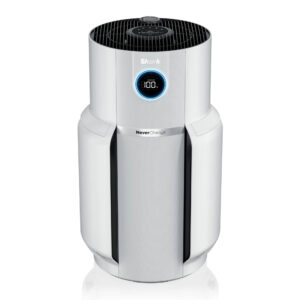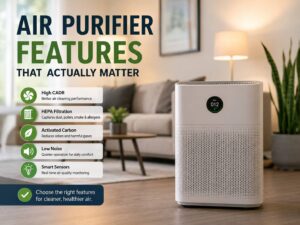
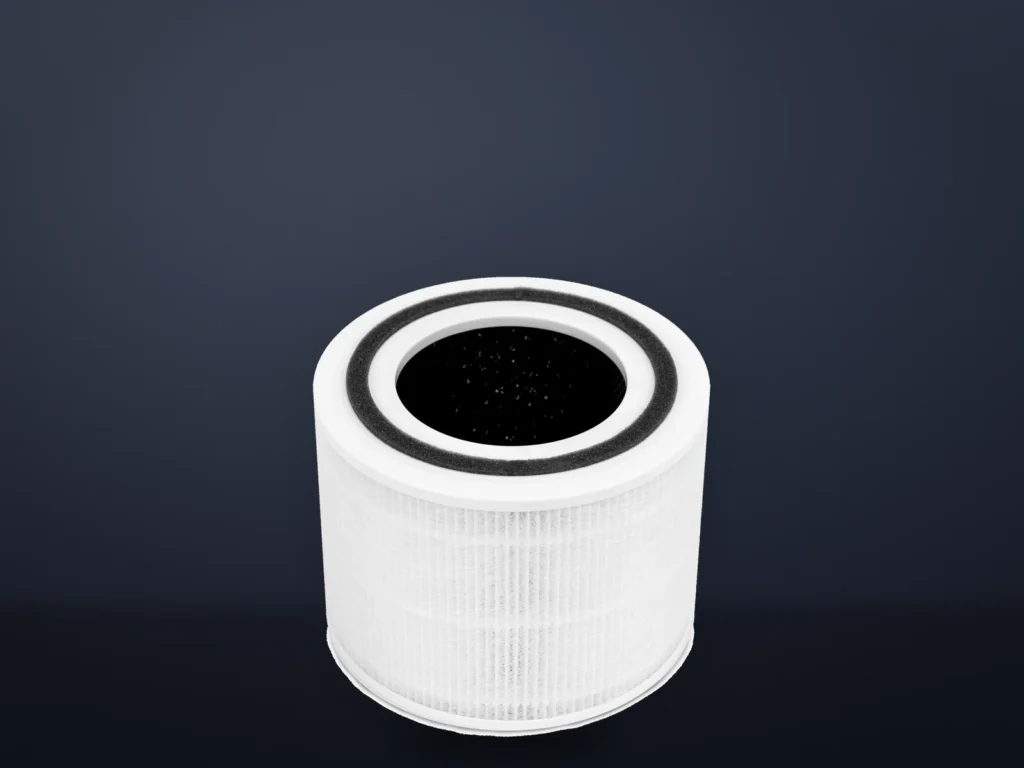
A new filter won’t clear your air purifier’s filter warning by itself. You need to reset the light separately, using the control for your exact model. These steps follow the makers’ manuals and help pages for 16 Levoit, Winix, Coway and Blueair models. We haven’t tested the purifiers. Most need to be switched on for the reset, but the Core Mini-P needs its fan off.
Before you start
- The filter made for your model
- A vacuum with a hose attachment for the dust left inside the housing
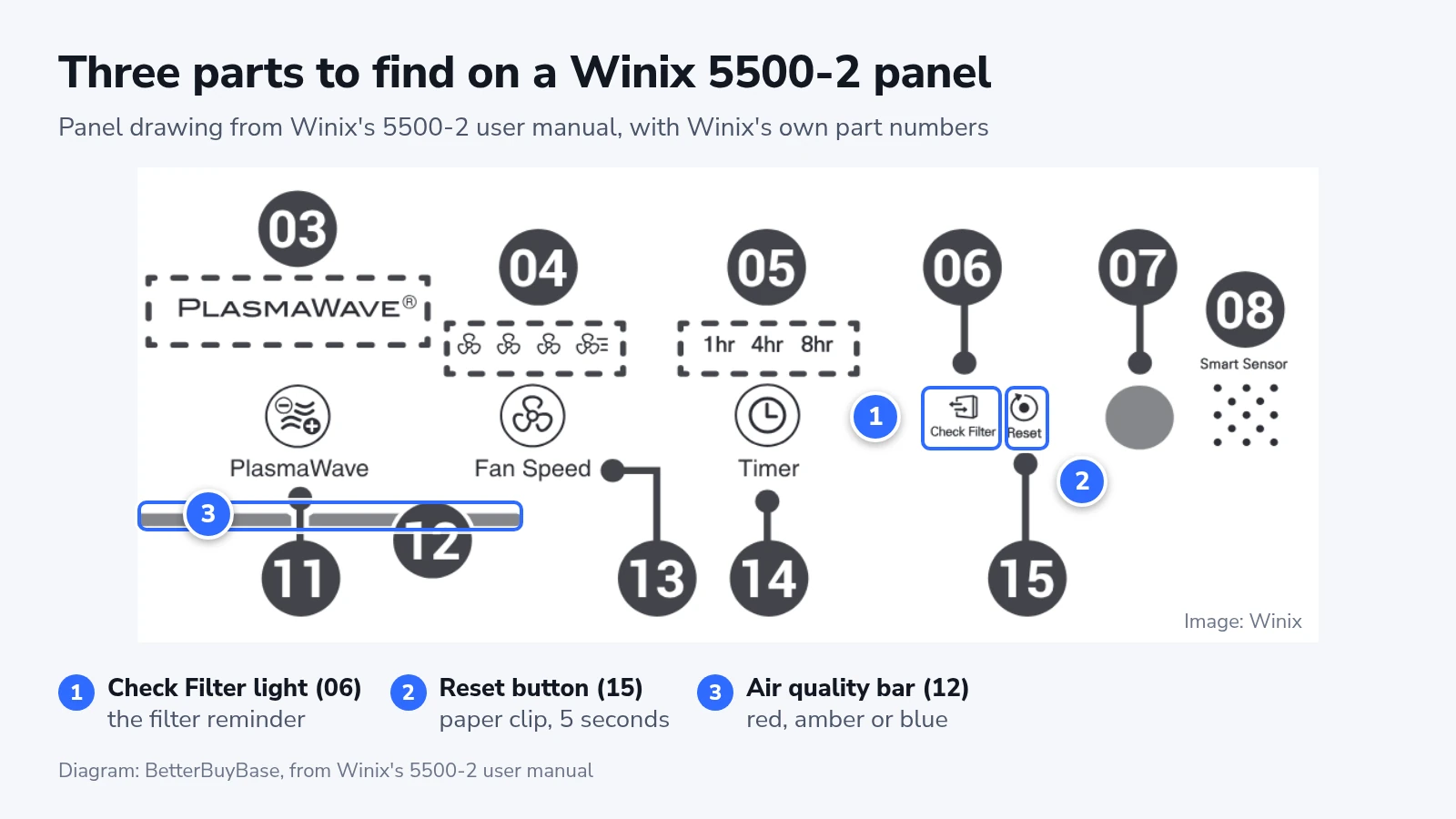
- A paper clip if you own a Winix 5500-2
Winix's manuals name filter H for the 5500-2, Q for the 5530, Z for the C610 and A for the C909.
Buy the maker's own filter while the purifier is under warranty. Coway's warranty excludes damage or poor performance caused by non-genuine filters, and Levoit's manuals say to use only official Levoit filters. Damage caused by an incompatible filter can leave you paying for repairs. This does not mean every third-party filter voids the whole warranty.
All four makers say to unplug the purifier before you open it.
Work out which red light you have
Many purifiers have two lights that can turn red, and only one of them is about the filter. A filter light is a small icon or mark on the control panel. An air quality light is a ring, bar or round lamp that reacts to the room, so it can turn red while you cook. A red air quality light alone is not a filter replacement warning.
Levoit's sensor models, such as the Core 300S and Core 400S, have an air quality ring that runs from blue through green and orange to red. The Check Filter Indicator is a separate icon: a small filter with an arrow on each side.
Winix keeps the two apart on the panel too. Of the four Winix models here, only the C909's manual says its filter light flickers when a filter is due.
Coway's Mighty uses a round lamp for air quality, in blue, dark purple and red. Its filter warnings are two blinking LEDs: Odor for the deodorization filter and HEPA for the HEPA filter. The manual says the lamp won't turn on while a filter warning is active, so a dark lamp on a Mighty can mean a filter is due.
Blueair's Blue Pure Max models show air quality in five colors, from blue to red, on an LED at the front. The filter warning is a separate red mark on the control panel. The 311i Max manual calls it a red circle, and the 211i Max manual calls it a red hash tag.
As far as these manuals say, none of the filter lights looks at the filter. Levoit's Core 300 manual says its light comes on "based on how much the air purifier has been used". Blueair says its timer runs while the motor runs. Coway's reset erases the accumulated time in an electronic counter. Levoit's Vital manuals and Blueair's manuals add air quality or "other factors" to the sum, and Winix doesn't say what drives its light. So a reset tells the purifier to start counting again, and it can't tell whether a new filter went in.
That's why we wouldn't treat the light as a hard deadline on a Levoit. Levoit calls it a reminder to check, and it lists the signs of a spent filter: more noise, less airflow, odd smells or a visibly clogged filter. Winix and Blueair say the light means it's time to replace the filter. In a home with smoke or heavy dust, don't wait for any light, because Levoit warns you may need a new filter sooner even when the light is off.
Change the filter on a round Levoit Core
These steps follow Levoit's manual for the Core 300 and Core 300-P series.
- Open the base. Unplug the purifier, flip it over and twist the filter cover counterclockwise. Lift out the old filter and vacuum any dust or hair out of the housing. Keep water and other liquids out of it.
- Unwrap the filter. Take off all the plastic and drop the new filter in with the handle facing up.
- Lock the cover. Twist it clockwise until it snaps shut. The purifier won't power on unless the cover is on correctly.
- Reset the light. Stand the purifier up, plug it in, turn it on and hold the filter icon for 3 seconds.
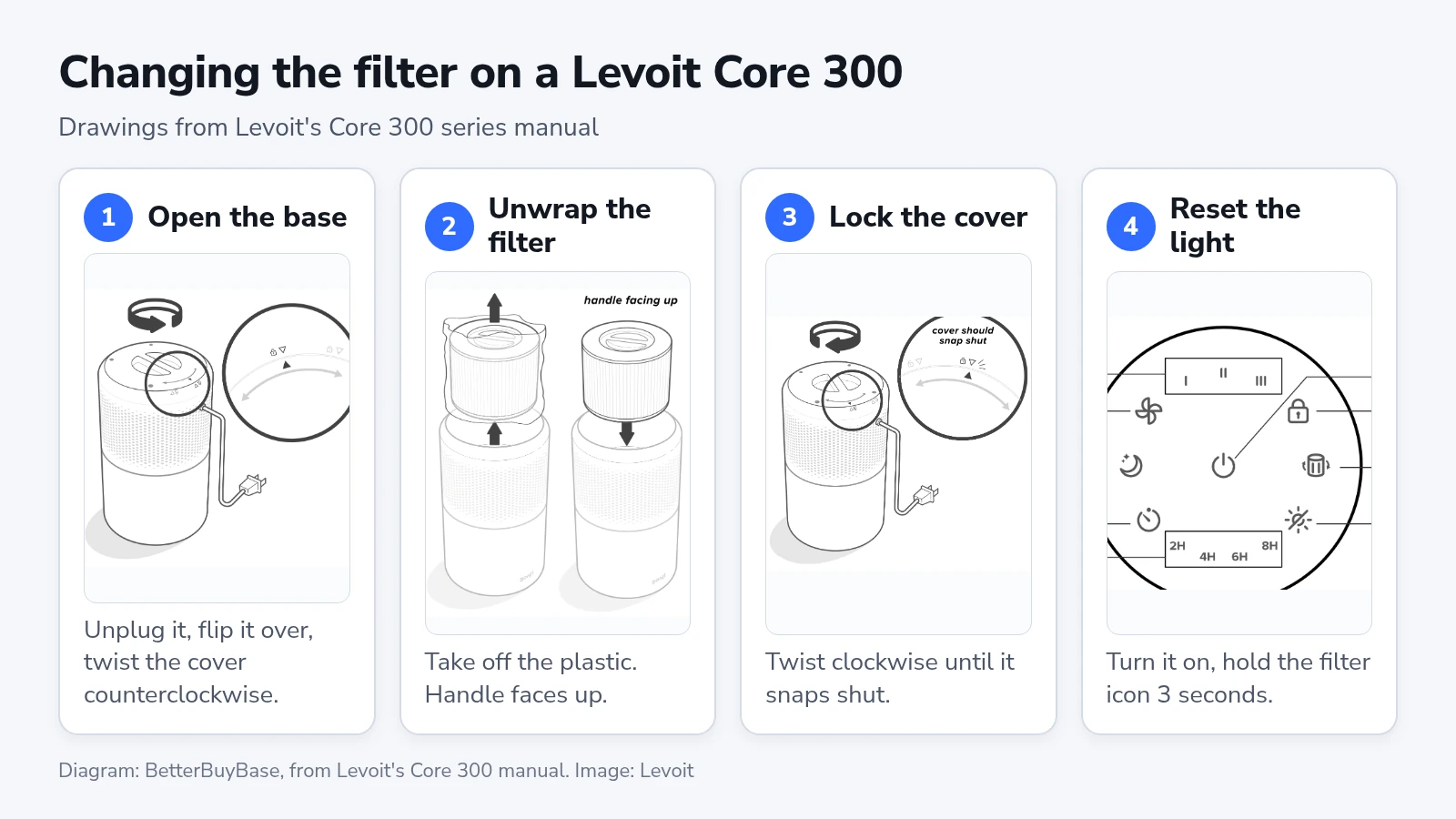
The Core 200S and Core 300S open the same way. The Core 400S does too, and it can lie on its side if you'd rather not flip it.
On the Core Mini-P, rotate the top half counterclockwise and lift it off. Swap the filter in the bottom half, then set the top half back and rotate it clockwise.
Levoit's manuals warn that a filter left in its wrap won't filter air and the purifier may overheat, causing a fire hazard, so check the plastic twice.
Front-panel models from Levoit, Winix and Coway
The Vital models, three of the Winix models and both Coway Mighty models open at the front. The order of work is the same, and the layers change.
- Unplug the purifier and pull off the front panel. On Winix and Coway models, pull from the top edge.
- Take out the pre-filter, then the old filters behind it.
- Unwrap each new filter.
- Fit the filters back to front, in the order given below.
- Refit the pre-filter and the front panel, then plug the purifier in.
On a Vital 100S-P, push the pre-filter's tabs downward and pull. On a Vital 200S-P, push them inward. Both models hold one main filter behind the pre-filter.
The Winix 5500-2 and 5530 stack three layers: True HEPA at the back, carbon in the middle and the pre-filter at the front. The C909 has two, because its carbon sheets go inside the pre-filter.
A Coway Mighty stacks the HEPA filter, then the deodorization filter, then the pre-filter. Press down the pre-filter's top clip to free it, check that each filter's "front" side faces the right way, and push the grip to seat the pre-filter firmly.
On a Coway Mighty2, slide the pre-filter out to the right along its guide rail. One MAX2 filter sits behind it.
Blue Pure Max filter change
- Turn the purifier off and unplug it.
- Rotate the top counterclockwise and lift it off.
- Remove the fabric pre-filter and the noise shield.
- Pull out the old filter by its handles. Take the plastic off the new filter and put it in.
- Set the noise shield on top of the filter and pull the pre-filter up over both, with the leather tag on the upper side.
- Twist the top back on and plug the purifier in.
The 211i Max can come with a newer wrap-around filter, and Blueair says either style fits. Wrap that one around the purifier body and connect it, with the arrow on the filter pointing up. Then pull the pre-filter back over it. The noise shield step doesn't apply.
The Winix C610's filter
The C610 is round, and its one-piece filter comes apart from a cover and cap.
- Unplug the purifier and turn it upside down.
- Grab the handle at the bottom, turn it counterclockwise and pull out the filter cover.
- Turn the filter's top cap counterclockwise to take it off, then remove the old filter.
- Take the protective vinyl off the new filter.
- Put the filter back on the cover, following the direction of the square hole.
- Turn the top cap clockwise to lock it.
- Put the cover back in, turn the handle clockwise and stand the purifier upright.
Winix says cracks at the ends of a half-folded filter aren't defects. Spread the filter into a cylinder and it will fit.
Reset the light
- Plug the purifier in and turn it on. The Core Mini-P is the exception: leave the fan off, with the plug in.
- Find your model below and hold that control for the full time.
- Let go when you see the sign in the last column.
| Model | Hold this | Time | What you should see |
|---|---|---|---|
| Levoit Core Mini-P | Control button | 3 seconds | Light blinks 3 times and turns off |
| Levoit Core 200S | Sleep button | 3 seconds | Light blinks 3 times and turns off |
| Levoit Core 300, 300-P | Check Filter icon | 3 seconds | Light turns off |
| Levoit Core 300S, 300S-P | Sleep button | 3 seconds | Light turns off |
| Levoit Core 400S | Check Filter Indicator Reset button | 3 seconds | Light turns off |
| Levoit Vital 100S-P, 200S-P | Sleep button | 3 seconds | Light flashes and turns off, app shows 100% |
| Winix 5500-2 | Reset button, with a paper clip | 5 seconds | A beep, then the light goes out |
| Winix 5530, C610, C909 | Filter Reset button | 5 seconds | A beep, then the light goes out |
| Coway Mighty AP-1512HH | Reset button | 2 seconds | The manual gives no confirmation pattern |
| Coway Mighty2 AP-1512N | Info button | 3 seconds | Filter light turns off |
| Blue Pure 211i, 311i, 511i Max | Fan Speed button | About 15 seconds | All LEDs light up, red mark blinks 3 times and goes |
On the Core 300, the filter icon doubles as the button, so press the light itself.
Count the full 15 seconds on a Blue Pure Max. On the 311i Max, about 5 seconds on that button can switch off the Wi-Fi LED, so letting go early does a different job. Blueair's help page also ends with a general FAQ that says 5 to 10 seconds. The manuals and the first paragraph of that same page say 15, so we'd go with 15.
The Core 200S and 211i Max also accept the reset from their apps. Levoit's help page says the same for its other models linked to VeSync.
These are the current manuals, so go by your printed one if a button on an older purifier doesn't match.
If you changed the filter before the light came on
Reset it anyway, or the counter carries on from the old filter's hours and the light comes on early. Blueair says so directly, and Levoit gives a separate procedure for it. On some models the steps differ from a normal reset.
- Core 300 and Core Mini-P: the first 3-second hold turns the light on. Hold for 3 more seconds and it goes off.
- Core 200S, Core 300S, Core 400S and both Vital models: one 3-second hold, as in the table. The light flashes first.
- Blue Pure Max: the usual 15-second hold, even with no red mark showing.
- Winix: the manuals give only the normal reset, so use that.
- Coway Mighty: hold Reset for 2 seconds. Press it once for the Odor LED or twice for the HEPA LED, then hold it for 2 seconds. The mode cancels after 5 seconds with no input.
- Coway Mighty2: hold Light and Info together for about 3 seconds, until the filter indicators flash. Tap Info to pick PRE, MAX2 or both, then hold Info for about 3 seconds until the display shows 100%. Hold Light and Info again to leave, or wait about 10 seconds.
If the light stays on
A filter light that won't go off needs the hold repeated, with the purifier on and the full time counted. Levoit's help page then suggests refitting the filter so the cover latches fully, and unplugging the purifier for a minute or two before you try again. Blueair's fix is close to that: put the purifier on standby, unplug it for a few minutes, plug it back in, pick a fan speed and hold Fan Speed again.
A Blue Pure Max that still shows red can take a factory reset, which clears the filter timer. Hold On/Standby until all the LEDs blink four times. That takes about 15 seconds on the 211i and 511i Max and about 30 on the 311i Max. The reset also disconnects the purifier from the Blueair app, so you'll need to connect it again.
Clean the sensor if the air quality light stays red, before you blame the filter. Unplug the purifier first.
A Core 300S or Core 400S needs a vacuum held over the sensor openings for at least 10 seconds. On a Vital model, open the dust sensor cover, clean the lens and dry it with a cotton swab, leaving the foam piece in place. Coway's Mighty has a sensor cover on the right side: brush the vents and sensor, then clean the lens with a damp cotton swab and dry it with a dry one. The Blue Pure 211i Max manual says to clear any dust around the sensors at the back.
Levoit adds that mist from an ultrasonic humidifier can turn its indicator red. Move the humidifier away, or use a mode other than Auto.
Take the filter out and check for plastic if the purifier got louder or the airflow dropped right after the swap. Levoit and Blueair both list a wrapped filter as a cause of noise, and Coway lists it for smells and smoke that won't clear.
A Core 300 needs its cover on correctly to power up, and a Coway Mighty won't blow air until the front cover is closed properly, so check the cover if nothing starts.
A light that came on earlier or later than the maker's schedule is normal on a Levoit, because the count follows how much the purifier runs.
After the reset
Run the purifier for a few minutes. The light should stay off and the airflow should feel normal. A Vital model's filter life reads 100% in the VeSync app.
Levoit's help page says it's reasonable to reset the light and keep a filter that still looks and smells fine. Blueair says that isn't recommended. We side with Blueair if you bought the purifier for allergies or smoke. If you do keep an old filter, set a phone reminder, because the count now starts from zero and the next warning could be a full cycle away.
| Model | Main filter lasts |
|---|---|
| Levoit Core Mini-P | 4 to 6 months |
| Levoit Core 200S, 300, 300S | 6 to 8 months |
| Levoit Vital 100S-P | About 9 months |
| Levoit Core 400S, Vital 200S-P | About 12 months |
| Winix 5500-2, 5530, C610, C909 | About 12 months |
| Coway Mighty AP-1512HH | Deodorization 6 months, HEPA 1 year |
| Coway Mighty2 AP-1512N | 12 months |
| Blue Pure 311i Max, 511i Max | 6 to 9 months |
| Blue Pure 211i Max | Up to 9 months |
Coway bases its Mighty figures on 8 hours a day at top speed.
Clean the pre-filter between swaps. Levoit and Coway say every 2 to 4 weeks. Winix says every 14 days, and Blueair says whenever you see dust. Never wash a HEPA or main filter. The carbon filter differs between two similar Winix models: the 5500-2's can be washed up to four times and the 5530's can't be washed at all.
Put one more date in your calendar if you own a Winix C909. Its carbon sheets have no light, and Winix says to replace them every 3 months.