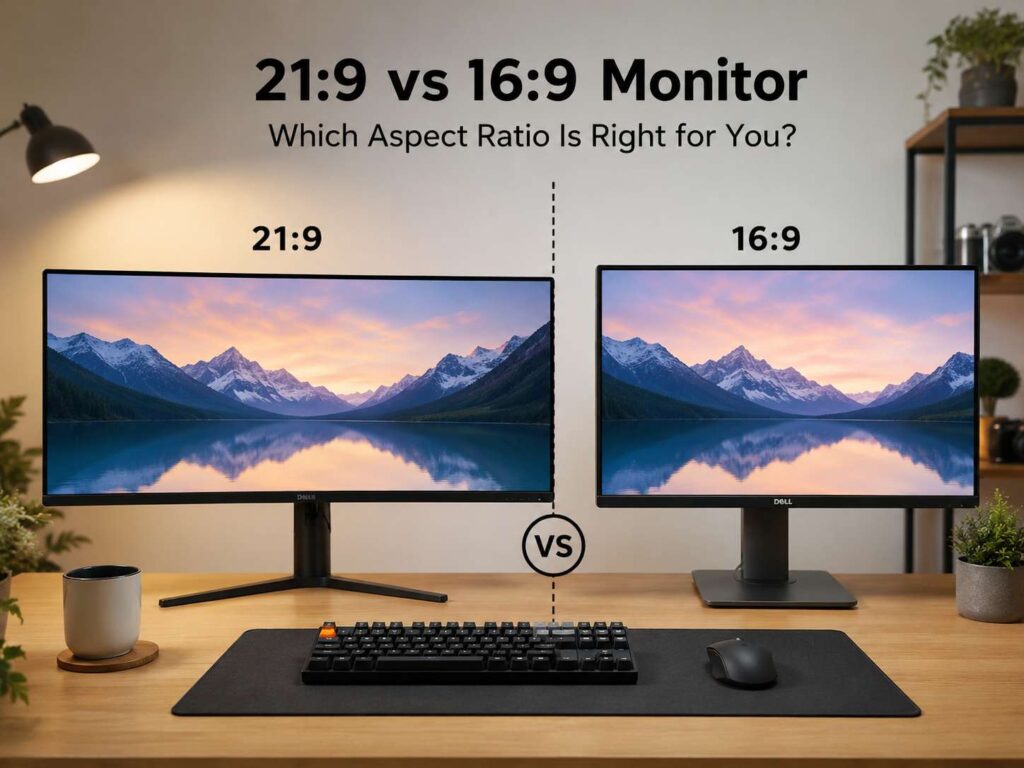
What 21:9 and 16:9 Mean
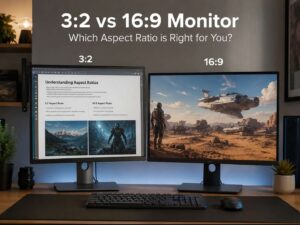
A monitor’s aspect ratio tells you the shape of the screen. A 16:9 monitor has 16 units of width for every 9 units of height. A 21:9 monitor has a wider shape, so it gives you more room from left to right.
Most regular monitors, TVs, laptops, and game consoles use 16:9. For that reason, this screen shape works well with YouTube, Netflix, video calls, streaming apps, console games, and most PC games. The image fills the screen cleanly, and you rarely need to deal with black bars or odd scaling.
A 21:9 monitor is often called an ultrawide monitor. Common sizes include 29 inches, 34 inches, 38 inches, and 40 inches. The most popular 21:9 resolution is 3440 x 1440 on a 34-inch screen. Budget ultrawide monitors often use 2560 x 1080, but that resolution can look softer on larger panels.
So, which one fits better? The simple answer is this: choose 16:9 for broad support, lower cost, and fewer setup issues. Choose 21:9 for more screen space, better multitasking, and a wider PC gaming view.
Why 16:9 Monitors Still Make Sense
A 16:9 monitor works well for everyday use. It matches the shape used by TVs and most online videos, so movies, tutorials, sports, and live streams fit the screen without side bars.
For office work, 16:9 feels familiar and easy. A 24-inch Full HD monitor gives enough room for email, documents, web pages, and light spreadsheets. Next, a 27-inch QHD monitor gives a sharper image and more usable space. For people who want crisp text and more detail, a 32-inch 4K monitor can feel like a strong upgrade.
Gamers get one more clear benefit. Almost every modern PC game supports 16:9. Consoles work best with it too. PlayStation and Xbox systems target standard TV-style resolutions, such as 1080p, 1440p, and 4K. As a result, the image looks normal, menus fit well, and games do not need special support.
Price helps too. You can find 16:9 monitors in almost every range. There are cheap office screens, fast esports panels, color-focused creator displays, OLED gaming models, and large 4K monitors. Since brands sell so many 16:9 screens, buyers get more choice and better deals.
Why 21:9 Ultrawide Monitors Feel Different
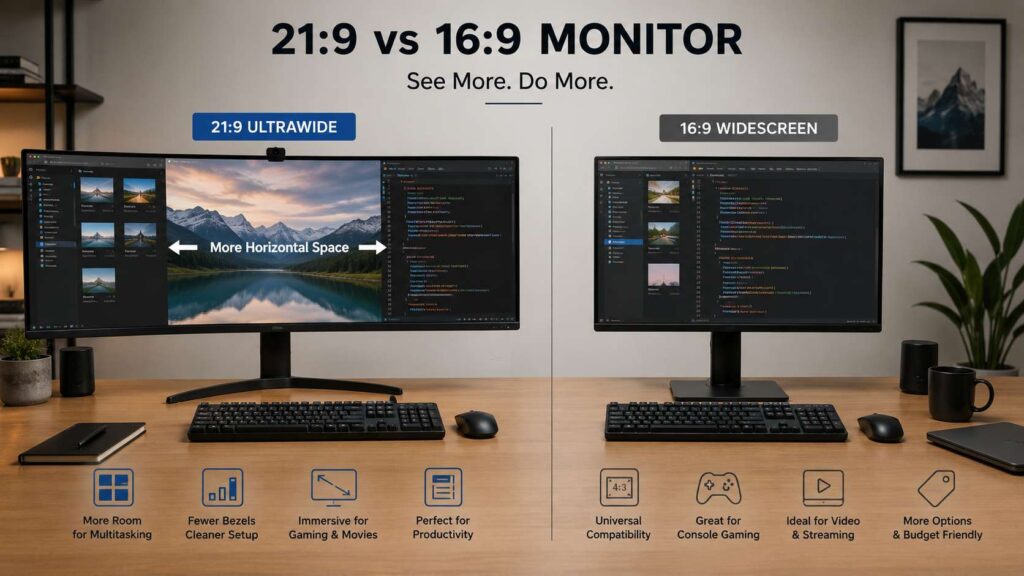
A 21:9 monitor gives you more room across the screen. This wider layout changes how a desk setup feels. Instead of placing two monitors side by side, one ultrawide screen can show two or three windows at the same time.
For example, a 34-inch 3440 x 1440 monitor gives 4,953,600 pixels. A 27-inch 2560 x 1440 monitor gives 3,686,400 pixels. That means the 34-inch ultrawide gives 1,267,200 more pixels.
Calculation:
3440 x 1440 = 4,953,600 pixels
2560 x 1440 = 3,686,400 pixels
4,953,600 minus 3,686,400 = 1,267,200 extra pixels
That extra space helps with writing, coding, video editing, research, spreadsheets, design apps, and trading charts. For example, you can keep a browser on the left, a document in the center, and notes or chat on the right. Then, with good window snapping, the screen starts to feel less crowded.
A 21:9 monitor can also make PC games feel wider and more natural. Racing games, flight simulators, open-world games, and story-based titles benefit most. Still, it works best on PC, not on consoles.
21:9 vs 16:9 for Work and Productivity
For productivity, 21:9 has a clear advantage for people who use multiple windows every day. A 34-inch ultrawide monitor can replace a dual-monitor setup. You get one panel, one cable path, and no black gap in the middle.
Writers can keep research on one side and a draft on the other. Developers can place code, preview, and documentation across the same screen. Video editors get a wider timeline, which makes trimming and moving clips easier. Spreadsheet users can see more columns before they need to scroll.
This is where an ultrawide screen starts to earn its place. If your daily work involves research, writing, planning, or comparing data, a wider screen can save time. For a deeper work-focused view, this guide on whether an ultrawide monitor is worth it for work covers the topic in more detail.
Still, 16:9 remains a strong work choice. A 27-inch QHD screen is sharp, compact, and easy to place on most desks. A 32-inch 4K monitor gives more detail for documents, design work, and photos. Plus, a 16:9 monitor fits better in small rooms and shared spaces.
For most office users, the choice looks like this:
- Pick 16:9 if you use one main app at a time.
- Pick 21:9 if you keep two or three windows open all day.
- Pick 16:9 if desk space is tight.
- Pick 21:9 if you dislike the gap between two monitors.
- Pick 16:9 if you share your screen often during calls.
21:9 vs 16:9 for Gaming
Gaming depends on the platform. For PC gaming, 21:9 can feel excellent. Many modern PC games support ultrawide resolutions like 3440 x 1440. The wider view works very well in racing games, RPGs, strategy games, flight sims, and open-world titles.
A 21:9 screen can make games feel more immersive at a desk. The extra width fills more of your side vision, and a curved panel can make the screen feel more natural. For story games and slower single-player titles, this wider view often feels more enjoyable than a standard 16:9 screen.
For competitive gaming, 16:9 still has a strong case. Many esports players prefer 24-inch or 27-inch 16:9 monitors with high refresh rates. These screens keep key action closer to the center, so your eyes travel less. Fast games such as Counter-Strike 2, Valorant, Fortnite, and Overwatch often feel easier to control on a standard shape.
There is one more point to know. Some games support 21:9 poorly. Cutscenes can show black bars. Menus can look stretched. HUD elements can sit too far apart. Older games can need fixes too.
For console gaming, 16:9 wins. Consoles work best with standard resolutions like 1080p, 1440p, and 4K. A 21:9 monitor often adds black bars or scaling issues, so the wider panel loses much of its value.
21:9 vs 16:9 for Movies and Streaming
Movies can look great on a 21:9 monitor. Many films use a wide cinema-style frame, so an ultrawide display can reduce the black bars that appear on a 16:9 screen. For movie fans, this can make desk viewing feel more cinematic.
Streaming is less predictable. YouTube videos, sports, live streams, tutorials, and most creator content use 16:9. On a 21:9 monitor, those videos usually show black bars on the sides. Some apps handle ultrawide content better than others, but support varies.
A 16:9 monitor gives a smoother experience for general video use. It matches most online content, video calls, screen recordings, and live streams. So, if you watch lots of YouTube or record tutorials, 16:9 makes life easier.
Film fans may prefer 21:9. Everyday streamers will likely prefer 16:9.
Screen Sharing and Video Calls
Screen sharing is one of the most overlooked parts of the 21:9 vs 16:9 monitor debate. A full ultrawide screen share can look tiny to people on laptops or standard monitors. Text can shrink, and viewers may struggle to follow what you are showing.
A 16:9 monitor works better for meetings, training calls, webinars, and client presentations. It matches the most common screen shape. As a result, your shared screen looks normal, and the content stays readable.
A 21:9 monitor still works for calls, but it needs better habits. Share one window instead of the full screen. Keep the main content centered. Increase text size before the call. Then, use split-screen layouts only for your own view, not for the shared view.
This small change makes ultrawide meetings much easier.
Resolution and Sharpness Matter Too
Aspect ratio matters, but resolution can matter even more. A wide screen with low resolution can feel worse than a smaller screen with better sharpness.
A 29-inch 2560 x 1080 ultrawide gives extra width, but text can look soft. A 34-inch 3440 x 1440 ultrawide gives a better balance. It has more pixels, more workspace, and clearer text.
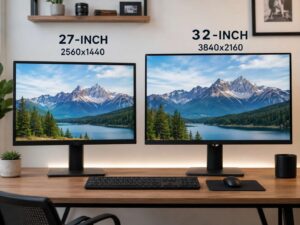
For 16:9 monitors, 24-inch Full HD works for budget office use. A 27-inch QHD monitor gives a better mix of size and clarity. A 32-inch 4K monitor gives sharper text and more detail, but you may need display scaling for comfortable reading.
Common monitor pairings include:
- 24-inch 16:9: 1920 x 1080
- 27-inch 16:9: 2560 x 1440
- 32-inch 16:9: 3840 x 2160
- 29-inch 21:9: 2560 x 1080
- 34-inch 21:9: 3440 x 1440
- 38-inch 21:9: 3840 x 1600
For most buyers, 34-inch 3440 x 1440 is the best 21:9 size and resolution mix. For 16:9, 27-inch QHD and 32-inch 4K are the safest picks.
Refresh Rate, Ports, and Graphics Power
A wider or sharper monitor needs more graphics power. A 3440 x 1440 ultrawide screen has about 34% more pixels than a 2560 x 1440 screen. That means your graphics card has more work to do during games.
Calculation:
3440 x 1440 = 4,953,600 pixels
2560 x 1440 = 3,686,400 pixels
4,953,600 divided by 3,686,400 = 1.34
So, 3440 x 1440 has about 34% more pixels than 2560 x 1440.
For office work, most modern laptops and desktops can handle this extra screen space. For gaming, the difference matters more. A mid-range GPU can run many games at 3440 x 1440, but high settings and high refresh rates need stronger hardware.
Ports matter too. Check the monitor, graphics card, laptop, dock, and cable before buying. A good screen will not run at its best refresh rate through a weak port or old cable.
For gaming, aim for at least 144Hz if you play fast titles. For office work, 75Hz or 100Hz already feels smoother than basic 60Hz. For creative work, color quality and sharpness matter more than high refresh rate.
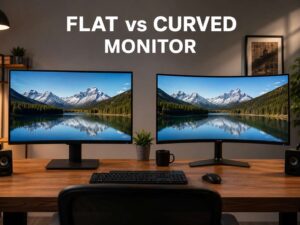
Flat or Curved Monitor: Which Is Better?
Most 16:9 monitors work well as flat screens. A 24-inch, 27-inch, or 32-inch flat display feels natural on a desk. Curved 16:9 monitors exist, but the curve matters less at these sizes.
For 21:9 monitors, the curve matters more. A 34-inch ultrawide screen has wide edges, so a gentle curve can bring the sides closer to your eyes. This can make long work sessions feel more comfortable.
Common curves include 3800R, 1800R, 1500R, and 1000R. A lower number means a stronger curve. A 1000R curve feels deep and gaming-focused. A 1500R or 1800R curve often feels easier for mixed use.
Designers and photo editors should think twice before picking a strong curve. Straight lines can feel less natural on a curved screen. For more help with this choice, this guide on flat or curved monitor explains where each type makes sense.
Desk Space and Comfort
A 21:9 monitor needs more desk width. Before buying one, measure your desk and check the monitor’s full width with the stand. A 34-inch ultrawide often feels best on a desk that gives you room for speakers, a keyboard, a mousepad, and maybe a laptop stand.
Viewing distance matters too. Sit too close, and you will move your head more often. Sit too far, and text can feel small. A 34-inch ultrawide usually feels comfortable at around 60 to 80 cm from the eyes.
A monitor arm can help. It clears desk space and lets you set the screen height, depth, and angle. This matters more with ultrawide monitors since their stands can take up a lot of room.
A 16:9 monitor is easier to place. It fits smaller desks, weighs less in many cases, and works better in tight corners. For renters, students, or people who move often, 16:9 feels simpler.
Price and Value
A 16:9 monitor gives better value at lower prices. You get more models, more deals, and more panel choices. Budget buyers should usually start with 16:9.
A 21:9 monitor costs more at the same quality level. You pay for the wider panel, and high-refresh ultrawide gaming models can get expensive. OLED ultrawide monitors cost more again, but they bring deep blacks, fast response, and rich contrast.
For work, the value of 21:9 depends on your daily tasks. A wider screen makes sense if it helps you avoid constant window switching. For simple browsing, email, and streaming, a good 16:9 monitor gives better value.
Who Should Buy a 16:9 Monitor?
A 16:9 monitor fits a wide range of users. It works well for students, office workers, console gamers, casual PC gamers, streamers, and creators who make standard video content.
It also fits better in smaller setups. Screen sharing is easier. Video content looks normal. Games have stronger support. Prices are better too.
Best 16:9 choices by use:
- Basic work: 24-inch Full HD
- Better office setup: 27-inch QHD
- Sharp text and creative work: 32-inch 4K
- Competitive gaming: 24-inch or 27-inch high refresh
- Console gaming: 27-inch or 32-inch 4K with HDMI 2.1
Who Should Buy a 21:9 Monitor?
A 21:9 monitor suits users who want more horizontal space. It works well for programmers, writers, video editors, designers, analysts, traders, researchers, and PC gamers who enjoy wide views.
For an ultrawide, 34-inch 3440 x 1440 is the best choice. It feels wide, sharp, and still manageable on a normal desk. A 38-inch 3840 x 1600 monitor gives more height and more room, but it costs more. A 29-inch 2560 x 1080 model saves money, but it gives weaker sharpness.
Best 21:9 choices by use:
- Budget ultrawide: 29-inch 2560 x 1080
- Best all-round ultrawide: 34-inch 3440 x 1440
- Larger work setup: 38-inch 3840 x 1600
- PC gaming: 34-inch 3440 x 1440 with 144Hz or higher
- Creative work: IPS or OLED panel with strong color coverage
Final Verdict: 21:9 vs 16:9 Monitor
A 16:9 monitor is the safer choice for most buyers. It works with more content, more devices, more games, and more budgets. It also makes video calls, screen sharing, streaming, and console gaming easier.
A 21:9 monitor is better for users who need more workspace. It helps with multitasking, timelines, wide spreadsheets, coding layouts, research, and immersive PC games. It can replace two smaller monitors and make a desk look cleaner.
The best 16:9 options are a 27-inch QHD monitor or a 32-inch 4K monitor. For ultrawide buyers, the best pick is usually a 34-inch 3440 x 1440 monitor.
So, choose 16:9 if you want simple support and lower cost. Choose 21:9 if you want more room, fewer window switches, and a wider PC experience.