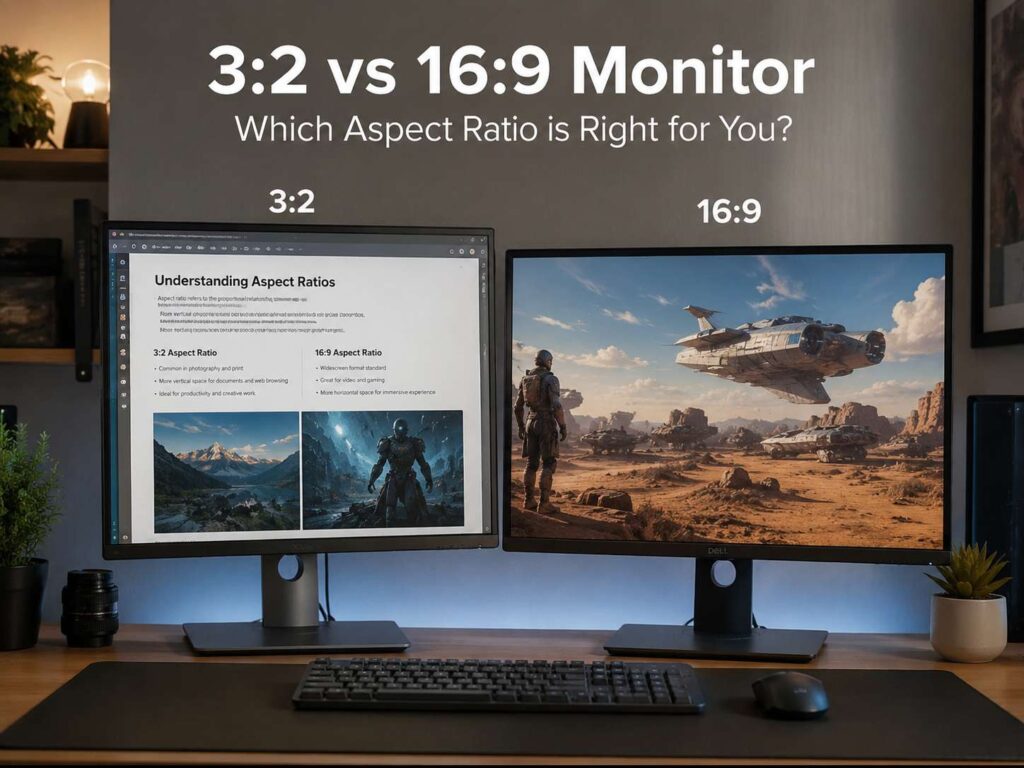
A monitor can look great on paper and still feel wrong on your desk. Size matters, of course. Resolution matters too. Yet the screen shape can change your daily comfort just as much.
That shape is called the aspect ratio. The two formats in this guide are 3:2 and 16:9. A 3:2 monitor feels taller and more document-friendly. A 16:9 monitor feels wider and more familiar, especially for video, gaming, and general home use.
So, which one should you choose? For most people, the answer comes down to what fills the screen most often. If you read, write, code, or work inside web apps all day, 3:2 has a clear appeal. If you game, stream videos, edit widescreen content, or want more monitor choices, 16:9 is still the safer pick.
What Does 3:2 vs 16:9 Mean?
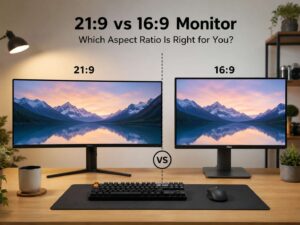
Aspect ratio compares screen width to screen height. A 16:9 monitor has 16 units of width for every 9 units of height. A 3:2 monitor has 3 units of width for every 2 units of height.
That sounds technical, but the difference is easy to see. A 16:9 display looks like a TV. It is wide and works well with movies, YouTube, games, and most online video. By contrast, a 3:2 display looks closer to a sheet of paper. It gives you extra height, so pages and documents feel less squeezed.
Common 16:9 monitor resolutions include:
- 1920 x 1080, also called Full HD
- 2560 x 1440, also called QHD or 1440p
- 3840 x 2160, also called 4K UHD
Common 3:2 display resolutions include:
- 1920 x 1280
- 2160 x 1440
- 2256 x 1504
- 2880 x 1920
- 3000 x 2000
In daily use, those extra vertical pixels matter. You see more rows, more text, more code, and more of a webpage before you need to scroll.
The Main Difference Between 3:2 and 16:9
The biggest difference is height.
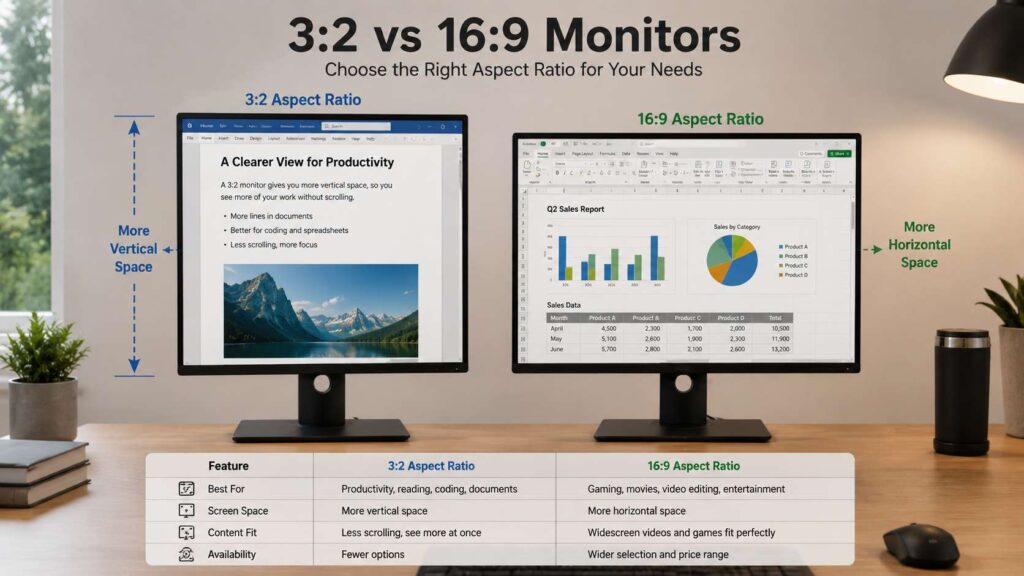
A 3:2 monitor gives you more vertical room. For that reason, it feels better for reading, writing, document editing, coding, spreadsheets, and research. You spend less time scrolling and more time looking at the actual work.
A 16:9 monitor gives you more width. This helps with videos, games, timelines, split-screen windows, and media previews. Since most movies, online videos, and games use 16:9, the content usually fills the screen cleanly.
In practice, 3:2 feels more like a productivity screen. 16:9 feels more like an all-purpose screen.
The difference becomes more obvious during long sessions. A 3:2 screen helps if you spend hours inside Google Docs, WordPress, Excel, Notion, Figma, code editors, or browser dashboards. A 16:9 screen feels more natural if your desk setup also doubles as an entertainment or gaming space.
Why a 3:2 Monitor Feels Better for Productivity
A 3:2 monitor gives your work more breathing room from top to bottom. That makes it especially useful for text-heavy tasks.
For example, writers can see more of an article at once. Editors can view more paragraphs without losing the toolbar. Developers can read more lines of code. Students can keep a PDF open and see more of the page without zooming out too much.
A 3:2 monitor works well for:
- Writing articles, essays, reports, and emails
- Reading long webpages
- Editing documents
- Coding
- Working in WordPress
- Reviewing PDFs
- Researching products or topics
- Managing spreadsheets
- Using project management tools
- Handling admin work
The extra height does not sound exciting at first. Still, it changes the feel of the screen. You stop fighting the layout. Instead, the display starts to match the way most work flows, from top to bottom.
This is why many productivity laptops use taller screen ratios such as 3:2 or 16:10. Once you get used to that extra height, a basic 16:9 screen can feel short.
Why 16:9 Is Still the Better Choice for Many Buyers
A 16:9 monitor remains the most common choice, and there are good reasons for that. It works with almost everything.
Most streaming content uses 16:9. Many games target 16:9 first. Console gaming works best on 16:9 screens. You also get more monitor options at every price point.
A 16:9 monitor is a strong choice for:
- YouTube and streaming
- Netflix-style video watching
- Console gaming
- PC gaming
- Video editing
- Presentations
- Budget desk setups
- High refresh rate gaming
- 4K home office use
There is another big benefit: availability. You can find 16:9 monitors in almost every size, panel type, resolution, and refresh rate. Want a 27-inch 1440p gaming monitor? Most options are 16:9. Want a 32-inch 4K monitor for work and media? Again, most options use 16:9.
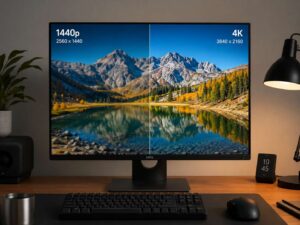
If resolution matters to your buying decision, this 1440p vs 4K monitor guide can help you compare sharpness, screen space, and value before you choose a model.
3:2 vs 16:9 for Office Work
For office work, 3:2 is often the better shape. It shows more vertical content, which helps with most daily tasks. Emails, documents, reports, web tools, dashboards, and spreadsheets all benefit from extra height.
A 3:2 monitor feels especially useful if you work with one main window at a time. For example, you might write in Google Docs, manage content in WordPress, or review long PDF files. In those cases, the taller shape feels natural.
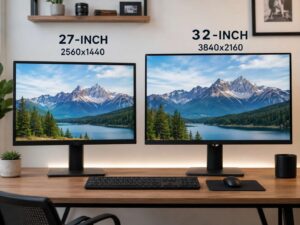
That said, 16:9 can still work very well for office use. A 27-inch QHD monitor gives enough room for two windows side by side. A 32-inch 4K screen gives even more workspace, and it can feel better for users who keep chat, email, browser tabs, and documents open together.
For simple office tasks, choose 3:2 if you want less scrolling. Choose 16:9 if you prefer wider multitasking.
3:2 vs 16:9 for Coding
Coding is one of the best use cases for a 3:2 monitor. More height means more visible code. That helps when you read longer files, check functions, scan logs, or work inside a terminal.
A taller screen can make code easier to follow. You can see more context before and after the line you are editing. Then, you scroll less and keep your focus for longer.
Still, many developers prefer 16:9, especially at 1440p or 4K. The wider shape gives more room for file trees, sidebars, terminals, documentation, browser previews, and split editor views.
Good coding choices include:
- 3:2 monitor for focused coding and reading
- 27-inch 1440p 16:9 monitor for balanced desk use
- 32-inch 4K 16:9 monitor for large workspaces
- Dual monitors for code, browser, chat, and terminal windows
- Portrait mode as a second screen for logs or long files
For pure code reading, 3:2 feels excellent. For multi-window development, a larger 16:9 screen can still be more practical.
3:2 vs 16:9 for Gaming
For gaming, 16:9 wins. It has better support, more models, and more high refresh rate options.
Most PC games work perfectly on 16:9. Consoles also target 16:9, so PlayStation, Xbox, and Nintendo Switch users should usually stick with this format. You also get more choices at 144Hz, 165Hz, 240Hz, and higher refresh rates.
A 3:2 monitor can run games, but the experience is less predictable. Some games may show black bars. Others may stretch the image or use a resolution that does not feel right. A few games support custom display ratios well, but you should not count on that for every title.
Pick 16:9 if gaming matters to you. It is the safer and cleaner choice.
3:2 vs 16:9 for Video Editing and Content Creation
Video editors should think about final output first. Most YouTube videos, tutorials, reviews, and gaming clips use 16:9. For that type of content, a 16:9 monitor makes sense. Your preview window matches the final video shape, and the timeline has plenty of horizontal room.
A 3:2 monitor can still work for content creation. It gives more height for panels, scripts, notes, captions, and asset lists. It can also feel nice for photo editing, especially portrait photos and design layouts.
For mixed creative work, the choice is less obvious. If you edit video every day, 16:9 is better. If your work includes writing, photo editing, web design, and research, 3:2 can feel more useful.
Is 3:2 Better Than 16:9?
3:2 is better for productivity. It gives more vertical screen space, so it suits reading, writing, coding, spreadsheets, and research.
16:9 is better for entertainment and broad compatibility. It suits gaming, video, streaming, presentations, and general home use.
Neither format is the best for everyone. Your best choice depends on your main task.
Choose 3:2 if you mostly use:
- Documents
- Web pages
- Code editors
- PDFs
- Spreadsheets
- Research tools
- Writing apps
Choose 16:9 if you mostly use:
- Games
- YouTube
- Streaming apps
- Video editors
- Console systems
- Side-by-side windows
- Presentation tools
If your monitor handles both work and fun, 16:9 is easier to recommend. If your monitor is mainly for serious work, 3:2 deserves your attention.
What About 16:10 Monitors?
There is a third option that sits between 3:2 and 16:9. It is called 16:10.
A 16:10 monitor is taller than 16:9 but not as tall as 3:2. It gives you extra vertical space without feeling too different from a normal widescreen display. Common resolutions include 1920 x 1200 and 2560 x 1600.
16:10 is a very comfortable middle ground. It works better than 16:9 for documents, web browsing, and coding. At the same time, it handles video better than 3:2.
The only problem is choice. You will find far more 16:9 monitors than 16:10 models, especially in gaming categories.
What Size and Resolution Should You Pick?
Aspect ratio matters, but size and resolution matter too. A small 3:2 display can still feel tight. A large 16:9 display can still feel spacious.
Here are some practical choices:
- 24-inch 1080p 16:9: good for budget work and casual use
- 27-inch 1440p 16:9: strong balance for work, gaming, and price
- 32-inch 4K 16:9: great for sharp text and large workspaces
- 28-inch or larger 3:2: strong choice for productivity
- 16:10 QHD-style display: good middle option for work and media
For text clarity, resolution matters a lot. A 27-inch 1440p screen looks sharper than a 27-inch 1080p screen. A 32-inch 4K monitor gives more detail and more usable space, especially with proper scaling.
Desk comfort matters too. A monitor with height adjustment can help your posture. Your keyboard layout can change comfort as well, so this 65 vs 75 keyboard guide is useful if you are building a cleaner productivity setup around your screen.
What to Check Before Buying
Before you buy a 3:2 or 16:9 monitor, check more than the aspect ratio.
Look at these details:
- Resolution: Higher resolution gives sharper text and more workspace.
- Panel type: IPS panels usually offer good colors and viewing angles.
- Refresh rate: 60Hz or 75Hz is fine for office work. Gamers should look at 144Hz or higher.
- Ports: USB-C, HDMI, and DisplayPort make setup easier.
- USB-C power delivery: Helpful if you connect a laptop with one cable.
- Stand adjustment: Height and tilt adjustment make long sessions more comfortable.
- Color coverage: Good sRGB coverage helps with photo, design, and content work.
- Scaling support: High-resolution screens need proper scaling in Windows or macOS.
- Desk depth: Bigger screens need more space between your eyes and the panel.
- Main use: Match the screen shape to your real daily habits.
A monitor can have strong specs and still feel awkward. For that reason, think about your workflow first. Then compare resolution, size, refresh rate, and price.
Final Verdict: Should You Buy a 3:2 or 16:9 Monitor?
Choose a 3:2 monitor if your work is mostly text, documents, code, webpages, spreadsheets, and research. The taller screen helps you see more content at once. It feels calm, practical, and focused.
Choose a 16:9 monitor if you want the safest all-round choice. It works better for gaming, video, streaming, and wider multitasking. It is also easier to find at good prices.
For productivity, 3:2 is the better screen shape. For gaming and video, 16:9 is the smarter pick. For mixed use, a 27-inch 1440p or 32-inch 4K 16:9 monitor is still one of the easiest recommendations.
Still, if your day is full of writing, reading, coding, and web-based tools, a 3:2 monitor can feel like a real upgrade. It gives you more useful height, less scrolling, and a workspace that feels better suited to serious work.