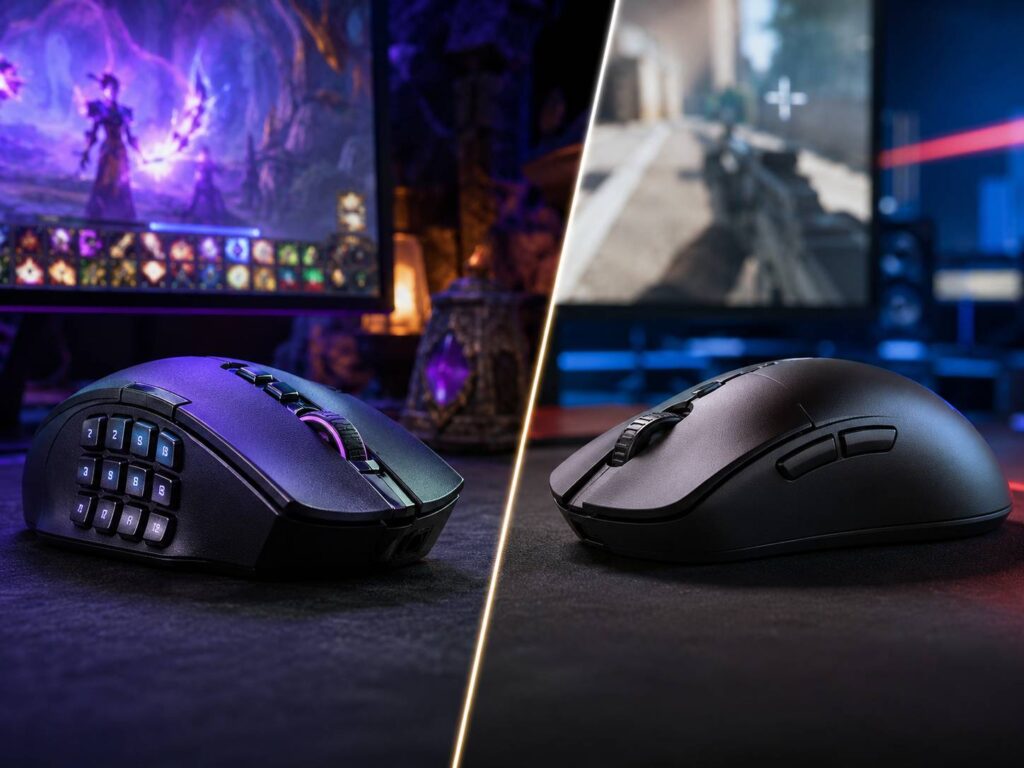
An MMO mouse and an FPS mouse may use similar sensors, switches, and wireless technology, but they’re designed around very different priorities. MMO mice focus on putting lots of commands within easy reach. FPS mice usually focus on low weight, quick movement, simple controls, and accurate aiming.
If you mainly play World of Warcraft, Final Fantasy XIV, or another ability-heavy RPG, an MMO mouse can make complicated keybinds much easier to manage. Meanwhile, games such as Counter-Strike 2, Valorant, Apex Legends, and Overwatch 2 tend to suit lightweight FPS mice better.
The decision gets trickier if you switch between several genres. Weight, shape, side-button placement, polling rate, grip style, and software all affect how comfortable a mouse feels. This MMO mouse vs FPS mouse guide breaks down those differences so you can choose based on how you actually play.
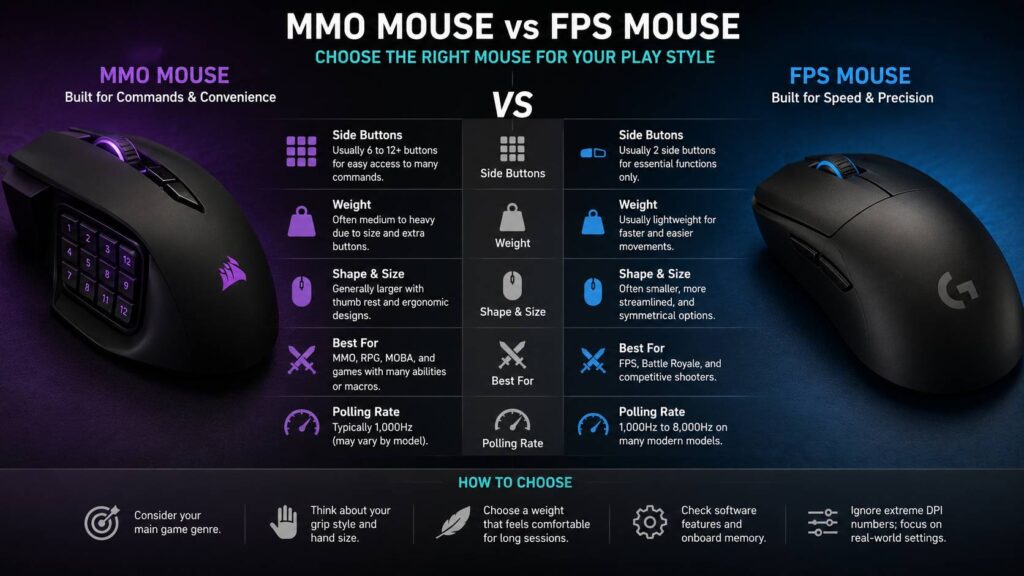
MMO Mouse vs FPS Mouse at a Glance
The easiest way to compare these mouse types is to look at what each one prioritizes.
| Feature | MMO Mouse | FPS Mouse |
|---|---|---|
| Main priority | Fast access to many commands | Fast, precise movement |
| Side buttons | Usually several, sometimes up to 12 | Usually two |
| Weight | Often medium to heavy | Usually light |
| Shape | Commonly larger and ergonomic | Often compact or streamlined |
| Best suited to | MMO, RPG, some MOBA games | FPS, battle royale, competitive shooters |
| Polling rate | Commonly 1,000 Hz, depending on model | 1,000 Hz to 8,000 Hz on many modern models |
| Thumb use | Heavy | Limited |
| Learning curve | Higher | Lower |
| Grip flexibility | Often palm or relaxed claw | Palm, claw, or fingertip depending on shape |
| Main advantage | More commands without moving your keyboard hand | Easier flicks and repeated large movements |
These aren’t strict rules. Some modern MMO mice are surprisingly light, while certain multi-button gaming mice work well in shooters.
Still, their basic design goals remain quite different.
What Is an MMO Mouse?
An MMO mouse is built around quick access to a large number of commands.
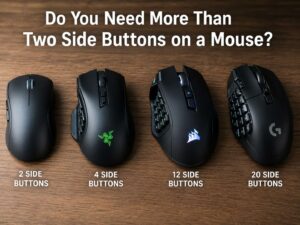
Its most recognizable feature is the thumb keypad. Many models use a grid of side buttons, and some provide as many as 12 under your thumb. Combined with the normal mouse buttons, wheel controls, and extra switches, that can give you well over a dozen programmable inputs.
That layout becomes useful in games with crowded action bars.
Instead of stretching your keyboard hand toward keys such as 6, 7, 8, 9, and 0, you can assign those abilities to your mouse. Healing spells, mounts, consumables, targeting controls, push-to-talk, and utility skills can also move onto the thumb buttons.
Modern MMO mice don’t necessarily use inferior sensors either. Many current models share high-end optical sensors and low-latency wireless technology with other gaming mice.
The main compromises are usually weight, shell size, and button complexity.
Why MMO mice have so many buttons
MMOs often demand more simultaneous commands than shooters.
A typical character might need quick access to:
- Damage abilities
- Healing abilities
- Defensive skills
- Interrupts
- Movement abilities
- Consumables
- Targeting commands
- Mounts
- Party functions
- Utility skills
Moving some controls to the mouse reduces how far your keyboard hand has to travel.
Modifier keys can expand the layout even further. For example, one side button might activate one ability normally, a different command while holding Shift, and another while holding Ctrl.
You can create a large number of bindings this way without needing dozens of individual physical controls.
What Is an FPS Mouse?
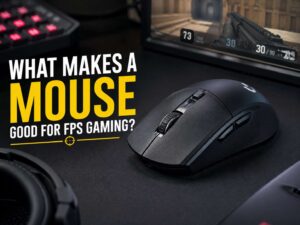
An FPS mouse usually takes the opposite approach. Rather than adding buttons, manufacturers tend to concentrate on weight, shape, tracking, click response, wireless latency, and glide.
A traditional FPS mouse normally includes:
- Left click
- Right click
- Scroll-wheel click
- Two thumb buttons
- One or more optional extra controls
That looks basic next to a 12-button MMO mouse, but the simpler design has a purpose.
Competitive shooters often involve rapid and repeated mouse movements. Low-sensitivity players may sweep across a large part of their mousepad just to turn around.
A lighter mouse needs less effort to start, stop, and redirect. Because of that, many current competitive FPS models weigh roughly 50 to 70 grams. Some fall outside that range, and that’s perfectly fine if the shape works better for you.
High-end models may also support polling rates of 4,000 Hz or even 8,000 Hz.
The overall goal is straightforward. Keep the mouse easy to move and keep unnecessary controls out of the way.
Button Count Makes the Biggest Everyday Difference
Button layout will probably affect you more often than extreme DPI figures or marketing claims about sensor performance.
An MMO mouse might put a whole grid of commands under your thumb. Most FPS mice give you two side buttons.
For an MMO player, those extra controls can simplify crowded keybinds quite a bit. For an FPS player, the same keypad may feel like unnecessary clutter.
There’s also a learning curve.
At first, neighboring MMO buttons can feel almost identical. You may press the wrong one until your thumb develops muscle memory. Better designs help by changing button angles, textures, shapes, or spacing.
If you’re unsure how much button capacity you actually need, it’s worth thinking about whether you need more than two side buttons on a mouse before choosing a full MMO-style keypad.
Don’t judge an MMO mouse only by its total button count. A smaller number of well-positioned controls can be more useful than 12 buttons that are difficult to identify without looking.
Weight Can Change the Entire Feel of the Mouse
Weight is one of the clearest differences in the MMO mouse vs FPS mouse comparison.
Modern FPS designs increasingly favor lightweight construction. Competitive models commonly sit around 50 to 80 grams, and some go even lower.
MMO mice often weigh more because their larger shells need extra switches, additional electronics, and sometimes larger batteries.
The gap has narrowed, though. Lightweight MMO mice now exist, including models below 100 grams with extensive side-button layouts.
Even so, a lightweight FPS mouse generally feels easier to move during repeated low-sensitivity swipes.
Does lighter always mean better aim?
No.
Lower weight can make quick movements easier, but shape and control still matter more than simply choosing the smallest number on a specification sheet.
Some people prefer a slightly heavier mouse because it feels more stable. Others find heavier designs tiring during long FPS sessions.
So weight should be treated as a preference rather than a performance score.
For shooters, a mouse somewhere around the modern 50 to 80 gram range works well for many players. MMO users may care more about hand support and comfort during long sessions.
Shape Matters More Than Maximum DPI
A mouse can have an excellent sensor and still feel awful if the shell doesn’t suit your hand.
Shape affects your grip, lifting motion, button reach, fine control, and long-term comfort.
MMO mice often feature:
- Wider bodies
- Pronounced thumb rests
- Taller shells
- Right-handed ergonomic shapes
- Large side-button panels
FPS mice offer more variety. You can find symmetrical designs, right-handed ergonomic shapes, very low shells, and models built around specific grip styles.
Palm grip
Palm users rest most of their hand on the mouse.
Larger ergonomic MMO mice can work particularly well here because they provide plenty of support. Bigger FPS mice can also suit palm grip, especially those with a raised rear section.
Claw grip
Claw grip keeps part of the palm in contact with the mouse while the fingers stay bent.
Many competitive FPS mice work well for claw grip because the position allows fast adjustments without sacrificing much stability.
Some MMO mice also suit claw users. However, a large side keypad can affect where your thumb naturally rests.
Fingertip grip
Fingertip users control the mouse mainly with their fingers.
Small, lightweight FPS mice often suit this style best. Large MMO shells can feel awkward because their extra mass and height make small finger movements harder.
Extreme DPI Numbers Shouldn’t Decide Your Purchase
Modern gaming mice often advertise huge maximum DPI values.
That doesn’t mean those settings are useful in actual games.
DPI controls how much pointer movement you get from a given amount of physical mouse movement. Raising DPI makes the cursor travel farther. Lowering it reduces that distance.
FPS players often use moderate DPI settings and then adjust sensitivity inside the game. MMO players may prefer slightly faster cursor movement, but there’s no universal rule.
A sensor capable of 30,000 or 40,000 DPI isn’t automatically more accurate at normal sensitivity than one with a lower maximum.
Instead, look at practical characteristics such as consistent tracking, lift-off behavior, wireless performance, and whether the available DPI range covers your preferred sensitivity.
For most buyers, maximum DPI shouldn’t influence the MMO mouse vs FPS mouse decision much at all.
Polling Rate: 1,000 Hz, 4,000 Hz, or 8,000 Hz?
Polling rate describes how often the mouse sends movement data to your computer.
At 1,000 Hz, the theoretical interval is:
1 ÷ 1,000 = 0.001 seconds, or 1 ms.
At 8,000 Hz:
1 ÷ 8,000 = 0.000125 seconds, or 0.125 ms.
Many current high-end FPS mice support 4,000 Hz or 8,000 Hz. MMO models commonly operate at 1,000 Hz, although the exact figure varies between products.
That doesn’t make a 1,000 Hz mouse slow.
The theoretical gap between 1,000 Hz and 8,000 Hz is less than one millisecond between reports. Higher polling can make motion updates smoother, especially on very high-refresh-rate displays, but the difference is relatively subtle.
There’s also a cost.
Higher polling can increase CPU activity and shorten wireless battery life.
For MMO gaming, 1,000 Hz is normally more than adequate. Competitive FPS players with high-refresh-rate displays may benefit more from 2,000 Hz, 4,000 Hz, or 8,000 Hz.
Even then, shape and weight should come first.
MMO Mouse vs FPS Mouse for Competitive Shooters
For a dedicated competitive FPS setup, an FPS mouse is usually the better choice.
Lower weight helps with repeated swipes. A simpler side layout also gives your thumb more room to grip and control the shell.
Most shooters don’t need 12 side buttons.
You might only use them for commands such as:
- Melee
- Grenades
- Push-to-talk
- Abilities
- Weapon switching
- Ping commands
Extra controls aren’t automatically bad. They simply provide little benefit if you never press them.
Shape matters even more for low-sensitivity players because you may repeatedly lift and reposition the mouse.
An MMO mouse can still play shooters perfectly well. It’s just not built specifically around that type of movement.
MMO Mouse vs FPS Mouse for MMO Gaming
MMOs reverse the situation.
You can certainly play an MMO with a basic FPS mouse.
Still, a two-button side layout puts much more responsibility on your keyboard hand.
An MMO mouse becomes more useful as your action bars fill up. A 12-button grid can place an entire ability group under your thumb.
A practical setup might look like this:
- Buttons 1 to 5 for frequently used rotation abilities
- Buttons 6 to 8 for defensive abilities
- Buttons 9 to 12 for utility commands
- Shift plus a side button for secondary abilities
- Ctrl plus a side button for another command layer
It takes practice before these controls feel natural. Once muscle memory develops, though, the layout can reduce uncomfortable keyboard reaches.
If your current keyboard bindings already feel good, switching isn’t essential. MMO mice are about convenience and accessibility, not a requirement for playing the genre.
What About MOBAs, ARPGs, and Strategy Games?
The answer becomes less obvious outside traditional MMOs and shooters.
Games such as Diablo, Path of Exile, League of Legends, and Dota 2 can all benefit from additional controls.
Still, you may not need a complete 12-button grid.
A mouse with four to six side buttons often provides a useful middle ground. You get more shortcuts than a standard FPS mouse without adding as much weight or complexity.
This type of mouse also works well if you regularly switch genres.
Some gaming mice use interchangeable side panels. You might have a simple two-button arrangement for shooters, then swap to six or 12 buttons for an MMO.
That design can be particularly useful if you don’t want two separate mice on your desk.
Can You Use an MMO Mouse for FPS Games?
Yes.
There’s no technical reason an MMO mouse can’t perform well in shooters. Modern sensors and low-latency wireless connections aren’t exclusive to FPS models.
The main concern is physical design.
A heavier mouse can require more effort during quick low-sensitivity movements. Large side keypads may also make gripping and lifting the shell feel less natural.
Casual shooter players may not care about those differences.
For serious competitive FPS gaming, though, a simpler and lighter design usually makes more sense.
Can You Use an FPS Mouse for MMO Games?
Yes, and this compromise is often easier.
An FPS mouse still provides a couple of thumb buttons. You can assign important abilities or modifier keys to them and keep the rest on your keyboard.
The limitation becomes noticeable once you have dozens of regularly used commands.
Complex keyboard combinations can be harder to manage, especially while you’re also handling movement.
If your MMO character only needs a modest number of active abilities, a dedicated MMO mouse may not add much.
Wired vs Wireless for MMO and FPS Gaming
Modern low-latency 2.4 GHz gaming mice work well for both genres.
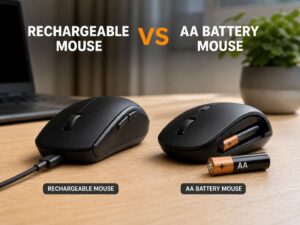
Wireless technology has improved enough that many high-performance gaming mice now rely on dedicated wireless receivers. A cable is no longer required simply to get responsive gaming input.
Connection type still matters, though.
Bluetooth usually prioritizes convenience and battery life rather than minimum latency. A dedicated 2.4 GHz receiver is generally the better wireless choice for gaming.
Some models offer three connection modes:
- USB cable
- 2.4 GHz wireless
- Bluetooth
That setup is handy if you use the same mouse with several devices.
For a dedicated FPS desktop, Bluetooth isn’t especially important unless you also plan to connect the mouse to a laptop or another system.
Software and Onboard Memory Deserve Attention
Extra buttons are only useful if configuring them isn’t a headache.
Gaming mouse software may let you adjust:
- Button assignments
- DPI
- Polling rate
- Lift-off distance
- RGB lighting
- Profiles
- Macros
- Scroll-wheel behavior
MMO players should pay particular attention to profile management.
You may want separate layouts for different games, characters, or classes.
Onboard memory can also help. Compatible mice store selected settings directly on the device, so you don’t always need the manufacturer’s software running.
Keep in mind that not every feature necessarily transfers to onboard memory. Complex macros, lighting effects, and automatic profile switching may still depend on software.
Operating system support can vary too. Check compatibility before buying if you use Linux, macOS, or several different computers.
Be Careful With Automated Macros
Programmable buttons and automated macros aren’t quite the same thing.
Mapping one mouse button to one keyboard key is straightforward. You could, for example, make a side button behave like the keyboard’s number 5 key.
A macro that triggers multiple gameplay actions from one press is different.
Some games restrict or prohibit automation that performs several actions automatically. Rules vary by title and can change.
Check the game’s current input and automation rules before creating multi-action macros.
Simple one-to-one key remapping is usually easier to manage anyway. It keeps your controls predictable and avoids relying on complicated automation.
How to Choose Between an MMO Mouse and an FPS Mouse
There’s no need to compare every specification on the product page.
A better approach is to work through a few practical questions.
- Start with your main genre. If competitive shooters take most of your gaming time, begin with FPS mice. If you spend most of your time in ability-heavy MMOs, look at MMO designs first.
- Count the commands you actually need. Don’t buy a 12-button keypad simply because more buttons sound better.
- Think about your sensitivity. Low-sensitivity FPS players often benefit more from a lighter mouse because they make larger movements.
- Check your grip style. Fingertip users often prefer smaller shells. Palm users may appreciate a larger ergonomic body.
- Factor in hand size. Even an excellent mouse can feel uncomfortable if it’s much too large or too small.
- Look closely at button placement. MMO controls should be easy to identify by feel. FPS buttons shouldn’t force your thumb into an awkward position.
- Check software compatibility. Make sure the configuration program supports your operating system.
- Consider onboard memory. This becomes useful if you switch PCs or don’t want the configuration software running constantly.
- Ignore extreme DPI unless you need it. A very high maximum only matters if you play at very high sensitivity.
- Treat polling rate as a bonus. Shape, weight, and control placement usually make a larger difference.
Best Choice If You Play Both MMO and FPS Games
Mixed-genre players have the hardest decision.
If competitive shooters matter most, a lightweight FPS mouse is usually the safer choice. Keyboard shortcuts can compensate for having fewer side buttons.
If MMOs take up most of your gaming time, the extra controls of an MMO mouse may provide more everyday value.
A hybrid design is another good option. Several additional side buttons can offer enough shortcuts without turning the entire thumb area into a keypad.
Interchangeable side panels give you even more flexibility. A simple layout can handle shooters, while a larger grid works for MMOs.
Owning two mice is also perfectly reasonable if you spend serious time in both genres. Two specialized models involve fewer compromises than forcing one mouse to handle every type of game.
Common Mistakes When Choosing a Gaming Mouse
Several specifications receive much more attention than they deserve.
Choosing based on maximum DPI
A higher maximum DPI doesn’t automatically mean better tracking.
Unless you play at very high sensitivity, you will use only a small part of the range modern gaming sensors offer.
Ignoring shape
Shape affects you every second you’re holding the mouse.
Excellent sensor specifications won’t make up for a shell that feels uncomfortable.
Assuming more buttons are always better
Unused buttons still add complexity.
If you regularly use only two or three thumb controls, a full 12-button keypad may solve a problem you don’t have.
Buying the lightest mouse available
Low weight can help with quick movement, but lighter isn’t automatically more comfortable.
Some players simply prefer a little extra mass and stability.
Using 8,000 Hz because the option exists
Higher polling isn’t automatically the best setting.
It can increase system load and reduce wireless battery life. If you can’t notice a useful difference, 1,000 Hz or 2,000 Hz may be more practical.
Practical Recommendations by Game Type
Competitive FPS players should prioritize shape, manageable weight, good mouse feet, consistent tracking, and a reliable 2.4 GHz wireless or wired connection.
MMO players should focus more heavily on side-button access, ergonomics, profile management, and software quality.
MOBA and action-RPG players may prefer a middle ground with several extra controls rather than a complete 12-button keypad.
Mixed-genre players should optimize for the genre they care about most, then accept a few smaller compromises elsewhere.
For productivity, multi-button mice have another advantage. Extra controls can handle browser navigation, editing shortcuts, media playback, and other repetitive commands.
Frequently Asked Questions
Is an MMO mouse better than an FPS mouse?
Neither is universally better. MMO mice prioritize command access. FPS mice emphasize fast movement, low weight, and uncomplicated controls. Your main game genre should drive the decision.
How many buttons does an MMO mouse need?
You don’t necessarily need 12 side buttons. Some players are more comfortable with six or eight. Pick enough controls for your actual bindings rather than choosing the highest number available.
Are MMO mice bad for FPS games?
No. A good MMO mouse can still track accurately and respond quickly. The drawback is usually the larger shell and extra weight, which may be less comfortable during rapid low-sensitivity movements.
Are FPS mice good for MMOs?
Yes. You’ll simply depend more on keyboard shortcuts. If your game doesn’t require a huge number of active commands, that may not be a problem at all.
Is a 1,000 Hz polling rate enough for gaming?
Yes. At 1,000 Hz, the theoretical report interval is 1 ms. That’s still a fast polling rate for gaming, including competitive use.
Is 8,000 Hz worth using for an MMO?
Usually not as a priority. Button placement, comfort, software, and shape matter much more for MMO gameplay.
Should I buy two gaming mice?
It can make sense if you regularly play both competitive shooters and complex MMOs. Otherwise, a well-designed hybrid mouse may be simpler.
MMO Mouse or FPS Mouse: Which One Makes More Sense?
The MMO mouse vs FPS mouse decision comes down to the job you want your mouse to perform.
An MMO mouse makes sense if your biggest challenge is managing a large number of abilities. Its extra controls can make complicated keybinds easier to reach and organize.
An FPS mouse is the better fit if quick movement, precise aiming, low weight, and an uncluttered grip matter more than button count.
Players who regularly switch genres should consider a lightweight multi-button mouse or a model with interchangeable side panels.
Most of all, don’t choose based on maximum DPI or whichever specification has the biggest number. Shape, weight, button placement, and comfort will affect your gaming experience far more often.