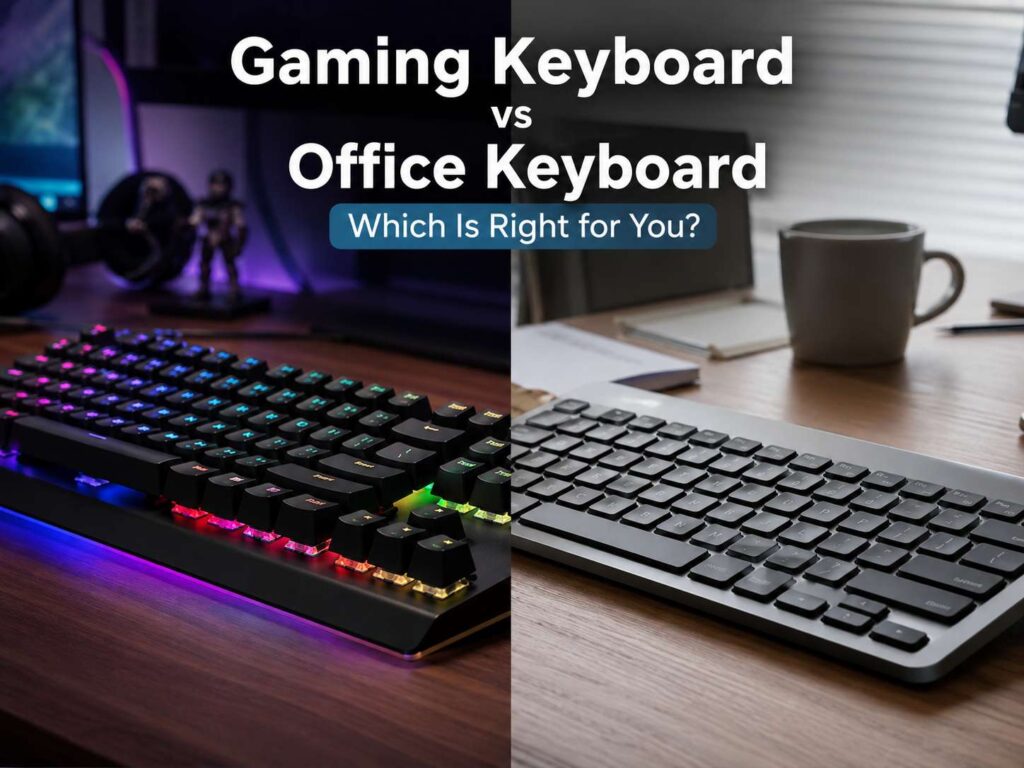
A gaming keyboard and an office keyboard can look similar on a desk. Both type words, both control shortcuts, and both connect to the same computer. Still, they serve different habits.
A gaming keyboard focuses on speed, key response, and control. An office keyboard focuses on comfort, quiet sound, and steady typing through long workdays. So, the better choice starts with your daily routine.
Some people play games for hours. Others type emails, reports, code, and spreadsheets all day. Then there are users who need one keyboard for work in the morning and gaming at night. That mixed use case needs more care.
This guide compares gaming keyboard vs office keyboard choices in a practical way. You will see how switches, size, noise, comfort, latency, and price affect the final pick.
What Is a Gaming Keyboard?
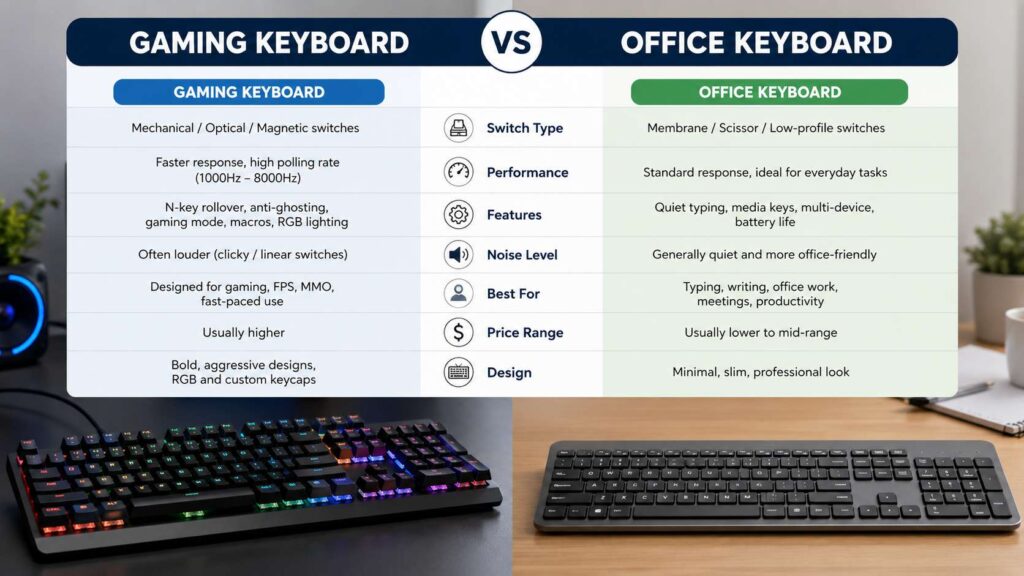
A gaming keyboard is built for fast input. It often has mechanical, optical, or magnetic switches. These switches give each key a clear feel and quick reset.
Many gaming keyboards include anti-ghosting, N-key rollover, RGB lighting, gaming mode, macro support, and software profiles. These features help in games that need fast movement and repeat key presses.
For example, a shooter player presses W, A, shift, control, space, and number keys in quick bursts. A gaming keyboard handles that input without missed presses. That matters more in competitive games than in daily office work.
Some newer gaming keyboards add adjustable actuation and rapid trigger. These features let users change how far a key travels before it registers. For that reason, they suit players who want very tight control.
Still, not every gamer needs the most advanced model. A solid mechanical keyboard with good switches, anti-ghosting, and a comfortable layout works well.
What Is an Office Keyboard?
An office keyboard is built for long typing sessions. It usually puts comfort, low noise, and simple controls first.
Many office keyboards use membrane, scissor, or low-profile switches. These keys often feel softer and quieter than standard mechanical switches. That helps during meetings, shared office work, and late-night typing.
Office keyboards often include a number pad, media keys, strong battery life, and multi-device pairing. Some models switch between a desktop, laptop, tablet, and phone with one button. That feature saves time for people who use more than one device.
For typing-heavy work, comfort matters more than flashy lighting. A good office keyboard should feel calm under the fingers. It should sit at a natural height and keep your wrists in a relaxed position.
Main Difference: Speed or Comfort
The key difference is simple. Gaming keyboards chase speed. Office keyboards chase comfort.
A gaming keyboard often feels sharper. The keys can respond faster, and the switch feedback feels more direct. So, it gives games a more controlled feel.
An office keyboard often feels quieter and softer. It can make long typing sessions easier. Plus, it usually creates less sound in a shared room.
That does not mean a gaming keyboard is bad for work. It also does not mean an office keyboard is useless for games. The real question is how much typing, gaming, and desk sharing you do each week.
If you type all day, start with comfort. If you play fast games daily, start with response and layout. For mixed use, pick a quiet mechanical keyboard with a practical size.
Switch Type Matters More Than the Label
The words “gaming” and “office” do not tell the full story. Switch type matters more.
Linear switches feel smooth from top to bottom. Gamers often like them since they allow quick presses. Still, they can cause accidental keystrokes during typing.
Tactile switches give a small bump during each press. Many writers, coders, and mixed-use users like this feel. The bump gives feedback without a loud click.
Clicky switches add sound and feedback. They feel fun at first, but they can annoy people nearby. For shared offices, bedrooms, and video calls, clicky switches are usually a poor choice.
Membrane switches feel soft and quiet. They cost less in many cases. Yet, they often feel less crisp than mechanical switches.
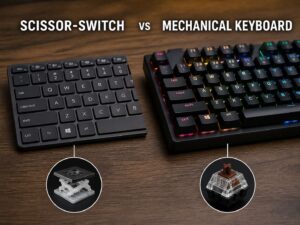
Scissor switches sit in many slim office keyboards and laptops. They have short key travel and a low profile. For long typing sessions, that can feel easier on the hands.
Magnetic switches suit gaming first. They allow adjustable actuation and rapid trigger. For typing, they can work well after tuning, but they are not necessary for most office tasks.
Typing All Day Needs a Different Keyboard
A keyboard for long work sessions has one main job: it should not fight your hands.
Writers, students, office workers, and coders often care about key feel, height, sound, and layout more than raw speed. A tall keyboard with stiff switches can feel tiring after several hours.
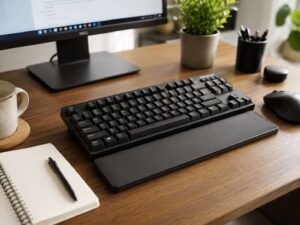
For full-day typing, look for quiet tactile switches, low-profile keys, or a soft office keyboard. A wrist rest can help, but keyboard height matters too. Your wrists should stay straight, not bent upward.
A full-size layout helps with spreadsheets and number entry. A 75% or TKL layout saves desk space and keeps the mouse closer. That can reduce shoulder strain during long days.
For a deeper work-focused guide, read this best keyboard for typing all day article. It covers comfort, layout, and daily typing needs in more detail.
Gaming Needs Fast and Reliable Input
Gaming puts different pressure on a keyboard. Fast movement, repeated presses, and key combinations matter more.
Anti-ghosting helps the keyboard read several pressed keys at once. N-key rollover takes that further and lets every key register correctly. Gaming mode blocks accidental Windows key presses during play.
Low latency can help in competitive games. A 1,000 Hz polling rate already feels fast for most players. Higher polling rates, such as 4,000 Hz or 8,000 Hz, target serious players who want every small edge.
For casual gaming, switch feel and layout matter more than extreme polling numbers. A TKL keyboard gives more mouse space. A 75% board keeps useful keys in a smaller frame. A full-size keyboard works fine too, but it takes more room.
Mechanical vs Membrane: Which One Fits Better?
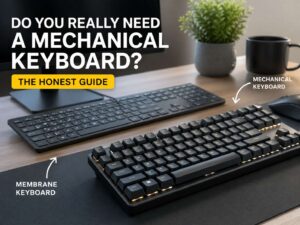
Mechanical keyboards use a switch under each key. They often feel more precise and last longer. They also come in many switch types, so users can tune the feel.
Membrane keyboards use a rubber dome layer under the keys. They usually cost less and stay quieter. They can feel softer, but also less satisfying to press.
Gamers often prefer mechanical keyboards. The response feels sharper, and the switch options give more control.
Office users can go either way. A good membrane keyboard works well for quiet typing. A quiet mechanical keyboard works well too, mainly with tactile or silent switches.
If you are unsure about the value of mechanical switches, read this guide on whether you really need a mechanical keyboard. It explains the real benefits without the hype.
Noise Can Make or Break the Choice
Keyboard noise matters at home and at work.
Clicky gaming keyboards can sound loud on calls. The sound can travel through a microphone, even with noise reduction turned on. After a few weeks, that fun click can become tiring.
Office keyboards usually win on sound. Low-profile and scissor-switch keyboards stay quiet. Silent mechanical switches can also work well.
For a quieter setup, choose silent linear switches, quiet tactile switches, foam inside the case, and good stabilizers. A desk mat can reduce sound too.
The spacebar often makes the most noise. So, check sound tests for large keys, not only letter keys.
Layout: Full-Size, TKL, 75%, or 60%
Keyboard layout affects comfort and desk space.
A full-size keyboard includes the number pad. It works best for data entry, finance work, spreadsheets, and admin tasks. The downside is width. Your mouse sits farther away, which can strain your shoulder.
A TKL keyboard removes the number pad but keeps function keys and arrow keys. This layout suits gaming and office work. It gives your mouse more room.
A 75% keyboard keeps many useful keys in a tighter body. It works well for smaller desks and mixed use.
A 60% keyboard saves the most space. It removes many keys and relies on shortcuts. That can feel great for gaming, but it can slow office work.
For most people, TKL or 75% gives the best balance. For heavy spreadsheet work, full-size still makes sense.
Wired vs Wireless Keyboards
Wired keyboards give stable input and no battery stress. Gamers often like that simplicity. Plug it in, and it works.
Wireless keyboards give a cleaner desk. They also suit laptops and multi-device setups. For office work, Bluetooth is often enough.
For gaming, 2.4 GHz wireless usually performs better than Bluetooth. It gives lower delay and a steadier connection. Many premium wireless gaming keyboards include both wireless and wired modes.
Battery life matters too. RGB lighting drains power faster. A simple office keyboard can run much longer between charges.
Pick wired for pure gaming value. Pick wireless for a cleaner desk and device switching. Pick a dual-mode keyboard for the most flexible setup.
Comfort and Ergonomics
A keyboard should fit your body, not just your desk.
Keep the keyboard directly in front of you. Your elbows should stay close to your body. Your wrists should stay straight. The mouse should sit close enough that your shoulder stays relaxed.
Tall gaming keyboards can raise your hands too much. A wrist rest can help during pauses, but it should not force your wrists into a bent position.
Low-profile keyboards often feel easier for long typing. They reduce finger travel and hand height. That can make a long workday feel less tiring.
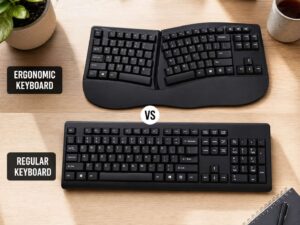
Split ergonomic keyboards are another option for full-time typing. They are less common for gaming, but they can help users who deal with wrist or shoulder discomfort.
RGB, Macros, and Extra Features
RGB lighting looks nice, but it should not lead the buying choice. It helps in dark rooms and can highlight game controls. Still, switch feel and layout matter more.
Macro keys help with MMOs, creative apps, and repeated commands. They are less useful for basic typing and casual games.
Hot-swappable switches are worth paying for if you like to test new switch types. They let you change switches without soldering. That can extend the life of the keyboard and make upgrades easier.
Dedicated media keys feel useful every day. Volume knobs, mute buttons, and play controls save small bits of time. For office and gaming, those features are practical.
Price: What Should You Pay?
Budget office keyboards can cost very little and still work fine. They type, stay quiet, and fit basic work needs.
Mid-range keyboards give better key feel, stronger build quality, better wireless support, and better software. This is where the best value sits.
High-end gaming keyboards add premium cases, faster sensors, magnetic switches, rapid trigger, and deep software controls. These features help competitive players most.
For a work-first setup, spend on comfort and layout. For a game-first setup, spend on switches, response, and build. For mixed use, spend on a quiet mechanical board with a practical size.
Best Choice for Work and Gaming
One keyboard can handle both work and play. The safest pick is a quiet mechanical keyboard in TKL or 75% size.
Choose tactile or silent linear switches. Pick a layout with arrow keys and function keys. Add wireless support if you use more than one device. Then check sound, height, and software before buying.
Avoid loud clicky switches for shared spaces. Avoid tiny 60% layouts if you write often. Skip extreme polling rates if most of your day goes into typing and web work.
A low-profile mechanical keyboard can be a great middle ground. It gives a crisp feel for games, but it stays comfortable enough for daily typing.
Final Verdict: Gaming Keyboard vs Office Keyboard
Choose a gaming keyboard if you play fast games, care about input speed, and want deeper control over key settings. A TKL or 75% gaming keyboard with smooth switches works well for most players.
Choose an office keyboard if you type for many hours, join calls, share a room, or need a quiet setup. A slim keyboard with soft keys, strong battery life, and device switching will feel better for daily work.
Choose a quiet mechanical keyboard if you need one board for everything. It gives better typing feel than many office keyboards and better gaming response than many basic work keyboards.
The best keyboard is the one that fits your real day. Think about typing time, gaming time, desk size, noise, comfort, and budget. Then pick the board that makes those hours feel easier.