The Short Answer
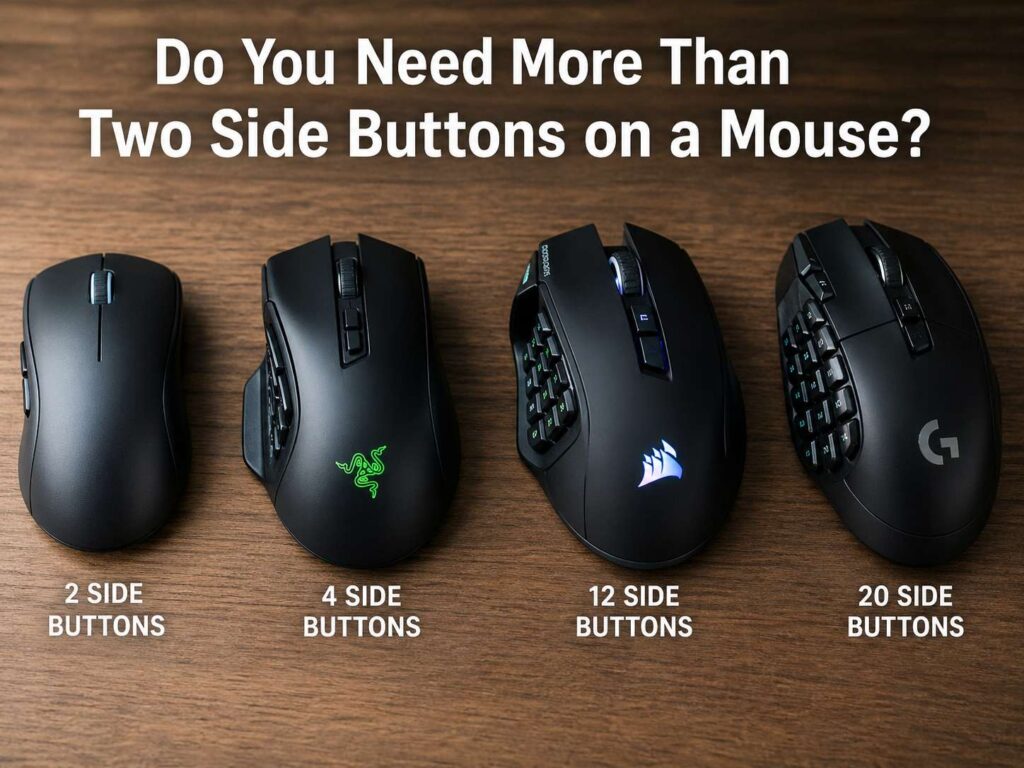
Most people do not need more than two side buttons on a mouse. Two thumb buttons already cover the everyday actions: back, forward, copy, paste, push to talk, mute, reload, or page switching.
Still, extra side buttons make sense for some users. MMO players, video editors, CAD users, streamers, spreadsheet-heavy workers, and shortcut fans can get real value from them. For these users, a mouse button can replace a keyboard shortcut they use dozens of times each day.
For normal office work, school tasks, web browsing, and casual gaming, more buttons can feel like clutter. You press the wrong button more often. Your grip can feel less natural. The mouse can get heavier too.
So, the best question is not “How many buttons does this mouse have?” The better question is, “How many of these buttons will I use without thinking?” If the answer is two, buy a simple mouse. If the answer is six or more, a multi-button mouse can save time.
What Side Buttons Actually Do
Side buttons sit near your thumb. Most standard mice include two of them. By default, they often work as back and forward buttons in browsers and file folders. That alone makes them useful for daily work.
A programmable mouse goes further. You can set side buttons to copy, paste, undo, redo, open search, control media, change DPI, switch profiles, or trigger game actions. For work, that means fewer trips to the keyboard. For gaming, it means faster access to actions you use often.
Still, button count does not make a mouse better by itself. Shape, button placement, weight, grip comfort, and software matter more. A clean 2-button mouse can beat a crowded 12-button mouse if the extra buttons feel hard to reach.
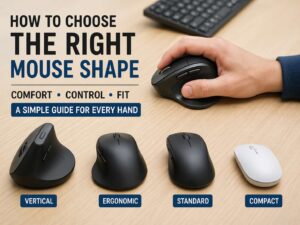
That is why shape matters so much. If your mouse does not fit your hand, extra buttons will not fix it. For a better fit, start with this guide on the best mouse shape for your hand before you focus on button count.
When Two Side Buttons Are Enough
Two side buttons are the safe default. They give you quick control without making the thumb area crowded.
For web browsing, they handle back and forward. For office work, they can handle copy and paste. For gaming, they can cover melee, push to talk, reload, ping, or a secondary ability.
This layout works well since it keeps your grip simple. Your thumb only has two targets. That makes each press easier to control. It also reduces accidental clicks during fast movement.
Two side buttons are a smart choice for:
Casual gaming
Office work
School work
Web browsing
Travel mice
Small hands
Lightweight gaming mice
FPS games
Simple desk setups
This is the balanced option. You get useful shortcuts, but the mouse still feels clean.
When Extra Side Buttons Make Sense
Extra side buttons start to help once you repeat more than two commands all the time. That is the key. The buttons need real jobs.
A mouse with 4 side buttons works well for mixed use. You can set two for browser navigation and two for copy and paste. That setup feels easy to learn, and it does not crowd the thumb area too much.
A mouse with 6 side buttons gives you more room for work and gaming. It can handle media controls, mute, screenshots, app switching, gaming abilities, or editing shortcuts.
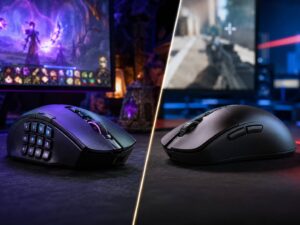
A mouse with 9 to 12 side buttons fits users who need many commands under the thumb. MMO players use them for spells, potions, mounts, target actions, and menus. Editors can use them for cut, undo, redo, markers, zoom, play, pause, and export tools.
So, extra buttons make sense only when they remove friction from tasks you already do often. If you need to invent uses for them, you probably do not need them.
Gaming: How Many Side Buttons Do You Need?
The right number depends on the game.
For FPS games, two side buttons work best. They keep the mouse lighter and easier to grip. They also reduce the chance of pressing the wrong button during fast aim movement. Many FPS players use the side buttons for melee, push to talk, ping, reload, or ability use.
For MMO games, more buttons help a lot. A 6-button or 12-button mouse gives you fast access to skills and items. It also keeps your keyboard hand from stretching across too many keys.
For MOBA games, 2 to 4 side buttons usually feel right. You can bind item slots, camera actions, attack move, stop command, or chat wheel controls. A full thumb grid can work, but it can feel like too much.
For simulation games, extra buttons can help too. Flight sims, racing sims, and farming sims use many controls. Side buttons can handle camera views, tools, lights, menus, and quick actions.
The rule is simple: fast aim games favor fewer buttons. Command-heavy games favor more buttons.
Work Use: Browsing, Editing, Design, and Spreadsheets
Extra mouse buttons can save time at work, mainly for tasks you repeat all day.
Writers and editors can set buttons for copy, paste, undo, redo, search, screenshots, or word count. Designers can use them for zoom, hand tool, brush size, layer actions, or export commands. Developers can set buttons for back, forward, terminal focus, search, run, or file switching.
Spreadsheet users can get value too. Side buttons can handle paste values, filters, freeze panes, clear formatting, insert rows, or switch sheets. These commands seem small, but they add up during a long work session.
Still, the mouse should not replace the keyboard for every action. Use the keyboard for typing and complex shortcuts. Use the mouse for actions tied to pointing, selecting, dragging, and navigation.
That split feels more natural. It also keeps your hands from doing too much work in one place.
Comfort Matters More Than Button Count
More buttons can make a mouse less comfortable. A large thumb panel needs space, so the mouse body often gets wider or taller. That can feel good with palm grip, but it can feel awkward with claw grip or fingertip grip.
Extra buttons can lead to accidental clicks too. This happens when the buttons sit too close together, feel too soft, or lack clear shapes. A good side panel should let your thumb find each button by feel.
Weight matters as well. Mice with many buttons often weigh more than simple gaming mice. That does not make them bad. A heavier mouse can feel stable for work, editing, and MMO play. A lighter mouse often feels better for FPS games and fast movement.
Hand size matters too. Small hands can struggle with long side panels. Large hands can press small buttons by mistake. For that reason, check mouse length, width, height, and side button position before you buy.
A comfortable 2-button mouse beats an uncomfortable 12-button mouse every time.
Symmetrical vs Ergonomic Mouse Shapes
Mouse shape affects side button comfort too.
A symmetrical mouse has a balanced shape from left to right. It often feels better for claw grip and fingertip grip. Many lightweight gaming mice use this style. The side buttons on these mice usually stay simple, often with two thumb buttons.
An ergonomic mouse has a shape made to support the hand in a more natural resting position. It often feels better for palm grip and longer work sessions. This shape can give the thumb more support, so extra side buttons can feel easier to use.
Neither shape wins for everyone. Your hand size, grip style, and daily use matter more. For a deeper comparison, read this guide on symmetrical vs ergonomic mouse shape.
So, test shape before you chase button count. A mouse can have the perfect number of buttons and still feel wrong in your hand.
Software Can Make or Break the Mouse
A multi-button mouse needs good software. Without clean button remapping, the extra controls lose much of their value.
Good software lets you assign keyboard shortcuts, app commands, media controls, macros, DPI changes, and profiles. It should also make profiles easy to manage. A work profile can use copy, paste, undo, and screenshot. A gaming profile can use reload, push to talk, ping, and ability keys.
App-specific profiles help too. Your mouse can use one layout in a browser, another layout in a video editor, and another layout in a game. That makes extra buttons more useful.
Still, too many profiles can become messy. Start with one simple layout. Use it for a few days. Then add more commands only when you feel a real need.
Onboard Memory and Profile Switching
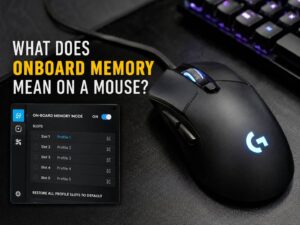
Onboard memory stores button settings on the mouse. This helps if you move between computers, use a gaming laptop, or want your settings to work without software running all the time.
Profile switching helps for the same reason. Some mice let you switch between layouts with one button. That gives you one setup for work, one for gaming, and one for media control.
This feature sounds small, but it matters for users who change tasks often. It also helps people who use the same mouse at home and at work.
Still, keep it simple. Too many profiles can slow you down. A clean layout that you remember beats five layouts you forget.
How Many Side Buttons Should You Buy?
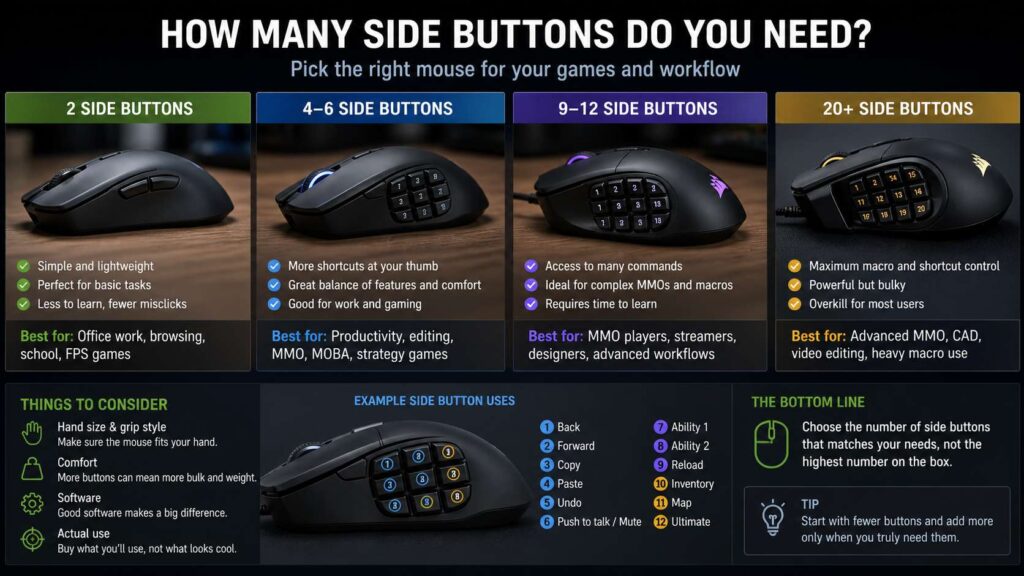
Choose 2 side buttons for normal use, office work, browsing, school work, travel, and FPS gaming. This layout keeps the mouse light, clean, and easy to control.
Choose 4 side buttons for mixed work and gaming. This gives you more shortcuts without a steep learning curve.
Choose 6 side buttons for editing, streaming, productivity, strategy games, and users who repeat several commands often.
Choose 9 to 12 side buttons for MMO games, complex macros, heavy editing, spreadsheets, CAD work, and users who want many commands under the thumb.
More than 12 side buttons rarely makes sense. Accuracy drops once the thumb area gets too crowded. Comfort can suffer too.
Best Side Button Assignments To Try First
Start with simple actions. Do not fill every button on day one.
For daily use, try back, forward, copy, paste, undo, redo, screenshot, and mute. These actions are easy to remember and useful in many apps.
For FPS gaming, try melee, push to talk, ping, grenade, reload, crouch, or ability use. Keep the most urgent action on the easiest button to reach.
For MMO gaming, try core skills, interrupt, mount, potion, target enemy, map, and inventory. Put the most used skills near the center of the thumb area.
For editing, try cut, undo, redo, marker, blade tool, ripple delete, zoom, play, pause, and export. These can save time during long sessions.
A good layout has no mystery buttons. Each button should do one job you use often.
Common Mistakes To Avoid
Do not buy more buttons than your thumb can handle. A packed side panel can look useful, but it can slow you down.
Do not bind rare commands to the easiest buttons. Put your most repeated actions there instead.
Do not ignore shape. If the mouse feels wrong, the side buttons will feel wrong too.
Do not forget software. Extra buttons need clean remapping tools.
Do not copy someone else’s setup without testing it. Your grip, games, apps, and habits are different.
Do not judge a multi-button mouse after one hour. Your thumb needs time to learn the layout. Give it a few days before you decide.
Buying Checklist
Before you buy, ask these questions:
How many commands do I repeat every day?
Can my thumb reach each side button without strain?
Do I use palm grip, claw grip, or fingertip grip?
Does the mouse shape match my hand size?
Do I play FPS games, MMO games, or both?
Will I use app profiles for work or gaming?
Does the software make button remapping easy?
Does the mouse store profiles onboard?
Are the side buttons firm enough to prevent misclicks?
Will I still use these buttons after the first week?
These questions prevent the most common mistake: paying for buttons that stay unused.
Final Verdict
You need more than two side buttons only when you have clear tasks for them.
For most people, two side buttons are enough. They cover browsing, office work, school work, casual gaming, and most FPS needs. They also keep the mouse simple and comfortable.
Four to six side buttons make sense for users who want more shortcuts without a bulky thumb grid. This range works well for mixed productivity and gaming.
Nine to twelve side buttons fit MMO players, streamers, editors, spreadsheet users, and people who repeat many commands each day. They can save time, but only after you build muscle memory.
So, do not buy the mouse with the most buttons. Buy the mouse with the right buttons in the right places. Your thumb should find each one fast, and your hand should stay relaxed after long use.