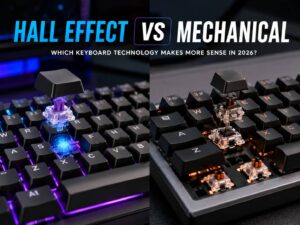
Mechanical keyboards and magnetic keyboards used to be two fairly separate choices. You picked one switch technology, and every key on the board followed the same basic system.
Hybrid magnetic + mechanical keyboards are starting to change that.
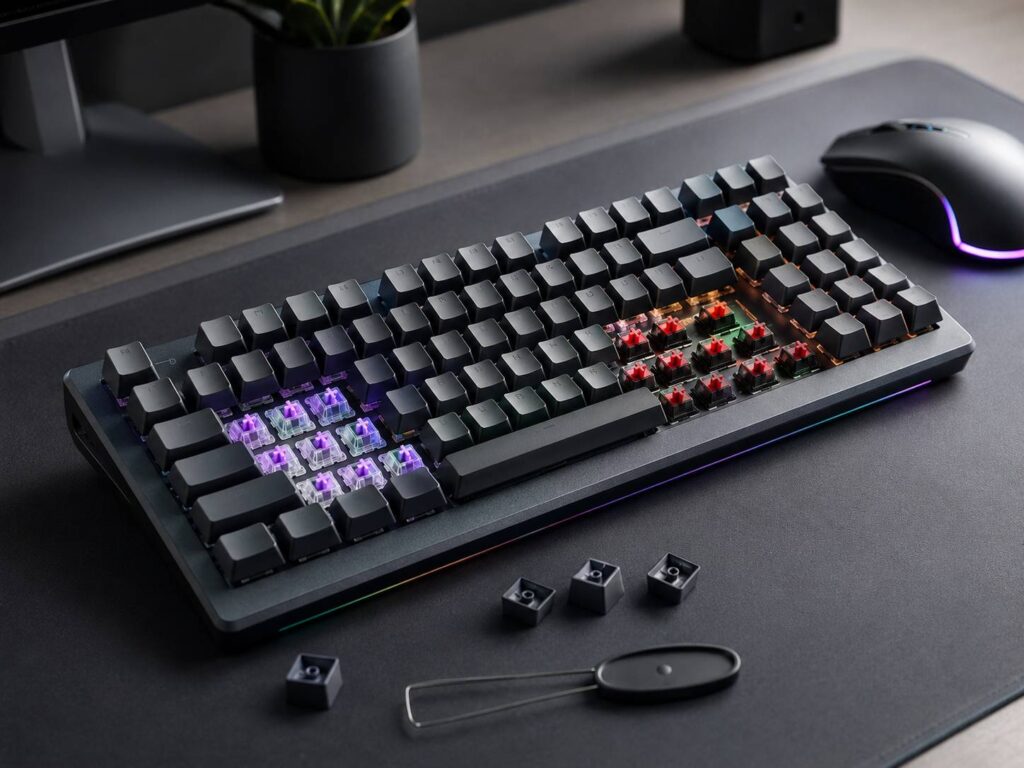
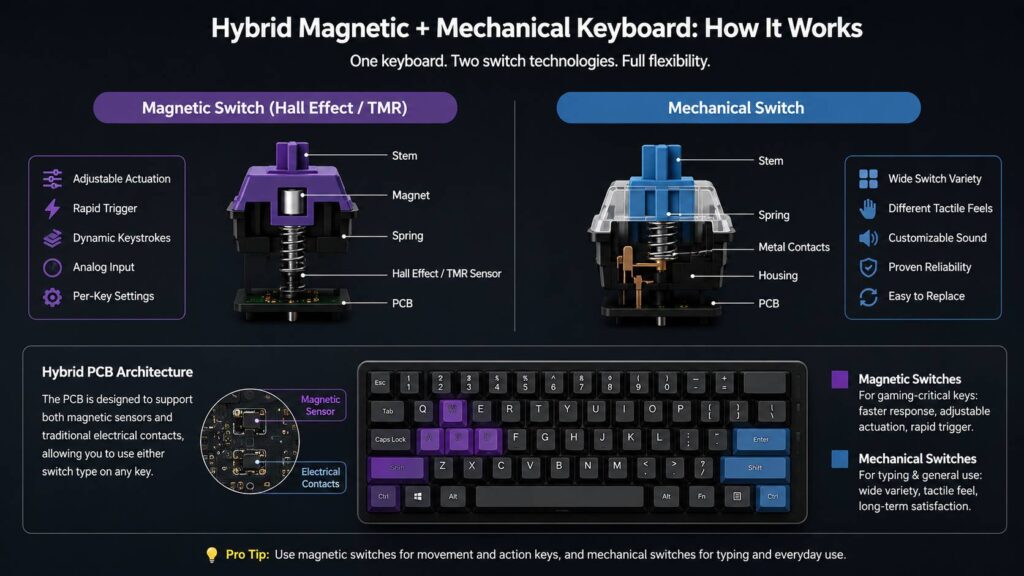
A true hybrid keyboard can support conventional mechanical switches and magnetic switches on the same board. So, for example, you could install magnetic switches on WASD, Shift, Ctrl, and Space, then use tactile mechanical switches for most of your typing keys.
The idea is pretty simple. You get features such as adjustable actuation and Rapid Trigger where they are useful, while keeping the wider choice of feel, sound, and switch styles that traditional mechanical keyboards offer.
There is one complication, though. The word “hybrid” gets used fairly loosely in keyboard marketing. Some magnetic switches are described as mechanical simply because their physical construction feels familiar. That is not quite the same thing as a keyboard that genuinely supports both magnetic and traditional mechanical switches.
Here is how the technology works and what you should check before buying one.
What Is a Hybrid Magnetic + Mechanical Keyboard?
A hybrid magnetic mechanical keyboard can detect key presses using two different sensing methods.
Traditional mechanical switches normally register a press through physical electrical contacts. Once the switch travels far enough, those contacts meet and the keyboard detects the input.
Magnetic switches take a different approach. A magnet moves with the switch stem, while a sensor on the keyboard PCB tracks changes in the magnetic field. This lets the keyboard estimate how far you have pressed the key instead of simply detecting an on or off state.
A true hybrid keyboard puts support for both systems on the same PCB.
That distinction matters because magnetic switches can still look and feel very similar to ordinary mechanical switches. They have familiar parts such as springs, stems, housings, and sliders. Still, the actual sensing method underneath is different.
With a real hybrid board, you can choose which technology you want on individual keys.
How Traditional Mechanical Switches Work
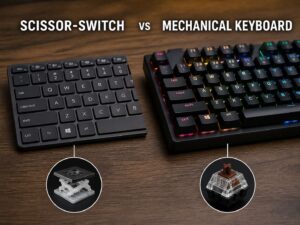
Most conventional mechanical switches use metal contacts to detect a key press.
You press the key, the switch stem moves downward, and eventually the contacts connect. The keyboard then registers the input. When you release the key, the contacts separate again after the switch passes its reset point.
The design is straightforward, but the amount of variety is huge.
You can choose from:
- Smooth linear switches
- Tactile switches with a noticeable bump
- Clicky switches with audible feedback
- Silent switches that reduce typing noise
- Light switches designed for quick presses
- Heavy switches that require more force
That variety is one of the biggest reasons mechanical keyboards remain popular.
You can also change springs, keycaps, housings, lubrication, stabilizers, and plenty of other parts to tune the keyboard’s feel and sound.
The limitation is actuation flexibility.
A standard mechanical switch has a physical point where its electrical contacts connect. Software cannot simply move that point from around 2 mm to 0.5 mm because the switch still relies on the same physical contact mechanism.
Magnetic sensing removes that restriction.
How Magnetic Keyboard Switches Work
A magnetic keyboard does not need electrical contacts inside each switch to determine whether you pressed a key.
Instead, the switch contains a magnet that moves as you press the stem. A magnetic sensor sits beneath it on the PCB and monitors changes in the magnetic field.
The keyboard can then estimate the switch’s position throughout its travel.
Many magnetic keyboards use Hall Effect sensors. Some newer models use TMR, short for tunneling magnetoresistance.
The technologies work differently at the sensor level, but both can serve the same general purpose in a keyboard. They allow the PCB to measure switch movement without relying on conventional metal contacts.
This position sensing opens the door to features such as adjustable actuation, Rapid Trigger, multiple actions during one key press, and in some cases analog input.
Still, the sensor type alone does not determine whether a keyboard is good.
Firmware, calibration, switch consistency, processing latency, PCB design, and configuration software all affect the final experience.
How Can One Keyboard Support Both Switch Types?
This is where hybrid keyboards become technically more interesting.
A normal hot-swap mechanical PCB has electrical sockets designed for mechanical switch pins. A magnetic keyboard instead needs sensors positioned beneath compatible magnets.
Supporting both systems means the PCB must accommodate both sensing methods.
One current example is Keychron’s Nova Socket architecture used in the V6 Ultra Hybrid. It allows compatible magnetic switches and standard 5-pin mechanical switches to operate on the same keyboard.
That makes combinations such as these possible:
- Magnetic switches for W, A, S, and D
- Magnetic switches for Shift, Ctrl, and Space
- Tactile mechanical switches for letters
- Heavier mechanical switches for keys you press accidentally
- Different mechanical switches on the function row or number pad
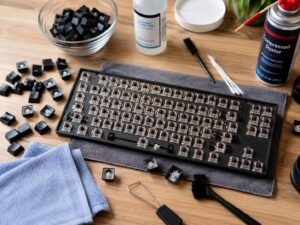
This is also where hot-swap design becomes particularly useful. If you are unfamiliar with the difference between replaceable sockets and permanently attached switches, our guide to hot-swappable vs soldered keyboards explains how each design affects switch replacement and customization.
Being able to mix switch technologies on individual keys is really the main attraction of a hybrid keyboard.
Why Would You Mix Magnetic and Mechanical Switches?
Putting magnetic switches under every key sounds logical at first. Yet in most games, the advanced features only matter on a relatively small group of controls.
In an FPS game, for example, the important keys may include WASD, Shift, Ctrl, Space, Q, E, R, and a few number keys.
Those are the keys where adjustable actuation and Rapid Trigger can be useful.
The rest of the keyboard may spend most of its time handling normal typing.
At that point, mechanical switches become appealing again because they offer far more choice in tactile feedback, spring weight, sound, and overall feel.
You might prefer extremely light magnetic switches for movement but a medium-weight tactile switch for writing.
A hybrid design lets you have both without swapping keyboards.
Adjustable Actuation Is a Major Advantage
Adjustable actuation is one of the features that separates magnetic keyboards from conventional mechanical models.
Rather than relying on one fixed activation point, the keyboard can use software to decide how far a magnetic key must travel before it registers.
A very shallow actuation point can make a key respond after only a small movement. That may feel more responsive during fast-paced gaming.
A deeper actuation point can make accidental presses less likely.
For example, you could set your movement keys to activate very early while making another magnetic key require more travel.
You can often configure each key individually, although the exact range depends on the keyboard and supported switches.
Mechanical switches installed on the same hybrid board still behave like ordinary mechanical switches. Their physical construction determines their actuation characteristics.
How Rapid Trigger Works
Rapid Trigger is another reason magnetic keyboards have become popular among competitive players.
A traditional mechanical switch usually needs to pass a particular reset point before it can register another press.
Magnetic sensing does not have to work that way.
Because the keyboard continuously tracks switch movement, Rapid Trigger can reset the input when the key starts traveling upward. Once you push it downward again, the keyboard can activate it without waiting for the switch to return to a fixed reset position.
This can make repeated movement inputs feel more immediate.
Rapid direction changes are one obvious use case. Still, Rapid Trigger does not magically improve someone’s gaming ability.
Frame rate, display latency, network conditions, game mechanics, mouse input, and player skill all matter. The keyboard is only one part of the input chain.
On a hybrid keyboard, Rapid Trigger generally applies only to the magnetic switches.
Dynamic Keystrokes and Analog Input
Position sensing also allows magnetic keyboards to do things that a normal on or off switch cannot easily replicate.
Some boards support multiple commands based on how deeply you press one key.
You could theoretically trigger one action near the top of the key travel and another action when you press farther down.
Manufacturers often call this Dynamic Keystroke functionality or use similar terms.
Some magnetic keyboards can also produce analog-style input. Instead of reporting only “pressed” or “not pressed,” the keyboard can expose different levels based on key travel.
That sounds a bit like a controller trigger or joystick axis.
Compatibility is the catch.
Not every game handles mixed keyboard and controller-style inputs well. Some games switch control schemes when they detect analog input, while others may ignore certain features completely.
So analog support is interesting, but it is not automatically useful in every game.
SOCD Features Can Be Useful, but Check the Rules
Modern magnetic gaming keyboards may also include configurable SOCD behavior.
SOCD means simultaneous opposite cardinal directions.
It controls what happens when you press conflicting directional keys, such as left and right, at the same time.
Depending on the keyboard’s configuration, it may:
- Cancel both inputs
- Prioritize the newest input
- Prioritize one direction
- Apply another predefined behavior
That can change how movement feels in certain games.
There is also a competitive rules issue to consider. Some games and tournaments restrict input processing features that alter how simultaneous directional commands behave.
If you play competitively, check the current rules for your game before enabling advanced SOCD options.
Magnetic Switch Compatibility Is Still Messy
This is probably the biggest detail people miss when looking at magnetic keyboards.
Mechanical MX-style switches have become relatively standardized. Many hot-swap keyboards can accept a huge range of 3-pin or 5-pin switches.
Magnetic switches are nowhere near that universal yet.
Compatibility can depend on several factors, including:
- Magnet polarity
- Magnet strength
- Magnet location
- Total switch travel
- Stem design
- Sensor position
- Housing dimensions
- Firmware calibration
A switch can physically fit into the keyboard and still fail to work properly.
That is why the manufacturer’s compatibility list matters.
For example, a hybrid keyboard may support a huge range of standard 5-pin mechanical switches while supporting only a small selection of approved magnetic switches.
Do not assume that “magnetic hot-swappable” means every magnetic switch will work.
The PCB and Software Matter Just as Much as the Switch
A magnetic switch on its own does not create adjustable actuation or Rapid Trigger.
The keyboard PCB needs compatible sensors. Its firmware must accurately interpret those sensors, and the software needs to expose the relevant settings.
Depending on the model, you may be able to configure:
- Per-key actuation distance
- Rapid Trigger
- Reset sensitivity
- Dynamic key actions
- Analog behavior
- SOCD settings
- Key remapping
- Macros
- RGB lighting
Software quality becomes more important on magnetic keyboards because there are simply more things to configure.
Some manufacturers now use browser-based configuration tools, which can be convenient if you do not want another desktop utility running in the background.
Does an 8,000 Hz Polling Rate Make a Big Difference?
High-end gaming keyboards increasingly advertise polling rates of 4,000 Hz or even 8,000 Hz.
Polling rate describes how frequently the keyboard can send input information to your computer.
At 1,000 Hz, the theoretical interval between polls is:
1 ÷ 1,000 = 0.001 seconds
That is 1 millisecond.
At 8,000 Hz:
1 ÷ 8,000 = 0.000125 seconds
That equals 0.125 milliseconds.
The numbers are real, but they are easy to overstate.
Keyboard latency includes much more than USB polling. Switch sensing, firmware processing, debounce behavior, wireless transmission, the operating system, game processing, and display timing all contribute.
An 8,000 Hz keyboard is not automatically eight times faster in a way you will actually feel compared with a well-designed 1,000 Hz board.
For everyday typing, the difference matters very little. It is mostly relevant to highly latency-sensitive gaming setups.
Will Mixed Switches Feel Strange?
They can, especially at first.
A light magnetic linear switch may feel completely different from the tactile mechanical switch beside it.
Spring weight can change. Bottom-out feel can change. The sound may also be noticeably different.
For some people, that is part of the appeal.
You could deliberately make WASD feel lighter than the rest of the keyboard, making those keys easier to identify during gaming.
Others prefer every key to feel identical. In that case, mixing switch types may feel inconsistent rather than useful.
Sound can vary too, but the switch is only part of the equation. Keycaps, plate material, case construction, stabilizers, mounting design, lubrication, and internal dampening all affect how a keyboard sounds.
A hybrid design does not automatically sound better or worse.
Are Hybrid Magnetic + Mechanical Keyboards Better?
Not necessarily.
They are more flexible, and that is probably the best way to describe them.
If you mainly write, program, or prefer tactile and clicky switches, a conventional mechanical keyboard may still make more sense.
If competitive gaming is your priority and you want adjustable actuation across almost every key, a full magnetic keyboard could be simpler.
Hybrid keyboards fit somewhere between those two groups.
They are especially interesting for users who want magnetic features on their gaming controls but do not want to give up the massive variety of conventional mechanical switches across the rest of the board.
That is a genuine practical advantage rather than just another specification for the product page.
What Changed With Hybrid Keyboards in 2026?
Until recently, many keyboards described as “magnetic mechanical” were simply magnetic keyboards with switches that physically resembled mechanical ones.
They did not necessarily support normal electrical mechanical switches.
That distinction is beginning to change.
Newer hybrid PCB designs can support both sensing systems at individual switch positions. Keychron’s V6 Ultra Hybrid is one early example, using the company’s Nova Socket design to accommodate compatible TMR magnetic switches alongside conventional 5-pin mechanical switches.
As of September 2026, this is still an emerging category rather than a mature industry standard.
There is no universal hybrid socket specification, particularly on the magnetic side. So compatibility will likely remain one of the most important things to check for a while.
What to Check Before Buying a Hybrid Keyboard
Do not buy based only on the words “hybrid,” “Hall Effect,” or “magnetic mechanical.”
Check what the keyboard can actually do.
Look for:
- Support for mechanical and magnetic switches at the same time
- A clear magnetic switch compatibility list
- Support for 3-pin or 5-pin mechanical switches
- Adjustable actuation range
- Per-key actuation control
- Rapid Trigger support
- Dynamic keystroke features
- Analog input options
- SOCD configuration
- Wired polling rate
- Wireless polling rate, if applicable
- Software and firmware support
- Operating system compatibility
- Replacement switch availability
- Your preferred keyboard layout
It also helps to think about how many keys actually need magnetic sensing.
If you only care about Rapid Trigger on eight or ten gaming controls, a hybrid configuration makes plenty of sense.
If you want adjustable actuation everywhere, a full magnetic keyboard may be the easier choice.
Hybrid Keyboards Are Really About Per-Key Choice
The most interesting thing about a hybrid magnetic mechanical keyboard is not the polling rate or another gaming feature printed on the box.
It is the ability to choose the right switch technology for different keys.
Magnetic switches can offer adjustable actuation, Rapid Trigger, advanced input behavior, and analog sensing. Traditional mechanical switches give you an enormous range of tactile characteristics, spring weights, sounds, and switch designs.
Putting both on one keyboard gives users much more freedom to tune the board around how they actually use it.
There are still some rough edges. Magnetic switch compatibility remains fragmented, and true hybrid PCBs are only beginning to reach the market.
For someone who spends part of the day typing and part of the day playing competitive games, though, the concept makes a lot of sense. Instead of choosing between magnetic performance and mechanical variety, you can use each where it fits best.