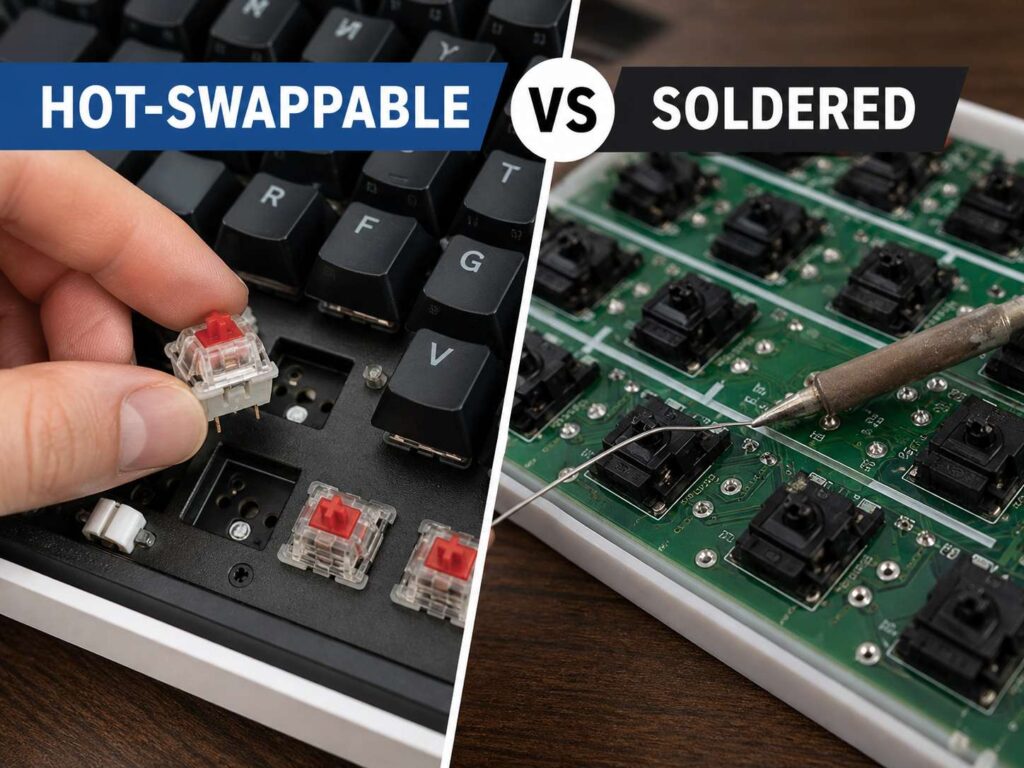
A mechanical keyboard can look simple at first. You see the case, keycaps, switches, and cable. Under the keys, though, one choice changes how the keyboard feels, lasts, and grows with you: hot-swappable vs soldered keyboard design.
A hot-swappable keyboard lets you pull out switches and press in new ones without soldering. A soldered keyboard locks each switch to the circuit board with solder joints. Both types can feel great. Both can work well for gaming, writing, coding, school, and daily office use.
Still, they serve different buyers.
For most people in 2026, a hot-swappable keyboard offers the safer choice. It gives you more freedom, easier repairs, and better long-term value. A soldered keyboard still makes sense for keyboard fans who already know their favorite switch and want a fixed build that stays the same for years.
What a Hot-Swappable Keyboard Means
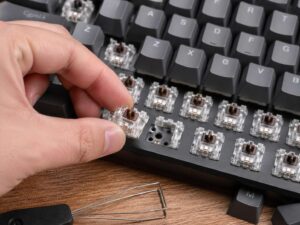
A hot-swappable keyboard uses small sockets on the keyboard PCB. Each switch presses into those sockets. You can remove the switch with a switch puller, then press another compatible switch into the same spot.
That sounds like a small feature, but it changes the whole buying experience.
For example, you can start with red linear switches for gaming. Later, you can try brown tactile switches for typing. After that, you can switch to silent switches for office work. You do not need a soldering iron. You do not need solder wire. You do not need a repair bench.
This makes hot-swap boards friendly for beginners. They help people who want a mechanical keyboard but do not know which switch feels right yet. They also help users who buy a keyboard, use it for a month, and then realize the switches feel too loud, too heavy, or too scratchy.
A hot-swappable board can fix one failed switch too. One key starts double-typing? Pull that switch and replace it. The repair takes a few minutes.
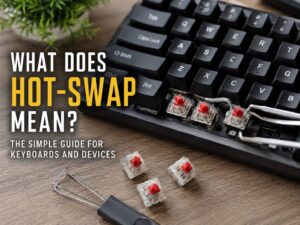
For a deeper beginner-friendly breakdown, see this guide to hot-swappable keyboards explained. It helps clear up the basic terms before you buy.
What a Soldered Keyboard Means
A soldered keyboard uses switches that attach directly to the PCB with solder. The switch legs pass through small holes in the circuit board. Solder holds them in place from the back.
This creates a firm electrical connection. It also keeps the layout fixed. Many custom keyboard builders still like soldered PCBs for that reason. The board feels permanent. The switch connection feels secure. The build does not invite constant changes.
The trade-off is repair work.
Changing switches on a soldered keyboard takes more effort. You need to open the keyboard, heat the solder joints, remove the old solder, pull the switch, place a new switch, and solder it back in. That takes time, tools, and steady hands.
So, a soldered keyboard suits people who already know what they want. It works best for a finished build, not a board you plan to change every few weeks.
The Main Difference Between Hot-Swap and Soldered Keyboards
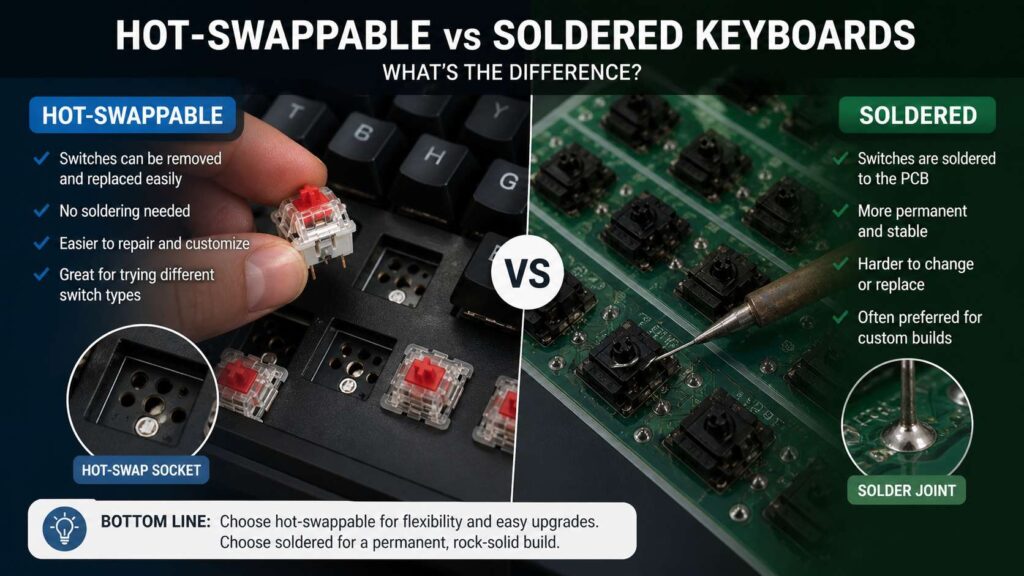
The main difference is simple: a hot-swappable keyboard gives you easy switch changes. A soldered keyboard gives you a more permanent build.
That single difference affects repairs, upgrades, switch testing, cost, and comfort.
A hot-swap board gives you room to experiment. You can try different switch weights, sounds, and shapes. You can replace broken switches at home. You can tune the keyboard as your needs change.
A soldered board gives you a fixed setup. It can feel clean and stable, but it asks for more commitment. Once the switches are soldered in place, changing them becomes a project.
This matters most after the first few weeks. Many people enjoy a switch in a store or review video, then dislike it after long use. A hot-swap keyboard gives you a way out without replacing the whole keyboard.
Which One Feels Better?
Switch feel comes from many parts. The switch matters, but so do the plate, case, keycaps, stabilizers, foam, and mounting style. The socket type alone does not make a keyboard feel good or bad.
A high-quality hot-swappable keyboard can feel firm and premium. A cheap soldered keyboard can feel hollow, rattly, or uneven. Build quality matters more than the label on the PCB.
Still, soldered boards have one small advantage for some custom keyboard fans. The switch sits through the PCB and stays fixed with solder. That can create a slightly more locked-in feel.
Hot-swap boards can feel excellent too. The best ones use strong sockets, a stable plate, and a case that supports the switches well. A poor hot-swap board can feel loose, but that usually comes from weak construction, not from hot-swap design itself.
Which One Sounds Better?
Sound follows the same pattern as feel. The socket type does not decide the full sound of the board.
Switches change the sound. Keycaps change the sound. The case changes the sound. Desk mats, foam, stabilizers, and plate material all play a role too.
For example, silent linear switches can make a keyboard much quieter. Thick PBT keycaps can make the sound deeper. A thin plastic case can sound sharper. Poor stabilizers can make large keys rattle.
Soldered keyboards still appeal to sound-focused builders. They like the fixed switch connection and clean PCB design. Yet a well-built hot-swappable keyboard can sound rich, quiet, or crisp with the right parts.
So, do not judge sound by hot-swap vs soldered alone. Judge the full keyboard.
Switch Compatibility Matters More Than Many Buyers Think
Switch compatibility causes many buying mistakes. Most regular hot-swappable mechanical keyboards use MX-style switches. These include many popular linear, tactile, and clicky switches.
Still, not every switch fits every board.
A 5-pin switch has two metal pins and three plastic legs. A 3-pin switch has two metal pins and one center post. Many 5-pin hot-swap PCBs accept both 5-pin and 3-pin switches. A 3-pin PCB usually needs 3-pin switches, or you need to clip the extra plastic legs from a 5-pin switch.
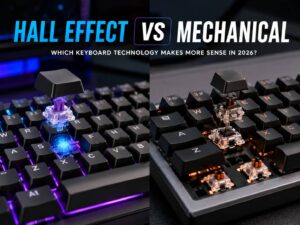
Optical switches are different. They need an optical PCB. Low-profile switches need a matching low-profile board. Magnetic Hall effect switches need a compatible magnetic keyboard and firmware.
So, check the product page before buying switches. Match the switch type, pin count, layout, and LED orientation. South-facing LEDs often work better with Cherry-profile keycaps. North-facing LEDs can cause keycap interference on some boards.
Repair and Maintenance
Hot-swappable keyboards win repair and maintenance for most people.
A switch fails? Pull it out and replace it. A key starts to chatter? Swap that one switch. A switch feels scratchy? Change it without touching the rest of the board.
That makes hot-swap very practical for daily use. It also extends the life of the keyboard. You do not need to replace the full board for one bad key.
Soldered keyboards need more work. A single failed switch turns into a repair job. Some users handle that at home. Others send the keyboard to a repair shop. Many people skip the repair and buy another keyboard.
Hot-swap sockets still need care. Do not force switches into the board. Bent pins can damage the socket. Line up the pins first, press straight down, and stop if the switch resists.
A good hot-swap socket can last through normal switch changes. Constant testing and rough handling can wear sockets faster. For regular users, that rarely becomes a problem.
Gaming Use
Both hot-swappable and soldered keyboards can work well for gaming. The PCB type does not decide your aim, reaction time, or movement control by itself.
For gaming, switch feel matters more. Many players like light linear switches. They feel smooth and easy to press. Some gamers prefer heavier switches to reduce accidental key presses.
Hot-swap gives gamers more control. You can try lighter switches on WASD. You can use a heavier switch on the spacebar. You can make the number row or function row feel different from the main keys.
Soldered gaming keyboards still perform well. Many popular gaming keyboards use soldered switches. The downside appears later, after one switch fails or your taste changes.
Magnetic Hall effect keyboards form a separate category. They can offer adjustable actuation and rapid trigger features. Those boards need magnetic switches. Normal MX switches will not fit.
Office, Writing, and Coding Use
For work, writing, and coding, hot-swap has a clear comfort advantage.
Long typing sessions reveal switch problems fast. A switch that feels fine for ten minutes can feel tiring after four hours. A loud switch can annoy coworkers. A heavy switch can make your fingers ache. A scratchy switch can make typing feel cheap.
Hot-swap helps you fix those problems without buying a new keyboard. You can switch to silent tactile switches for office use. You can try lighter linear switches for long writing sessions. You can change only the keys that bother you.
Soldered keyboards suit people who already know their favorite switch. For example, a writer who loves one tactile switch and plans to keep it for years can enjoy a soldered board. There is no need to change parts after the build feels right.
Still, most work users gain more from hot-swap. It keeps the keyboard flexible as your desk setup, noise needs, and typing taste change.
Price and Value in 2026
Hot-swappable keyboards used to cost more. In 2026, many budget and mid-range mechanical keyboards include hot-swap sockets. That makes them easier to recommend.
The best value usually comes from a hot-swap board with 5-pin switch support, a solid case, decent stabilizers, and a common layout. A 75 percent, TKL, or full-size layout fits most people better than a compact 60 percent board.
Soldered keyboards can still cost less at the very low end. Yet low price does not always mean better value. Once a switch fails or you want a new feel, the cost of time and tools can wipe out the savings.
Custom soldered boards can cost much more. You need the PCB, case, plate, switches, keycaps, stabilizers, tools, and build time. That path makes sense for hobbyists, not casual buyers.
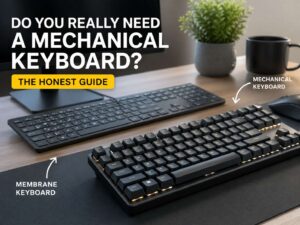
Need help deciding whether this hobby is worth the spend at all? This guide on whether you really need a mechanical keyboard gives a clear look at who benefits most.
Durability and Long-Term Use
Soldered keyboards have a durability advantage on paper. The switch connects directly to the PCB through solder joints. There are no hot-swap sockets to wear out.
That sounds better, but real-world durability depends on the full keyboard. A solid hot-swappable board can last for years. A cheap soldered keyboard can fail early from poor parts, weak stabilizers, or bad build quality.
Hot-swap durability depends on socket quality and careful use. Good sockets handle normal switch changes well. Problems usually come from bent switch pins, rough removal, or repeated testing.
For travel, the case and plate matter more than the socket type. A keyboard that goes in a backpack needs a firm build. Loose plates, weak cases, and poor switch fit can create issues faster than the PCB style itself.
Modding and Custom Builds
Hot-swap is better for simple keyboard modding. You can test switches, lube a few, change keycaps, tune stabilizers, add foam, and adjust the sound step by step.
That makes learning easier. You can hear and feel each change. Then you can decide what worked.
Soldered boards fit more advanced custom builds. Some soldered PCBs support special layouts such as split backspace, stepped Caps Lock, ISO, ANSI, and different bottom rows. The builder chooses the final layout during assembly.
Most buyers do not need that level of layout control. They need a keyboard that feels good, works every day, and stays easy to fix. Hot-swap handles that better.
Common Mistakes to Avoid
Do not buy switches before checking your PCB. MX, optical, low-profile, and Hall effect switches are different.
Do not force a switch into a hot-swap socket. Bent pins can damage the board. Check the pins first, then press straight down.
Do not assume hot-swap means premium. Some cheap hot-swap boards still use weak cases, noisy stabilizers, and thin keycaps.
Do not assume soldered means better. A soldered keyboard can feel bad if the rest of the build is poor.
Do not ignore layout. A 60 percent keyboard saves desk space, but it removes the function row, arrow keys, or navigation keys on many models. A 75 percent or TKL keyboard suits more people.
Do not forget stabilizers. Spacebar, Enter, Shift, and Backspace can ruin the feel of a board if they rattle.
Which One Should You Buy?
Buy a hot-swappable keyboard if you want easy switch changes, simple repairs, and room to test new typing feels. This is the best choice for most beginners, gamers, office users, students, and home workers in 2026.
Buy a soldered keyboard if you already know your favorite switch and want a fixed build. It also suits custom keyboard fans who enjoy soldering and want special layout options.
For most people, hot-swap is the smarter buy. It gives you more control and lowers the risk of regret. You can start with the stock switches, then change the board later without replacing everything.
A soldered keyboard still has a place. It rewards users who know exactly what they want. It also fits people who prefer one finished build over constant changes.
Final Verdict
Hot-swappable vs soldered keyboard is not a good vs bad choice. It is a choice between flexibility and permanence.
A hot-swappable keyboard fits most buyers better in 2026. It lets you replace switches, test new ones, fix faults, and tune the feel without special tools. It also helps beginners learn what they like without buying several keyboards.
A soldered keyboard fits a more focused user. It works best for a finished custom build, a known switch choice, and a setup that will stay the same.
For your first mechanical keyboard, pick hot-swap. For a final custom build with a switch you already trust, pick soldered. That choice keeps the buying decision simple.