LG Smart Monitor AI U7s 32U701SB-B: Specs, Pros & Cons
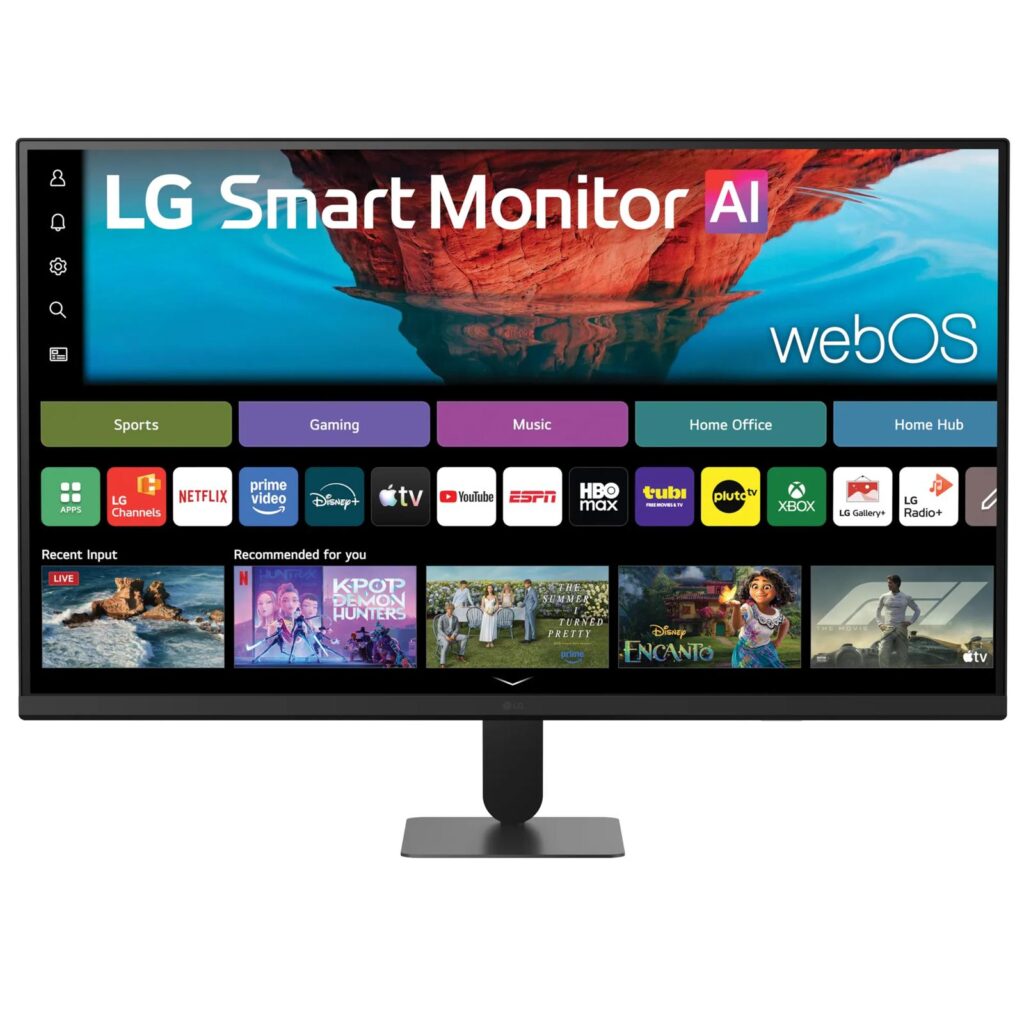
Strip the software away and the 32U701SB-B is an unremarkable 4K VA panel. Put the software back and it becomes more useful than its parts: a screen that boots into webOS, ships with a remote, and runs Netflix, YouTube, Apple TV and LG's cloud gaming portal with no computer attached. That is the entire proposition, and whether it is a good buy comes down to whether you want a display, or a display that can be left alone in a room and still do something.
LG is reasonably candid about the hardware underneath. The refresh rate is 60 Hz, the connections are two HDMI inputs and a single downstream USB-A port, and the stand tilts and does nothing else. There is no DisplayPort, no USB-C and no upstream USB, which rules out single-cable laptop docking and rules out using it as a KVM. For a screen LG files under professional monitors, the input panel is thin.
Where it earns its keep is the second job. A monitor that streams on its own is genuinely handy in a bedroom, a studio flat, a small office, anywhere a television would be overkill and a plain panel would need a streaming stick hanging off the back. The remote, the app layer and the wireless casting are the parts you will use daily.
The compromises land on whoever wanted a work display first. Fast games and colour-critical work both want things this panel does not offer, and the port selection assumes your computer is content on HDMI. Buy it for what the software does. Do not expect the hardware to punch above what a plain 4K VA monitor costs, because underneath the operating system that is precisely what you are getting.
Category strengths
Where the LG Smart Monitor AI U7s 32U701SB-B beats the average
- A much higher contrast ratio ?3000:1 vs 1500:1 (avg)
- More HDMI ports ?2 vs 1 (avg)
- Has built-in speakers ?
- A bigger screen ?31.5" (80.01 cm) vs 27" (68.58 cm) (avg)
Where the LG Smart Monitor AI U7s 32U701SB-B trails the average
- No height adjustment ?
- Fewer DisplayPort inputs ?0 vs 1 (avg)
- No swivel adjustment ?
- No pivot adjustment ?
- No headphone output ?
- Lower peak brightness ?250 nits vs 300 nits (avg)
- Slightly narrower DCI-P3 colour coverage ?90 % vs 96.5 % (avg)
How this VS Score was computed
Score 43: each known spec is measured against the median of LCD office monitors (10 products, medians winsorised to the 10th–90th percentile), then weighted. 64% of the scoreable weight could be used; unknown values, features not applicable to this class and proxies (battery capacity where a rated life exists) add or remove nothing.
| Specification | This product | Cohort median | Score weight | Points moved |
|---|---|---|---|---|
| Panel type | 1 | 2 | 0.8 | −32.0 |
| Contrast ratio | 3,000 | 1,500 | 0.6 | +30.0 |
| USB-C | 0 | 0 | 0.5 | −24.0 |
| HDMI ports | 2 | 1 | 0.4 | +20.0 |
| Height adjustment | 0 | 1 | 0.4 | −19.2 |
| DisplayPort inputs | 0 | 1 | 0.4 | −19.2 |
| Built-in speakers | 1 | 0 | 0.2 | +10.0 |
| Swivel | 0 | 1 | 0.2 | −9.6 |
| Pivot | 0 | 1 | 0.2 | −9.6 |
| Headphone output | 0 | 1 | 0.2 | −9.6 |
| KVM switch | 0 | 0 | 0.2 | −9.6 |
| Screen size | 31.5 | 27 | 1.2 | +9.6 |
| Peak brightness | 250 | 300 | 0.8 | −6.4 |
| Resolution | 2 | 2 | 1.2 | +6.0 |
| HDR | 1 | 1 | 0.5 | −5.0 |
| DCI-P3 coverage | 90 | 96.5 | 0.6 | −1.8 |
| Color depth | 10 | 10 | 0.3 | +0.0 |
| Refresh rate | 60 | 60 | 0.6 | +0.0 |
| Response time | 5 | 5 | 0.24 | +0.0 |
| Pixel density | 140 | 140 | 0.5 | +0.0 |
Not scored: Local dimming (unknown: not scored); Local dimming zones (unknown: not scored); Adaptive sync (unknown: not scored); Variable refresh rate (unknown: not scored); Motion blur reduction (unknown: not scored); Input lag (unknown: not scored); Tilt (standard for the class (100% have it)); USB-C power delivery (unknown: not scored); USB hub (unknown: not scored); Webcam (not applicable: only 0% of this class have it); Microphone (not applicable: only 0% of this class have it); Ethernet (not applicable: only 11% of this class have it); Picture-by-picture (unknown: not scored).
Editor’s note
I like this category more than I like most of the monitors in it, and this one shows both sides of it clearly.
The panel is the honest starting point. VA gives it a 3000:1 contrast ratio, genuinely better than the IPS screens sitting next to it on a shelf, and dark films in a dim room hold up well because of it. Brightness is the other story: 250 nits typical is fine facing away from a window and thin in a sunlit room, and the HDR10 support is a decoding claim rather than a promise of HDR performance at that light output. Colour coverage of 90 percent DCI-P3 is respectable for watching and casual editing, but LG publishes no sRGB figure at all, so treat this as a viewing screen rather than a reference one.
The 5 ms response time is quoted at LG's fastest overdrive setting, which on VA panels usually brings overshoot with it. Combine that with the refresh ceiling and the complete absence of any published variable refresh support, and this is a screen for cloud gaming and casual console play, not for anything competitive.
My real hesitation is ergonomics. Tilt-only on a screen this size means the height is whatever the desk decides, though 100 x 100 VESA and a light chassis at least make an arm cheap to add. I would budget for one from the start.
Who regrets this? Someone buying it as a main work display who then discovers their laptop needs an adapter and its own power brick. Who enjoys it? Someone replacing a small television, or adding a second screen that has to entertain as well as work. Against LG's own UltraGear panels at similar money you are trading refresh rate and ports for an operating system, which is a good trade only if you will actually use it.
Specifications
Quality bars are generated automatically against 104 other monitors.
Picture
Gaming
Ergonomics & design
Connectivity
Features
Sources and verification
Where the specifications come from
- Official product pagelg.com
- Datasheet or manuallg.com
- Retailer listing (cross-check)amazon.com
Verification
- First published
- Specifications last checked
- Sheet completeness
- 28 of 42 specifications verified; the rest show as Unknown and are never estimated or scored
- Page type
- Product specification page — Compiled from the manufacturer’s published specifications and the cited sources; this is not a hands-on test.
- Basis
- Research-based: specifications and editorial text were compiled from the documents listed here and the manufacturer’s published data. We have not tested this unit ourselves; where independent measurements are mentioned they belong to the linked publication.
Where to buy
Prices and availability may change. Check the retailer before buying. We may earn a commission on purchases.
Price history
Monitors with similar specs to the LG Smart Monitor AI U7s 32U701SB-B

Ratings & reviews
No reviews yet. Be the first to share your experience.
The bottom line
The LG Smart Monitor AI U7s 32U701SB-B earns a VS Score of 43, trailing most of the 105 monitors we compare here, at least on the spec sheet.
- Who it’s for
- Someone who wants one screen that works at a desk during the day and streams by itself in the evening, with no computer, no streaming stick and no second remote.
- Who should look elsewhere
- Anyone docking a USB-C laptop or playing anything competitive. It connects over HDMI only, and the panel is built for watching rather than for speed.
- The trade-off that matters
- You are paying for an operating system instead of hardware. The same money buys a better-specified panel with more inputs, which is the better deal if the smart side would go unused.
- The main alternative
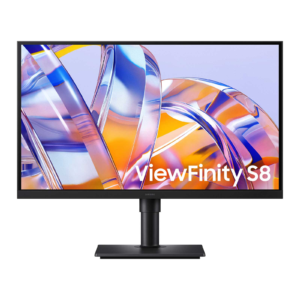
- Samsung ViewFinity S8 S80UH 32-inch, if the monitor's job is simply to be a monitor: no apps or remote, but a full set of inputs and proper stand adjustment.
The VS Score is calculated from the weighted specifications above, compared with every other monitor we track — a shortlisting guide, not a substitute for your own priorities. See how we score.