
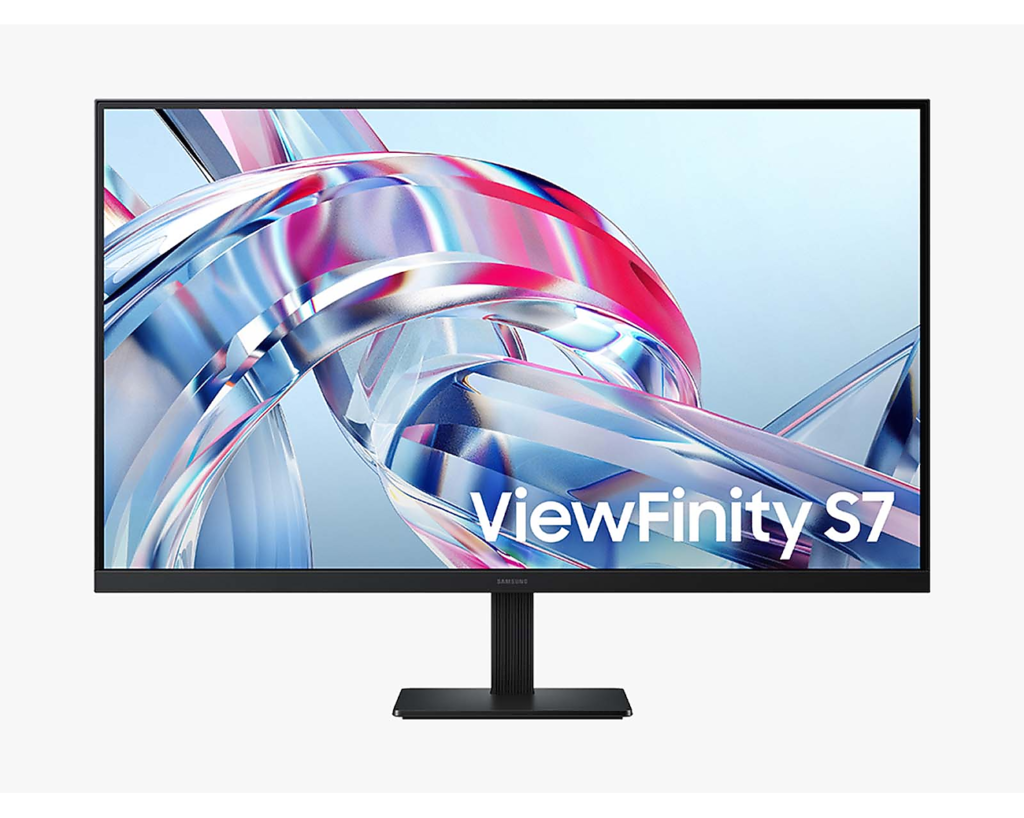
Samsung ViewFinity S7 S70H: Specs, Price, Pros & Cons
Samsung's ViewFinity S7 is the entry model in the brand's work-monitor range, a large, flat 4K screen with very little attached to it. Everything rests on the pairing of size and resolution. The pixels are fine enough that text looks crisp at this size, and the glass is big enough that the interface stays readable with light scaling or none.
For someone moving up from an ordinary office screen, the change is mostly space. Two full pages sit side by side at a comfortable reading size, a spreadsheet shows many more rows before it scrolls, and a code editor can hold a file tree, the code and a terminal without anything overlapping. That area is the point of a big high-resolution work monitor, and this model keeps the cost of it down by leaving out most other hardware.
The panel is tuned for the same audience. Its refresh rate is the standard office figure, color is set up for documents, web pages and hobby photo editing, and the anti-glare coating is aimed at rooms lit by windows and ceiling lights. A screen used for a full working day needs those things first, and a gaming monitor's extras would sit unused on this desk. It suits a single computer on a desk that stays arranged the same way every day, used by someone who mostly reads, writes and calculates.
Most of what it leaves out sits behind and below the panel, which is where the saving comes from. Anyone who plans to move the screen between tasks, or to connect several machines to it, will feel those omissions sooner than someone who sets it up once and leaves it.
Category strengths
Where the Samsung ViewFinity S7 S70H beats the median
- Has swivel adjustment ?
How this VS Score was computed
Score 47: each known spec is measured against the median of VA office monitors (4 products), then weighted; 50 means level with that median. In classes of six or more, a value beyond the class’s 10th–90th percentile range counts as that limit, so one extreme product cannot set the scale. 61% of the scoreable weight could be used; unknown values, features not applicable to this class and proxies (battery capacity where a rated life exists) add or remove nothing.
| Specification | This product | Cohort median | Score weight | Points moved |
|---|---|---|---|---|
| USB-C | No — held to half its range (fewer than six products in this class list it) | 33% of the class have it | 0.5 | −12.5 |
| Height adjustment | No — held to half its range (fewer than six products in this class list it) | 25% of the class have it | 0.4 | −10.0 |
| Swivel | Yes — held to half its range (fewer than six products in this class list it) | 50% of the class have it | 0.2 | +5.0 |
| Pivot | No — held to half its range (fewer than six products in this class list it) | 25% of the class have it | 0.2 | −5.0 |
| Headphone output | Yes — held to half its range (fewer than six products in this class list it) | 75% of the class have it | 0.2 | +5.0 |
| KVM switch | No — held to half its range (fewer than six products in this class list it) | 33% of the class have it | 0.2 | −5.0 |
| Ethernet | No — held to half its range (fewer than six products in this class list it) | 33% of the class have it | 0.2 | −5.0 |
| Screen size | 32 | 32 | 1.2 | +0.0 |
| Resolution | 4K | 4K | 1.2 | +0.0 |
| Panel type | VA | VA | 0.8 | +0.0 |
| Color depth | 10 | 10 | 0.3 | +0.0 |
| Response time | 5 | 5 | 0.24 | +0.0 |
| Peak brightness | 300 | 300 | 0.8 | +0.0 |
| Contrast ratio | 3,000 | 3,000 | 0.6 | +0.0 |
| HDR | HDR10 | HDR10 | 0.5 | +0.0 |
| Pixel density | 138 | 138 | 0.5 | +0.0 |
| Refresh rate | 60 | 60 | 0.6 | +0.0 |
| HDMI ports | 1 | 1 | 0.4 | +0.0 |
| DisplayPort inputs | 1 | 1 | 0.4 | +0.0 |
Not scored: DCI-P3 coverage (unknown: not scored); Local dimming (too few comparable peers (1, need 3)); Local dimming zones (unknown: not scored); Adaptive sync (too few comparable peers (2, need 3)); Variable refresh rate (too few comparable peers (2, need 3)); Motion blur reduction (unknown: not scored); Input lag (unknown: not scored); Tilt (standard for the class (100% have it)); USB-C power delivery (unknown: not scored); USB hub (too few comparable peers (2, need 3)); Built-in speakers (too few comparable peers (2, need 3)); Webcam (too few comparable peers (2, need 3)); Microphone (too few comparable peers (2, need 3)); Picture-by-picture (standard for the class (100% have it)).
Editor’s note
The ViewFinity S7 S70H puts real 4K on a big screen and leaves off everything on the spec sheet a work desk will not use. On sale it is one of the cheapest ways to put 138 pixels per inch of text clarity on a desk.
The panel is a 60 Hz VA with a 3,000:1 static contrast ratio (roughly three times the depth of the IPS panels most budget 4K monitors use), so blacks look properly dark for evening work and film watching. Samsung quotes 99 percent sRGB coverage and 10-bit color, decent numbers for photo hobbyists, though there is no factory report per unit and DCI-P3 coverage is not published. Note the panel choice differs by size: the 27-inch S70H is IPS, this 32-inch is VA, so viewing-angle behavior differs between the two.
Eye-care is the marketing focus (TUV-certified flicker-free dimming, a low-blue-light Eye Saver mode), and PIP and PBP let you park a laptop feed beside your desktop. The matte coating handles office lighting well.
The cuts are easy to list. HDR10 is accepted but with 300 nits and no local dimming it is a format checkbox, not an experience. The stand only tilts (plus a token three degrees of swivel). At this size the missing height adjustment matters, so budget for the 100 x 100 VESA mount if your desk is not perfect. Connectivity is one HDMI 2.0, one DisplayPort 1.2, and a headphone jack, with no USB hub, no USB-C, no speakers, and nothing faster than that base refresh for gaming.
Buy it for spreadsheets, code, documents, and casual photo work. Skip it if you want USB-C docking, an adjustable stand, or anything resembling gaming performance.
Specifications
Quality bars show where each figure sits between the lowest and highest of the 4 VA office monitors this VS Score is measured against.
Picture
Gaming
Ergonomics & design
Connectivity
Features
Sources and verification
Where the specifications come from
- Official product pagesamsung.com
- Retailer listing (cross-check)amazon.com
Verification
- First published
- Specifications last checked
- Sheet completeness
- 34 of 42 specifications verified; the rest show as Unknown and are never estimated or scored
- Page type
- Product specification page — Compiled from the manufacturer’s published specifications and the cited sources; this is not a hands-on test.
- Basis
- Research-based: specifications and editorial text were compiled from the documents listed here and the manufacturer’s published data. We have not tested this unit ourselves; where independent measurements are mentioned they belong to the linked publication.
Where to buy
Prices and availability may change. Check the retailer before buying. We may earn a commission on purchases.
Price history
Monitors with similar specs to the Samsung ViewFinity S7 S70H


Ratings & reviews
No reviews yet. Be the first to share your experience.
The bottom line
The Samsung ViewFinity S7 S70H earns a VS Score of 47, below the median of the 4 VA office monitors it is measured against (a score of 50 is level with that median).
- Who it’s for
- A budget work desk that wants sharp text on a big screen, with blacks dark enough for evening work and the odd film.
- Who should look elsewhere
- Anyone who needs single-cable laptop docking, a height-adjustable stand or any gaming speed. It has none of the three.
- The trade-off that matters
- A tilt-only stand on a screen this large leaves the height wrong for many desks, so an arm often becomes part of the cost.
- The main alternative
- Samsung ViewFinity S8 S80UH 32-inch: the same size, resolution and deep contrast with one-cable docking and a stand that adjusts, for a desk shared with a laptop.
The VS Score is calculated from the weighted specifications above, each measured against the median of comparable VA office monitors — a shortlisting guide, not a substitute for your own priorities. See how we score.




