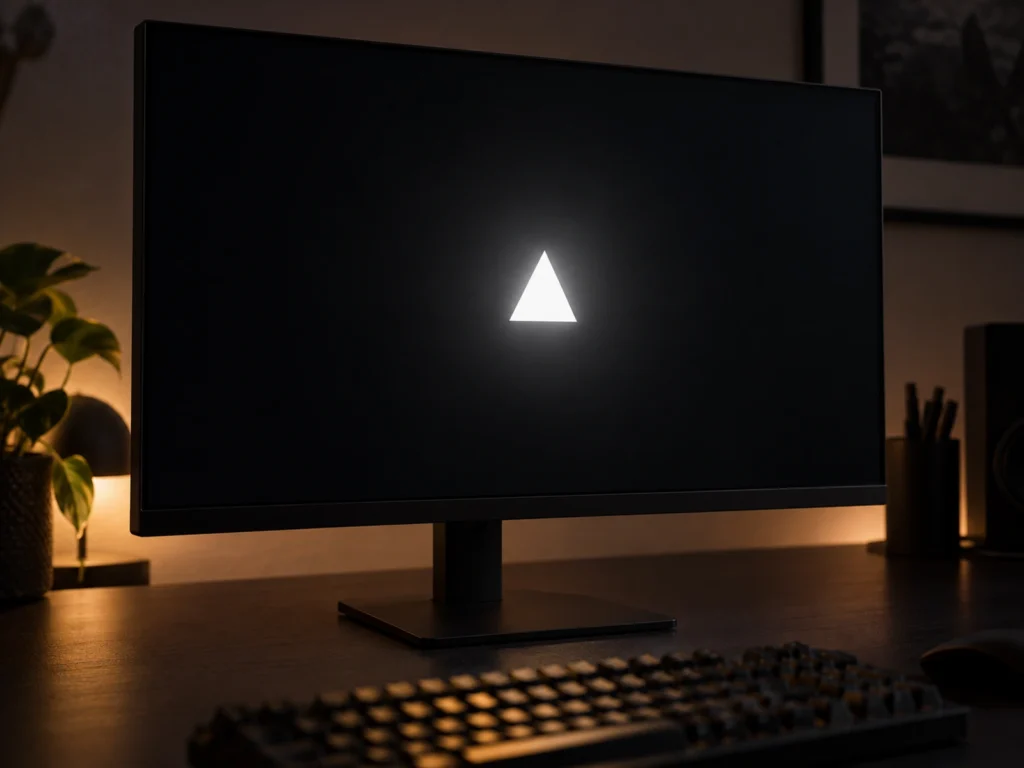
HKC announced a 24.5-inch gaming monitor on 14 September 2026 with a specification that does not usually appear in this size. The Shield 25Q360B runs 2560 by 1440 at 360 Hz, and behind the LCD sits a backlight built from 1,152 mini-LED dimming zones. Small esports monitors almost never get a serious local dimming backlight, because the economics normally push mini-LED toward 27 inches and above. So the interesting question is not whether 1,152 sounds impressive. It is how much screen one zone has to cover, and what that arithmetic actually buys a buyer in HDR.
What HKC announced, and on what date
The announcement landed on 14 September 2026. The Shield 25Q360B is a 24.5-inch screen at 2560 by 1440, with a 360 Hz refresh rate and a 1 millisecond grey-to-grey response figure.
The backlight is the headline. HKC lists 1,152 mini-LED dimming zones, a 1,400 nit peak brightness and VESA DisplayHDR 1400 certification. For standard dynamic range work the panel is rated at 550 nits, with 10-bit colour depth, 98.5 percent DCI-P3 coverage and 178 degree viewing angles in both directions.
Connectivity is unusually complete for the size. There is one DisplayPort 2.1 input running at UHBR 13.5, two HDMI 2.1 inputs, one USB-C port with DisplayPort Alt Mode and 90 W power delivery, two USB-A data ports and a KVM switch. The stand adjusts for height, swivel and tilt.
HKC has launched it in China at 2,599 RMB, with a pre-order price of 1,999 RMB, which works out at roughly 300 US dollars before taxes. No wider availability has been announced.
Why 1,152 zones in this size is unusual
Mini-LED backlights cost money in proportion to the number of zones, because each zone needs its own driver channel. That cost lands on a small panel just as hard as on a large one, while the selling price of a 24.5-inch monitor is much lower. The result is predictable. Small monitors normally get edge-lit backlights or no local dimming at all.
There is a second reason. Buyers in this size have historically wanted speed above everything, so manufacturers spent the budget on refresh rate and response time rather than contrast. A 360 Hz panel with 1,152 zones refuses that trade-off, which is what makes it worth examining.
The arithmetic: how much screen does one zone cover?
Zone counts mean nothing without an area to divide them into, so start there.
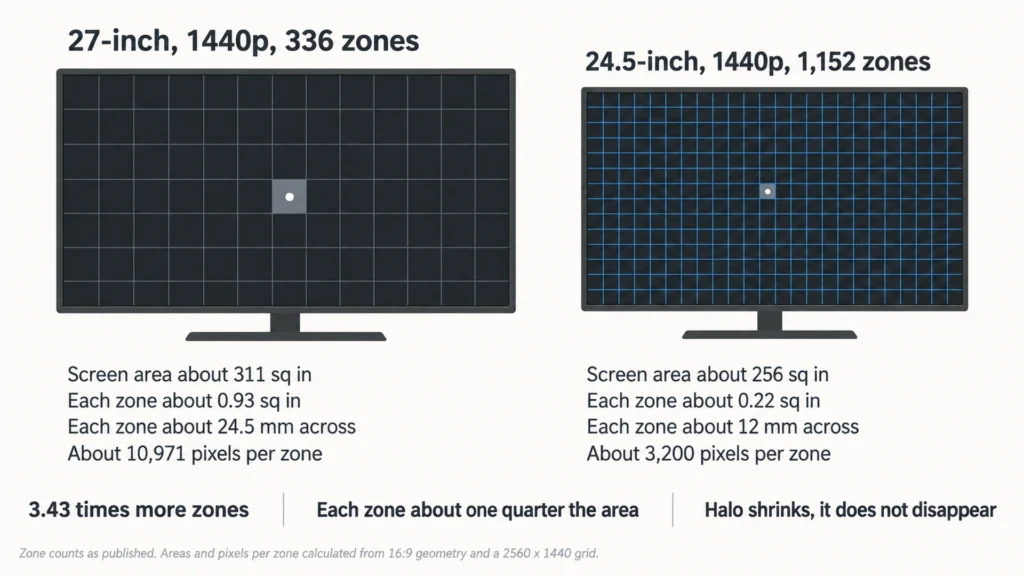
A 24.5-inch 16:9 panel measures about 21.35 by 12.01 inches, which gives roughly 256 square inches of screen. Divide that by 1,152 zones and each zone covers about 0.22 square inches. If the zones are square, each one is about 12 millimetres on a side.
Now compare a familiar reference point. A 27-inch 16:9 panel covers about 311 square inches. The AOC Q27G3XMN, a well-known budget mini-LED at the same 1440p resolution, divides that into 336 zones, so each of its zones covers about 0.93 square inches, or roughly 24.5 millimetres on a side.
That is the real comparison. The HKC has 3.43 times as many zones spread over a smaller surface, so each of its zones is about a quarter the area of a zone on the AOC.
What 3,200 pixels per zone means for haloing
Pixels per zone is the number that predicts blooming, and it is easy to calculate. A 1440p panel holds 3,686,400 pixels. Split across 1,152 zones, that is about 3,200 pixels sharing one brightness value. On the 336-zone AOC, the figure is about 10,971 pixels per zone.
So the improvement is real and it is measurable, yet it does not remove the problem. Every one of those 3,200 pixels still has to accept whatever brightness its zone is set to. A white mouse cursor on a black background cannot light 1 pixel without lifting the whole 12-millimetre block around it. An OLED avoids this entirely, because each pixel emits its own light, which means its zone count equals its pixel count.
Put simply, more zones shrink the halo rather than delete it.
What zone count still cannot tell you
Three factors matter as much as the number, and none of them appears in the announcement.
The dimming algorithm decides how aggressively zones are allowed to differ from their neighbours. A conservative algorithm blurs the transition and reduces halos at the cost of contrast. An aggressive one does the opposite, and the tuning is entirely a firmware decision.
Backlight response time decides whether zones keep up with moving content. At 360 Hz a frame lasts under 3 milliseconds, so a backlight that cannot change quickly enough will lag bright objects across the screen.
Panel technology decides the base contrast the backlight is working with. HKC’s announcement does not state whether the LCD is VA or IPS, and that gap matters, because a VA panel starts with far deeper native blacks than an IPS panel. Without that detail, the zone count alone cannot predict how the screen looks. I cannot confirm the panel type from what has been published.
DIC 2.0: strobing a mini-LED backlight
The monitor also carries HKC’s DIC 2.0 motion blur reduction, described as synchronised black frame insertion combined with control of the mini-LED backlight, adjustable across three levels.
Black frame insertion cuts perceived motion blur by inserting dark intervals between frames, so your eye tracks a shorter smear. The catch is always brightness, because a screen that is dark part of the time is dimmer on average.
Doing this through a mini-LED backlight has a practical advantage over doing it on an OLED. The backlight is a separate layer that can be switched independently of the liquid crystal, and a 1,400 nit peak gives real headroom to spend on the dark intervals. How much brightness the three levels actually cost is not published.
Does DisplayPort 2.1 UHBR 13.5 have the bandwidth?
This specification needs checking rather than assuming, and the calculation is short.
At 2560 by 1440 and 360 Hz, the panel consumes about 1.327 billion pixels per second. At 10 bits per colour channel, that is 30 bits per pixel, so active video needs about 39.8 gigabits per second.
DisplayPort 2.1 at UHBR 13.5 runs four lanes at 13.5 gigabits per second each, which is 54 gigabits per second raw. After the 128b/132b channel coding, roughly 52.4 gigabits per second remains for payload. Active video therefore fits uncompressed, with headroom left for blanking intervals.
HDMI 2.1 is tighter. Its 48 gigabit fixed rate link leaves about 42.7 gigabits per second of payload, so the margin over 39.8 depends on the exact timing used, and Display Stream Compression may be needed. These are computed figures based on published link rates, not measured results from this monitor.
Mini-LED at 24.5 inches or a small OLED?
That is the real decision this monitor forces, and it is the same one buyers face a size up. Our comparison of a 336-zone mini-LED against a 4K QD-OLED sets out the trade-off in detail, and quadrupling the zone density moves one side of it without changing its shape.
Mini-LED still wins on sustained brightness and carries no burn-in question, which matters on a desk that shows the same taskbar for years. OLED still wins on per-pixel control and response time. A denser backlight narrows the contrast gap, yet a monitor with 3,200 pixels per zone is not doing the same thing as one with a zone per pixel.
Price, availability and what is not known
At 1,999 RMB on pre-order, this is roughly 300 dollars of monitor before taxes, which is the genuinely surprising part of the announcement. Mini-LED at that zone count normally sits far higher.
Three things stay unresolved. Availability outside China has not been announced. The LCD panel type has not been stated. And no independent measurements exist yet, so the 1,400 nit peak, the dimming behaviour and the DIC 2.0 brightness cost all remain manufacturer claims.