What Is Mini-LED on a Monitor?
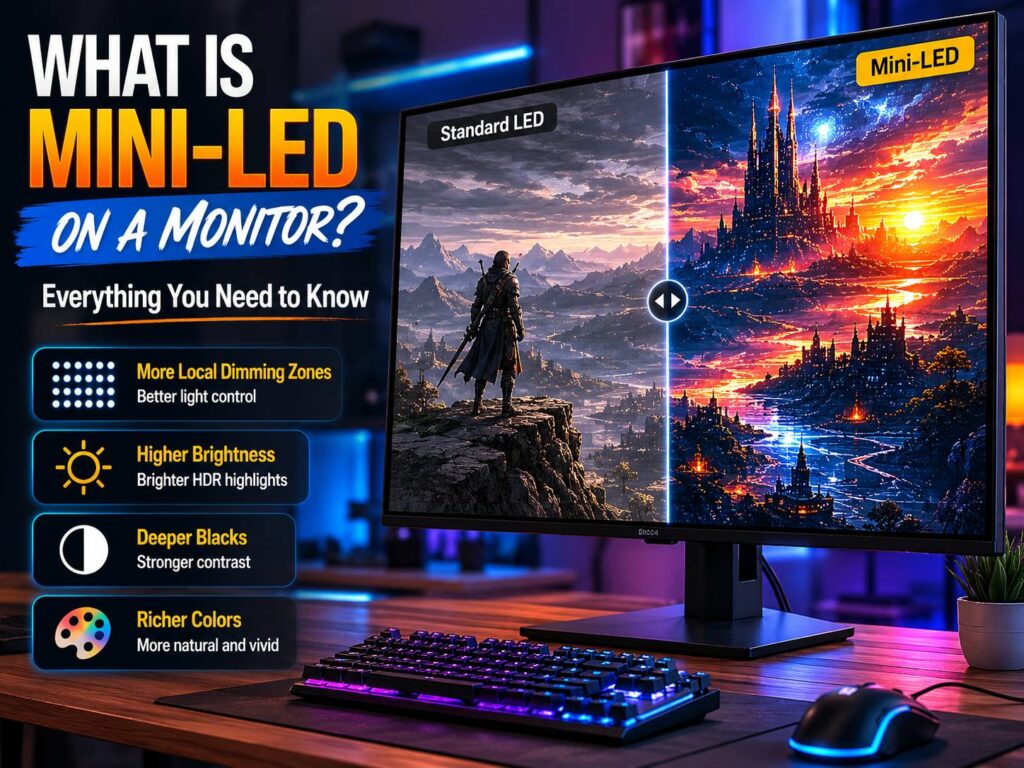
Mini-LED on a monitor means the screen uses a more advanced backlight system than a basic LED display. The monitor still uses an LCD panel, but behind that panel sits a large number of very small LEDs. These tiny lights help the screen control brightness in smaller areas.
That control makes a big difference. Bright parts of the image can look brighter, and dark parts can stay darker. As a result, HDR movies, games, and high-contrast scenes often look much better than they do on a standard LED monitor.
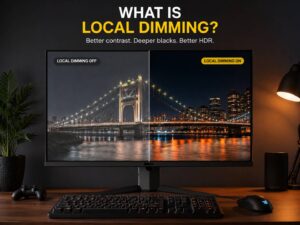
A normal LED monitor may light large parts of the screen at once. So, dark scenes can look gray, cloudy, or flat. Mini-LED improves this by splitting the backlight into local dimming zones. Each zone can brighten or dim based on the image on the screen.
The idea sounds simple, but the effect can feel dramatic. A night scene with headlights, stars, neon signs, fire, or bright subtitles can look cleaner and deeper. The monitor does not need to lift the whole screen just to show one bright object.
Mini-LED is not OLED. It is not MicroLED either. It is an LCD monitor with a better backlight. That detail matters, since each display type has its own strengths, limits, and price range.
How Mini-LED Works
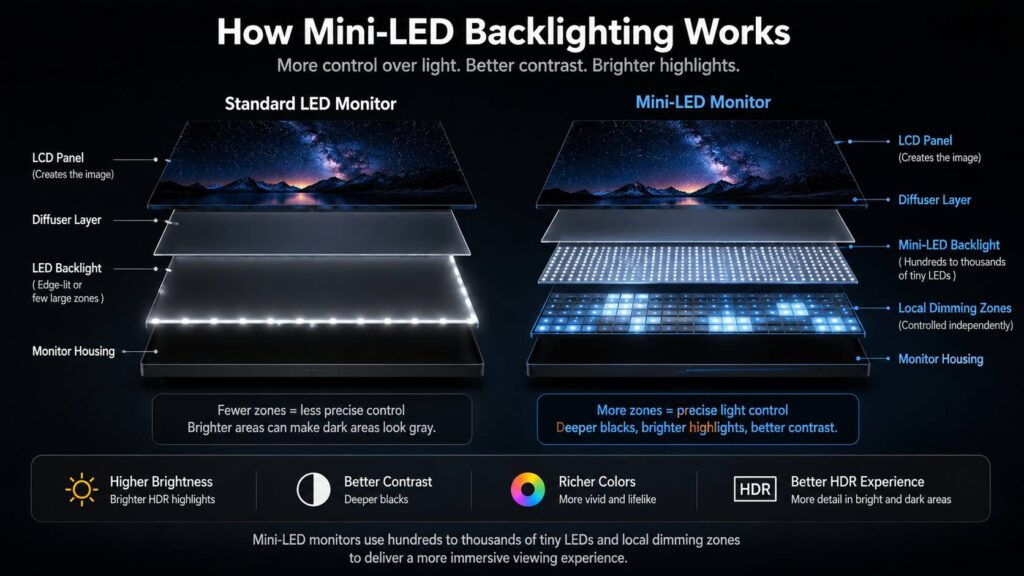
Every LCD monitor needs a backlight. The LCD layer creates the image, but it does not create its own light. So, the backlight shines through the panel and makes the picture visible.
Mini-LED changes the way that light works. Instead of using fewer, larger LEDs, the monitor uses many smaller LEDs. The screen groups them into local dimming zones. Then, the monitor adjusts each zone based on the scene.
Here is the simple breakdown:
- The LCD panel forms the image.
- The Mini-LED backlight supplies the brightness.
- Local dimming zones control light in smaller areas.
- The monitor processor decides how bright each zone should be.
- Better dimming helps improve contrast and HDR depth.
Zone control matters most in dark scenes. A bright moon in a black sky, a glowing weapon in a game, or white text on a black screen can test the backlight. A good Mini-LED monitor keeps more of the black area dark. A weaker one shows glow around bright objects.
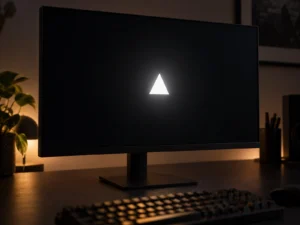
That glow is called blooming, and it is one of the main things buyers should watch for.
Why Mini-LED Looks Better Than Standard LED
The biggest upgrade is contrast. Standard LED monitors can look good for office work, browsing, and casual gaming. Still, many of them struggle with black levels. Dark scenes can look washed out, especially in a dim room.
Mini-LED gives the monitor more control over light. So, a bright object can stand out without forcing the whole screen to become brighter. This helps HDR content feel more realistic.
You will notice the upgrade most in:
- HDR movies
- Cinematic games
- Space scenes
- Horror games
- Racing games at night
- Bright explosions
- Neon city scenes
- High-contrast photos
- HDR video editing
Brightness plays a big role too. Many Mini-LED monitors can reach much higher brightness than basic LED monitors. That extra punch helps highlights stand out. Sunlight, sparks, reflections, and glowing effects look more intense.
For me, this is where Mini-LED starts to feel worth it. The difference is not just a spec sheet upgrade. In the right content, it changes the whole mood of the image.
Mini-LED vs OLED: What Is the Difference?
Mini-LED and OLED both aim to improve contrast, but they work in very different ways.
OLED pixels create their own light. Each pixel can turn off completely, so OLED can produce perfect black. That makes OLED excellent for movies, dark games, and scenes with tiny bright details.
Mini-LED uses a backlight behind an LCD panel. It cannot turn off each pixel on its own. Instead, it dims groups of LEDs in zones. This helps contrast a lot, but it cannot match OLED’s pixel-level black control.
Still, Mini-LED has real advantages. It can get very bright, it works well for long desktop sessions, and it avoids the burn-in risk of OLED. This matters for people who leave static windows, taskbars, browser tabs, spreadsheets, or editing tools on screen for many hours.
A deeper Mini-LED vs OLED monitor comparison helps if you are choosing between the two. The short version is clear: OLED wins for perfect blacks and fast pixel response. Mini-LED wins for high brightness, LCD familiarity, and safer long-term desktop use.
Mini-LED vs MicroLED: They Are Not the Same
The names sound close, but Mini-LED and MicroLED are different technologies.
Mini-LED is a backlight system. It sits behind an LCD panel and helps control brightness. The LCD layer still creates the image.
MicroLED creates the image directly with tiny LEDs. It does not need the same LCD layer. In theory, MicroLED can deliver strong brightness, deep blacks, and long life. In practice, true MicroLED displays remain rare and expensive in normal monitor sizes.
So, if a gaming monitor says Mini-LED, expect an LCD monitor with an advanced backlight. That can still be excellent, but it is not the same as a true MicroLED screen.
Why Local Dimming Zones Matter
Local dimming zones are one of the most important specs on a Mini-LED monitor. More zones usually mean better light control. A monitor with 1,152 zones can control the backlight in smaller areas than one with 384 zones.
That said, zone count does not tell the whole story. The dimming algorithm matters just as much. Some monitors have many zones but still show blooming, slow brightness changes, or crushed shadow detail. A better-tuned monitor with fewer zones can look more balanced.
Good local dimming should do three things well:
- Keep dark areas dark
- Make bright highlights pop
- Protect shadow detail
Poor local dimming often creates visible halos. It can make subtitles glow. It can also make a mouse cursor look strange on a dark background.
For that reason, check real user feedback and detailed reviews before buying. Do not trust the Mini-LED label alone.
Common Mini-LED Problems
Mini-LED can look great, but it has flaws. The most common one is blooming. This appears as a soft glow around bright objects on dark backgrounds.
You may see blooming around:
- Subtitles
- White text
- A mouse cursor
- Stars
- Game HUD elements
- Bright icons
- Loading screens
- Small lights in dark scenes
Black crush is another issue. This happens when the monitor makes dark areas too dark. Details in shadows can disappear. A dark jacket, cave wall, or night street can lose texture.
Some Mini-LED monitors also act oddly during desktop use. Local dimming can change brightness as you move windows around. Text can look uneven in some modes. For this reason, it often makes sense to turn local dimming off for office work and on for HDR movies or games.
Other issues can include:
- Flicker during brightness changes
- Washed-out HDR modes
- Slow dimming transitions
- Higher prices
- Thick monitor designs
- Fan noise on some high-end models
These problems do not ruin Mini-LED. They just show why model choice matters. A good Mini-LED monitor can look fantastic. A poorly tuned one can feel distracting.
Is Mini-LED Good for Gaming?
Yes, Mini-LED can be excellent for gaming. It works best in games with rich lighting, dark scenes, and strong HDR effects. Open-world games, racing games, RPGs, horror games, and cinematic single-player titles can benefit a lot.
Bright effects have more impact. Dark corners feel deeper. Reflections, fire, neon lights, and explosions look more convincing.
For competitive gaming, Mini-LED matters less. Refresh rate, response time, input lag, and motion clarity matter more. A fast IPS or OLED monitor can still feel better for esports.
Gamers should look for these features:
- 4K resolution
- 144Hz or higher refresh rate
- Low input lag
- Good response time
- Strong HDR brightness
- Many local dimming zones
- HDMI 2.1 for consoles
- DisplayPort for PC gaming
- Variable refresh rate support
Mini-LED gives games more visual impact. It does not automatically make the monitor faster. So, buy it for HDR and contrast first, then check gaming performance.
Is Mini-LED Good for Work?
Mini-LED can work well for daily use, but most office users do not need it. A regular IPS monitor handles writing, spreadsheets, browsing, and email just fine.
The value grows when one monitor must handle both work and entertainment. For example, you may work during the day, then play HDR games or watch movies at night. In that case, Mini-LED makes more sense.
For long desktop sessions, Mini-LED also has one clear advantage over OLED: static content feels less stressful. Taskbars, browser bars, and fixed app layouts do not create the same burn-in concern.
Still, local dimming can be distracting during office work. Brightness may shift as windows move. Small white text on a dark background may glow. SDR mode with local dimming off is the calmer choice for normal desktop tasks.
Is Mini-LED Good for Content Creation?
Mini-LED can be a strong choice for creators, especially for HDR video, photo editing, and color-focused work. Better brightness and contrast help reveal more depth in an image. Wide color support and factory calibration can make some premium models useful for serious work.
Creators should check the full spec sheet before buying. Look for:
- Color gamut coverage
- Factory calibration
- Peak brightness
- Sustained brightness
- Local dimming quality
- Uniformity
- 10-bit color support
- HDR certification
- USB-C or Thunderbolt, if needed
The price can be hard to justify for basic creative tasks. For simple web graphics, writing, and light photo edits, a good IPS monitor can still make more sense. For HDR video work, Mini-LED becomes far more useful.
What HDR Means on a Mini-LED Monitor
HDR stands for High Dynamic Range. It shows brighter highlights, darker shadows, and richer color than standard SDR content.
Mini-LED helps HDR by giving the monitor better brightness control. A basic monitor may accept an HDR signal, but that does not mean it shows HDR well. Many budget monitors claim HDR support yet look flat in real use.
A strong HDR monitor needs:
- High peak brightness
- Good sustained brightness
- Full-array local dimming
- Strong color coverage
- Good tone mapping
- Enough dimming zones
- A well-tuned HDR mode
This is why Mini-LED matters. It gives LCD monitors the hardware needed for better HDR. Still, the final image depends on the panel, the dimming zones, and the monitor’s processing.
What to Check Before Buying a Mini-LED Monitor
Do not buy a monitor only because the box says Mini-LED. The label helps, but the details matter more.
Check these specs first:
- Local dimming zones: More zones usually give better control.
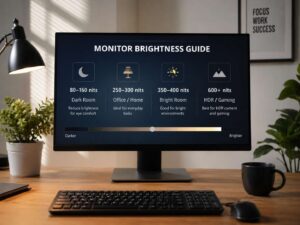
- Peak brightness: Higher brightness helps HDR highlights.
- Sustained brightness: This matters for large bright scenes.
- Panel type: IPS gives wide viewing angles. VA often gives better native contrast.
- Resolution: 4K is a strong fit for premium Mini-LED monitors.
- Refresh rate: Gamers should look for 144Hz or higher.
- HDMI 2.1: Useful for PlayStation 5, Xbox Series X, and modern GPUs.
- DisplayPort: Needed for high refresh rates on PC.
- Variable refresh rate: Helps reduce tearing.
- Firmware quality: Bad tuning can ruin good hardware.
Real reviews matter here. Look for comments about blooming, black crush, local dimming speed, HDR color, and desktop behavior. A monitor can have great specs and still feel rough in daily use.
Who Should Buy a Mini-LED Monitor?
A Mini-LED monitor makes sense for users who want stronger HDR, higher brightness, and better contrast than a standard LED monitor.
It is a good choice if you:
- Play cinematic games
- Watch HDR movies
- Edit photos or video
- Want one monitor for work and entertainment
- Use the monitor for long desktop sessions
- Want strong brightness
- Prefer LCD over OLED
- Worry about static desktop elements
It may not be the best choice if you:
- Only write, browse, or use spreadsheets
- Want the lowest price
- Play mostly esports games
- Hate any blooming at all
- Want perfect black at pixel level
- Prefer the fastest pixel response
OLED still has the edge for perfect blacks and motion. Anyone focused on that should read more about whether an OLED monitor is worth it in 2026 before deciding.
Final Verdict: Is Mini-LED Worth It on a Monitor?
Mini-LED is worth it if you care about HDR, contrast, and brightness. It can make games, movies, and creative work look much richer than a standard LED monitor.
The best part is the balance. You get strong brightness, deeper-looking blacks, and better HDR without fully moving to OLED. That makes Mini-LED a smart pick for mixed use, especially for people who work and play on the same screen.
Still, Mini-LED is not perfect. Blooming can appear. Shadow detail can suffer on some models. Local dimming can feel strange on the desktop. So, the quality of the monitor matters more than the name of the technology.
A good Mini-LED monitor can feel like a real upgrade the first time you watch HDR content or load a dark, cinematic game. A weak one can feel overpriced. For the best result, check the dimming zones, brightness, panel type, HDR performance, and real user feedback before buying.
If you want a bright, punchy, premium monitor for gaming, movies, and daily work, Mini-LED deserves a serious look.