Review

Brother DCP-L2640DW Review for Home Offices That Print Mostly Text

The DCP-L2640DW is Brother's HL-L2460DW printer with a flatbed scanner and a 50-page document feeder built on top. It prints black text quickly and cheaply, and it copies or scans a stack of paper without anyone standing over it.

It sits between the print-only HL-L2460DW and the MFC-L2820DW, which adds fax and a color touchscreen. It does not print color, and it will not scan both sides of a page in one pass.

The figures in this review come from Brother's specification sheet and its Online User's Guide for this model.

For a home office or a small business that prints letters, forms and invoices, it is an easy recommendation. Anyone who prints photos, needs color for school projects, or scans two-sided paperwork every week should look elsewhere.
By Published Updated Research-based assessment

Affiliate disclosure: the price links on this page may earn us a commission at no extra cost to you. Retailers cannot pay for placement or influence the score. How we stay independent

Quick verdict

Brother DCP-L2640DW (DCPL2640DW)
RecommendationConsider if you print black documents in bursts at a home office and little of your paperwork is double-sidedEvidence: maker figures only

Toner cannot dry out between jobs, which suits a home office that prints black documents in bursts and copies single-sided stacks through the 50-sheet feeder.

Strengths

  • Toner that cannot dry out between jobs
  • A separate drum rated for about 15,000 pages
  • A 50-sheet feeder copies or scans a stack without supervision

Weaknesses

  • The feeder scans one side only, so a stack of double-sided statements has to be turned over by hand, fed a second time and merged on the computer afterwards
  • Starter toner is a little over half a standard cartridge
  • No macOS driver from Brother, only AirPrint

Key specifications

Model
DCP-L2640DW (DCPL2640DW)
Type
Monochrome laser all-in-one: print, copy, scan. No fax
Print speed
Up to 36 ppm single-sided (Brother)
First page out
8.5 seconds from ready mode
Print resolution
1200 x 1200 dpi
Duplex
Automatic two-sided printing, on by default. No two-sided scanning or copying
Document feeder
50 sheets, single-sided
Scan speed
23.6 ipm black, 7.9 ipm color (Brother, 300 dpi)
Paper
250-sheet tray up to legal size, 1-sheet manual slot, 100-sheet output
Display
Two-line monochrome LCD with buttons
Connectivity
Dual-band Wi-Fi (2.4 and 5 GHz), Ethernet, USB 2.0, Wi-Fi Direct
Mobile and OS
AirPrint, Mopria, Brother Mobile Connect. Windows and Linux drivers, macOS through AirPrint only
Toner
Starter 700 pages. TN830 1,200 pages, TN830XL 3,000 pages (ISO/IEC 19752)
Drum
DR830, about 15,000 pages
Duty cycle
Up to 35,000 pages a month, recommended up to 2,500
Noise
49 dB printing, 30 dB ready (Brother)
Power
0.5 W deep sleep, 4.4 W sleep, 44 W ready. TEC 0.42 kWh a week. ENERGY STAR certified
Dimensions
16.1 x 15.7 x 12.5 in
Weight
25 lb
Warranty
1-year limited

How we reviewed it

Basis
Research-based: assessed from the manufacturer’s published specifications, documentation and the independent sources listed at the end. We have not tested this unit ourselves; any measurement quoted belongs to the cited source.
Method

Brother's US product page for the DCP-L2640DW, with its specification tabs and disclaimers, supplies the speeds, carton contents, supplies, power and noise ratings used across the review. Brother's Online User's Guide for the HL-L2464DW, DCP-L2605DW, DCP-L2640DW, HL-L2480DW and DCP-L2680DW supplies the control panel layout, toner and drum behavior, sleep settings, scanning destinations and Mac support. Print and scan quality are left unrated because no lab measurement is available to cite. The scores are set for a home office buyer.

Evidence

Brother's specification sheet and user's guide document the feeder, the display, the supplies and their ISO yields, the Mac driver situation and the power figures.

Limitations

No lab measurement of print quality, scan quality, scan speed, noise or long-term reliability for this model is available to cite. Whether Brother firmware updates affect third-party toner on this model is disputed: Brother denies it and owner reports concern other models, so the review treats it as an open question.

Black text and the speed rating

Not rated · Evidence: maker figures only
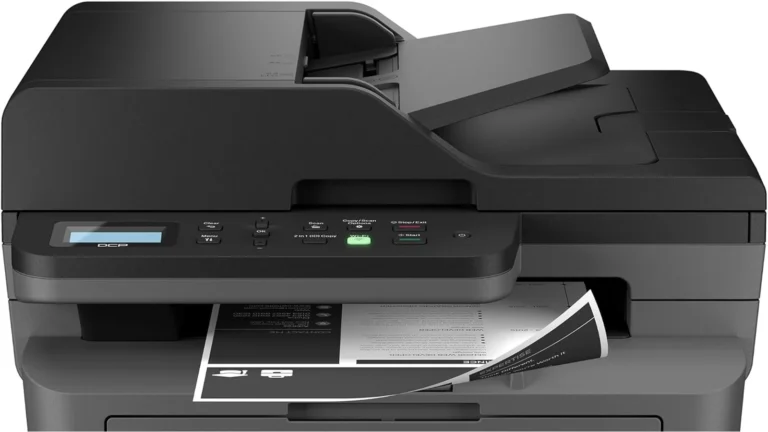
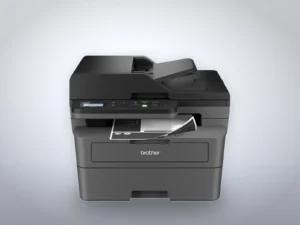
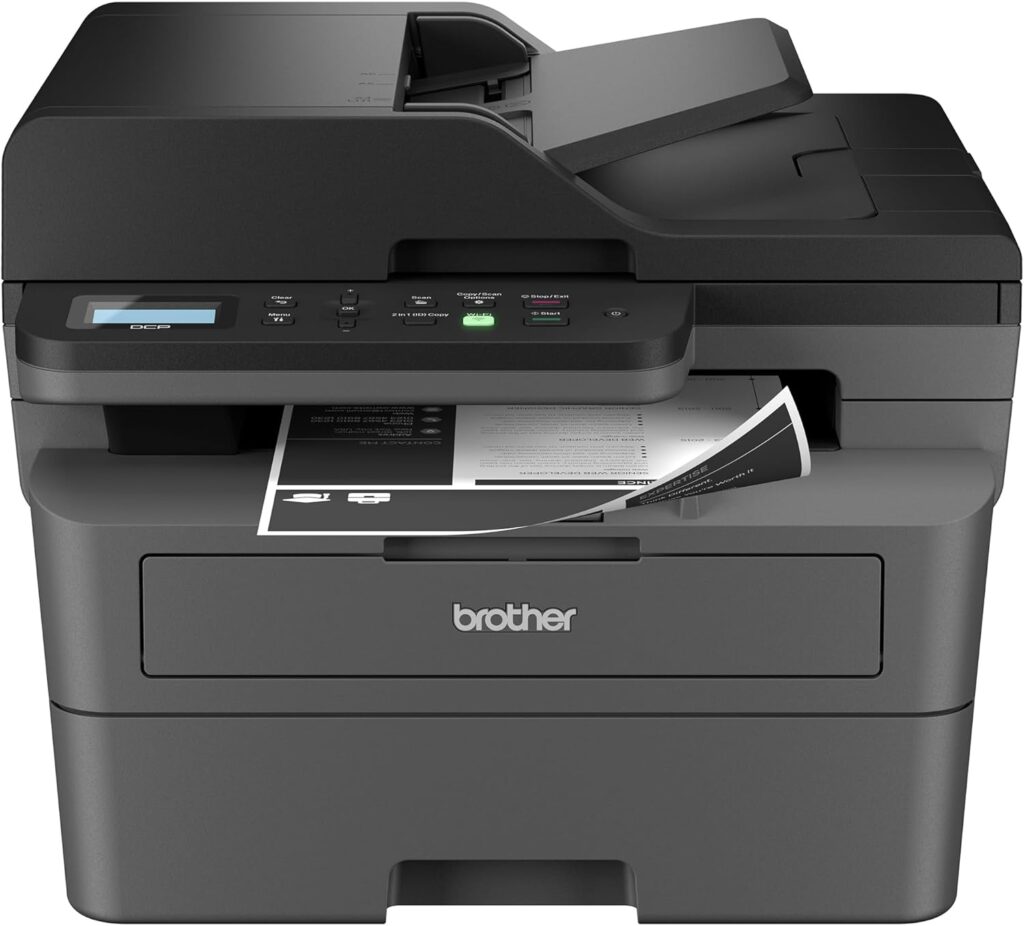
Brother DCP-L2640DW in dark grey seen from the front, with a black and white printed page in the output slot under the control panel
Product illustration based on manufacturer imagery: Brother's front render of the DCP-L2640DW on a generated studio backdrop. Product illustration based on manufacturer imagery (Brother render)

Brother rates the printer at 36 pages a minute and 1200 x 1200 dpi, with the first page out 8.5 seconds from ready mode. A footnote on Brother's page adds that the headline speed is for single-sided printing, and the printer ships set to print on both sides, so duplex jobs come out slower.

That default is worth leaving on. Duplex printing halves the paper you use, and for a stack of letters or a contract the slower two-sided pace costs less than the paper saved. Toner cannot dry out either, so a printer left alone for two weeks prints the next letter as readily as the last, which an owner coming from an inkjet that dried out between jobs will notice.

Scanning and copying through a one-sided feeder

Not rated · Evidence: maker figures only
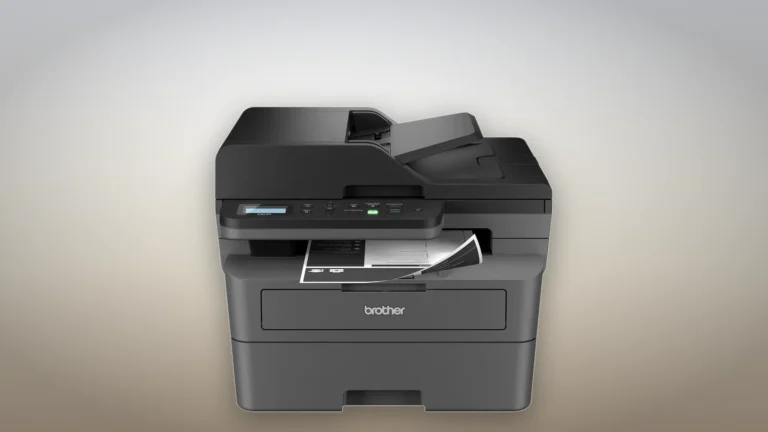
Upper half of the Brother DCP-L2640DW showing the document feeder tray and lid, the two-line display, the control buttons with a green Wi-Fi light and a printed page in the output slot
Brother's front render of the DCP-L2640DW, cropped to the document feeder and control panel. The pixels are unmodified. Brother product imagery (Amazon listing image)

The document feeder on top takes up to 50 sheets and is the reason to buy this all-in-one over the print-only HL-L2460DW. Drop in a signed contract or a month of receipts, press Scan or Copy, and the pages go through without lifting the lid for each one.

The feeder reads one side of the page only. Brother's specification sheet lists duplex scanning and duplex copying as unsupported. A stack of double-sided bank statements therefore has to go through twice, turned over by hand, and the two scans merged afterwards. For a household that files paperwork once a month, that is a minor chore. For an office that digitizes two-sided forms every day, it is the reason to buy a different model.

Brother rates the feeder at 23.6 pages a minute in black and much slower in color, measured at 300 dpi with extra features off. Scans can go to a computer through Brother iPrint&Scan, to a phone through the Brother Mobile Connect app, to an FTP server, or to an email address. A dedicated 2 in 1 ID Copy button puts both sides of a driving license on one page.

Toner, the starter cartridge and the drum

Not rated · Evidence: maker figures only
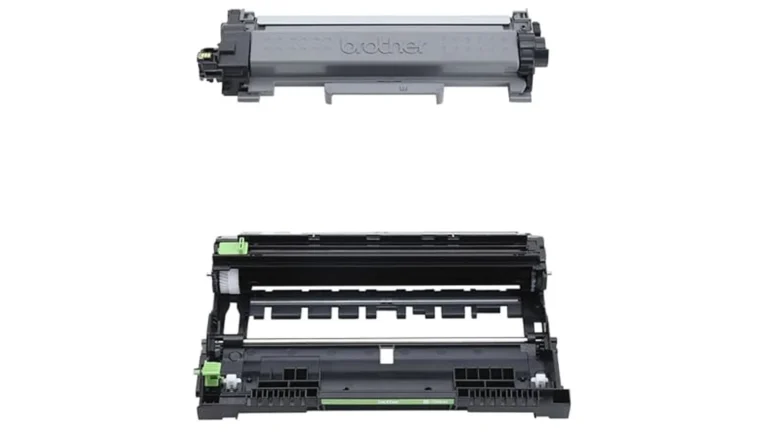
Brother toner cartridge in grey above a black DR830-type drum unit with green release tabs, the two consumables supplied with the DCP-L2640DW
The starter toner cartridge and drum unit from Brother's in-the-box image, cropped with the printed labels removed from the white background. The product pixels are unmodified. Brother product imagery (Amazon listing image)

The cartridge in the box is a starter rated at 700 pages. The standard TN830 replacement is rated at 1,200 pages and the TN830XL at 3,000, both measured to the ISO/IEC 19752 standard. So the first toner change comes sooner than later ones, and the XL cartridge is the one to buy when it does.

The drum is a separate part, the DR830, rated at about 15,000 pages, and at home-office volumes it will outlast several cartridges.

Two settings in the manual matter here. When the display shows Replace Toner, the factory setting stops printing. Switching Replace Toner to Continue in the General Setup menu lets you keep printing until the page looks faint, and the setting resets to Stop each time a new cartridge goes in. The manual also recommends Brother supplies and warns that damage proven to come from non-genuine toner is not covered by the one-year warranty.

In March 2025 owners and repair advocates accused Brother of using firmware updates to restrict third-party toner. Brother denied that its updates block third-party cartridges, and the complaints did not name this model. If you plan to use compatible toner, check owner reports for your firmware version before updating.

Brother also sells a Refresh subscription. Its terms say that if the printer did not come with a subscription-ready cartridge, canceling deactivates the subscription cartridge, which then has to be replaced at your cost.

Wi-Fi, the phone app and Mac computers

Not rated · Evidence: maker figures only
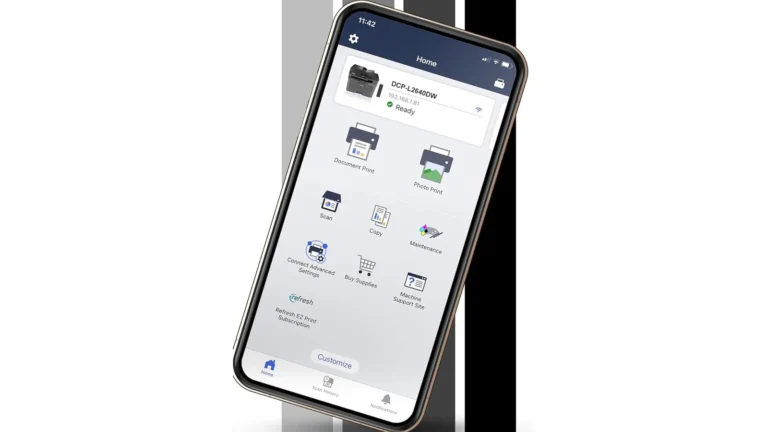
Brother Mobile Connect app home screen on a phone, listing the DCP-L2640DW as Ready with Document Print, Photo Print, Scan, Copy, Maintenance and Buy Supplies tiles
Brother's image of the Mobile Connect app with the DCP-L2640DW connected, cropped to the phone with the marketing text removed. The screen is Brother's own and is unmodified. Brother product imagery (Amazon listing image)

Connections cover every common case: dual-band Wi-Fi on 2.4 and 5 GHz, Ethernet, USB 2.0 and Wi-Fi Direct. The 5 GHz radio helps in apartments where the 2.4 GHz band is crowded. Phones print through AirPrint, Mopria or the Brother Mobile Connect app, which also scans to the phone, shows toner level and orders supplies.

Mac owners should read Brother's footnote before buying. The specification sheet says printing and scanning on macOS require AirPrint and that Brother does not provide Mac printer drivers. AirPrint handles everyday printing and scanning, and Brother iPrint&Scan is available for Mac from the App Store, but anyone who relied on a vendor driver for tray or finishing settings will find fewer options. Windows gets a full driver, and Linux drivers are listed too.

Setup uses the Wi-Fi button on the panel together with Brother's installer on a computer, or Wi-Fi Protected Setup on a compatible router. The printer also has a web management page, and its default password is printed on a label on the back, marked Pwd. The manual asks you to change it at first login, which is worth doing on any shared network.

Size, controls and power use

Not rated · Evidence: maker figures only
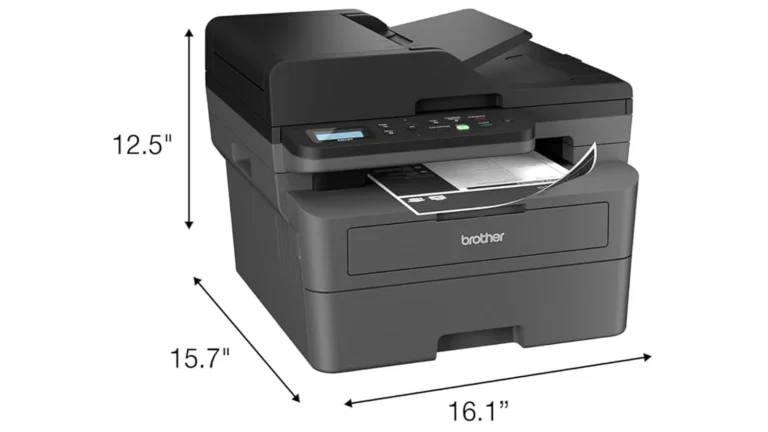
Brother DCP-L2640DW drawn with dimension arrows marking 12.5 inches high, 15.7 inches deep and 16.1 inches wide
Brother's dimension drawing of the DCP-L2640DW from its in-the-box image, cropped with the marketing text excluded. The pixels are unmodified. Brother product imagery (Amazon listing image)

At 16.1 by 15.7 by 12.5 inches and 25 pounds, it fits on a desk return or a low shelf. The paper tray holds 250 sheets and takes legal size, and a single-sheet slot above it handles envelopes, labels and heavier card.

The controls are a two-line monochrome display and physical buttons. Menus take some scrolling, and the touchscreen models above it are easier to navigate, but the printer mostly runs from a computer or phone.

Brother rates the noise at 49 dB while printing and 30 dB when ready. Power is low for a laser: 0.5 W in deep sleep and a rated typical electricity consumption of 0.42 kWh a week, and the model is ENERGY STAR certified. The fuser draws a short burst of power while a job runs, so plug it into a wall socket rather than a small UPS. The sleep countdown can be set up to 50 minutes in the menu.

Where to buy

In-stock offers for this exact model, sorted by item price in USD. Shipping is not included unless a retailer supplies it. Not every retailer is listed. Prices last checked 19 hours ago.

Retailer prices for the Brother DCP-L2640DW (DCPL2640DW)
RetailerItem priceShippingAvailabilityCheckedLink
Amazon.com$179.99 $209.99See retailerIn stockCheck price at Amazon.com

Prices and availability come from retailer feeds and change without notice; the retailer’s page is authoritative. We may earn a commission if you buy through these links.

Final verdict

Brother DCP-L2640DW (DCPL2640DW)
RecommendationConsider if you print black documents in bursts at a home office and little of your paperwork is double-sided

This review gives no score out of 10, because no section rests on a measurement by an independent body. The recommendation and the written verdict stand on their own.

Pros

  • Toner that cannot dry out between jobs
  • A separate drum rated for about 15,000 pages
  • A 50-sheet feeder copies or scans a stack without supervision
  • Dual-band Wi-Fi and Ethernet
  • Prints on both sides by default

Cons

  • The feeder scans one side only, so a stack of double-sided statements has to be turned over by hand, fed a second time and merged on the computer afterwards
  • Starter toner is a little over half a standard cartridge
  • No macOS driver from Brother, only AirPrint
  • Two-line display with button menus
  • One-year warranty, and damage traced to non-genuine toner is excluded

Conclusion

Everything about the DCP-L2640DW follows from what it leaves out: color, two-sided scanning and a Mac driver. The starter toner also runs out early.

So the DCP-L2640DW is the right purchase for a desk that produces black documents and occasionally copies a stack of single-sided pages. Plan to buy the XL cartridge for the first refill. If fax or a touchscreen matters, the MFC-L2820DW uses the same supplies. If you only print, the HL-L2460DW does the same job without the scanner.

Our take

For a home office this is an easy buy, and the reason is the toner rather than the speed. A cartridge that cannot dry out, with a drum that outlasts a dozen of them, removes most of what people dislike about printers. Two things are worth checking before paying. One is whether much of the paperwork is double-sided, because flipping stacks gets old quickly. The other, on a Mac, is whether AirPrint's settings cover what you print.

Best for
  • Home offices printing letters, forms and invoices in black
  • Batch scanning of single-sided documents
  • Anyone who prints a few pages a week and has thrown away one dried-out inkjet cartridge too many
Consider an alternative if
  • You print in color or print photos
  • You scan double-sided paperwork every week and want it done in one pass
  • You use a Mac that depends on a vendor driver
  • You need to send faxes

Questions readers ask

Does the Brother DCP-L2640DW print in color?

No. It is a monochrome laser printer. It can scan in color, but prints and copies only in black.

Can the DCP-L2640DW scan both sides of a page automatically?

No. Brother lists duplex scanning and duplex copying as unsupported. The 50-sheet feeder scans one side, so double-sided originals must be turned over and fed again.

How many pages does the toner last?

The starter cartridge in the box is rated at 700 pages, the standard TN830 at 1,200 and the TN830XL at 3,000.

Does it work with a Mac?

Yes, through AirPrint. Brother says it does not supply macOS printer drivers, so printing and scanning on a Mac go through AirPrint or the Brother iPrint&Scan app.

What is the difference between the DCP-L2640DW and the MFC-L2820DW?

The MFC-L2820DW adds fax and a 2.7-inch color touchscreen and is rated slightly slower. Both use the same TN830 toner and DR830 drum.

Can I keep printing after the Replace Toner message?

Yes. Set Replace Toner to Continue in the General Setup menu. Brother does not guarantee print quality in that mode, and the setting returns to Stop when a new cartridge is installed.

About the reviewer

Editor

Andreea reads BetterBuyBase’s articles, guides and reviews before they are published. When she has also checked a piece against its sources, the note at the end of it says so, with her name and the date.

This is a research-based assessment: the reviewer compiled it from published specifications, documentation and independent measurements rather than from testing the unit.

Profile and other work →

Sources

  • Brother USA, DCP-L2640DW product page and specificationsbrother-usa.com
  • Brother, Online User's Guide for HL-L2464DW, DCP-L2605DW, DCP-L2640DW, HL-L2480DW and DCP-L2680DW (PDF)support.brother.com

This review was created with the help of AI. How we work

← Back to the blog