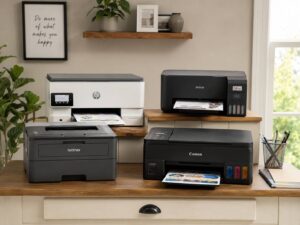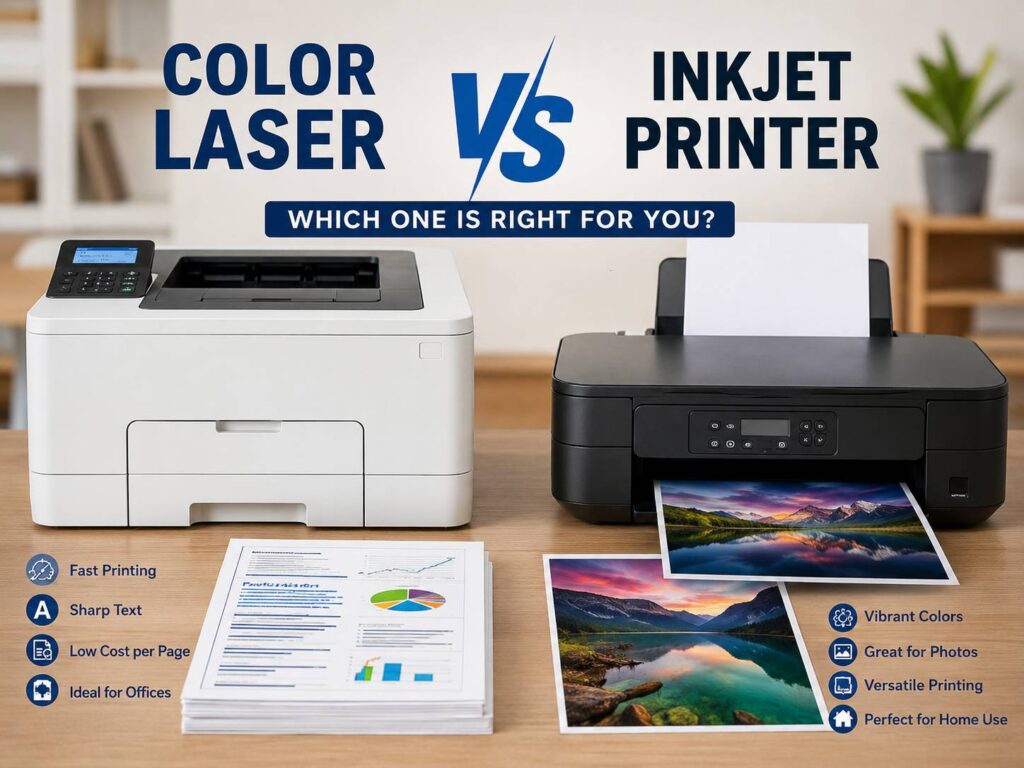
Buying a printer looks simple at first. Then you compare ink, toner, print speed, photo quality, Wi-Fi features, and replacement costs. Suddenly, the cheap printer on the shelf does not look so cheap anymore.
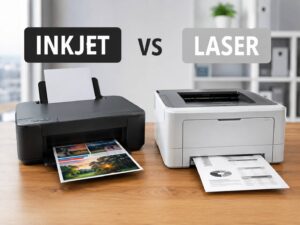
That is why the color laser vs inkjet printer debate still matters. Both printer types can work well, but they suit different people. A color laser printer makes more sense for clean documents, office files, invoices, and regular text printing. An inkjet printer works better for photos, crafts, school projects, and color-heavy pages.
Still, the best choice comes down to your real print habits. Do you print mostly black text? Do you print family photos? Do you leave the printer unused for weeks? Do you need low running costs over several years? Those answers matter more than the printer’s box price.
For a broader look at the core printer types, this related guide on inkjet vs laser printer explains the basic differences in a simple way. This guide goes deeper into color laser printers, standard inkjets, and ink tank printers.
What Is a Color Laser Printer?
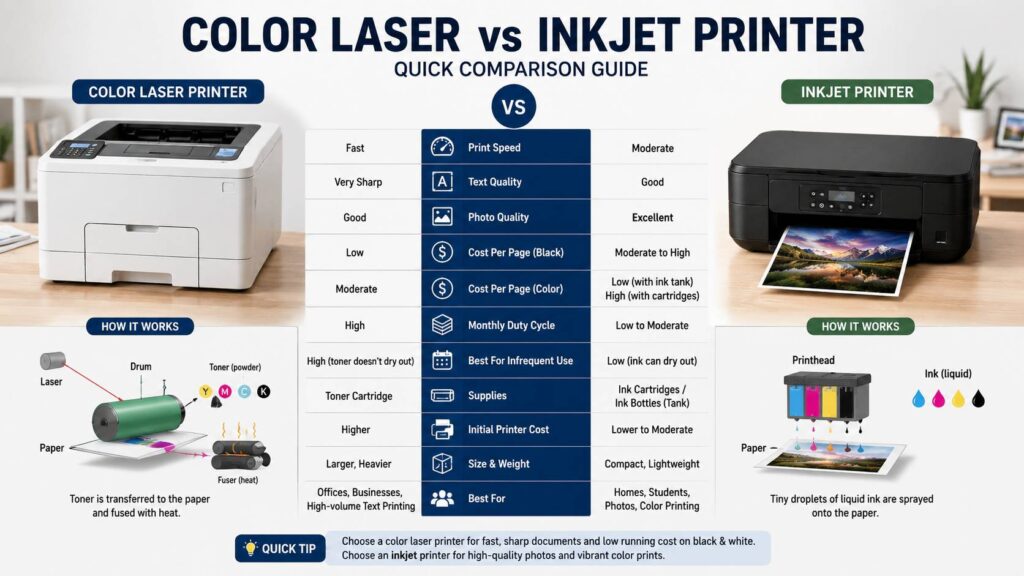
A color laser printer uses toner powder instead of liquid ink. Inside the printer, toner sticks to the paper through heat and pressure. That process creates sharp text and clean lines.
For this reason, color laser printers work well in offices and home offices. They print forms, contracts, invoices, labels, school reports, and charts with a crisp finish. Text usually looks cleaner than it does on many low-cost inkjet printers.
Color laser printers also handle idle time well. Toner does not dry out like liquid ink. So, a laser printer can sit unused for weeks and still print a clean page after you turn it on.
Still, laser printers have trade-offs. They often cost more upfront. Replacement toner can feel expensive, mainly when all four cartridges need attention. Photos can look flat, too, especially on standard office models.
What Is an Inkjet Printer?
An inkjet printer uses liquid ink. It sprays tiny drops onto the page through small nozzles. This print method gives inkjet printers a clear advantage with photos, soft gradients, and rich color.
Many home users choose inkjet printers for this reason. They handle school projects, printable crafts, photo paper, greeting cards, stickers, and family pictures better than most color laser printers.
At the same time, inkjet printers need more care. Liquid ink can dry in the printhead or nozzles. Then you see faded colors, missing lines, streaks, or blank areas on the page. Cleaning cycles can fix this, but they use ink.
So, an inkjet printer works best in homes that print color pages on a steady basis. Regular use helps keep the ink flowing. Long idle periods create more risk.
Print Quality: Text vs Photos
Print quality is one of the easiest areas to compare.
Color laser printers win for text. Letters look sharp, black areas look solid, and small fonts stay readable. This helps a lot with business files, forms, labels, school essays, and PDFs.
Charts also look neat on a color laser printer. Pie charts, bar graphs, tables, and logos print with clean edges. For office handouts, that level of clarity feels more professional.
Inkjet printers win for photos. Skin tones look softer. Shadows blend better. Bright colors can look richer on glossy photo paper. A good photo inkjet can produce prints that feel closer to lab prints.
Still, not every inkjet prints great photos. Cheap models can produce dull color or visible lines. Paper choice matters, too. Glossy photo paper can make a huge difference.
For most buyers, the rule is simple. Choose laser for documents. Choose inkjet for photos and creative color work.
Running Cost: Ink vs Toner
Printer cost does not stop at checkout. Ink and toner decide the real long-term value.
Inkjet printers often cost less upfront. That makes them tempting. Yet many standard ink cartridges have low page yields. They can run out fast, especially during color printing.
Plus, inkjet printers can use ink during maintenance. Cleaning cycles, printhead checks, and alignment tasks all take small amounts of ink. This can frustrate people who print only now and then.
Color laser toner costs more per cartridge. Still, toner cartridges often print far more pages than small ink cartridges. Toner also stores better over time. That helps light users who print only a few times per month.
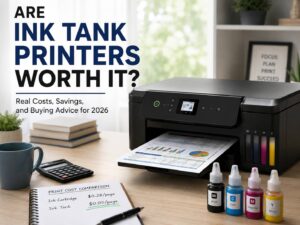
Ink tank printers change the cost story. They use refillable tanks and bottled ink instead of small cartridges. The printer costs more at first, but the ink lasts much longer. For a deeper cost breakdown, this guide on are ink tank printers worth it in 2026 is useful for buyers who print a lot of color pages.
Before you buy any printer, check these items:
- Price of black ink or toner
- Price of color ink or toner
- Page yield for each supply
- Cost of high-yield cartridges
- Starter cartridge yield
- Drum cost on laser printers
- Waste toner box cost on some models
- Printhead replacement risk on inkjets
A cheap printer can turn expensive after two supply changes. So, compare the full cost over two or three years.
Print Speed and Daily Use
Color laser printers usually feel faster in daily document work. They print page after page at a steady pace. That helps with reports, contracts, invoices, return labels, and school packets.
Inkjet printers can feel slower, mainly on color pages. Photo printing takes even longer. Some business inkjets print quickly, but low-cost home inkjets still fall behind during larger jobs.
First-page time matters as well. A laser printer needs to warm the fuser before printing from sleep mode. After that, it prints fast. An inkjet can start slowly too, mainly after it runs a cleaning cycle.
For a home office, speed saves more time than people expect. A 20-page file feels easy on a decent color laser printer. The same file can feel slow on a basic inkjet.
Maintenance and Common Problems
Maintenance is where the two printer types differ most in daily use.
A color laser printer needs less day-to-day attention. Toner does not dry out. Pages come out dry. Text stays crisp, even after long gaps between jobs. For people who print rarely, that reliability matters.
Still, laser printers have their own issues. Toner cartridges cost more. Some models need drum units or waste toner boxes. Larger color lasers take more space and weigh more than most inkjets.
Inkjet printers need more regular use. The printhead can clog after long idle periods. Then the printer runs cleaning cycles, which use ink. In bad cases, the printer still shows streaks after several cleanings.
Real inkjet issues often include:
- Faded color after weeks of no use
- Missing lines on test pages
- Ink smears on cheap paper
- Slow photo printing
- Cartridge warning messages
- High ink use during cleaning cycles
- Firmware limits with third-party cartridges
For this reason, light users often feel happier with laser. Color-heavy users often feel happier with inkjet or ink tank models.
Paper Handling and Features That Matter
Do not buy a printer based only on print type. Features can make or break the experience.
A printer with a tiny paper tray becomes annoying fast. Manual double-sided printing wastes time. Weak Wi-Fi can make printing from laptops and phones feel painful.
Look for these features before you buy:
- Automatic duplex printing
- A paper tray that holds at least 150 sheets
- Flatbed scanner
- Automatic document feeder
- Reliable Wi-Fi
- Ethernet port for office use
- AirPrint support for Apple devices
- Mopria support for Android devices
- Clear screen or simple app controls
- Borderless photo printing, mainly for inkjets
- Easy access to replacement supplies
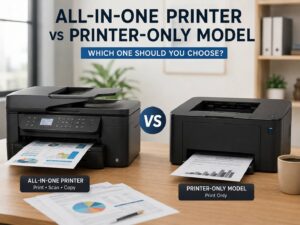
Color laser printers often offer stronger document handling. Inkjets usually offer better photo and craft features. Ink tank all-in-one models can give families a strong mix of scanning, color printing, and low ink cost.
Color Laser Printer Pros and Cons
A color laser printer fits people who print documents more than photos.
Pros:
- Very sharp text
- Fast document printing
- Good for office files
- Toner does not dry out
- Clean pages with low smudge risk
- Better for long idle periods
- Strong choice for home office use
Cons:
- Higher upfront cost
- Toner can cost a lot
- Larger body size
- Weaker photo quality
- Some models need drum replacement
- Less useful for glossy photo paper
For business use, a color laser printer often feels safer. It prints clean pages fast and handles routine work with fewer surprises.
Inkjet Printer Pros and Cons
An inkjet printer fits homes that print photos, color pages, and creative projects.
Pros:
- Better photo quality
- Strong color blending
- Works with glossy photo paper
- Good for crafts and school projects
- Smaller models fit tight spaces
- Lower starting price on many models
- Ink tank versions can cut running costs
Cons:
- Ink can dry out
- Cleaning cycles use ink
- Small cartridges run out fast
- Text can look less sharp on cheap models
- Slow printing on some color jobs
- Printhead clogs can frustrate owners
For families, inkjet printers still make sense. The key is picking the right type. A low-cost cartridge model works for light use. An ink tank model works better for steady color printing.
Which Printer Is Better for Home Use?
For general home use, inkjet printers offer more flexibility. They print homework, photos, recipes, forms, craft pages, and occasional documents. That makes them easy to recommend for families.
Still, homes that print only forms and black text should skip basic inkjets. A small laser printer will cost less to run and cause fewer ink problems. A monochrome laser can be the smartest pick if color does not matter.
A color laser printer makes sense at home if you print:
- Return labels
- School reports
- Work documents
- PDF files
- Forms
- Basic color charts
- Invoices
- Home business papers
An inkjet or ink tank printer makes sense if you print:
- Photos
- Crafts
- Color worksheets
- Invitations
- Stickers
- Posters
- Image-heavy school projects
So, the best home printer depends on what leaves the printer most often.
Which Printer Is Better for a Home Office?
A home office needs speed, clean text, and steady output. For that reason, color laser printers usually win.
They handle business documents better. They produce sharp text, clean logos, and solid charts. They also stay ready after quiet periods, which helps people who print in batches.
An inkjet can still work in a home office, mainly if you print marketing material or color-heavy pages. An ink tank printer can be a smart choice for teachers, sellers, and home businesses that print color often.
For most desk-based work, though, color laser feels more reliable. It saves time. It reduces ink trouble. It produces clean documents with less fuss.
Which Printer Is Better for Students?
Students need a printer that works late at night, costs less over time, and does not need constant fixes.
For essays, notes, research PDFs, and black text, a laser printer is the better pick. A monochrome laser printer is even better if color is not needed. It prints fast and keeps costs predictable.
For art classes, photo projects, and color schoolwork, an inkjet or ink tank printer works better. Ink tank models help students who print a lot of color pages across the year.
The worst student choice is often the cheapest cartridge inkjet. It looks affordable at first, then the ink runs out quickly.
Which Printer Is Better for Photos?
Inkjet wins for photos. This is the clearest part of the comparison.
Photo inkjets print smoother colors, softer skin tones, and better shadows. They also support glossy and specialty photo papers. Many can print borderless photos, which color laser printers often handle poorly or not at all.
Color laser printers can print images, but they do not replace photo printers. Photos from laser printers can look flat or slightly shiny in the wrong way. They work for flyers and charts, not family albums.
If photos matter, buy an inkjet. If photos barely matter, buy laser.
Final Buying Advice
Choose a color laser printer if you print mostly documents. It gives sharp text, fast output, and better reliability after long idle periods. It suits home offices, small businesses, students who print text, and anyone who wants fewer ink problems.
Choose an inkjet printer if you print photos, crafts, school projects, and rich color pages. It gives better image quality and more paper flexibility. It works best when you print often enough to keep the ink moving.
Choose an ink tank printer if you print a lot of color and want lower long-term ink costs. It costs more upfront, but it can save money for families, teachers, students, and home businesses with steady print needs.
For most office documents, color laser wins. For photos and creative work, inkjet wins. For frequent color printing at home, ink tank deserves serious attention.