Review

Apple Magic Keyboard with Touch ID review: sharing one Mac

The Magic Keyboard with Touch ID and Numeric Keypad can suit a shared Apple silicon Mac. Its secure pairing limit concerns the computer, not a requirement that one person owns the desk. The useful distinction is between several people using the same Mac and moving the keyboard between different computers.

Choose it for fingerprint authentication and a full numeric layout on a compatible Mac. Logitech’s MX Keys S is the more practical comparison when you need a keyboard that switches among three devices. This assessment uses manufacturer documentation and published images. The keyboard was not tested by this site.
By Published Updated Research-based assessment

Affiliate disclosure: the price links on this page may earn us a commission at no extra cost to you. Retailers cannot pay for placement or influence the score. How we stay independent

Quick verdict

Apple Magic Keyboard with Touch ID and Numeric Keypad for Mac models with Apple silicon (USB-C), US English, white keys
RecommendationConsider if you want Touch ID and a numeric pad on a compatible Apple silicon MacEvidence: maker figures, with gaps

Consider it for Touch ID and a numeric pad on a compatible Apple silicon Mac. Sharing that Mac with another user is a different situation from switching the keyboard between computers.

Strengths

  • Touch ID authentication on a compatible Apple silicon Mac
  • Numeric keypad, navigation block and full-size arrow keys
  • USB-C cable included for pairing and charging

Weaknesses

  • Touch ID secure pairing is limited to one Mac at a time
  • No dedicated three-device switching control
  • Check the exact Mac and operating-system compatibility before purchase

Key specifications

Model
Magic Keyboard with Touch ID and Numeric Keypad for Mac models with Apple silicon (USB-C)
Current US catalog part numbers
MJM64LL/A white keys and MJM74LL/A black keys. Verify the actual offer edition
Layout
Full-size with navigation block, full-size arrow keys, numeric pad and F13 to F19
Touch ID
Mac with Apple silicon on macOS 15.1 or later. Securely paired with one Mac at a time
Connection
Bluetooth, one device at a time. USB-C for charging and pairing
Battery
About a month or more per charge (Apple's automated test)
Dimensions
41.87 x 11.49 cm, 0.41 to 1.09 cm high (16.48 x 4.52 x 0.16 to 0.43 in)
Weight
369 g (0.81 lb)
In the box
Keyboard and a woven USB-C charge cable
Colors
White keys or black keys
Also works with
Recent iPhone and iPad models as a Bluetooth keyboard, without Touch ID

How we reviewed it

Basis
Research-based: assessed from the manufacturer’s published specifications, documentation and the independent sources listed at the end. We have not tested this unit ourselves; any measurement quoted belongs to the cited source.
Method

Apple's Platform Security page explains secure keyboard pairing and matching in the Mac's Secure Enclave. Apple's technical specifications and current US product catalog establish the USB-C model, size, system requirement and current part numbers. The Mac user guide verifies separate-account Touch ID and its conditions. Logitech's MX Keys S page establishes three-device switching. Typing feel, noise and flex were not measured for this review.

Evidence

Apple supplies the specifications and Touch ID behavior. Logitech supplies the MX Keys S switching specification. No independent typing or runtime measurement is used here.

Limitations

Typing feel, noise and flex are unassessed here. The battery figure is an Apple estimate. Typing is a key factor in the existing rubric, so this review remains unrated overall. The available material does not support a typing-performance score.

One securely paired Mac can have different users

Not rated · Evidence: maker figures only
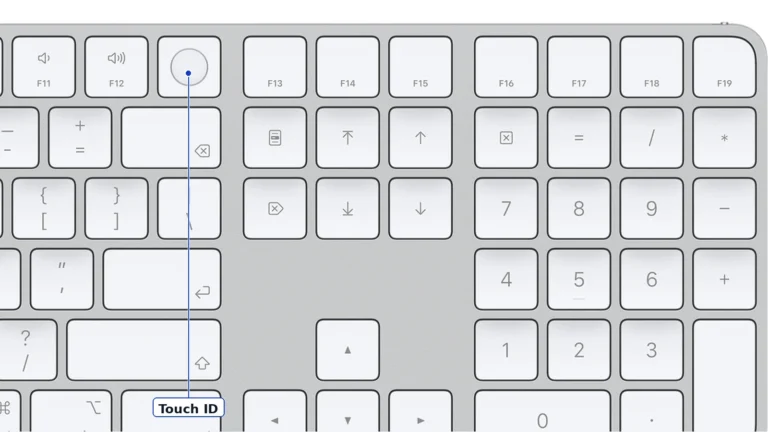
Close view of the white Magic Keyboard with Touch ID and Numeric Keypad showing the round Touch ID key after F11 and F12, the F13 to F19 keys, the navigation keys with symbol labels and the numeric pad, with a Touch ID label
Apple's top-down render of the refreshed white-keys model, cropped to the Touch ID key and the extended block. Apple product imagery (Apple Store render, MJM64)

Apple's security guide says the keyboard is securely paired with one Mac at a time. A Mac can hold pairings with up to five Touch ID keyboards. The keyboard reads the fingerprint, while the paired Mac's Secure Enclave handles enrollment, matching and security policies.

That computer-pairing limit is not a single-user restriction. Apple's Mac guide describes using Touch ID with separate user accounts, including fast user switching after the required password sign-in. Sharing-only accounts and guest users cannot use Touch ID. Each user should follow their own account's enrollment and security requirements.

Moving the keyboard to a different Mac needs a new secure pairing. A shared family Mac therefore presents a different choice from a keyboard carried between work and home computers.

How it types

Not rated · Evidence: nothing published
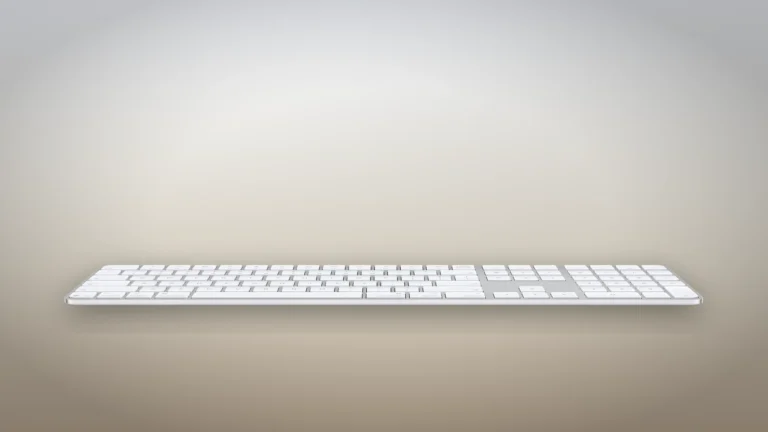
White Magic Keyboard with Touch ID and Numeric Keypad seen from the front at a low angle, showing its thin wedge profile on a neutral backdrop
Apple's published view of the keyboard, presented on an editorial background. Product image: Apple. Editorial background.

Apple specifies a case height from 0.41 cm at the front to 1.09 cm at the back. Those dimensions describe its profile, but do not establish key travel, actuation force, sound level or typing comfort.

This section remains unrated. A preference for a mechanical keyboard is worth checking against a physical example of this model before buying. The specifications alone cannot settle how its keys will suit you.

The full-size layout and the new labels

Not rated · Evidence: maker figures only
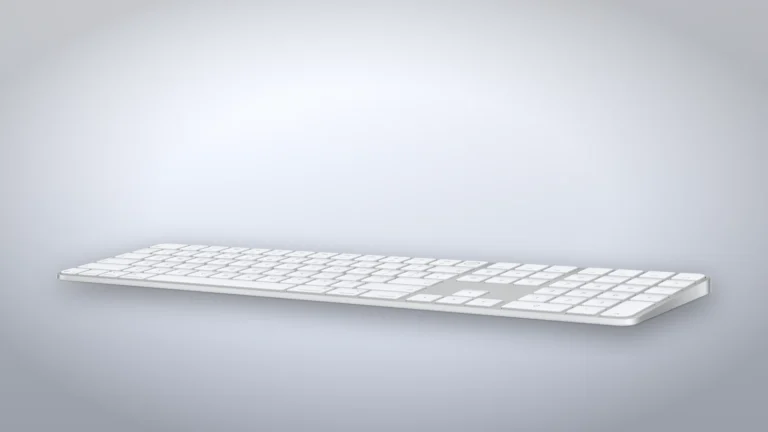
White Magic Keyboard with Touch ID and Numeric Keypad at an angle, showing the full width with the navigation keys, the inverted-T arrow keys and the numeric pad
Apple's published view of the keyboard, presented on an editorial background. Product image: Apple. Editorial background.

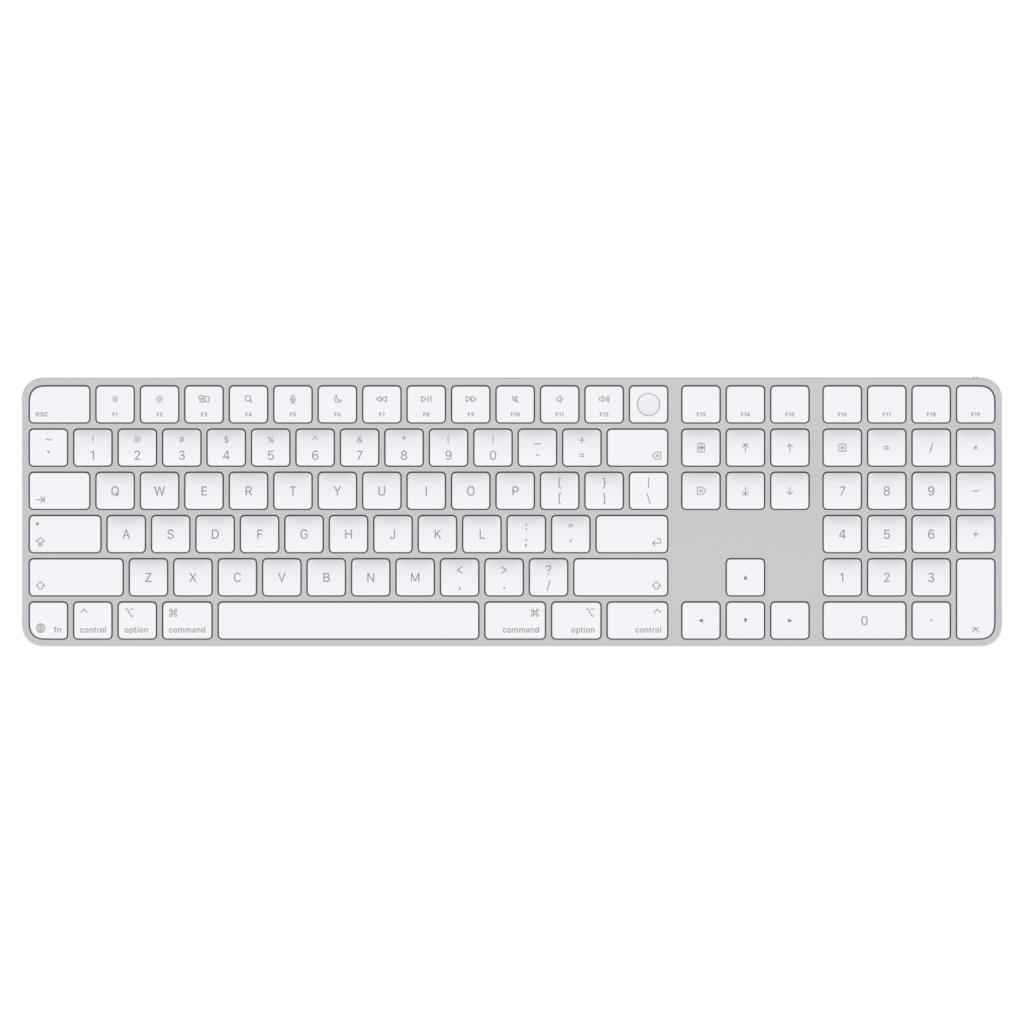
The extended layout adds a numeric keypad, document-navigation keys and full-size arrows. Its top row includes F13 through F19. Apple specifies a width of 41.87 cm, so allow room for the keyboard and the mouse when choosing a full-size layout.

Apple's current US catalog lists MJM64LL/A for white keys and MJM74LL/A for black keys. The published product images show symbol legends on keys where earlier US editions used words. Match the part number with the listing photos before ordering.

Battery and charging

Not rated · Evidence: maker figures only
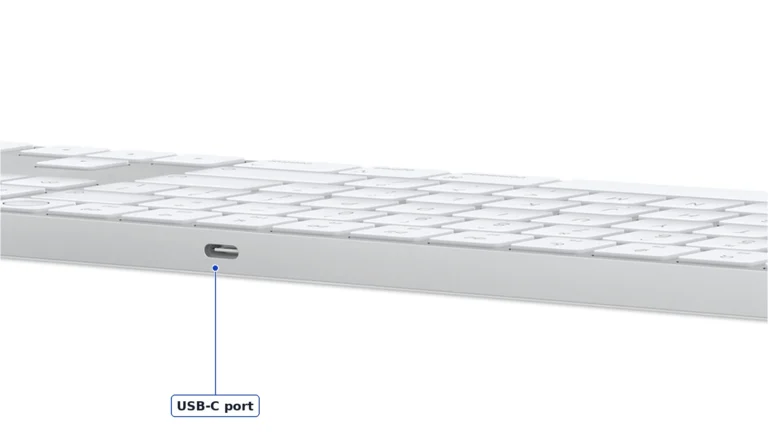
Back edge of the white Magic Keyboard with Touch ID and Numeric Keypad with the USB-C charging port in the aluminium frame, labelled USB-C port
Apple's rear render of the keyboard, cropped to the charging port. The pixels are unmodified, and the label follows Apple's description of a USB-C port on the back edge. Apple product imagery (Apple Store render, MJM64)

Apple rates the rechargeable battery for about a month or more. Its specifications describe an automated discharge test on preproduction keyboards paired with M4 iMacs. Actual endurance depends on settings and use. Treat that figure as a manufacturer estimate.

The included woven USB-C cable charges the keyboard and pairs it when connected to a compatible Mac. Keep that cable available when changing the computer used with the keyboard. A cable connection for setup does not remove the separate secure-pairing requirement for Touch ID.

One computer at a time

Not rated · Evidence: maker figures only
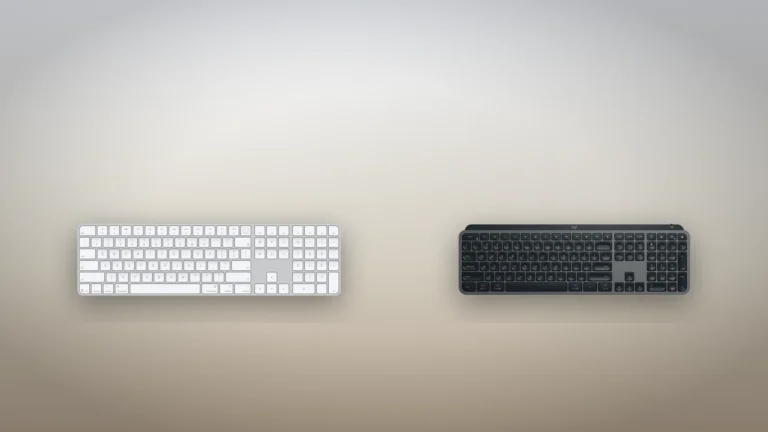
White Apple Magic Keyboard with Touch ID and Numeric Keypad beside a graphite Logitech MX Keys S, both seen from above
Apple's published view of the keyboard, presented on an editorial background. Product image: Apple. Editorial background.

The keyboard does not provide the three-device switching control listed for Logitech's MX Keys S. If you regularly change between a work computer and a home Mac, compare the pairing work with that dedicated switching function.

Touch ID requires a compatible Apple silicon Mac. Apple's USB-C keyboard specifications list macOS 15.1 or later. Its compatibility list also includes iPhone and iPad models for keyboard use, which does not extend the Mac-based Touch ID security design to those devices.

Where to buy

In-stock offers for this exact model, sorted by item price in USD. Shipping is not included unless a retailer supplies it. Not every retailer is listed. Prices last checked 12 hours ago.

Retailer prices for the Apple Magic Keyboard with Touch ID and Numeric Keypad for Mac models with Apple silicon (USB-C), US English, white keys
RetailerItem priceShippingAvailabilityCheckedLink
Amazon.com$179See retailerIn stockCheck price at Amazon.com

Prices and availability come from retailer feeds and change without notice; the retailer’s page is authoritative. We may earn a commission if you buy through these links.

Final verdict

Apple Magic Keyboard with Touch ID and Numeric Keypad for Mac models with Apple silicon (USB-C), US English, white keys
RecommendationConsider if you want Touch ID and a numeric pad on a compatible Apple silicon Mac

This review gives no score out of 10, because no section rests on a measurement by an independent body. The recommendation and the written verdict stand on their own.

Pros

  • Touch ID authentication on a compatible Apple silicon Mac
  • Numeric keypad, navigation block and full-size arrow keys
  • USB-C cable included for pairing and charging

Cons

  • Touch ID secure pairing is limited to one Mac at a time
  • No dedicated three-device switching control
  • Check the exact Mac and operating-system compatibility before purchase

Conclusion

Check the Mac's compatibility, the space for the full-width keyboard and the exact key legends in the offer. A different user account on the same Mac does not require treating the desk as a multiple-computer setup.

Our take

The earlier recommendation was too restrictive about shared Macs. Touch ID's one-computer pairing rule should decide frequent computer switching, while separate users on that computer follow their own enrollment and sign-in requirements. Choose the numeric model when its keypad and navigation block serve the work you do.

Best for
  • Apple silicon Mac users who want fingerprint authentication at a desk
  • Spreadsheet users who need a separate numeric keypad
Consider an alternative if
  • You regularly switch one keyboard between different computers
  • Your intended Mac does not meet the model's system requirements
  • You need measured typing or noise evidence before choosing

Questions readers ask

Does one securely paired Mac mean one person can use Touch ID?

No. Apple documents Touch ID for separate user accounts on the same Mac. The users need to meet its enrollment and password sign-in conditions. Guest and sharing-only accounts cannot use Touch ID.

Does Touch ID work on an Intel Mac?

The USB-C model's published requirement is a Mac with Apple silicon running macOS15.1 or later. A Bluetooth keyboard connection by itself does not establish Touch ID support.

Can the keyboard keep Touch ID securely paired to two Macs?

Apple's Platform Security guide limits the keyboard to one securely paired Mac at a time. Moving to a different Mac requires another secure pairing.

About the reviewer

Editor

Andreea reads BetterBuyBase’s articles, guides and reviews before they are published. When she has also checked a piece against its sources, the note at the end of it says so, with her name and the date.

This is a research-based assessment: the reviewer compiled it from published specifications, documentation and independent measurements rather than from testing the unit.

Profile and other work →

Sources

  • Apple: Use Touch ID on Mac (enrollment, account and sign-in conditions)support.apple.com
  • Logitech, MX Keys S keyboard (US product page)logitech.com

This review was created with the help of AI. How we work

← Back to the blog