Choosing a gaming headset used to be fairly straightforward. You plugged it into your PC or console and started playing. Now you have wired USB, 3.5mm, Bluetooth, proprietary 2.4GHz wireless, and headsets that support several connection types at once.
For most gamers, 2.4GHz wireless offers the best balance between low latency and freedom from cables. A wired headset is still a great choice if reliability, simplicity, and avoiding batteries matter more to you. Bluetooth is convenient, especially across phones and laptops, but it isn’t always the best option for competitive gaming or voice chat.
The differences go beyond whether there is a cable hanging from your desk. Latency, microphone quality, compatibility, battery life, interference, and even your gaming platform can change which option makes the most sense.
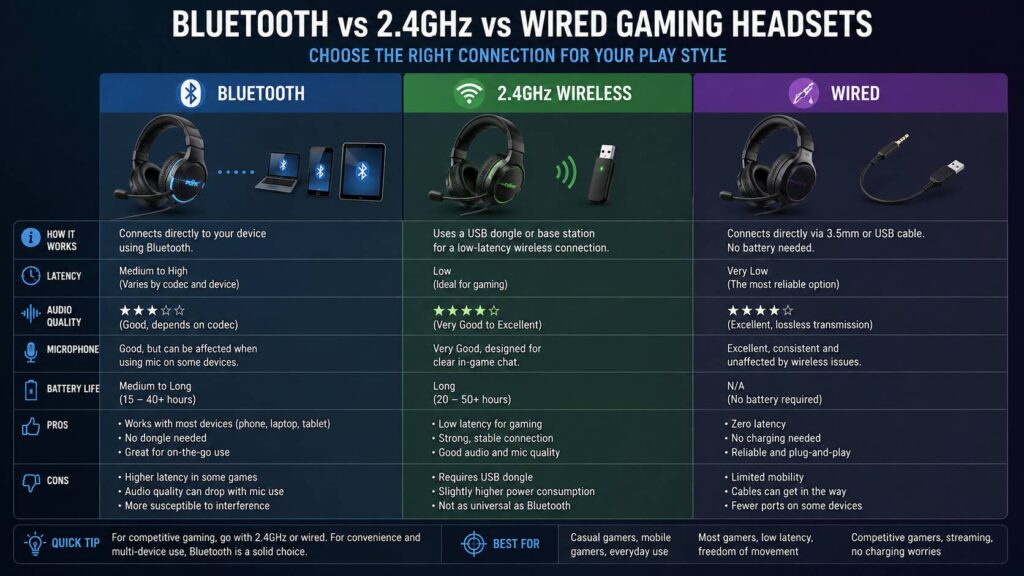
Bluetooth vs 2.4GHz vs Wired Gaming Headsets at a Glance
Here is the basic comparison before we get into the details.
| Feature | Bluetooth | 2.4GHz Wireless | Wired |
|---|---|---|---|
| Gaming latency | Varies, often higher | Usually very low | Very low |
| Battery required | Yes | Yes | No |
| USB receiver | Usually no | Usually yes | Usually no with 3.5mm |
| Phone support | Excellent | Limited | Depends on the phone |
| PC support | Excellent | Excellent | Excellent |
| Console support | Limited | Depends on headset | Usually good |
| Microphone quality | Can be restricted | Usually good | Usually reliable |
| Wireless freedom | Yes | Yes | No |
| Setup | Pairing required | Usually plug and play | Plug and play |
| Best suited for | Portable and casual gaming | Most wireless gaming | Reliability and competitive play |
These are general differences rather than hard rules. Two headsets using the same connection type can behave very differently.
A good wireless implementation can be excellent. A poor one can suffer from dropouts, delay, or strange microphone behavior.
How Wired Gaming Headsets Work
A wired headset sends audio through a physical cable. There is no wireless radio link between the headset and the gaming device.
Common connections include:
- 3.5mm analog
- USB-A
- USB-C
- Proprietary cables connected to a DAC or audio controller
With a traditional 3.5mm headset, your PC, controller, or other source handles much of the audio conversion. USB headsets usually have their own digital audio hardware built into the headset or cable.
That simple connection is one reason wired gaming headsets remain popular.
Wired headsets usually have very low latency
Gaming audio goes through several stages before it reaches your ears. The game engine, operating system, audio processing, DAC, and headset can all introduce some delay.
A wired connection removes the wireless transmission stage.
That makes wired headsets particularly attractive for games where timing matters. Footsteps in a shooter, an incoming attack, a reload sound, or the engine note in a racing game may all provide useful information.
You also avoid problems such as:
- Wireless interference
- Pairing failures
- A missing USB dongle
- Battery charging
- Limited wireless range
There isn’t much to configure. Plug the headset in, choose it as your audio device, and you’re usually ready to play.
The cable can still be annoying
Of course, wired headsets aren’t perfect.
The cable can drag across your desk, rub against clothing, catch on a chair, or simply get in the way. It becomes even more noticeable if you play from a sofa several feet away from the console.
Compatibility can cause problems too.
Some PCs use separate microphone and headphone ports. A headset with a single combined 3.5mm TRRS connector may need a splitter.
USB is another story. Just because a USB headset works on Windows doesn’t mean every console will recognize it.
So, even with a wired model, checking the supported platforms before buying is worth doing.
How 2.4GHz Wireless Gaming Headsets Work
Most 2.4GHz gaming headsets communicate with a small USB receiver or a dedicated base station.
The headset doesn’t normally use your computer’s standard Bluetooth audio connection. Instead, the manufacturer creates its own wireless link between the headset and receiver.
That gives gaming headset makers much more control over how audio gets transmitted.
They can optimize the connection for:
- Low latency
- Stable game audio
- Microphone communication
- Surround or spatial audio features
- Game and chat mixing
- Higher-quality audio transmission
It’s worth understanding that 2.4GHz isn’t one universal headset standard. It simply refers to the frequency range being used.
Logitech, SteelSeries, Razer, Corsair, HyperX, Sony, and other manufacturers can all use different wireless implementations.
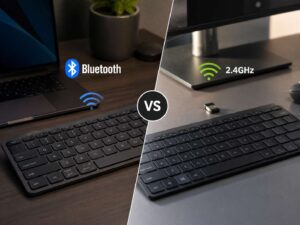
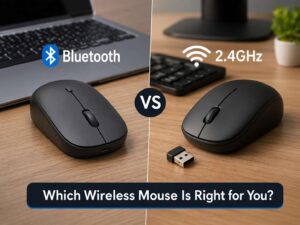
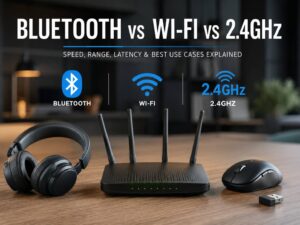
If you want a broader explanation of how these wireless technologies differ, this guide to Bluetooth vs Wi-Fi vs 2.4GHz covers the underlying connection types in more detail.
Why 2.4GHz Is So Popular for Gaming
Dedicated 2.4GHz wireless has one big advantage. It can behave much more like a wired gaming connection without actually requiring the wire.
Latency is usually low enough that the audio feels immediate.
That is particularly helpful with:
- Competitive shooters
- Racing games
- Rhythm games
- Action games
- Multiplayer voice chat
- VR gaming
- Couch gaming
You can get up from your desk, move around, or lean back without pulling a cable along with you.
For many PC gamers, this is the sweet spot.
You get most of the convenience of Bluetooth while keeping a connection specifically designed for gaming.
Is 2.4GHz as Fast as Wired?
A good 2.4GHz gaming headset can feel almost indistinguishable from a wired headset in normal use.
That doesn’t mean every 2.4GHz headset has identical latency.
Performance depends on several things:
- The manufacturer’s wireless protocol
- Audio buffering
- Firmware
- USB implementation
- Signal strength
- Distance from the receiver
- Nearby interference
So, don’t assume that a headset is automatically great for competitive gaming simply because the packaging says 2.4GHz.
A model designed specifically around low-latency gaming is the safer choice.
Wired still has the simpler signal path. Yet the difference between a good dedicated wireless headset and wired audio shouldn’t dominate the buying decision.
Can 2.4GHz Gaming Headsets Suffer From Interference?
They can.
The 2.4GHz frequency band is busy. It can also be used by:
- Wi-Fi
- Bluetooth devices
- Wireless mice
- Wireless keyboards
- Game controllers
- Smart home devices
- Other wireless headsets
This doesn’t mean that putting several wireless devices on your desk will immediately cause problems. Modern gaming headsets use techniques designed to maintain a reliable connection.
Still, interference sometimes appears as:
- Audio crackling
- Brief dropouts
- Reduced range
- Random disconnects
- Microphone interruptions
USB 3.x devices can also generate radio noise around the 2.4GHz range.
If your headset cuts out occasionally, try moving its receiver.
Don’t bury the dongle behind the PC next to several USB devices if you can avoid it. A short USB extension cable can be surprisingly useful because it lets you position the receiver closer to the headset and farther away from other electronics.
How Bluetooth Gaming Headsets Work
Bluetooth works differently.
Instead of requiring a proprietary receiver, the headset can connect to a Bluetooth radio built into your laptop, PC, smartphone, tablet, handheld, or another supported device.
That convenience is hard to beat.
You can pair one headset with several types of devices without carrying another USB adapter.
Bluetooth makes particular sense if you regularly switch between:
- Gaming laptop
- Phone
- Tablet
- Handheld gaming PC
- Nintendo console
- Music playback
- Video calls
There is a catch, though.
Traditional Bluetooth audio wasn’t designed specifically around fast-paced gaming.
Why Bluetooth Can Have More Gaming Latency
Traditional Bluetooth audio usually requires encoding, transmission, buffering, and decoding before you hear the sound.
That extra processing can create noticeable delay.
During a movie, software can sometimes compensate by delaying the picture slightly so that it remains synchronized with the audio.
Games are different.
If you pull the trigger in a shooter, delaying the visual response to match slower headphones wouldn’t make much sense. The result can be a small gap between what happens on screen and what you hear.
How noticeable it becomes depends heavily on your hardware.
Some Bluetooth combinations perform quite well. Others make gunshots, menu sounds, or dialogue feel slightly disconnected from the action.
For casual gaming, that may not bother you at all.
For competitive gaming, it can.
Bluetooth Microphones Have Another Complication
Traditional Bluetooth connections can behave differently once you activate the headset microphone.
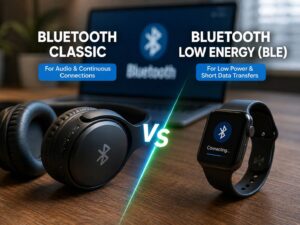
Bluetooth Classic commonly uses A2DP for higher-quality stereo playback. When the microphone needs to operate at the same time, the system may switch to a hands-free profile.
On some Windows setups, the difference is immediately noticeable.
Your game sounds normal until Discord, voice chat, or another application activates the headset microphone. Suddenly, the audio quality drops.
This isn’t necessarily a faulty headset.
It can be a limitation of how that Bluetooth audio connection handles simultaneous playback and microphone communication.
A separate USB microphone can sometimes solve the issue because the Bluetooth headset can remain focused on playback.
Bluetooth LE Audio Is Improving Gaming Support
Bluetooth LE Audio changes quite a few things.
It uses Bluetooth Low Energy and introduces the LC3 audio codec along with newer ways of transmitting synchronized audio.
Windows 11 has also expanded support for Bluetooth LE Audio.
On compatible Windows 11 systems, newer LE Audio hardware can provide better simultaneous stereo playback and microphone communication than traditional Bluetooth Classic configurations.
This helps address one of the biggest complaints about Bluetooth headsets on PCs.
There is an important catch.
Seeing “Bluetooth 5.3” or “Bluetooth 5.4” in the specifications doesn’t automatically mean your device supports every LE Audio feature.
Support depends on the complete setup, including:
- Headset
- Bluetooth adapter
- Bluetooth drivers
- Operating system
- Device firmware
Both ends need compatible support.
How to Check for Bluetooth LE Audio in Windows 11
If you have Windows 11 and want to know whether your system supports LE Audio, check the Bluetooth settings.
- Open Settings.
- Choose Bluetooth & devices.
- Open Devices.
- Look through the Bluetooth device settings.
- Check for an option similar to Use LE Audio when available.
If the setting doesn’t appear, your current Bluetooth hardware or driver combination may not support Windows LE Audio.
Updating Windows and installing the latest Bluetooth drivers from your PC or motherboard manufacturer may help if compatible hardware is already installed.
Don’t install random Bluetooth drivers from third-party download sites.
Bluetooth vs 2.4GHz Latency
For gaming specifically, dedicated 2.4GHz wireless remains the safer option.
Manufacturers can build their gaming protocol around responsiveness rather than general-purpose Bluetooth compatibility.
Bluetooth is improving, especially with LE Audio, but performance still varies considerably between devices.
Think of it this way.
If you’re using your headset mainly for gaming at one computer, the USB dongle isn’t much of an inconvenience. You plug it in and leave it there.
If you constantly switch between a laptop, phone, tablet, and handheld, Bluetooth becomes much more appealing.
That’s why dual-mode headsets have become so useful.
What About Sound Quality?
Connection type doesn’t automatically determine which headset sounds better.
A well-designed Bluetooth headset can easily sound better than a cheap wired gaming headset.
Sound quality depends on things such as:
- Driver tuning
- Frequency response
- Earcup design
- Ear pad seal
- DSP processing
- Equalizer settings
- Amplification
- Codec implementation
Still, the connection can impose certain limitations.
Wired audio
Wired headphones don’t need a wireless codec between the source and headset.
With 3.5mm headphones, sound quality can depend partly on the DAC and headphone amplifier inside your PC, controller, phone adapter, or external sound device.
2.4GHz wireless
A gaming manufacturer controls both sides of a dedicated wireless connection, which gives it more flexibility.
Some models can transmit high-quality digital audio while maintaining very low latency.
Don’t get too distracted by marketing numbers such as bit depth alone, though. They don’t tell you how good a headset will actually sound.
Bluetooth
Bluetooth normally compresses audio using a codec.
The exact codec depends on both devices and the operating system.
Codec support matters, but it shouldn’t become the only thing you compare.
For gaming, connection stability, latency, microphone behavior, and headset tuning often matter more.
Microphone Quality: Wired vs 2.4GHz vs Bluetooth
Voice chat is another area where wired and dedicated wireless connections tend to be easier.
A USB or analog wired gaming headset doesn’t need to work around Bluetooth profile limitations.
Dedicated 2.4GHz gaming headsets also tend to be designed for game sound and microphone traffic at the same time.
Bluetooth is more complicated.
With older Bluetooth Classic setups, activating the microphone can change how audio gets transmitted. Bluetooth LE Audio improves this on supported hardware, but compatibility isn’t universal yet.
If Discord, in-game chat, streaming, or frequent calls are important to you, a wired or 2.4GHz gaming headset is usually the less troublesome option.
Which Connection Is Best for PC Gaming?
PC gives you the most flexibility.
You can use almost anything:
- 3.5mm wired
- USB-A
- USB-C
- 2.4GHz wireless
- Bluetooth
For a desktop gaming PC, I’d usually choose 2.4GHz if you want wireless.
The receiver can stay plugged into the PC, so you don’t have to pair the headset repeatedly. You also get low latency and generally better support for game chat.
Wired is even simpler if the cable doesn’t bother you.
Bluetooth makes more sense on laptops and portable devices where conserving USB ports and switching between devices are more useful.
PS5 Headset Compatibility
PlayStation 5 needs a little more care.
Generic Bluetooth audio headsets don’t normally connect directly to PS5 for game audio in the same way they connect to a phone.
Instead, wireless gaming headsets commonly use a compatible USB receiver or PlayStation-specific wireless technology.
Reliable options include:
- PS5-compatible USB wireless headsets
- Compatible USB wired headsets
- 3.5mm headsets connected to the DualSense controller
The 3.5mm controller connection is particularly convenient if you already own a good wired headset.
Before buying a wireless model, check that the manufacturer specifically lists PS5 support.
Xbox Series X and Series S Compatibility
Xbox has its own wireless ecosystem.
Some headsets connect directly through Xbox Wireless. Others require an officially supported connection.
A random USB 2.4GHz headset that works perfectly on PC should not be assumed to work on Xbox.
Look for explicit Xbox Series X and Series S compatibility.
You can also connect many wired headsets directly to the 3.5mm jack on a compatible Xbox controller.
That remains one of the easiest options.
Nintendo Switch and Switch 2 Compatibility
Nintendo supports Bluetooth audio, but there are restrictions.
On the original Nintendo Switch family, Bluetooth audio doesn’t support Bluetooth microphones. Using Bluetooth audio can also affect how many wireless controllers can connect and how local wireless features work.
Switch 2 supports Bluetooth audio as well, but Bluetooth headset microphones aren’t a universal replacement for supported voice communication methods.
If you need both game sound and microphone input, check the headset and game’s specific compatibility before buying.
A compatible USB headset or wired setup may be easier.
Best Connection for Competitive Gaming
Competitive gamers should usually prioritize wired or dedicated 2.4GHz wireless.
Choose wired if you want:
- Very low connection latency
- No batteries
- Maximum reliability
- No wireless interference
- Simple setup
Choose 2.4GHz wireless if you want:
- Low latency
- No headset cable
- Freedom to move
- Good voice-chat support
- Gaming-focused features
For most competitive gamers who want wireless, 2.4GHz is the sensible choice.
Bluetooth would be lower on my list unless the exact headset and computer have a good low-latency implementation.
Best Connection for Casual Gaming
Bluetooth becomes easier to recommend if you’re playing less timing-sensitive games.
For example:
- RPGs
- Turn-based games
- Strategy games
- Simulation games
- Adventure games
- Casual mobile games
A little additional latency may not have any meaningful effect on your experience.
Bluetooth also makes switching between devices much easier.
If you use the same headset for Spotify, YouTube, your phone, work calls, and gaming, that flexibility can be more useful than chasing the lowest possible latency.
Dual Wireless Headsets Can Be the Best Compromise
A growing number of gaming headsets support both dedicated 2.4GHz wireless and Bluetooth.
That combination makes a lot of sense.
Use 2.4GHz when playing on your PC or compatible console. Then switch to Bluetooth for your phone or tablet.
Some headsets can even maintain both connections at once.
For example, you might hear game audio through the 2.4GHz receiver while keeping your phone connected over Bluetooth.
Don’t assume every dual-mode headset works this way. Some require you to manually switch modes.
Check the specifications before buying.
Battery Life Still Matters
Wireless freedom comes with one unavoidable requirement. You have another battery to charge.
Bluetooth and 2.4GHz gaming headsets can offer long battery life, but there is huge variation between models.
Also check what happens when the battery runs out.
Some wireless headsets continue playing audio over USB while charging.
Others cannot.
In some models, plugging in USB only charges the battery while audio still depends on the wireless connection.
That small specification is easy to overlook and can become frustrating later.
Wired headsets avoid the problem completely.
Fixing Common 2.4GHz Headset Problems
Audio keeps cutting out
Move the receiver closer to your headset.
Try moving it away from:
- USB hubs
- External SSDs
- Wi-Fi adapters
- Other wireless receivers
- The back of a crowded desktop PC
A USB extension cable can help.
The headset works on PC but not console
Check official compatibility.
USB connectors may look identical, but consoles don’t support every USB headset protocol.
The wrong microphone is being used
Open your operating system’s audio settings and check the selected input.
Gaming headset software can sometimes create several virtual audio devices.
Make sure Discord and your game are using the correct one.
Game and chat balance doesn’t work
Some headsets create separate game and chat audio channels.
These features may depend on the manufacturer’s software or only work on selected platforms.
Fixing Common Bluetooth Headset Problems
Game audio sounds worse when voice chat starts
Your system may be switching into a Bluetooth hands-free mode.
Try using a separate microphone.
If your PC and headset support Bluetooth LE Audio, make sure Windows and your Bluetooth drivers are current.
Bluetooth connects but the game remains silent
Check both the Windows output device and the audio device selected inside the game.
Some games don’t automatically switch audio outputs after they launch.
Restarting the game after connecting the headset may help.
Audio feels delayed
Update the headset firmware and your Bluetooth drivers.
If latency still bothers you and your headset includes a dedicated USB gaming receiver, use that instead.
Otherwise, wired or 2.4GHz wireless will probably suit your gaming setup better.
Fixing Common Wired Headset Problems
The microphone doesn’t work
Check which connector your computer uses.
A headset with a combined TRRS connection may require a splitter if your PC has separate headphone and microphone ports.
USB headset isn’t detected
Try another USB port first.
Then check Device Manager and your Windows sound settings.
If the manufacturer provides software or firmware updates, install the official version.
The headset is too quiet
Check:
- Windows volume
- Game volume
- Physical headset volume control
- Audio software settings
Analog headphones can also sound quieter when connected to a weak headphone output.
So, Which Gaming Headset Connection Is Best?
There isn’t one connection that wins in every situation.
Wired is best for simplicity and reliability. You don’t have to charge anything, latency is minimal, and there is little chance of wireless interference.
2.4GHz wireless is the best overall choice for gaming. It delivers the freedom of wireless while keeping latency low enough for demanding games.
Bluetooth is best for flexibility. It works particularly well if your headset regularly moves between a gaming laptop, smartphone, tablet, or handheld.
If your budget allows it, a headset supporting both Bluetooth and dedicated 2.4GHz wireless can be the most practical option. You don’t have to choose one connection for everything.
Use 2.4GHz while gaming. Use Bluetooth when convenience matters.
And if you simply want something that works every time without thinking about pairing, batteries, or dongles, there is still absolutely nothing wrong with plugging in a cable.
Frequently Asked Questions
Is Bluetooth or 2.4GHz better for gaming?
2.4GHz dedicated wireless is usually better for gaming because manufacturers can optimize it for low latency, stable audio, and simultaneous microphone communication.
Bluetooth is more convenient for connecting the same headset to many different devices.
Is wired better than 2.4GHz?
Wired has a simpler signal path and doesn’t need a battery.
A good 2.4GHz gaming headset can still provide very low latency and is usually responsive enough even for competitive games.
The bigger difference is convenience.
Does Bluetooth 5.3 mean the headset has low latency?
No.
The Bluetooth version doesn’t tell you exactly how much audio latency a headset will have.
Codec, buffering, operating system support, headset firmware, Bluetooth profiles, and LE Audio support all play a role.
Is Bluetooth LE Audio better for gaming?
It can be.
LE Audio uses newer Bluetooth audio technology and can improve latency and simultaneous microphone use.
Actual results still depend on the headset and source device supporting the required features.
Can a 2.4GHz headset work without its USB receiver?
Usually not in its dedicated gaming mode.
The receiver is normally an essential part of the proprietary connection.
If the headset also includes Bluetooth, you may be able to use Bluetooth without the dongle.
Can 2.4GHz headsets interfere with Wi-Fi?
Yes, interference is possible because both may operate in the 2.4GHz spectrum.
Modern devices are designed to handle busy wireless environments, but moving the receiver away from other wireless devices can help with occasional dropouts.
Using 5GHz or 6GHz Wi-Fi where possible can also reduce congestion around 2.4GHz.
Do wireless gaming headsets sound worse than wired ones?
Not automatically.
Headset tuning, drivers, fit, DSP, amplification, and codec implementation can matter more than whether the connection is wired or wireless.
What connection should most gamers choose?
If you specifically want wireless, a dedicated 2.4GHz gaming headset provides the best combination of responsiveness and convenience.
Choose wired if you value reliability and don’t mind the cable.
Choose Bluetooth if portability and easy multi-device use matter more than getting the lowest possible gaming latency.