Logitech rates its M240 Silent mouse at 18 months on a single AA battery, and the radio inside it is Bluetooth Low Energy. That is the practical answer to Bluetooth Classic vs BLE for anyone buying a mouse or keyboard. Logitech's office models, from the M196 to the MX Master 3S, list Low Energy as their wireless technology, and Classic stays with headphones, speakers and car audio. The radio label alone does not set the battery life, though. How often the radio is told to talk, and whether the keys light up, decide most of it.
Two radios inside one standard
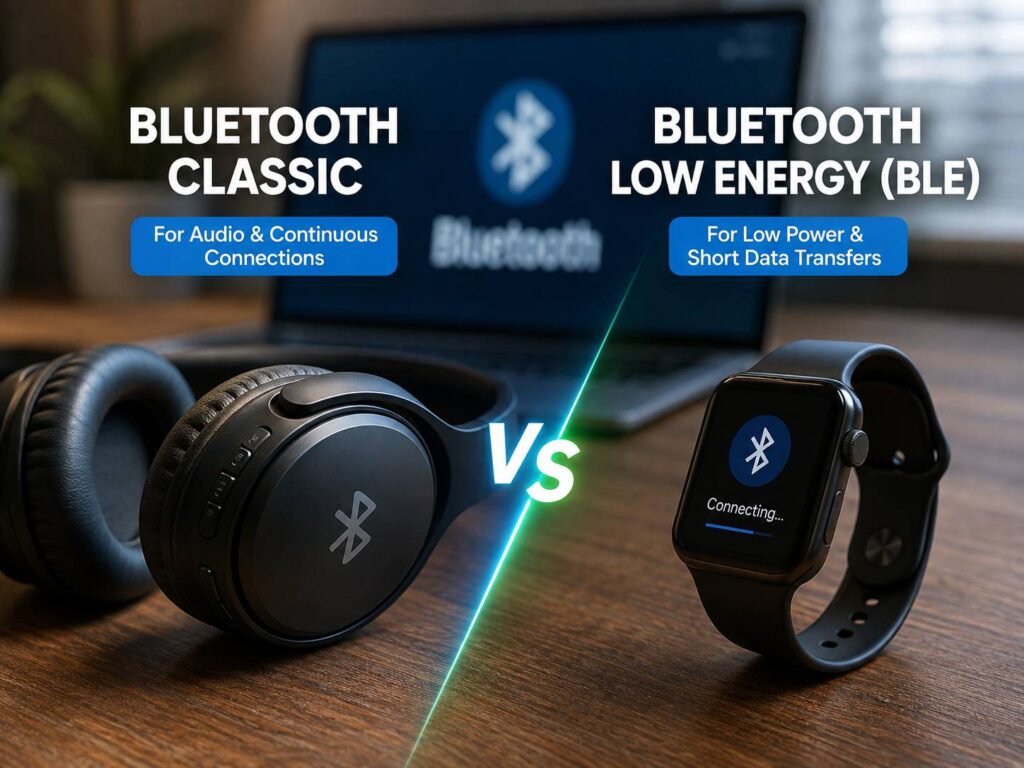
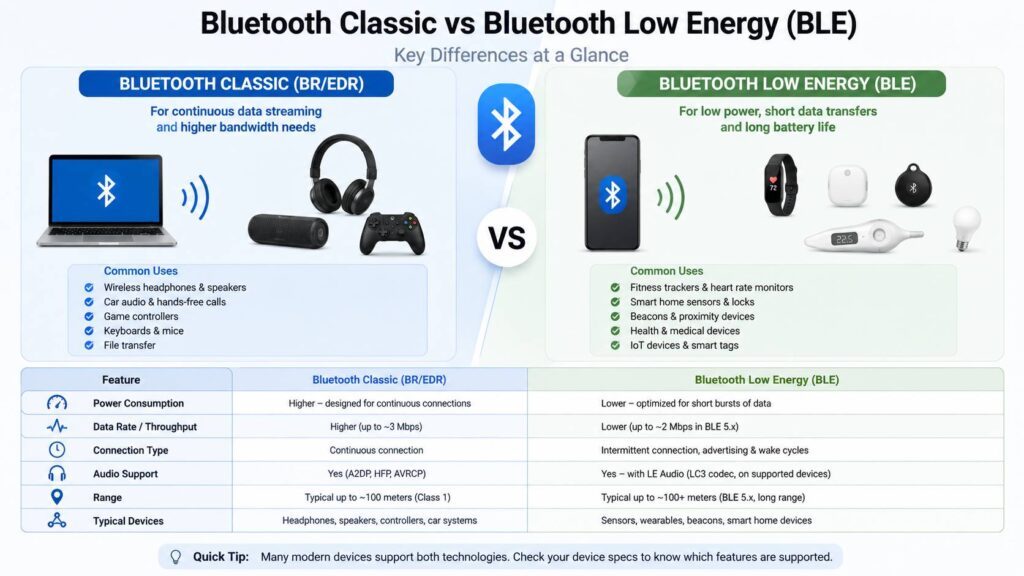
Bluetooth Classic is the original radio, called BR/EDR in the specification. Bluetooth Low Energy, shortened to BLE or Bluetooth LE, arrived with Bluetooth 4.0 in 2010 as a separate radio mode with its own channels. Both work in the same band, from 2.402 to 2.480 GHz. The Bluetooth SIG divides it into 79 channels 1 MHz wide for Classic and 40 channels 2 MHz wide for LE, three of which carry advertising, the short broadcasts a device sends so a computer can find it.
Classic's Enhanced Data Rate reaches 3 Mb/s, enough for a steady audio stream, and the SIG still lists speakers, headphones and in-car systems as its home. LE tops out at 2 Mb/s on its fastest setting and is designed, in the SIG's words, for very low power operation. A mouse sends a few bytes per movement, so the lower ceiling costs it nothing.
Many headphones carry both radios, streaming music over Classic and talking to their companion app over LE. LE Audio moves the music itself onto the Low Energy side with the LC3 codec, but it needs support in the headphones, the phone or PC, and the operating system. Windows 11's September 22, 2026 preview update still lists improved reliability for LE Audio accessories among its fixes.
How Low Energy saves power
An LE link runs on a timetable. The computer and the peripheral agree on a connection interval, and between those appointments both radios can sleep. Before Bluetooth Core 6.2 the interval could be set from 7.5 ms up to 4 seconds. The longer the interval, the more of the day the radio spends asleep.
So the battery figure depends less on which Bluetooth a mouse uses than on how often it is asked to report. A gaming receiver that sends a position every millisecond wakes its radio a thousand times a second. An office mouse on Bluetooth LE can afford to wait.
One mouse, three battery figures
The Razer Basilisk V3 Pro shows the effect cleanly, because it is one mouse with one battery and three ways to connect. Razer rates it at up to 150 hours over Bluetooth and up to 110 hours on its HyperSpeed receiver with constant motion at 1000 Hz. Add Razer's HyperPolling dongle and Mouse Dock Pro, both sold separately, and run it at 8000 Hz, and the rating falls to 32 hours.
Eight times the reports buys a little under a third of the runtime. Razer attaches no report rate to the Bluetooth figure, but Bluetooth LE before version 6.2 could not schedule the radio more often than every 7.5 ms, about 133 times a second, so Bluetooth is also the least talkative of the three modes.
Logitech's AA mice show the same thing across two models. The G305 Lightspeed, a gaming mouse that reports at 1000 Hz, is rated at 250 hours of continuous use on one AA cell, about two months at four hours of play a day. Logitech says its Endurance mode, set in the G HUB app, stretches that to up to nine months of typical use. The M240, a Bluetooth LE office mouse with the same single AA, is rated at 18 months. Logitech publishes neither the daily use behind the M240 figure nor what Endurance mode changes, but set side by side, the gaming mouse in its frugal mode still gets half the office mouse's rating.
The rechargeable MX Master 3S carries a 500 mAh battery and Logitech rates it at up to 70 days per charge, an average draw of about 0.3 mA spread across the calendar.
Keyboards spend their battery on light
On a backlit keyboard the LEDs outweigh the radio. Logitech rates the MX Keys S at up to 10 days on a full charge with its predefined settings, which include the backlight, and up to 5 months with the backlighting off. Its battery is 1500 mAh.
Spread across the calendar, those two figures come to about 6.25 mA with the lights on and about 0.42 mA with them off. Turning on the backlight multiplies the keyboard's average draw by roughly fifteen, and the Bluetooth LE link sits inside the smaller number, together with the keyboard's own electronics.
That makes the backlight-off rating the useful one when you compare keyboards for battery life. A lit keyboard's figure mostly measures its LEDs.
When a Low Energy mouse will not pair
An LE-only mouse needs a host with the LE radio. Logitech's compatibility line for the MX Master 3S and the MX Keys S reads "Requires Bluetooth Low Energy Technology". Any computer with Bluetooth 4.0 or later has it, and Windows has supported LE keyboards and mice through the HID over GATT profile since Windows 8, according to Microsoft's driver documentation. The machines left out are older ones, such as a desktop with a Bluetooth 2.1 or 3.0 dongle, or a PC still on Windows 7.
The receiver is the way around that, and on Logitech's office models it does not change the radio. Logitech builds its Logi Bolt receiver on Bluetooth Low Energy, enforcing Security Mode 1 Level 4, the strictest LE level, with authenticated and encrypted connections. A Bolt mouse plugged into an old PC is still an LE mouse, with the dongle supplying the radio the computer lacks.
Before you buy for battery life
Read the conditions printed next to the battery figure. Razer states the report rate behind each of its numbers, while Logitech's office ratings carry only a note that battery life varies with use, so the two brands' hours are not directly comparable.
On a keyboard, look for the backlight-off rating, and decide whether lit keys are worth charging every week or two. On a gaming mouse, expect the hours to fall as the report rate rises, since an 8000 Hz mode is rated in hours rather than weeks.
Speed and latency pull the other way from battery. For a gaming mouse the trade between Bluetooth, Wi-Fi and a 2.4 GHz receiver usually favors the receiver, and its battery figures show the cost.