Bluetooth vs Wi-Fi vs 2.4GHz: Which Wireless Connection Is Best for Gaming, Speed, Range, and Everyday Use?

Bluetooth vs Wi-Fi vs 2.4GHz: Which Wireless Connection Is Best for Gaming, Speed, Range, and Everyday Use?

Wireless devices often list Bluetooth, Wi-Fi, or 2.4GHz as connection options. At first glance, the choice looks simple. In practice, these terms do not describe the same thing.

Bluetooth is a wireless communication standard. Wi-Fi is a networking standard. The term 2.4GHz refers to a radio frequency band, yet product makers often use “2.4GHz wireless” to describe a direct connection between a device and a USB receiver.

That difference matters more than it sounds.

A gaming mouse needs quick and consistent input. Wireless headphones need stable audio and sensible battery use. A security camera needs enough bandwidth to send video through your home network. So, the best wireless connection changes with the device.

This guide explains Bluetooth vs Wi-Fi vs 2.4GHz in practical terms. It covers speed, latency, range, battery life, interference, gaming, headphones, keyboards, mice, controllers, smart-home devices, and common wireless problems.

Bluetooth, Wi-Fi, and 2.4GHz Are Not Direct Rivals

One of the biggest sources of confusion is the name “2.4GHz wireless.”

Bluetooth already operates in the 2.4GHz radio band. Wi-Fi can use 2.4GHz too. So, Bluetooth and 2.4GHz are not opposites in the technical sense.

Still, product listings use the terms differently.

On a mouse, keyboard, headset, or controller, “2.4GHz wireless” often means a direct radio connection through a small USB receiver. The exact technology varies between brands. Gaming companies often build their own wireless systems around low latency and stable input.

Wi-Fi has a different role. It connects devices to a local network and, in most homes, to the internet. Modern Wi-Fi equipment can work across 2.4GHz, 5GHz, and 6GHz bands.

So, the three options are best understood like this:

  • Bluetooth: direct wireless connection with broad device support
  • 2.4GHz receiver: direct device-to-receiver connection, often tuned for peripherals
  • Wi-Fi: network connection built for larger amounts of data

Once you separate those roles, the comparison becomes much easier.

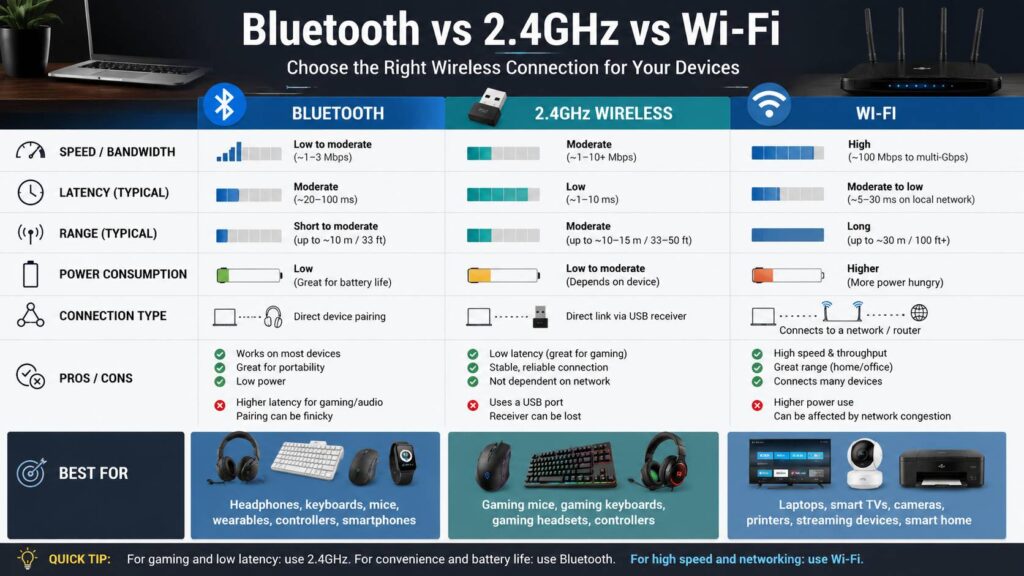
Quick Bluetooth vs Wi-Fi vs 2.4GHz Comparison

FeatureBluetooth2.4GHz USB receiverWi-Fi
Main usePeripherals, headphones, wearablesGaming and desktop peripheralsNetworking, streaming, cameras
USB receiver neededUsually noUsually yesNo
LatencyDepends heavily on deviceOften very low on gaming gearDepends on network conditions
BandwidthRelatively lowProduct-specificMuch higher
Battery useOften lowLow to moderateOften higher
Multi-device supportCommonDepends on productBuilt around networks
Gaming suitabilityFine for casual useOften best for peripheralsRare for mice and keyboards
Main weaknessPairing quirks and latency variationUses a USB portRouter and network dependence

These are broad patterns, not fixed rules. Product quality, antennas, drivers, firmware, receiver placement, interference, and distance can change real performance.

Bluetooth Is Usually Best for Convenience

Bluetooth has one major advantage. It works almost everywhere.

Most laptops, phones, tablets, TVs, handheld gaming devices, and modern desktop PCs support Bluetooth. That means you can connect a mouse, keyboard, controller, or headphones without carrying another receiver.

For travel, that is a real benefit.

A laptop with two USB-C ports can become frustrating once a receiver, charger, external drive, and display adapter enter the picture. Bluetooth removes one accessory from that setup.

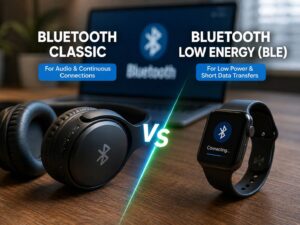
Battery life is another strength. Bluetooth Low Energy was designed around low-power communication, which makes it a good fit for keyboards, trackers, sensors, smartwatches, and many office mice.

Multi-device switching is common too. For example, some keyboards can stay paired with a laptop, tablet, and phone. Press one button and the keyboard moves to the next device.

Still, Bluetooth has weaknesses.

Pairing can occasionally become messy. A device may reconnect to an older computer rather than the one you are using. Some peripherals take a moment to reconnect after sleep. Audio latency can become noticeable during gaming or other interactive tasks.

For normal office work, none of this is usually a major problem. For competitive gaming, the small delays and inconsistent reconnect behavior can become irritating.

2.4GHz Wireless Is Often Better for Gaming Peripherals

For gaming mice, keyboards, and headsets, a dedicated 2.4GHz receiver is often the better choice.

The reason is simple. The manufacturer controls both ends of the connection.

It can tune the receiver, device firmware, polling behavior, packet timing, retry logic, and power management around one product. That gives gaming brands more control over responsiveness than they get through a standard Bluetooth connection.

For example, many gaming mice support both Bluetooth and a dedicated receiver. Bluetooth is there for convenience and battery savings. The receiver mode is often intended for the mouse’s highest polling rate and lowest latency.

That does not mean every 2.4GHz mouse is fast.

Cheap office mice can still have noticeable delay, low polling rates, or aggressive sleep settings. The words “2.4GHz wireless” say nothing about overall product quality.

A good receiver-based connection can feel almost indistinguishable from a wired connection during normal use. A poor one can stutter from just a few feet away.

The USB receiver itself creates another trade-off. You lose a port, and the tiny dongle is easy to misplace. Some brands let you buy and pair replacement receivers. Others do not.

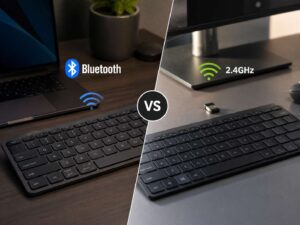
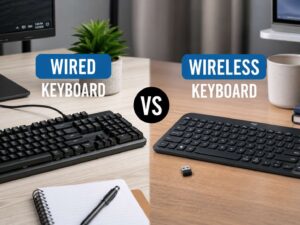
If keyboards are your main concern, this detailed Bluetooth vs 2.4GHz keyboard comparison covers latency, battery life, gaming, compatibility, and which type makes more sense for different setups.

Wi-Fi Is Better for Devices That Need More Data

Wi-Fi solves a different problem.

It is built for devices that need to send and receive much larger amounts of data. Laptops, phones, smart TVs, security cameras, printers, streaming devices, and smart speakers are good examples.

That makes Wi-Fi the clear choice for networked equipment.

A security camera needs to send video. A TV needs enough bandwidth for streaming. A laptop may transfer gigabytes of files. Those jobs do not fit Bluetooth very well.

At the same time, that extra bandwidth gives little benefit to a mouse or keyboard. Those devices send tiny amounts of data, so Wi-Fi would be excessive for the job.

Power use matters too. Wi-Fi radios are usually less attractive for tiny battery-powered accessories. That helps explain why wireless mice and keyboards rarely use Wi-Fi as their main connection.

Which Is Faster: Bluetooth, Wi-Fi, or 2.4GHz?

If speed means raw data transfer, Wi-Fi wins easily.

Modern Wi-Fi connections can move hundreds of megabits or several gigabits per second under the right conditions. Bluetooth works with much smaller data rates.

Yet raw speed does not tell the whole story.

A mouse does not need huge bandwidth. It needs tiny packets delivered consistently and with little delay. A headset needs enough capacity for audio and microphone data. A camera needs far more bandwidth than either.

So, “faster” has different meanings depending on the product.

For large downloads and streaming, Wi-Fi is fastest.

For gaming input, a well-designed 2.4GHz receiver often provides the fastest-feeling response.

For normal headphones, keyboards, and office accessories, Bluetooth is usually fast enough.

This distinction between bandwidth and latency is easy to miss. Still, it is one of the most useful things to understand before buying wireless gear.

Bluetooth vs 2.4GHz Latency for Gaming

Gaming is where Bluetooth and 2.4GHz differences become most noticeable.

For mice and keyboards, dedicated 2.4GHz modes often target low response times and high polling rates. Bluetooth modes often place more focus on compatibility and battery life.

For that reason, I would pick the receiver mode for competitive PC gaming.

Casual gaming is less demanding. Bluetooth can work perfectly well for slower games, strategy titles, RPGs, and occasional controller use.

Controllers are more complicated. Some console makers use their own wireless technology. A PC controller may support Bluetooth, USB, a proprietary receiver, or several of those options.

Headsets bring another layer into the picture. Bluetooth audio passes through a codec and buffering system. That can add audible delay in games. A dedicated 2.4GHz gaming headset often handles game audio and microphone traffic with less noticeable lag.

So, the practical advice is straightforward. Use Bluetooth when convenience matters most. Use a dedicated receiver when reaction time matters more.

Which Has Better Wireless Range?

There is no fixed winner for range.

Bluetooth range changes with the device, antenna, transmit power, receiver sensitivity, obstacles, and environment.

The same is true for proprietary 2.4GHz wireless.

A mouse receiver sitting beside the mouse on a desk can work perfectly. Move that receiver behind a metal PC case and performance can drop. Add a USB hub, external SSD, router, and several nearby wireless devices, then conditions become even harder.

Receiver position matters more than many buyers expect.

Wi-Fi behaves differently. A 2.4GHz Wi-Fi network often reaches farther through walls than 5GHz or 6GHz. Higher-frequency bands can provide more capacity, yet they often lose strength faster as walls and distance increase.

For a large home, Wi-Fi is built around broader coverage. For a keyboard or mouse, range beyond the room rarely matters.

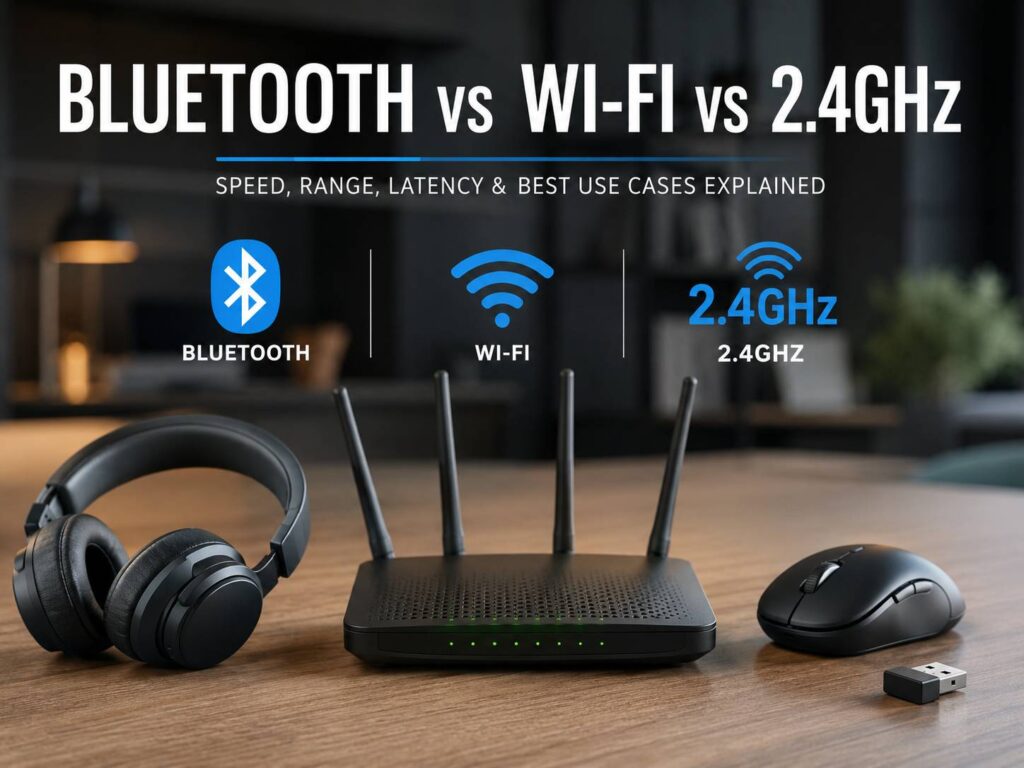
Bluetooth vs Wi-Fi vs 2.4GHz diagram

Why 2.4GHz Interference Can Cause Lag and Dropouts

The 2.4GHz band can get crowded.

Bluetooth devices, 2.4GHz Wi-Fi, wireless keyboards, gaming headsets, mice, controllers, smart-home equipment, and other electronics can all compete for nearby radio space.

That can create frustrating issues.

Common symptoms include:

  • Mouse cursor stutter
  • Missed keyboard input
  • Headset crackling
  • Short audio dropouts
  • Random controller lag
  • Shorter wireless range
  • Slow reconnects
  • Bluetooth pairing trouble

USB 3.0 devices can add another source of interference around 2.4GHz receivers. This is especially noticeable with receivers connected next to external SSDs, USB hubs, and high-speed cables.

Fortunately, a few simple changes often help:

  • Move the receiver closer to the device.
  • Keep it away from USB 3.0 storage and hubs.
  • Try a front USB port.
  • Use a short USB extension cable.
  • Move the router farther from the receiver.
  • Put high-bandwidth Wi-Fi devices on 5GHz or 6GHz.
  • Remove old Bluetooth pairings you no longer use.
  • Update wireless drivers and device firmware.
  • Test wireless devices one at a time.

A short USB extension cable is one of my favorite fixes. It costs little, yet moving a receiver just 30 to 60 cm away from the back of a PC can solve random stuttering in some setups.

Bluetooth vs 2.4GHz for a Wireless Mouse

For office work, Bluetooth is usually the easier option.

It saves a USB port, works well with laptops, and makes switching between devices simple. For browsing, spreadsheets, writing, and everyday work, the latency difference is unlikely to bother most users.

Gaming changes the recommendation.

A dedicated 2.4GHz receiver is the safer choice for fast shooters, competitive games, and any situation where input consistency matters.

Dual-mode mice give you the best of both. Use Bluetooth on a laptop or tablet, then switch to the receiver at your main desk.

There is one issue worth checking before buying. Some mice offer their highest polling rate only through the USB receiver. Bluetooth mode may operate at a lower rate to save power.

So, check the actual connection specifications rather than assuming both modes perform the same.

Bluetooth vs 2.4GHz for a Wireless Keyboard

The difference is less dramatic for keyboards.

Typing uses very little data, so Bluetooth can handle normal office work without trouble. It is a good fit for writers, programmers, tablets, shared desks, and multi-device setups.

Gaming keyboards benefit more from a dedicated receiver. Faster polling and predictable response can matter in competitive games.

Wake behavior can be annoying on either connection type.

Some Bluetooth keyboards take a second to reconnect after sitting idle. Some cheap receiver-based keyboards use aggressive sleep modes and do the same thing.

For that reason, user feedback on the exact model matters more than the connection label alone.

Bluetooth vs 2.4GHz for Headphones and Gaming Headsets

Bluetooth makes the most sense for phones, tablets, commuting, music, and general video playback.

It works across a huge range of devices, and you do not need a USB receiver.

For gaming, I prefer 2.4GHz headsets.

The dedicated receiver often gives lower audio delay, predictable microphone operation, and a simpler experience with PC and console voice chat.

Bluetooth has improved a lot, but support for newer audio features still varies between phones, PCs, headphones, operating systems, and codecs.

That is why two Bluetooth headsets can behave very differently despite showing similar specifications.

Wi-Fi headphones are uncommon. Wi-Fi makes much more sense in smart speakers and multi-room audio systems, where network access and high data capacity matter.

Bluetooth vs Wi-Fi for Smart-Home Devices

Smart-home products often use Bluetooth and Wi-Fi together.

Bluetooth can handle the first setup or nearby control. Wi-Fi then connects the product to your network.

Smart locks, sensors, trackers, and battery-powered accessories often benefit from Bluetooth. Cameras, doorbells, displays, speakers, and appliances tend to rely more heavily on Wi-Fi.

There is one common source of confusion here.

A smart plug marked “2.4GHz Wi-Fi only” is still a Wi-Fi device. It simply needs the 2.4GHz band from your router.

That is not the same kind of 2.4GHz receiver connection used by a gaming mouse.

Which Uses Less Battery?

Bluetooth often wins on small devices.

Low-power Bluetooth modes suit products that send small amounts of data and spend much of their time idle. That makes Bluetooth a natural fit for keyboards, watches, trackers, and small sensors.

Proprietary 2.4GHz devices can still have excellent battery life. Some wireless mice run for months from one battery.

Gaming hardware is different. High polling rates and constant radio activity consume more power. A gaming mouse running at 1000Hz, 4000Hz, or 8000Hz will usually use more energy than the same mouse in a power-saving mode.

Wi-Fi is usually the least attractive option for tiny battery-powered peripherals. Its network features and higher data capacity come with more power demands.

Security Differences Between Bluetooth, Wi-Fi, and 2.4GHz

Security depends on the exact product and its implementation.

Modern Wi-Fi networks normally use WPA2 or WPA3 protection. Bluetooth includes pairing, authentication, and encryption features.

Proprietary 2.4GHz receivers depend more heavily on the manufacturer’s design.

That means you should not assume a random wireless keyboard is secure just from seeing “2.4GHz encrypted” on a product listing.

For normal home use, major brands tend to provide reasonable security information. For business environments, shared offices, or devices that handle sensitive input, checking the manufacturer’s security documentation is a better idea.

Common Buying Mistakes

Several mistakes come up often.

Buying based on the frequency alone

The term 2.4GHz does not tell you latency, polling rate, security, range, or overall quality.

Assuming Bluetooth always has bad latency

That is not true for every use. Bluetooth can feel perfectly responsive for office work and normal browsing.

Assuming every USB receiver is faster

A poor receiver implementation can still stutter, lag, or reconnect slowly.

Ignoring receiver placement

A receiver hidden behind a metal desktop case can perform much worse than the same receiver placed on the desk.

Forgetting the desktop antenna

Some motherboard Bluetooth and Wi-Fi modules use an external antenna. Leaving it disconnected can ruin both Bluetooth range and Wi-Fi reception.

Buying from Bluetooth version numbers alone

A newer Bluetooth version does not guarantee every newer feature is active. Product makers choose which features to support.

Using 2.4GHz Wi-Fi for every device

Moving laptops, TVs, phones, and consoles to 5GHz or 6GHz can free space around the 2.4GHz band. That can help peripherals in crowded setups too.

Which Wireless Connection Should You Choose?

Choose Bluetooth for:

  • Office mice
  • Office keyboards
  • Wireless earbuds
  • Portable headphones
  • Tablets
  • Phones
  • Multi-device accessories
  • Travel setups
  • Wearables
  • Devices where saving a USB port matters

Choose 2.4GHz receiver wireless for:

  • Gaming mice
  • Gaming keyboards
  • Gaming headsets
  • Competitive PC gaming
  • Controllers with dedicated receivers
  • Desktop setups where consistent input matters

Choose Wi-Fi for:

  • Laptops
  • Smartphones
  • Smart TVs
  • Security cameras
  • Video doorbells
  • Wireless printers
  • Streaming devices
  • Smart speakers
  • Network storage
  • Large file transfers
  • Devices that need internet or local network access

For a mouse, keyboard, or headset that supports both Bluetooth and 2.4GHz wireless, having both modes is genuinely useful.

Bluetooth is great for travel and general work. Then, at your main desk, switch to the receiver for gaming or lower-latency use.

Bluetooth vs Wi-Fi vs 2.4GHz: Which Is Best?

There is no single wireless connection that wins in every category.

Bluetooth makes the most sense for convenience, portability, low-power devices, and multi-device use. A good 2.4GHz receiver is usually the better choice for gaming peripherals and other hardware that depends on quick response. Wi-Fi is built for networking, streaming, file transfers, cameras, and devices that need much more bandwidth.

So, think about the job rather than the name printed on the box.

For a gaming mouse, choose the dedicated receiver. For a travel keyboard, Bluetooth makes more sense. For a security camera, Wi-Fi is the natural fit.

If a peripheral supports both Bluetooth and a 2.4GHz receiver, that flexibility is worth having. You get an easy connection for everyday use and a performance-focused option when you need it.

← Back to the blog