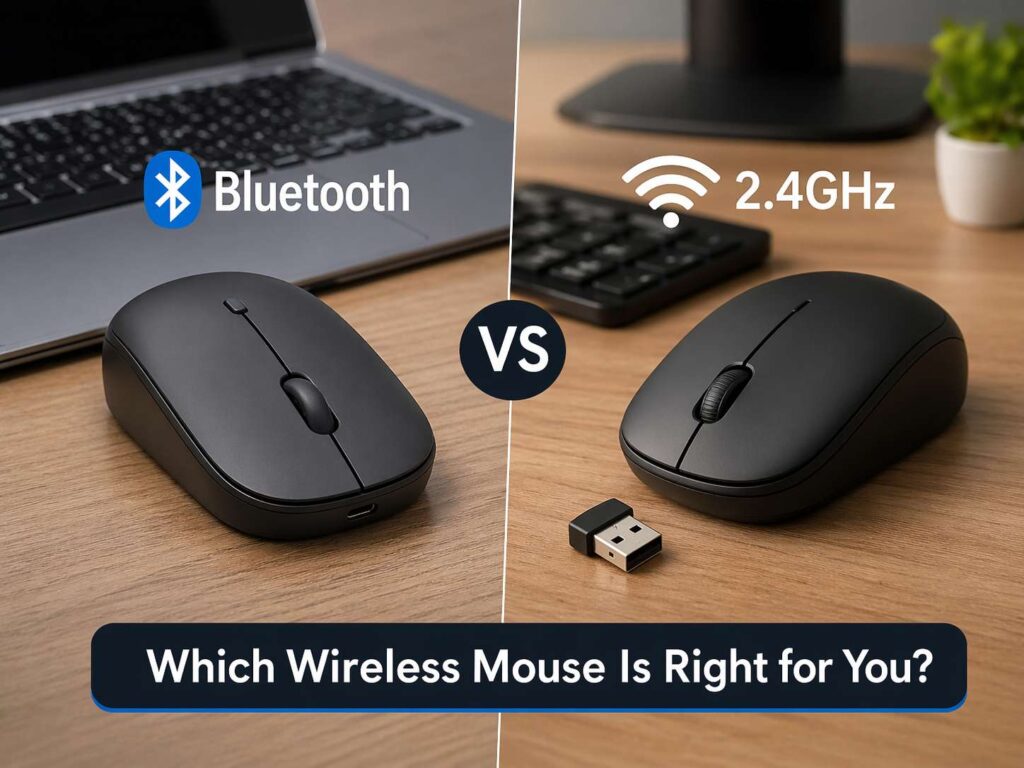
A wireless mouse feels simple until you try to buy one. Then the choice gets messy fast. Some models use Bluetooth. Others use a small USB receiver and call it 2.4GHz wireless. Many buyers want to know one thing: which one feels better in real life?
The short answer is clear. Bluetooth is easier for travel, office use, and switching between devices. A 2.4GHz mouse with a USB receiver feels faster and more stable for gaming and quick pointer movement. A dual-mode mouse gives most people the best mix of both.
That sounds easy, but the details matter. Battery life can change by connection type. Pairing can feel smooth on one setup and annoying on another. A laptop user and a desktop gamer do not need the same mouse. So the right pick starts with how you use it each day.
This guide breaks it down in plain language. You will see how Bluetooth and 2.4GHz mice differ in speed, battery life, reliability, and day-to-day convenience. You will get a clear answer by the end, and you will know what to buy with less guesswork.
What Bluetooth and 2.4GHz really mean
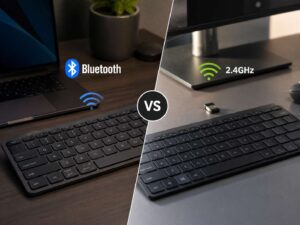
A lot of product pages make this topic look more confusing than it is. Bluetooth is a wireless standard built into many laptops, tablets, and phones. A 2.4GHz mouse usually uses a tiny USB dongle that plugs into your device and creates its own wireless link.
So the real choice is not “wireless or not.” Both are wireless. The real choice is built-in Bluetooth versus a receiver-based wireless connection.
That difference changes the setup. A Bluetooth mouse pairs straight with a laptop or tablet that has Bluetooth support. A 2.4GHz mouse needs a USB port for the receiver. If your laptop has very few ports, Bluetooth feels cleaner right away. If your desktop stays in one place and has free USB ports, the receiver route feels simple too.
Many modern mice now support both methods. These are often called dual-mode mice or multi-device mice. They let you use Bluetooth with a laptop and the receiver with a desktop. For many buyers, that is the sweet spot.
Speed and response time
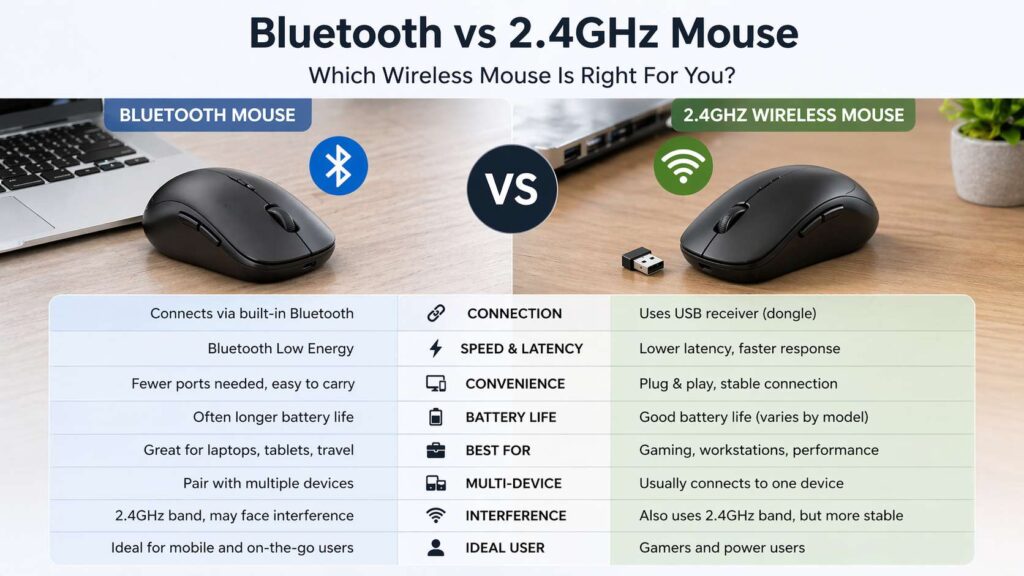
This is the biggest reason many gamers still choose a 2.4GHz mouse. A receiver-based connection usually feels faster. Clicks register with less delay, and cursor movement feels tighter. In fast games, that difference is easy to feel.
Bluetooth has improved a lot over the years. It works well for browsing, office work, school tasks, and casual games. Still, if you play shooters, competitive MOBAs, or any game that rewards quick aim and fast reactions, a 2.4GHz mouse has the edge.
The reason is simple. Gaming brands put their fastest wireless tech into their receiver mode, not Bluetooth mode. That is why many high-end gaming mice still ship with a USB dongle even when they support Bluetooth too.
This does not mean Bluetooth feels bad. For many people, it feels perfectly fine. If you write emails, edit documents, manage spreadsheets, or scroll through web pages, Bluetooth gives a smooth and steady experience. Yet once speed becomes the top priority, the receiver path wins.
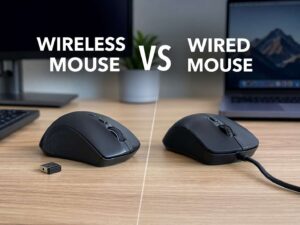
If you are still weighing the bigger cable-versus-wireless question, this guide on wireless mouse vs wired mouse helps put that choice into context too.
Battery life and charging
Battery life is one of the most practical parts of this debate, and it does not always go the same way. In many dual-mode mice, Bluetooth uses less power. That often means longer battery life on a single charge or one AA battery.
A 2.4GHz connection often pushes harder for speed and responsiveness. That can drain the battery faster. The gap is not always huge, but it shows up often enough that buyers should check it before they order.
This matters a lot for travel. A Bluetooth mouse that lasts longer between charges is easier to live with in a backpack. You do not have to think about a cable or spare battery as often. For home office use, the difference may feel less important, especially if you charge the mouse overnight every few weeks.
Rechargeable mice have made the battery story better across the board. Many good models now last for weeks or even months. So battery life is no longer a weak point for wireless mice in general. The smarter move is to compare the same mouse in both modes, not just assume one type always lasts longer.
Convenience and ease of use
Bluetooth wins this round for many people. You do not need a dongle. You do not need to give up a USB port. You do not need to worry about losing a tiny receiver in a bag or desk drawer.
That makes Bluetooth a great fit for laptops, tablets, and travel setups. It is neat, clean, and easy to carry. If you move between home, office, and coffee shops, that matters more than many reviews admit.
A receiver mouse still has a very easy setup. You plug in the dongle, turn on the mouse, and it works. That plug-and-play feel is one reason many people love it. There is almost no setup friction. It just takes one port, and that can be a problem on thin laptops with limited space.
Bluetooth shines on multi-device setups too. Many Bluetooth mice let you pair with two or three devices and switch between them with one button. That is useful for anyone who uses a work laptop, a personal laptop, and a tablet in the same day.
Stability in crowded wireless spaces
Wireless performance is not just about speed. It is about how steady the mouse feels when your room is full of signals. Wi-Fi routers, wireless keyboards, headsets, smart home gear, and other devices all share airspace around you.
A good 2.4GHz receiver mouse often feels more stable in busy setups. Brands tune that receiver connection for their own hardware, and that can help keep performance steady on crowded desks.
Bluetooth still works well for most users. Yet it can feel less consistent in some cases, especially on older laptops or busy office setups with many wireless devices nearby. You may notice small pauses, rare skips, or a slower wake-up from sleep.
These issues do not happen to everyone, and many new systems handle Bluetooth very well. Still, if stability matters a lot and you want the least fuss, a strong 2.4GHz receiver mouse remains the safer bet.
Gaming, work, and travel. Which one fits each use best?
For gaming, the answer is simple. Pick a 2.4GHz mouse. It gives lower lag, faster response, and a more locked-in feel. Fast shooters and esports titles benefit most, but the difference can feel nice in any game that rewards quick movement.
For office work, Bluetooth is often the better fit. It frees up ports, handles normal tasks with ease, and makes switching between devices much easier. If your day is full of writing, meetings, spreadsheets, and browsing, Bluetooth does the job well.
For travel, Bluetooth usually makes more sense too. No receiver means one less thing to carry and one less thing to lose. That alone is a big plus for frequent flyers and laptop users.
For mixed use, a dual-mode mouse is hard to beat. You can use Bluetooth with a work laptop and the receiver with a desktop gaming PC. That gives you speed where you want it and convenience where you need it.
Do not forget comfort and shape
Connection type matters, but shape matters just as much. A fast mouse still feels bad if your hand never settles on it. Long work sessions can feel tiring on the wrong shape, even if the sensor and battery are great.
That is why many buyers should look at shape right after connection type. A low, flat mouse may feel portable, but it may not suit long desk sessions. A larger ergonomic mouse may feel much better for daily work, even if it takes more space in a bag.
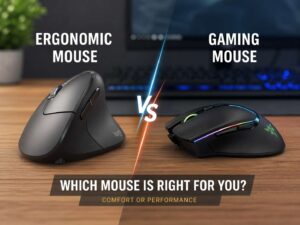
If wrist comfort is part of your buying plan, read this guide on vertical mouse vs regular mouse. It explains how shape changes hand position and comfort over long sessions.
What buyers should check before they order
Start with your main device. A tablet or thin laptop often pairs best with Bluetooth. A desktop gaming setup often works best with a receiver.
Then check if the mouse supports both modes. A dual-mode model gives more freedom and ages better if your setup changes later.
Look at battery claims too. Some mice last much longer on Bluetooth than on 2.4GHz. Others stay strong in both modes. That difference matters more if you travel often or dislike charging gear.
Check the receiver type as well. Some dongles use USB-A. Some newer ones use USB-C. That small detail can save you from buying an adapter later.
Software support matters too. Some mice offer extra buttons, custom shortcuts, or app controls that work best on certain operating systems. Mac users, Windows users, and tablet users should confirm that before they buy.
The best choice for most people
Most people do not need to treat this as a hard either-or decision. If your budget allows it, a dual-mode wireless mouse is usually the smartest buy. You get Bluetooth for easy travel and multi-device work. You get 2.4GHz for faster response and a steadier feel at the desk.
If you want the cleanest setup for a laptop, pick Bluetooth. If you want the best performance for gaming, pick 2.4GHz. If you want one mouse that handles both jobs well, pick a dual-mode model and move on.
That answer sounds less dramatic than many buying guides, but it is the honest one. Bluetooth is not “bad,” and 2.4GHz is not always “better.” Each one fits a different kind of user.
Final verdict
Bluetooth is the better pick for office use, travel, and multi-device setups. It feels simple, tidy, and easy to carry. A 2.4GHz mouse is the better pick for gaming, quick reactions, and the most stable desktop feel.
For most buyers in 2026, the best value sits in a mouse that supports both. That gives you room to work the way you want without locking you into one connection style.
If your day starts with emails and ends with games, that flexibility feels great. If your setup stays simple and fixed, one connection type is enough. Pick the one that matches your routine, and the decision gets much easier.