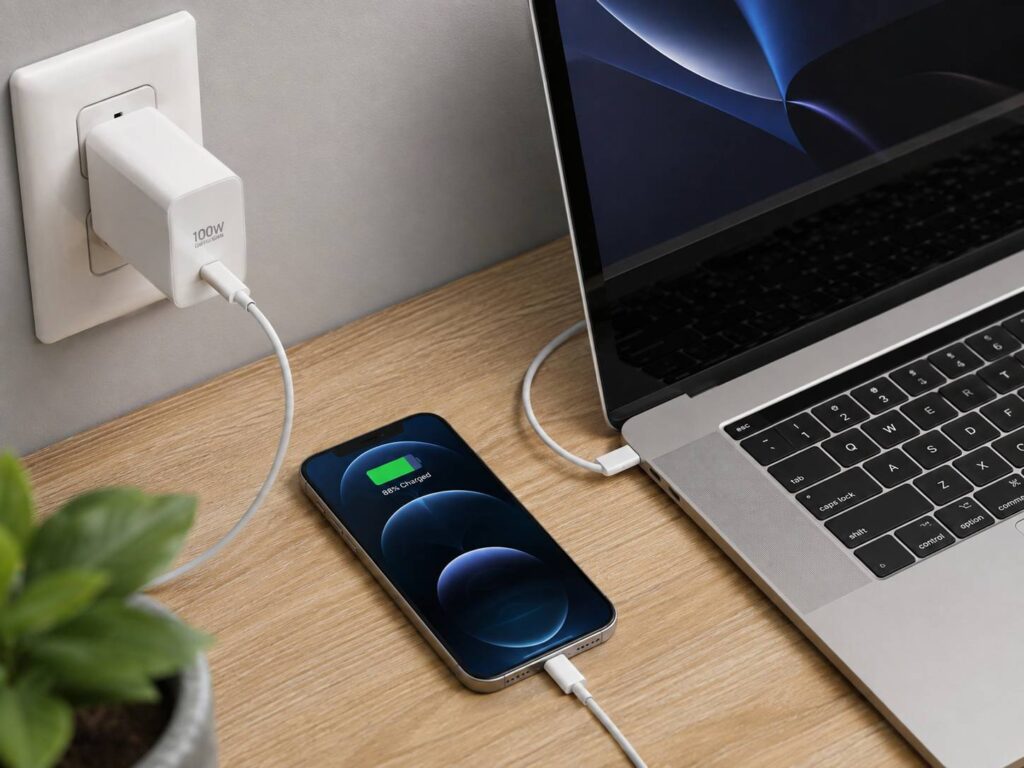
Yes, in most cases you can safely use a USB-C laptop charger with your phone, even if the charger is rated for 65W, 100W, 140W, or more.
That larger wattage number can look worrying at first. If your phone normally charges at 20W or 30W, plugging it into a 100W laptop charger might seem like overkill. Fortunately, modern USB-C charging doesn’t work that way.
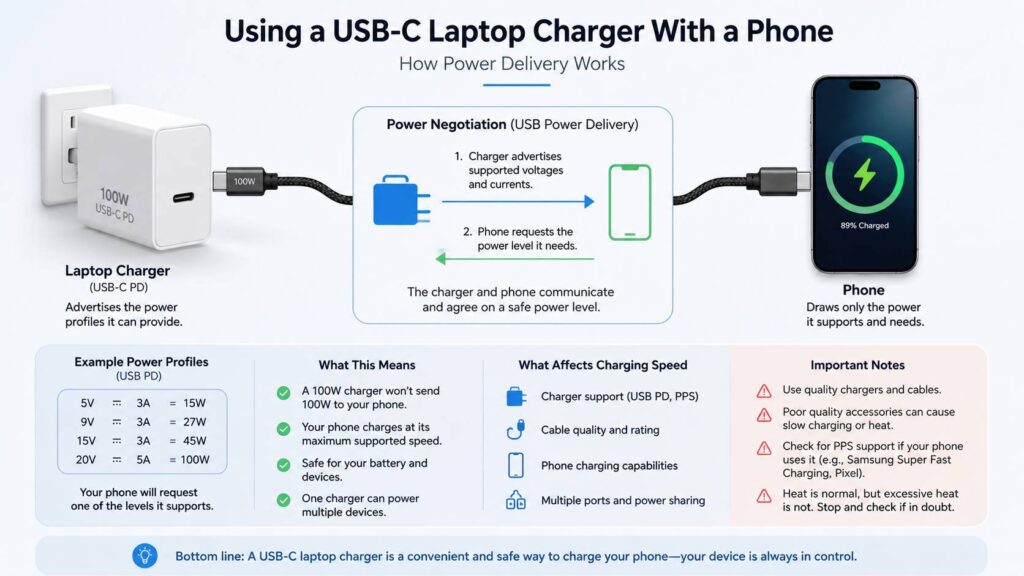
A compatible charger does not push its maximum power into every device. Instead, the charger and phone communicate and agree on a power level the phone can accept. Your phone controls how much power it draws.
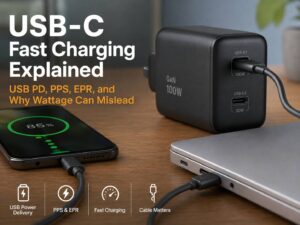
Still, not every USB-C charger behaves exactly the same. USB Power Delivery support, PPS compatibility, cable quality, and manufacturer-specific charging standards can all affect charging speed.
Here’s what actually happens when you charge a phone with a laptop charger, plus a few things worth checking if you want the fastest charging possible.
Is It Safe to Use a USB-C Laptop Charger With a Phone?
For modern, properly designed USB-C equipment, yes.
USB Power Delivery, commonly called USB PD, allows a charger and connected device to negotiate how much power should be supplied. The charger tells the device which voltage and current combinations it supports. The phone then requests one that it can safely use.
So, if you connect a phone that can charge at around 25W to a 100W laptop charger, the phone doesn’t suddenly receive 100W.
The 100W figure simply tells you how much power the charger can provide under the right conditions.
This makes one USB-C charger useful for several types of electronics, including:
- Smartphones
- Tablets
- Laptops
- Handheld gaming devices
- Wireless earbuds
- Power banks
- Cameras
- Other USB-C accessories
Apple allows compatible USB-C Mac power adapters to charge iPhones. Many Google Pixel phones use USB Power Delivery, while Samsung relies on USB PD and PPS for several of its faster charging modes.
The important part isn’t whether the charger’s maximum wattage is higher than your phone’s. What matters is whether the charger, cable, and phone follow compatible charging standards.
Why a 100W Charger Doesn’t Give Your Phone 100W
A charger’s wattage rating represents its maximum available output.
It isn’t a fixed amount that gets sent into anything you plug in.
Think of a 100W charger as having up to 100W available. A laptop might need most of that power, while a phone may need only a fraction of it.
Power is calculated using a simple formula:
Watts = volts × amps
Some possible combinations are:
- 5V × 3A = 15W
- 9V × 3A = 27W
- 15V × 3A = 45W
- 20V × 3A = 60W
A laptop may request 20V from the charger. A smartphone could request a much lower voltage.
The exact values depend on the devices involved, but the main point stays the same. Your phone controls what it requests.
That’s why using a higher-wattage laptop charger doesn’t automatically mean you’re putting excessive power into the battery.
USB-C and USB Power Delivery Aren’t the Same Thing
This is where things get a little confusing.
USB-C describes the shape and design of the connector. It doesn’t guarantee a specific charging speed or charging technology.
Two chargers can both have USB-C ports but work quite differently.
One charger may offer basic USB charging. Another could support USB Power Delivery. A third may support USB PD along with PPS.
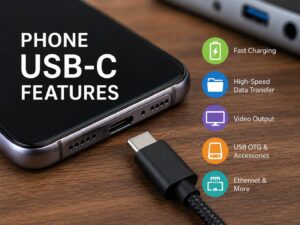
The same is true for phones. USB-C ports can support different capabilities depending on the device. If you want a broader explanation of charging, display output, data transfer, OTG, and other capabilities, this guide to phone USB-C features explains what the connector can actually do.
So, simply seeing a USB-C port doesn’t tell you how quickly a phone will charge.
What USB Power Delivery Does
USB Power Delivery lets compatible devices negotiate higher power levels through USB-C.
Modern versions of USB PD can support far more power than a smartphone normally needs. Extended Power Range specifications allow compatible USB-C equipment to reach up to 240W.
That kind of power is mainly useful for laptops, monitors, docking stations, and other demanding devices.
A phone connected to one of those chargers still asks only for the power level it supports.
What PPS Does
PPS stands for Programmable Power Supply.
Standard USB Power Delivery can work with predefined voltage levels. PPS allows compatible devices to request more precise voltage and current adjustments while charging.
That matters for some Android phones.
Samsung uses USB PD with PPS for its Super Fast Charging system. Several Google Pixel models can also make use of PPS.
Because of this, a 100W laptop charger might safely charge your phone while still falling short of the phone’s fastest advertised charging speed.
It has plenty of total power available. It may simply lack the specific charging protocol the phone wants.
Will a Laptop Charger Make Your Phone Charge Faster?
It can, but only up to the phone’s own charging limit.
Suppose your phone supports charging at roughly 25W.
The result might look something like this:
- A 10W charger charges it relatively slowly.
- A compatible 25W charger can reach the phone’s intended charging speed.
- A compatible 65W charger may provide roughly the same result.
- A compatible 100W charger may also perform about the same.
Once the charger can supply everything the phone is prepared to accept, extra wattage doesn’t magically make charging faster.
This is why buying a 100W charger instead of a 65W model won’t necessarily improve phone charging.
Charging protocol support can matter just as much as the number printed on the adapter.
How to Use a USB-C Laptop Charger With Your Phone
There’s usually no special setup.
1. Check the charger’s USB-C output
Look at the information printed on the charger or its product specifications.
Ideally, it should support USB Power Delivery. If your phone relies on PPS for its fastest charging mode, look for PPS support too.
2. Use a suitable cable
For a USB-C phone, a good USB-C to USB-C cable is usually the simplest choice.
Older iPhones with Lightning ports can use a USB-C to Lightning cable with a compatible USB-C charger.
Don’t assume every USB-C cable has identical capabilities. Cable ratings can affect higher charging speeds.
3. Connect the phone
Plug the cable into the laptop charger, then connect your phone.
The charger and phone should handle the power negotiation automatically.
You don’t normally need to change a setting.
4. Check the charging status
Depending on your phone, you might see messages such as:
- Charging
- Fast charging
- Rapidly charging
- Super fast charging
Different manufacturers use different wording.
If your phone only says “Charging” when you expected a faster mode, the charger or cable may not support the required protocol.
5. Pay attention to excessive heat
Some warmth during fast charging is normal, especially when the battery is low and charging power is relatively high.
Still, stop using the charger or cable if you notice:
- Extreme heat around the connector
- A burning smell
- Damaged insulation
- Cracked plastic
- Repeated connection and disconnection
- A loose USB-C plug
Physical damage is a much bigger concern than simply using a charger with a high wattage rating.
Why a Powerful Laptop Charger Might Charge Your Phone Slowly
A charger can say “100W” on the side and still charge your phone more slowly than expected.
There are several reasons for this.
The Charger Doesn’t Support the Right Protocol
USB PD support doesn’t automatically mean PPS support.
That’s particularly relevant for Samsung Galaxy phones that use PPS for certain Super Fast Charging modes.
You might connect the phone to a 100W USB PD laptop adapter and get normal fast charging rather than the maximum charging mode.
Nothing is necessarily wrong with the charger.
The phone and charger may simply be settling on the best charging profile they both support.
The Cable Is Holding Things Back
People often focus on the charger and forget about the cable.
Some USB-C cables support more current than others. Higher-power USB-C charging may also require electronically marked cables.
USB-IF certified USB-C cables can carry markings showing supported power levels such as 60W or 240W.
For a phone, you usually won’t need anything close to 240W. Still, particular charging modes can have specific cable requirements.
For example, certain Samsung 45W charging configurations require a compatible 5A USB-C cable.
Using another cable may still charge the phone, just more slowly.
You’re Using Several Charger Ports
Multi-port chargers introduce another variable.
A charger advertised as 100W might deliver up to 100W from one USB-C port when nothing else is connected.
Plug in a laptop, phone, and tablet at the same time, and that power may be divided among the ports.
The exact distribution varies by charger.
Some chargers also briefly reset their USB-C connections when another device gets plugged in. You may see the phone stop charging for a second and then reconnect.
That can be normal.
If charging speed drops when another device is connected, check the charger’s multi-port power distribution specifications.
Can You Use a MacBook Charger With an iPhone?
Yes.
Apple’s USB-C Mac power adapters can charge compatible iPhones.
If your iPhone has USB-C, you can connect it directly using a USB-C cable.
For an older iPhone with Lightning, use a compatible USB-C to Lightning cable.
A 67W, 96W, or 140W MacBook charger doesn’t force that entire amount of power into the iPhone.
The phone negotiates the charging level it needs.
So, if you already carry a MacBook charger, you generally don’t need another low-wattage adapter just for the iPhone.
Can You Use a USB-C Laptop Charger With a Samsung Phone?
In most cases, yes.
Many Samsung Galaxy phones support USB Power Delivery. Some models also use PPS for Samsung’s faster charging modes.
This means a generic 65W laptop charger could work perfectly well but still fail to display “Super Fast Charging” or “Super Fast Charging 2.0.”
The missing feature may be PPS support rather than available wattage.
For supported 45W Samsung charging modes, the cable can matter too. A compatible 5A cable may be required.
If maximum speed matters, check the charger’s USB PD and PPS specifications rather than buying based only on wattage.
Can You Charge a Google Pixel With a Laptop Charger?
A compatible USB Power Delivery laptop charger can charge a Google Pixel.
Recent Pixel devices can also make use of PPS charging.
As with Samsung phones, this means the biggest charger isn’t necessarily the fastest one for your particular phone.
A well-matched lower-wattage PPS charger could provide the charging mode the phone prefers, while a much larger laptop charger without the necessary PPS support may run at a lower rate.
Exact charging performance varies between Pixel models.
Does a Laptop Charger Damage the Phone’s Battery?
Using a higher-rated USB-C charger doesn’t automatically damage the phone battery.
The phone controls its charging behavior.
Battery health is affected more by factors such as:
- Temperature
- Charging habits
- Battery age
- Charge cycles
- Time spent at very high charge levels
- The phone’s battery management system
Fast charging can produce extra heat under some conditions. Phones manage this by adjusting charging power according to temperature and battery level.
That’s also why charging often slows as the battery gets closer to full.
A phone may accept relatively high power when the battery is low, then gradually reduce the charging rate.
So, even if your charger is capable of supplying 100W, the phone isn’t continuously pulling maximum power from 0% to 100%.
Does a 100W Charger Use More Electricity?
Not simply because it says 100W on the label.
A 100W charger connected to a phone doesn’t continuously consume 100W from the wall.
Actual consumption depends mainly on how much power the phone requests, plus normal conversion losses.
For example, plugging the same phone into a compatible 30W and 100W charger doesn’t mean the 100W adapter suddenly makes the phone consume more than three times as much electricity.
The 100W rating describes capacity, not constant consumption.
Is a GaN Laptop Charger Better for Charging Phones?
GaN chargers use gallium nitride technology, which allows manufacturers to build relatively compact chargers with high power output.
They’re particularly useful when you want one small adapter for a laptop, phone, and other devices.
Still, GaN doesn’t automatically mean better phone charging.
A 100W GaN charger without PPS may perform worse with a particular smartphone than a 45W charger that fully supports the phone’s charging protocol.
If you’re shopping for one charger for everything, look at:
- USB Power Delivery support
- PPS compatibility
- Output per USB-C port
- Multi-port power sharing
- Cable requirements
- Safety certification
- Manufacturer reputation
Wattage matters, but it isn’t the whole story.
What About 140W or 240W USB-C Chargers?
Modern USB Power Delivery supports far more power than phones require.
You’ll now find chargers capable of 140W and beyond. USB PD Extended Power Range can support compatible equipment up to 240W.
That’s useful for more demanding hardware.
It doesn’t make a phone charge at 140W or 240W.
Your smartphone still negotiates a supported charging profile.
For phone charging alone, buying such a powerful adapter usually doesn’t provide a speed advantage over a properly matched lower-wattage charger.
The advantage is convenience.
One powerful adapter can potentially replace the separate chargers for your laptop, phone, tablet, power bank, and other devices.
When Should You Avoid Using a Laptop Charger With a Phone?
The maximum wattage usually isn’t the problem.
Condition and build quality matter more.
Avoid using a charger or cable if:
- The charger casing is cracked.
- The USB-C connector feels loose.
- The cable insulation is damaged.
- Charging constantly disconnects and reconnects.
- The adapter or connector becomes extremely hot.
- You notice a burning smell.
- The charger comes from an unknown source with questionable safety claims.
A reputable 100W USB PD charger can be a safer choice than a badly made 20W adapter.
Don’t judge a charger’s safety by wattage alone.
Common Problems With USB-C Laptop Chargers
The Phone Says “Slow Charging”
Start by trying another USB-C cable.
Then check whether the charger supports USB Power Delivery and PPS if your phone needs it.
If you’re using a multi-port adapter, disconnect the other devices and test the phone on its own.
Fast Charging Works With One Charger but Not Another
The chargers probably support different USB PD profiles or charging protocols.
Two 65W chargers don’t necessarily provide identical charging modes.
One might include PPS while another doesn’t.
Charging Briefly Stops When You Plug In Another Device
Some multi-port chargers redistribute available power whenever another device connects.
Existing devices may briefly lose power while the charger negotiates a new configuration.
Charging should normally resume almost immediately.
If it keeps happening repeatedly, try another cable or USB-C port.
The Cable Says 100W but Fast Charging Still Doesn’t Work
A higher cable rating doesn’t add charging features to the charger.
The charger, phone, and cable all need to work together.
A 100W or 240W cable won’t give a non-PPS charger PPS functionality.
Should You Use One Charger for Your Laptop and Phone?
For many people, it makes a lot of sense.
A good 65W or 100W USB-C Power Delivery charger can often handle a laptop, phone, tablet, earbuds, and power bank.
The biggest benefit isn’t faster phone charging. It’s having fewer chargers to carry.
You can reduce cable clutter and free up wall sockets too.
Just check the power distribution if you’re buying a multi-port charger. A 100W adapter may deliver its full 100W only when one particular port is being used.
Once you connect two or three devices, the laptop may receive less power.
Frequently Asked Questions
Can a 65W laptop charger damage a 25W phone?
A properly designed USB-C charger should not force 65W into a phone that only needs around 25W. Compatible devices negotiate an appropriate power level.
Can I use a 100W USB-C charger with my phone?
Yes. A compatible USB-C phone can normally use a 100W charger safely. The phone draws only the amount of power it supports.
Can I use a 140W MacBook charger with an iPhone?
Yes, with a compatible cable and iPhone. The iPhone negotiates its own charging level rather than receiving the charger’s full 140W capacity.
Will a laptop charger charge my phone faster?
It might if your current charger can’t provide enough power. Once you reach the phone’s supported charging limit, a higher-wattage charger won’t necessarily increase charging speed.
Why doesn’t my Samsung phone show Super Fast Charging?
The charger may not support the necessary USB PD PPS profile. For some 45W charging modes, the cable can also matter.
Do I need a special USB-C cable?
Not always. Most phones work with a good-quality USB-C cable, but some higher charging modes require cables rated for additional current or power.
Does every USB-C charger support USB Power Delivery?
No. USB-C describes the connector, while USB Power Delivery is a separate power negotiation standard.
So, Can You Really Use a Laptop Charger With Your Phone?
In most cases, yes.
Using a USB-C laptop charger with a phone is both practical and safe when you’re using properly designed, compatible equipment.
You don’t need to match the charger’s maximum wattage to your phone exactly. A 65W, 100W, or even higher-power USB-C charger does not automatically send all of that power into the phone.
For reliable fast charging, pay more attention to USB Power Delivery, PPS support, cable capability, and your phone’s own charging requirements.
If those pieces match, one good laptop charger can easily replace several smaller adapters. And for everyday travel or desk use, that’s usually much more convenient.