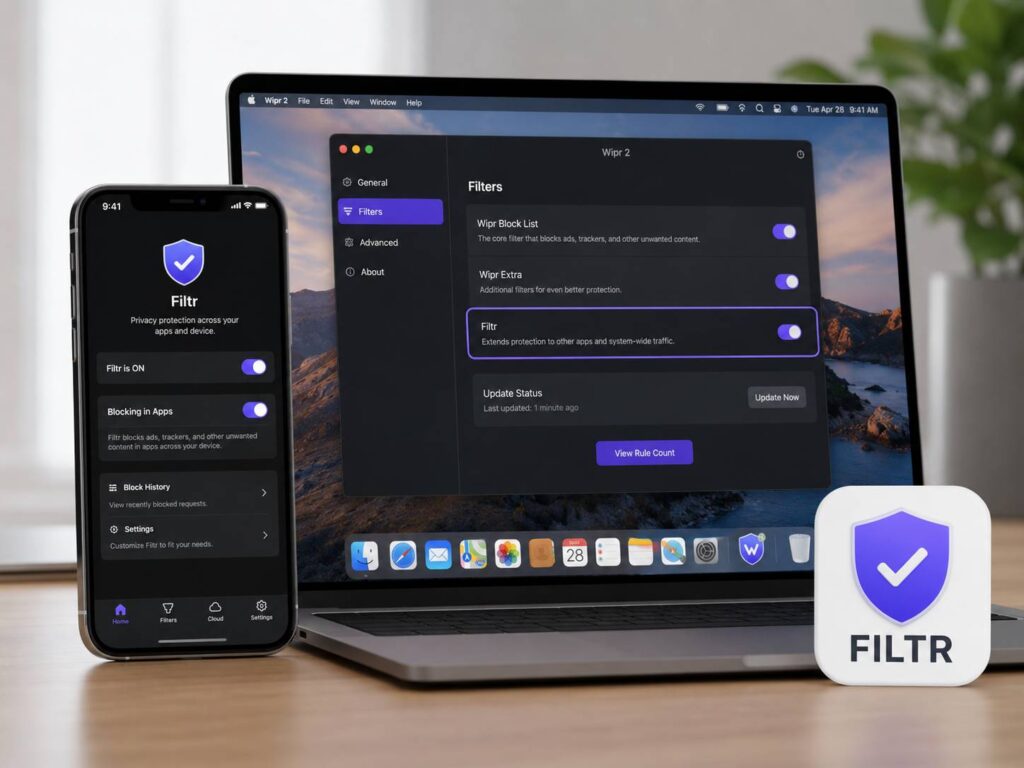
Apple users already have strong Safari ad blockers, but app ads have always been harder to control. Filtr Privacy Tool changes that in a practical way. It extends Wipr 2 beyond Safari and blocks many ad and tracker requests inside iPhone, iPad, and Mac apps.
That matters more than it sounds. Most screen time does not happen in Safari anymore. It happens in weather apps, news apps, shopping apps, games, social apps, and third-party browsers. So, a blocker that works across apps can make a real difference in daily use.
Filtr is one of the more useful Apple privacy tools right now. It does not promise a perfect ad-free device, and that is a good thing. Instead, it focuses on blocking many third-party ad and tracker calls without turning your whole setup into a heavy VPN-style system.
What Is Filtr Privacy Tool?
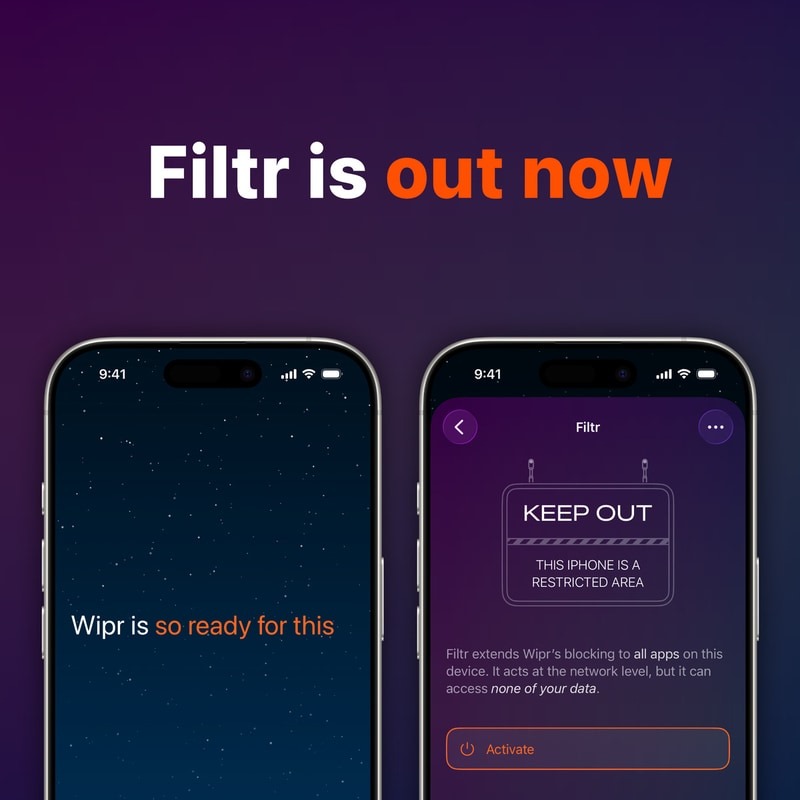
Filtr Privacy Tool is a paid add-on inside Wipr 2. It is not a separate app that you download on its own. Wipr 2 already blocks ads, trackers, cookie pop-ups, banners, and other web clutter in Safari. Filtr takes that idea further and brings similar protection to many apps across iPhone, iPad, and Mac.
The tool comes from Kaylee Calderolla, the developer behind Wipr. That gives Filtr a clear identity. It is made for people who want a simple Apple ad blocker, not a crowded privacy app full of confusing switches.
In normal use, Wipr handles Safari blocking. Filtr then adds app-wide blocking for many requests outside Safari. That split makes sense. Safari content blocking works well on websites, but apps need a different method.
How Filtr Blocks Ads Inside Apps
Filtr uses Apple’s URL filtering system. This system can check full URLs, not just broad domains. That detail matters, since many apps load normal content and ads from related systems.
A basic DNS blocker often blocks a full domain. At times, that works well. At other times, it breaks app features. Filtr can target requests in a more precise way, so it has a better chance of blocking ads without damaging the app experience.
For example, a news app might load articles and ads through different request paths. A blunt blocker might block too much. Filtr can act with more care, so the app can still load the parts you want.
This does not mean every app becomes clean. Still, it gives Apple users a stronger layer of control than a Safari-only blocker.
Why Filtr Matters for iPhone and Mac Users
Safari blockers are useful, but they do not match how most people use devices now. Apps are where many ads live. Free apps often rely on banners, sponsored cards, pop-ups, tracking scripts, and ad network calls.
Filtr targets that gap. It gives users a way to reduce ads inside many apps, not just websites. For iPhone users, that can mean cleaner screens and fewer distractions. For iPad users, it can make reading apps feel calmer. For Mac users, it can reduce ad calls inside apps that load web content.
This type of tool also fits the way privacy has changed. Tracking no longer happens only inside browsers. Apps can send background requests to ad networks, analytics platforms, and data brokers. So, app-level blocking now feels like a basic part of privacy, not a bonus feature.
I think Filtr makes the most sense for people who already feel tired of noisy apps. It will not fix every ad-heavy platform, but it can cut a lot of clutter from everyday tools.
What Filtr Can Block
Filtr works best against third-party ads and trackers. These are the ads that come from outside ad networks rather than from the app’s own system.
It can help reduce:
- Banner ads in many free apps
- Tracker calls from ad networks
- Ad boxes inside news and media apps
- Ads loaded through in-app web views
- Some ads inside third-party browsers
- Background requests tied to known ad systems
Next, expect some blank spaces in certain apps. That does not mean Filtr failed. It often means the ad request was blocked, but the app still kept the space where the ad would have appeared.
That can look a little awkward. Even so, a blank box is still better than a loaded ad, a tracking request, or an autoplay banner.
What Filtr Cannot Block
Filtr does not block every ad. No serious ad blocker can promise that.
The hardest ads to block are first-party ads. These come directly from the app or platform you are using. Large social apps, video apps, search apps, and shopping apps often mix ads into their own feeds. Blocking those requests can break normal app content.
For that reason, you should not expect Filtr to remove every promoted post, sponsored product, or video ad. Some platforms control the whole ad pipeline from inside their own systems.
Still, this limit does not make Filtr weak. It shows that the tool takes a safer path. A blocker that breaks half your apps becomes a new problem. Filtr aims to remove a lot of junk and keep apps usable.
Privacy and Data Collection
Privacy is a key part of Filtr’s appeal. Wipr presents Filtr as a network-level blocker that is not a traditional VPN. That matters, since many VPN-style blockers ask for broad access to traffic.
Filtr uses Apple’s system-level filtering tools instead. That gives it a cleaner privacy story. Users can block many ad and tracker requests without sending all traffic through a random third-party service.
This is one reason I prefer Filtr’s direction over many all-in-one blocker apps. It keeps the setup light. It stays close to Apple’s own privacy model. It also avoids the common problem where a “privacy” app asks for too much trust.
Setup and Device Support
Filtr lives inside Wipr 2, so setup starts there. The basic steps are simple:
- Install or update Wipr 2 from the App Store.
- Open the app.
- Find the Filtr add-on.
- Choose the Filtr plan that fits your budget.
- Turn on Filtr inside Wipr.
- Approve Apple’s system permission prompt.
After that, Filtr works in the background. You will not need to tweak many settings. That is part of the appeal. It feels like a tool made for normal people, not only for privacy hobbyists.
Wipr 2 supports Apple devices across iPhone, iPad, Mac, and Apple Vision. Filtr fits best on newer Apple software versions that support the URL filtering tools it needs.
Filtr vs Safari Ad Blockers
A normal Safari ad blocker cleans websites inside Safari. That still has value. Safari is fast, private, and well supported by Apple’s content blocker system.
Filtr goes beyond that. It targets many requests outside Safari, including requests inside apps and some third-party browsers. For that reason, it covers a much wider part of your device use.
Users who spend most of their time in Safari can stick with Wipr 2 alone. People who use many free apps will get more value from Filtr. The more app ads you see each day, the more useful Filtr becomes.
This is similar to the choice between a simple device and a connected one. A basic tool can work well for one task, but a broader tool helps more across daily use. The same idea applies in other categories too, such as the choice between a smart air purifier and a basic air purifier. Extra controls matter most when they solve a real daily problem.
Who Should Try Filtr Privacy Tool?
Filtr is a good fit for Apple users who want fewer app ads without using a complicated privacy setup. It also suits people who already like Wipr and want blocking beyond Safari.
It makes the most sense for:
- iPhone users who spend time in free apps
- iPad users who read news, blogs, and forums inside apps
- Mac users who want wider ad and tracker blocking
- People who use Chrome, Firefox, or Edge on iPhone
- Users who want a simple setup
- Wipr fans who want stronger device-wide blocking
It makes less sense for people who already use only paid apps, rarely see ads, or browse almost everything through Safari. In those cases, the basic Wipr setup may be enough.
Real Opinion: Filtr Feels Like the Right Next Step
Filtr feels useful because it solves a real Apple problem. App ads have become more annoying, but most blockers still focus on websites. That leaves users with clean Safari pages and messy app screens.
The best part is the balance. Filtr does not try to act like a full VPN. It does not bury users in settings. It takes a focused job and does it in a way that fits Apple devices.
The weak point is coverage. Some ads will remain, mainly inside large platforms that serve ads from their own systems. Some apps will show blank ad spaces too. Still, those are fair trade-offs for a blocker that keeps things simple.
If you already use Wipr 2 and spend a lot of time inside apps, Filtr is easy to recommend. Start with the lower-cost option first. Use it for a few days across your normal apps. Then decide if the lifetime option makes sense for your setup.
Final Verdict
Filtr Privacy Tool is one of the more practical upgrades for Apple users who want fewer ads inside apps. It expands Wipr 2 beyond Safari and helps block many ad and tracker requests across iPhone, iPad, and Mac.
It will not erase every ad from every app. Yet, it can make many free apps feel cleaner, calmer, and less intrusive. That alone gives it a clear place in an Apple privacy setup.
For heavy app users, Filtr is worth testing. It brings app-wide ad blocking closer to the simple, quiet experience people expect from Apple devices.