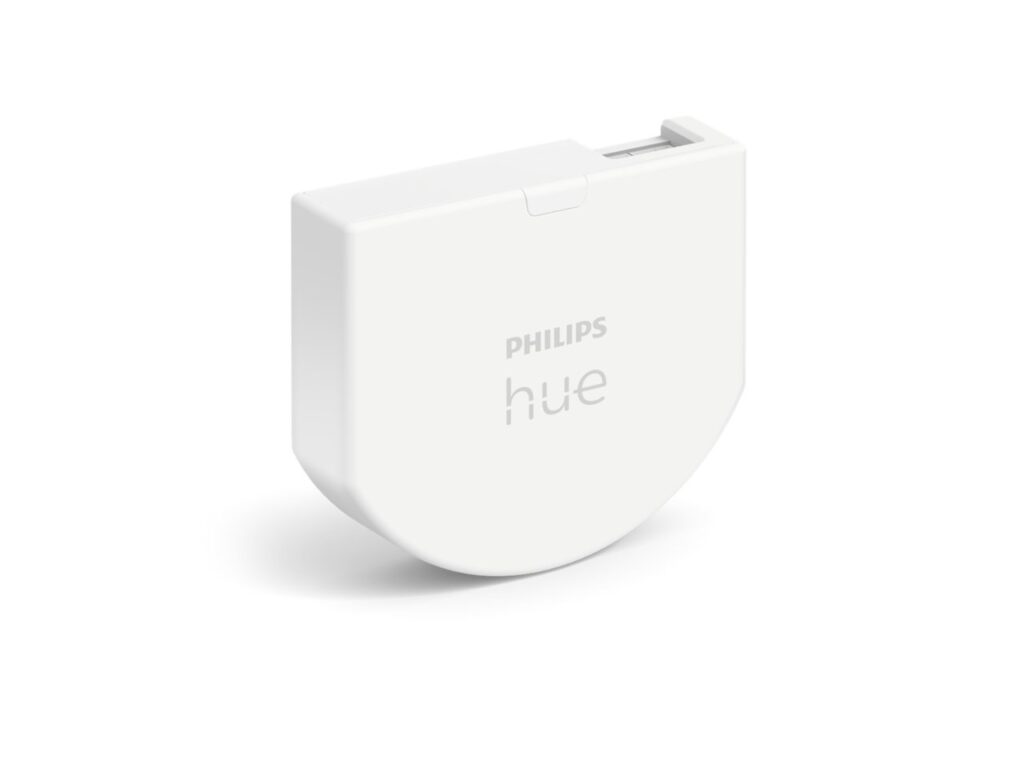
Philips Hue keeps pushing smart lighting closer to the way people already live at home. The new Philips Hue Wired Wall Switch Module does that in a very practical way. It lets old wall switches control Hue lights without breaking app control, voice control, scenes, or automations.
That sounds small, but it fixes a common smart home headache.
You install smart bulbs, set up rooms in the Hue app, then run into the same issue. Someone presses the old wall switch and cuts power to the bulb. The light turns off, but the smart features stop too. The app loses control. Voice commands fail. Schedules no longer work as planned.
The wired wall module changes that setup. It keeps the familiar switch on the wall, but it connects that switch to the Hue system. So your home still feels normal, and your smart lights stay smart.
Why old wall switches still cause problems
Smart bulbs need power all the time. A normal switch cuts power. That basic clash explains why smart lighting can feel messy in real homes.
Apps work well for planned control. Voice assistants help too. Sensors can turn lights on in halls, kitchens, and bathrooms. Still, most people press the wall switch first. Guests do it. Kids do it. Family members do it without thinking.
And that is fair. A light switch has one job. People expect it to work.
Philips Hue Wired Wall Switch Modules solve this by changing what the switch does. The switch no longer acts only like a power cut-off point. Instead, it sends a control signal through the Hue system. The Hue lights stay powered, connected, and ready for scenes.
What the Philips Hue Wired Wall Switch Module does
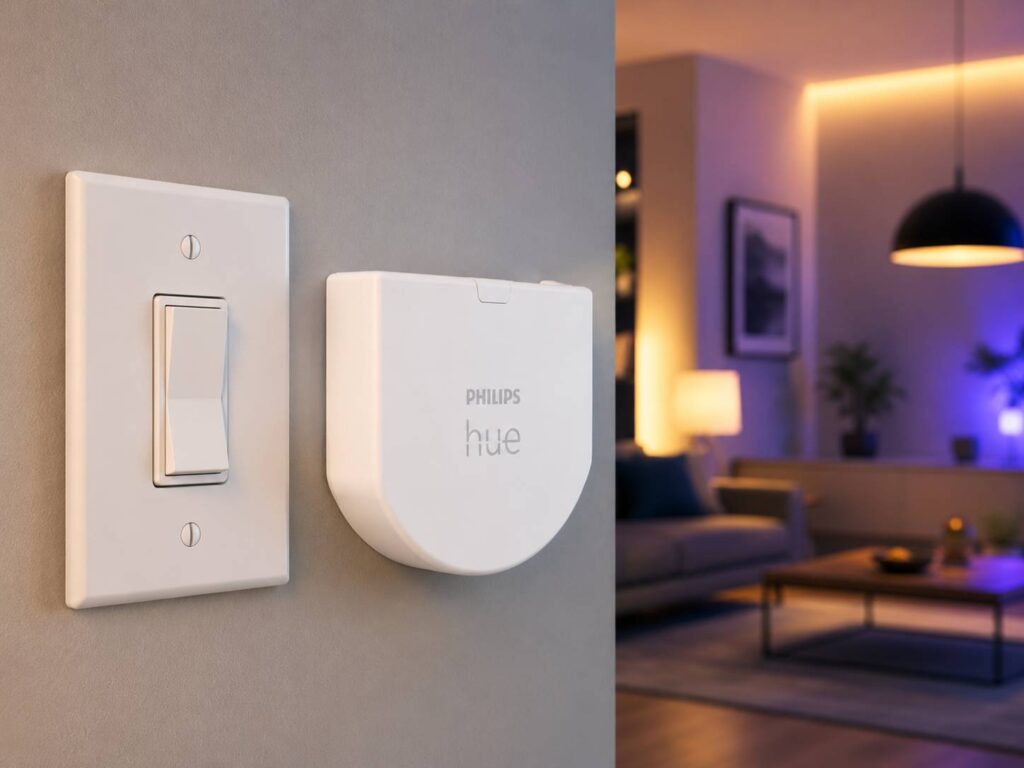
The Philips Hue Wired Wall Switch Module sits behind your existing wall switch. It works with compatible rocker switches and push switches. After setup, the old switch can turn Hue lights on or off, and it can trigger selected scenes.
For example, you can use one press for a bright morning scene. Then another press can bring a warmer evening scene. In a hallway, the same switch can control a room or zone. In a bedroom, it can bring back your usual night lighting without opening the app.
This matters most in homes where people want smart lights but do not want new-looking switches on every wall. The visible switch stays the same. The smart control sits behind it.
The wired design removes battery stress
The biggest upgrade here is simple: no battery.
Older smart wall modules often rely on coin cell batteries. They work, but they add a small maintenance job. That job becomes more annoying once the device sits behind a switch plate.
A wired module makes more sense for a fixed wall control. It draws power from the wiring, so you do not need to open the switch later for battery changes. That gives the setup a more permanent feel.
For larger Hue homes, that matters. One or two battery devices feel fine. Ten small battery accessories can turn into a chore. So a mains-powered module makes daily smart lighting less fussy.
Hue Bridge support matters
The Philips Hue Wired Wall Switch Module needs the Hue Bridge. It is not a simple Bluetooth-only add-on.
That makes it best for people who already use Hue as a full smart lighting system. The Bridge handles rooms, zones, automations, remote access, smart switches, and deeper app control. It gives the wired module the right base to work with Hue lights across the home.
For a first smart bulb setup, the module is not the easiest starting point. A Hue starter kit or a wireless Hue dimmer makes more sense first. For an established Hue home, this wired module feels like a natural next step.
Where this module works best
The Philips Hue Wired Wall Switch Module fits rooms where people still press the old switch every day.
It works well in bedrooms, kitchens, halls, landings, bathrooms, and guest rooms. These are the rooms where habits matter. Nobody wants to explain an app every time someone needs the light.
It also helps in homes where the switch plates match the interior design. Some people like classic switches. Others have premium wall plates they do not want to replace. This module lets them keep that look and still gain smart control.
The product fits best in these cases:
- You already use Philips Hue bulbs
- Your wall switches keep cutting power to smart lights
- You want the same switch plates to stay in place
- You want scene control from a normal switch
- You dislike battery-powered wall modules
- You want guests to use lights without extra instructions
Installation is the part to take seriously
This is not a stick-on remote. It sits behind a wall switch and deals with mains wiring. So installation needs care.
A qualified electrician is the safest route for most homes. Older switch boxes can have tight spacing. Some homes have different wiring layouts. Deep back boxes make fitting easier, but shallow boxes can turn the job into a cramped install.
The app setup should feel familiar for Hue users. The physical work matters more. Once installed, the module should stay hidden and do its job in the background.
Why this matters for the smart home
Smart homes work best when people do not have to think too much. A light should turn on at the wall, through the app, by voice, or through a schedule. All those control methods should work together.
That is where this Hue module feels useful. It does not try to replace normal habits. It fixes the weak link between old switches and smart bulbs.
This same idea appears in other lighting products too. Natural-looking indoor lighting has become a bigger topic, and Philips has explored that through products like Philips Skylight indoor daylight lighting. Both products point toward the same goal: lighting that feels easier, more natural, and less dependent on awkward workarounds.
Wired modules vs wireless Hue switches
A wireless Hue switch is still the easier choice for many people. You can place it on a wall, move it later, or use it as a remote. It suits renters and simple setups.
The wired wall module feels cleaner, though. It hides behind the existing switch. It keeps the room looking unchanged. It also avoids battery changes, which gives it a stronger long-term appeal.
So the right choice comes down to the home. A wireless switch fits quick setups. A wired module fits finished rooms and more permanent Hue systems.
My take on the Philips Hue Wired Wall Switch Module
This is not the flashiest Hue product, and that is part of its appeal. It solves a real problem without asking people to change how they use a room.
The old switch stays. The smart bulb stays connected. The app still works. Voice control still works. Scenes still work. That is the kind of upgrade people notice only after it removes a daily irritation.
The main drawback is installation. Some users will not want electrical work for a smart lighting accessory. The Hue Bridge requirement also means this product targets committed Hue users, not casual buyers.
Still, for people already invested in Philips Hue, the wired wall module makes the whole setup feel more stable. It brings old switches into the smart home in a neat, practical way.
Final thoughts
Philips Hue Wired Wall Switch Modules fix one of the most common smart lighting problems: wall switches that cut power to smart bulbs. They keep the room familiar, but they make the switch part of the Hue system.
The wired design gives the product a more permanent feel. The Bridge requirement makes sense for deeper Hue homes. And the hidden installation keeps rooms looking clean.
For homes already using Hue lights, this module is a smart upgrade. It makes old switches useful again and keeps the smart home running the way it should.