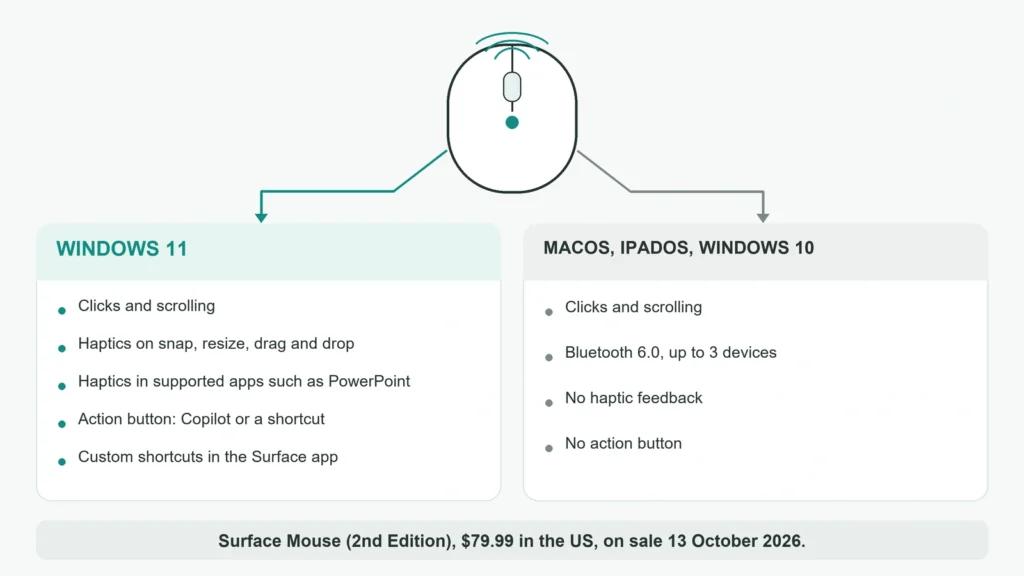
Microsoft’s Surface Mouse (2nd Edition) goes on sale on October 13, 2026 for $79.99, and its headline feature works on one operating system. The mouse vibrates under your hand when you snap a window, resize it, drag a file or line up an object in PowerPoint. Microsoft’s own footnote says that “advanced haptic feedback requires Windows 11 and supported apps”. On a Mac, an iPad or a Windows 10 PC, the Surface Mouse 2nd Edition works as a plain four-button Bluetooth mouse. That makes it a cheaper rival to Logitech’s MX Master 4 for people who live in Windows 11, and a weak buy for anyone who splits the day between systems.
What Microsoft announced on September 23
The mouse was announced alongside the new 12-inch Surface Pro and 13-inch Surface Laptop. Microsoft’s US store lists it at $79.99, or $71.99 for eligible students, parents, teachers and military, with shipping from October 13. The company says it will reach “select markets” and has published no prices outside the US.
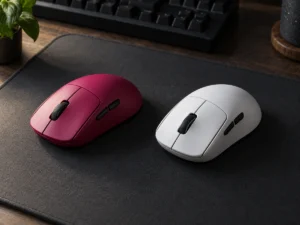
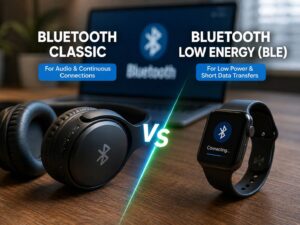
It connects over Bluetooth 6.0 with Swift Pair and switches between up to three devices. There are four controls: left and right buttons, a clickable scroll wheel and an action button that opens Copilot by default. The shape is ambidextrous with a silicone top. According to The Gadgeteer, the mouse measures 4.3 by 2.48 by 1.43 inches and weighs 4 ounces, about 113 g, with its batteries in. Those batteries are two AAA cells, included in the box and rated by Microsoft for up to six months.
Microsoft has not published a sensor, a DPI figure or a polling rate. For an office mouse that matters less than it would for gaming, but it leaves nothing to compare on tracking.
Which features need Windows 11
Microsoft’s footnotes split the mouse in two. “Basic mouse functionality is supported across compatible operating systems.” The haptics, the action button and the AI shortcuts need Windows 11, and custom shortcuts need the Surface app, which only runs on Windows.
| Feature | Windows 11 | macOS, iPadOS, Windows 10 |
|---|---|---|
| Pointing, clicks, scrolling | Yes | Yes |
| Haptic feedback on snapping, resizing, drag and drop | Yes | No |
| Haptics in PowerPoint and other apps | Supported apps only | No |
| Action button for Copilot or a shortcut | Yes | No |
| Custom shortcuts | Surface app | No |
Even on Windows 11, “feature availability and functionality vary by app”. Gizmodo, which tried the mouse at the launch, reports that Microsoft plans support in Adobe’s apps but that it was still in beta.
A click without a switch
The haptics go further than a buzz when a window snaps. Gizmodo’s hands-on describes a mouse with no conventional switches. Capacitive touch and pressure sensors decide when you have clicked, and a motor answers with the feel of a click, the way Surface trackpads have worked for years. Microsoft’s page says the mouse is “designed to minimize click noise” and that the strength of the vibration when you click, scroll or snap is adjustable.
That design has a known upside and a known question. With fewer moving parts there is less to wear out, and our explainer on haptic mouse clicks versus physical switches covers why a simulated click lasts and why some people never warm to it. The question is what the click feels like away from Windows 11. Microsoft’s footnote separates “basic” functions from “advanced” haptics and does not say which side the click itself falls on.
Against the MX Master 4
The obvious comparison is the Logitech MX Master 4, which became the first productivity mouse with Windows 11’s native haptics through a firmware update on May 20, 2026. Both mice respond to the same kind of Windows events, snapping and resizing windows and aligning objects in PowerPoint. The table uses each maker’s own figures.
| Surface Mouse (2nd Edition) | Logitech MX Master 4 | |
|---|---|---|
| US price | $79.99 | $119.99 |
| Haptics outside Windows 11 | No | Yes, on macOS through Logi Options+ |
| Power | Two AAA cells, up to six months | Built-in rechargeable battery, about 70 days |
| Buttons | 4 | 8 |
| Weight | About 113 g with batteries | 151.8 g |
| Shape | Ambidextrous | Right-handed |
The Mac row is the one that decides it if you also use a Mac. Logitech’s haptic panel works with its Options+ app on Windows and macOS, so an MX Master 4 moved from a work PC to a home Mac keeps its feedback. The Surface Mouse keeps only its clicks.
The battery trade, in numbers
At Microsoft’s rating, the Surface Mouse goes through four AAA cells a year. The MX Master 4’s rated 70 days means about five charges a year over USB-C. Neither figure is demanding, and a pair of rechargeable AAA cells removes the running cost entirely.
What Microsoft has not said is which haptic setting the six-month rating assumes. A motor that fires on every click and scroll draws power that a plain switch does not, so a strong setting will likely shorten it. The upside of AAA cells is that a flat mouse is back in use within a minute, with no cable and no wait.
Which one to buy
The operating system settles this before the mouse does. If every computer you use runs Windows 11, the Surface Mouse gets the Windows haptic effects for $40 less, weighs about 40 g less and works in either hand. The MX Master 4 earns its price once a Mac enters the picture, or once you need side buttons and a thumb wheel for real work.
Independent reviews should arrive around October 13 and will show whether the switchless click feels right over a long day. And Microsoft’s prices outside the US, still unpublished, may not keep the same $40 gap.