
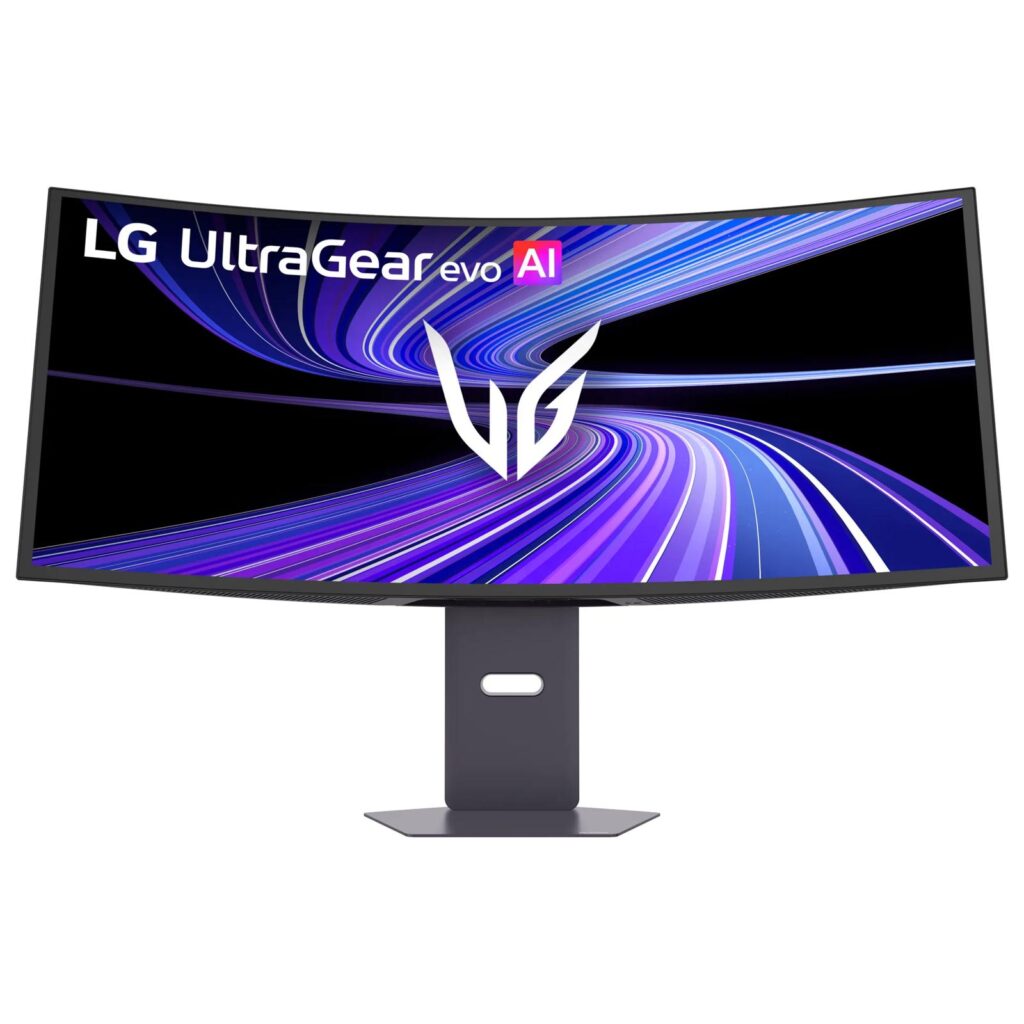
LG UltraGear 39GX950B-B: Specs, Price, Pros & Cons
LG claims refresh rates up to 330 Hz for this monitor, and that number only exists if you stop using the resolution you bought it for. LG's Dual Mode drops the panel to Wide Full HD to reach it. At the native 5K2K the ceiling is 165 Hz. Both modes are useful, but they are effectively two displays sharing a chassis, and the marketing tends to present them as one specification.
What distinguishes the 39GX950B-B is pixel density on an ultrawide. Fitting 5120 by 2160 across 39 inches works out near 143 pixels per inch, a substantial jump from a 34-inch 1440p ultrawide. Text stops looking soft, and the additional vertical resolution makes the 21:9 shape useful for timelines, spreadsheets and documents side by side rather than only for wide game views.
The panel is LG's fourth-generation RGB tandem OLED, and its brightness needs unpacking. The headline 1500-nit figure applies to a highlight covering a small fraction of the screen. LG rates typical brightness at 335 nits. That is normal OLED behavior and perfectly pleasant in a dim room, but it is not a bright-room display, and LG publishes no coating specification at all for the glass.
Connectivity is unusually current for a monitor: DisplayPort 2.1 at UHBR20, HDMI 2.1, and a USB-C input carrying 90 W of power delivery, enough to charge most laptops from the screen itself. The stand tilts, swivels and adjusts for height but does not pivot, which is academic on a curved panel this wide. Priced well into premium territory, it asks you to want both halves of what it does (the resolution and the speed), because paying for only one of them is poor value.
Category strengths
Where the LG UltraGear 39GX950B-B beats the median
- A bigger screen ?39" (99.06 cm) vs 32" (81.28 cm) (median)
- Has built-in speakers ?
Where the LG UltraGear 39GX950B-B trails the median
- No pivot adjustment ?
How this VS Score was computed
Score 56: each known spec is measured against the median of OLED gaming monitors, 32 inches and up (11 products), then weighted; 50 means level with that median. In classes of six or more, a value beyond the class’s 10th–90th percentile range counts as that limit, so one extreme product cannot set the scale. 68% of the scoreable weight could be used; unknown values, features not applicable to this class and proxies (battery capacity where a rated life exists) add or remove nothing.
| Specification | This product | Cohort median | Score weight | Points moved |
|---|---|---|---|---|
| Resolution | 5K | 4K | 1.2 | +30.0 |
| USB-C | Yes | 73% of the class have it | 0.5 | +25.0 |
| Built-in speakers | Yes | 33% of the class have it | 0.2 | +10.0 |
| Screen size | 39 — capped at the class’s upper range (34.18) | 32 | 1.2 | +3.6 |
| Pivot | No | 67% of the class have it | 0.02 | −1.0 |
| Panel type | OLED | OLED | 0.8 | +0.0 |
| Color depth | 10 | 10 | 0.3 | +0.0 |
| Response time | 0.03 | 0.03 | 0.8 | +0.0 |
| Peak brightness | 1,500 — capped at the class’s upper range (1,300) | 1,300 | 0.8 | +0.0 |
| Contrast ratio | 1,850,000 — capped at the class’s upper range (1,500,000) | 1,500,000 | 0.6 | +0.0 |
| DCI-P3 coverage | 99.5 — capped at the class’s upper range (99.3) | 99 | 0.6 | +0.0 |
| HDR | True Black 500 | True Black 500 | 0.5 | +0.0 |
| Pixel density | 143 — capped at the class’s upper range (140) | 140 | 0.5 | +0.0 |
| Adaptive sync | G-Sync Compatible | G-Sync Compatible | 0.6 | +0.0 |
| Refresh rate | 165 — capped at the class’s lower range (240) | 240 | 1.2 | +0.0 |
| HDMI ports | 2 | 2 | 0.4 | +0.0 |
| DisplayPort inputs | 1 | 1 | 0.4 | +0.0 |
| USB-C power delivery | 90 | 90 | 0.05 | +0.0 |
Not scored: Local dimming (unknown: not scored); Local dimming zones (unknown: not scored); Variable refresh rate (standard for the class (100% have it)); Motion blur reduction (unknown: not scored); Input lag (unknown: not scored); Height adjustment (standard for the class (100% have it)); Tilt (standard for the class (100% have it)); Swivel (standard for the class (100% have it)); USB hub (standard for the class (82% have it)); Headphone output (standard for the class (88% have it)); KVM switch (unknown: not scored); Webcam (unknown: not scored); Microphone (unknown: not scored); Ethernet (not applicable: only 0% of this class have it); Picture-by-picture (standard for the class (100% have it)).
Editor’s note
The hardware requirement is the part I would settle before anything else. Driving the native resolution at its full rate with any modern rendering load is demanding, and getting it into the monitor uncompressed needs the newest DisplayPort revision at its top speed, which limits you to fairly recent graphics cards if you want the native mode without compression compromises. Buying this to pair with a mid-range GPU from a couple of generations back means running it well below what you paid for, and at that point a 34-inch 1440p ultrawide would have looked almost as good for a lot less.
The brightness behavior deserves a clear-eyed look. In a room with controlled light this panel is superb, and the contrast is the reason people move to OLED in the first place. Put it opposite a window and the picture washes out in a way no amount of backlight adjustment fixes, because there is no backlight. If your desk is bright during the day, this is the wrong technology and a good IPS panel will make you happier.
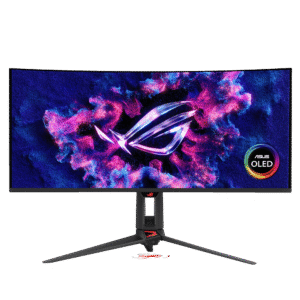
Value is a harder call than usual. The ASUS ROG Swift OLED PG34WCDN is meaningfully cheaper, runs a higher refresh rate natively, and gives up resolution and physical size to do it. That is the real choice here: sharpness and desk presence against raw refresh rate. Competitive players should take the ASUS without much agonizing. People editing video or working with a lot of text on screen get more from the LG, and the Dual Mode gives them a fast option on the evenings they want one.
One practical note: at over 90 centimeters wide and tightly curved, measure the desk before ordering. This is a monitor that reshapes a workspace rather than fitting into it.
Specifications
Quality bars show where each figure sits between the lowest and highest of the 11 OLED gaming monitors, 32 inches and up this VS Score is measured against.
Picture
Gaming
Ergonomics & design
Connectivity
Features
Sources and verification
Where the specifications come from
- Official product pagelg.com
Verification
- First published
- Specifications last checked
- Sheet completeness
- 32 of 42 specifications verified; the rest show as Unknown and are never estimated or scored
- Page type
- Product specification page — Compiled from the manufacturer’s published specifications and the cited sources; this is not a hands-on test.
- Basis
- Research-based: specifications and editorial text were compiled from the documents listed here and the manufacturer’s published data. We have not tested this unit ourselves; where independent measurements are mentioned they belong to the linked publication.
Where to buy
Prices and availability may change. Check the retailer before buying. We may earn a commission on purchases.
Price history
Monitors with similar specs to the LG UltraGear 39GX950B-B
Ratings & reviews
No reviews yet. Be the first to share your experience.
The bottom line
The LG UltraGear 39GX950B-B earns a VS Score of 56, above the median of the 11 OLED gaming monitors, 32 inches and up it is measured against (a score of 50 is level with that median).
- Who it’s for
- Someone who works with detailed material during the day and games at night in a room they can control the light in, and who already owns a graphics card recent enough to feed the newest DisplayPort input.
- Who should look elsewhere
- Anyone sitting opposite a window. An OLED with no backlight cannot fight ambient light, and a bright room will undo the contrast that justifies the price. Competitive players chasing frame rate should also pass and buy refresh rate instead of pixels.
- The trade-off that matters
- Choosing sharpness means living at the lower rate, because the fast mode only exists at a much lower resolution. You end up picking a side each time you launch something.
- The main alternative
- ASUS ROG Swift OLED PG34WCDN runs 360 Hz natively and costs noticeably less, giving up screen size and resolution to do it. It is the better buy if frame rate is what you want.
The VS Score is calculated from the weighted specifications above, each measured against the median of comparable OLED gaming monitors, 32 inches and up — a shortlisting guide, not a substitute for your own priorities. See how we score.





