
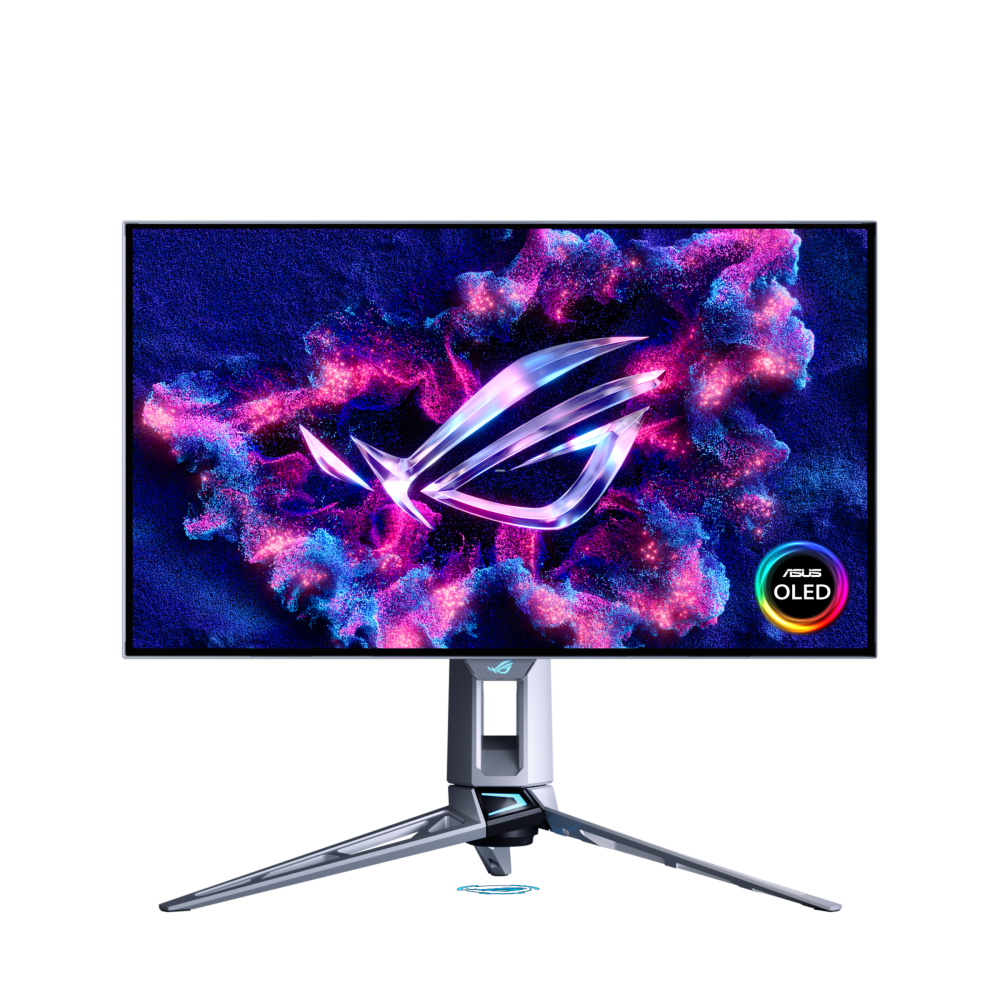
ASUS ROG Swift OLED PG27AQWP-W: Specs, Features, Pros & Cons
Monitors like the PG27AQWP-W are built for a very particular player: someone who plays competitive shooters seriously enough that motion clarity and input response outweigh resolution, size and even price. ASUS pairs a QHD resolution, chosen because it lets a fast graphics card deliver extreme frame rates, with an OLED panel whose pixels switch almost instantly, so fast movement stays sharp in a way LCDs struggle to match.
The newer tandem OLED construction is the part with wider relevance. By stacking two light-emitting layers, the panel can reach higher brightness with less strain on each layer, which addresses the two traditional complaints about OLED monitors, dimness and wear. It will not turn OLED into Mini-LED, but it narrows the gap.
What will split buyers is the glossy finish. In a darkened room it makes blacks deep and colors rich, and in a bright room it reflects lamps and windows back at you. It is worth deciding where the monitor will sit before looking at anything else.
The connections are aimed at gaming PCs and consoles. There is no USB-C input, so single-cable docking is not an option, and the refresh-rate headline only matters if your system and your games can reach it.
The case for it is strongest for competitive players in a light-controlled room who want OLED motion clarity backed by a warranty that explicitly covers burn-in. For mixed use, casual gaming or a bright office, a 4K OLED at a lower refresh rate, or a good IPS panel, will be the better buy and cost considerably less. Buying it for the headline number alone is the most expensive mistake available in this category.
Category strengths
Where the ASUS ROG Swift OLED PG27AQWP-W beats the median
- A much higher refresh rate ?540 Hz vs 360 Hz (median)
- A faster response time ?0.02 ms vs 0.03 ms (median)
- Higher peak brightness ?1,500 nits vs 1,300 nits (median)
How this VS Score was computed
Score 54: each known spec is measured against the median of OLED gaming monitors, under 27 inches (5 products), then weighted; 50 means level with that median. In classes of six or more, a value beyond the class’s 10th–90th percentile range counts as that limit, so one extreme product cannot set the scale. 70% of the scoreable weight could be used; unknown values, features not applicable to this class and proxies (battery capacity where a rated life exists) add or remove nothing.
| Specification | This product | Cohort median | Score weight | Points moved |
|---|---|---|---|---|
| Refresh rate | 540 | 360 | 1.2 | +30.0 |
| USB-C | No | 40% of the class have it | 0.5 | −24.0 |
| Response time | 0.02 | 0.03 | 0.8 | +20.0 |
| Motion blur reduction | Yes | 75% of the class have it | 0.3 | +15.0 |
| Picture-by-picture | No | 25% of the class have it | 0.2 | −9.6 |
| Peak brightness | 1,500 | 1,300 | 0.8 | +6.4 |
| HDR | True Black 500 | True Black 400 | 0.5 | +5.0 |
| KVM switch | No | 25% of the class have it | 0.02 | −1.0 |
| Screen size | 26.5 | 26.5 | 1.2 | +0.0 |
| Resolution | 1440p | 1440p | 1.2 | +0.0 |
| Panel type | OLED | OLED | 0.8 | +0.0 |
| Color depth | 10 | 10 | 0.3 | +0.0 |
| Contrast ratio | 1,500,000 | 1,500,000 | 0.6 | +0.0 |
| DCI-P3 coverage | 99.5 | 99 | 0.6 | +0.0 |
| Pixel density | 111 | 111 | 0.5 | +0.0 |
| Adaptive sync | G-Sync Compatible | G-Sync Compatible | 0.6 | +0.0 |
| HDMI ports | 2 | 2 | 0.4 | +0.0 |
| DisplayPort inputs | 1 | 1 | 0.4 | +0.0 |
Not scored: Local dimming (unknown: not scored); Local dimming zones (unknown: not scored); Variable refresh rate (standard for the class (100% have it)); Input lag (unknown: not scored); Height adjustment (standard for the class (100% have it)); Tilt (standard for the class (100% have it)); Swivel (standard for the class (100% have it)); Pivot (standard for the class (100% have it)); USB-C power delivery (unknown: not scored); USB hub (standard for the class (80% have it)); Built-in speakers (not applicable: only 0% of this class have it); Headphone output (standard for the class (100% have it)); Webcam (not applicable: only 0% of this class have it); Microphone (not applicable: only 0% of this class have it); Ethernet (not applicable: only 0% of this class have it).
Editor’s note
The PG27AQWP-W is built around a new panel, and the bigger number on the box matters less. Tandem OLED stacks two emissive layers instead of one, which lets the screen run brighter for the same current and lightens the load on each layer. That load is the main thing that has held OLED monitors back on both brightness and longevity.
The headline is 540 Hz, and it is worth being honest about who benefits. Beyond roughly 240 Hz the returns get small and increasingly depend on your reflexes, your game and your graphics card being able to feed the panel. If you are not playing competitively, you are buying headroom you will not use.
What everyone will notice is the coating. This is a glossy TrueBlack finish, and glossy is the right call in a dark or controlled room. Blacks stay black and colors have a depth matte OLEDs sand away. In a bright room facing a window, it will mirror it back at you. Decide that before anything else.
Two practical notes. Despite the PG27 name, the panel is 26.5 inches, not 27. ASUS's own spec table says so, and it is a recurring quirk of their naming. And there is no USB-C input at all, so single-cable laptop docking is off the table. You get DisplayPort 2.1, two HDMI 2.1 ports and a three-port USB-A hub instead.
ASUS covers burn-in for three years, which is a meaningful commitment, and the stand has a quarter-inch tripod socket for a camera or a light.
Buy it for competitive gaming in a light-controlled room. Skip it if your room is bright, or if you want to dock a laptop.
Specifications
Quality bars show where each figure sits between the lowest and highest of the 5 OLED gaming monitors, under 27 inches this VS Score is measured against.
Picture
Gaming
Ergonomics & design
Connectivity
Features
Sources and verification
Where the specifications come from
- Official product pagerog.asus.com
- Independent testingrtings.com
Verification
- First published
- Specifications last checked
- Sheet completeness
- 35 of 42 specifications verified; the rest show as Unknown and are never estimated or scored
- Page type
- Product specification page — Compiled from the manufacturer’s published specifications and the cited sources; this is not a hands-on test.
- Basis
- Research-based: specifications and editorial text were compiled from the documents listed here and the manufacturer’s published data. We have not tested this unit ourselves; where independent measurements are mentioned they belong to the linked publication.
Monitors with similar specs to the ASUS ROG Swift OLED PG27AQWP-W

Ratings & reviews
No reviews yet. Be the first to share your experience.
The bottom line
The ASUS ROG Swift OLED PG27AQWP-W earns a VS Score of 54, above the median of the 5 OLED gaming monitors, under 27 inches it is measured against (a score of 50 is level with that median).
- Who it’s for
- Competitive shooter players with a graphics card that can feed extreme frame rates, gaming in a room where they control the light.
- Who should look elsewhere
- Anyone in a bright room facing a window, where the glossy coating mirrors it, and anyone who wants to dock a laptop over a single USB-C cable.
- The trade-off that matters
- Class-leading motion clarity at a modest resolution: you give up the sharpness of 4K for speed that only competitive play can use.
- The main alternative
- ASUS ROG Swift OLED PG27UCDM: a 4K OLED in the same size class with USB-C charging, for mixed work and play.
The VS Score is calculated from the weighted specifications above, each measured against the median of comparable OLED gaming monitors, under 27 inches — a shortlisting guide, not a substitute for your own priorities. See how we score.





