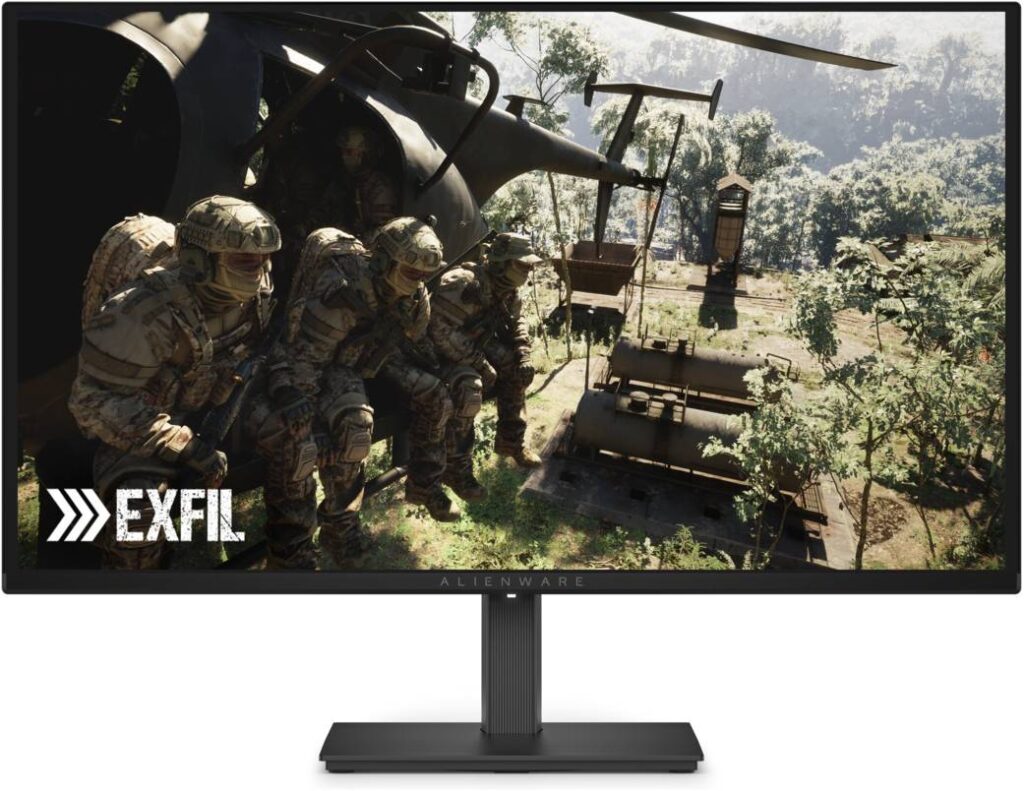
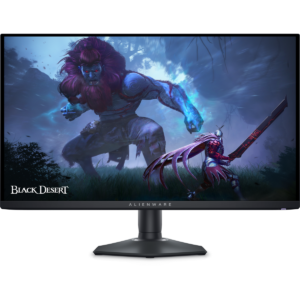
Dell Alienware AW2726DM: Specs, Features, Pros & Cons
This monitor carries a specification line that comparison tables repeat without explaining, and it matters: its HDMI 2.1 is a TMDS implementation, using the older signalling rather than the high-bandwidth link the label usually implies. For refresh-rate purposes it behaves like HDMI 2.0.
The full 240 Hz is reached over DisplayPort. If a games console is your main source rather than a PC, that is the single most important line on this page — more so than the panel figures below it.
Category strengths
Where the Dell Alienware AW2726DM beats the average
- A much higher contrast ratio ?1500000:1 vs 499721:1 (avg)
- A much faster response time ?0.03 ms vs 1.46 ms (avg)
- A higher refresh rate ?240 Hz vs 213.58 Hz (avg)
- More HDMI ports ?2 vs 1.7 (avg)
- Has height adjustment ?
- Has pivot adjustment ?
- Has swivel adjustment ?
- Slightly wider DCI-P3 colour coverage ?99.3 % vs 96.54 % (avg)
- A slightly higher color depth ?10 bit vs 9.49 bit (avg)
- Has variable refresh rate ?
Where the Dell Alienware AW2726DM trails the average
- Lower peak brightness ?400 nits vs 677.45 nits (avg)
- No USB hub ?
- No USB-C ?
- No headphone output ?
- No motion blur reduction ?
- No picture-by-picture ?
- A slightly smaller screen ?27" (68.58 cm) vs 28.97" (73.58 cm) (avg)
- No local dimming ?
- A slightly lower pixel density ?111 ppi vs 123.24 ppi (avg)
- No built-in speakers ?
Editor’s note
The AW2726DM carries two specification lines that a comparison table will repeat without explaining, and both matter.
The first is HDMI recorded as "2.1 (TMDS)". HDMI 2.1 covers a range of implementations, and a TMDS-only version uses the older signalling rather than the high-bandwidth link that the label usually implies — so for refresh-rate purposes it behaves like HDMI 2.0. The panel's 240 Hz is reached over DisplayPort 1.4. If a console is your main source, this is the line to weigh.
The second is peak brightness, recorded at 400 nits. Every other OLED in this group is listed between 1,000 and 1,300. Whatever measurement condition that figure represents, it is far below its peers, and the honest reading is to expect modest HDR impact despite the True Black 400 badge. Contrast and black level are unaffected — those are absolute on any OLED — so SDR content still looks superb.
The rest is sound: QD-OLED at 1440p, 0.03 ms response, 99.3% DCI-P3, G-Sync Compatible over 48–240 Hz, a semi-gloss coating that sits between the glossy and matte extremes, and a fully adjustable stand including pivot.
Be aware there is no USB hub and no headphone output at all, which on a monitor without speakers means audio goes back to the PC.
Buy it for DisplayPort-connected PC gaming where contrast and response matter more than HDR brightness. Look at a brighter OLED if HDR films are part of the plan.
Specifications
Quality bars are generated automatically against 101 other monitors.
Picture
Gaming
Ergonomics & design
Connectivity
Features
Sources and verification
Where the specifications come from
- Official product pagedell.com
- Independent testingrtings.com
Verification
- First published
- Specifications last checked
- Sheet completeness
- 37 of 42 specifications verified; the rest show as Unknown and are never estimated or scored
- Basis
- Research-based: specifications and editorial text were compiled from the documents listed here and the manufacturer’s published data. We have not tested this unit ourselves; where independent measurements are mentioned they belong to the linked publication.
Monitors with similar specs to the Dell Alienware AW2726DM

Ratings & reviews
No reviews yet. Be the first to share your experience.
The bottom line
The Dell Alienware AW2726DM earns a VS Score of 48, a solid mid-pack result among the 102 monitors we compare here. It stands out for a much higher contrast ratio, a much faster response time and a higher refresh rate. Just be aware of lower peak brightness and the missing uSB hub before you buy. Weigh those trade-offs against what matters most to you.
The VS Score is calculated from the weighted specifications above, compared with every other monitor we track — a shortlisting guide, not a substitute for your own priorities. See how we score.