Xerox C255a: Specs, Price, Pros & Cons
Xerox publishes two numbers for the C255a that sit awkwardly together: a maximum duty cycle of 50,000 images a month, and a recommended monthly volume of 2,500 pages. Twenty times apart. The first is what the mechanism can survive, the second is what Xerox expects it to do, and the second is the honest one. Read it as the sizing guide and this compact color laser multifunction lands where it belongs: a small team, a home office with real paperwork, a reception desk that also has to scan.
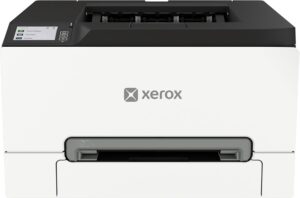
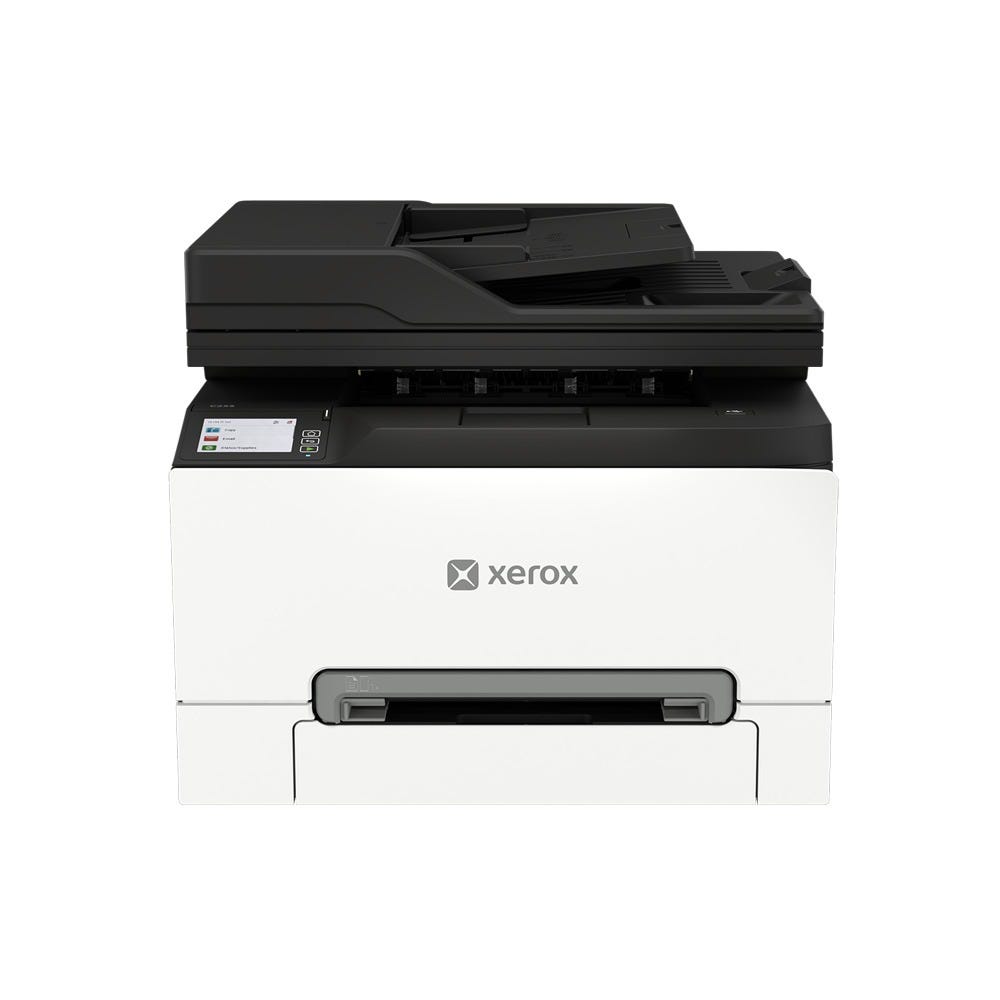
Physically it is one of the smaller color laser all-in-ones you can put on a desk, and that compactness is paid for at the paper path. There is a single main cassette plus a one-sheet manual slot, a shallow output shelf, and a flatbed with a document feeder on top for copies, scans, faxes and emails. If your week involves loading paper twice a day, this is not the machine.
What it does carry is the office plumbing that cheaper color lasers still leave out. Gigabit Ethernet sits alongside Wi-Fi, two-sided printing is standard, fax is present, and the control panel is a color touchscreen instead of a two-line display and a maze of buttons.
The things Xerox leaves unsaid matter too. Nowhere in its specification does it state that the feeder scans both sides of a page, which on a machine sold partly on scanning is a conspicuous silence. Running costs are the other open question until you price a full set of cartridges.
For a desk that prints in color occasionally and needs to scan and copy without ceremony, the sizing is right. For anyone printing steadily all day, the tray will settle the argument long before the print engine does.
Category strengths
Where the Xerox C255a beats the median
- A much higher print resolution ?2,400 dpi vs 1,200 dpi (median)
Where the Xerox C255a trails the median
- A lower print speed (black) ?26 ppm vs 32 ppm (median)
- A lower print speed (color) ?26 ppm vs 31 ppm (median)
- A slightly heavier build ?19.5 kg vs 18.35 kg (median)
How this VS Score was computed
Score 63: each known spec is measured against the median of laser printers (12 products), then weighted. 53% of the scoreable weight could be used. See how we score
| Specification | This product | Cohort median | Score weight | Points moved |
|---|---|---|---|---|
| Color printing | Yes | 58% of the class have it | 1.5 | +75.0 |
| Print resolution | 2,400 | 1,200 | 0.5 | +25.0 |
| Touchscreen display | Yes | 75% of the class have it | 0.5 | +25.0 |
| Print speed (black) | 26 | 32 | 2 | −18.0 |
| Fax | Yes | 67% of the class have it | 0.2 | +10.0 |
| Print speed (color) | 26 | 31 | 1 | −8.0 |
| Weight | 19.5 | 18.35 | 0.3 | −0.9 |
| Monthly duty cycle | 50,000 | 50,000 | 0.3 | +0.0 |
| ADF capacity | 50 | 50 | 0.5 | +0.0 |
| Input tray capacity | 250 | 250 | 1 | +0.0 |
| Output tray capacity | 100 | 100 | 0.3 | +0.0 |
Not scored: Automatic duplex printing (standard for the class (100% have it)); Supertank / refillable ink (not applicable: only 9% of this class have it); All-in-one (standard for the class (100% have it)); Automatic document feeder (standard for the class (100% have it)); Duplex scanning (unknown: not scored); Wi-Fi (standard for the class (92% have it)); Wi-Fi Direct (standard for the class (92% have it)); Ethernet (standard for the class (100% have it)); USB (standard for the class (100% have it)); Apple AirPrint (standard for the class (100% have it)); Mobile app printing (unknown: not scored).
Editor’s note
The C255a is a sensible machine with one obvious constraint, and how much that constraint bites depends on how you print more than on how much.
Twenty-six pages a minute in both black and color is quick for this class, and it is the figure that flatters the printer in any spec comparison. Engine speed only helps in bursts, though. With 250 sheets in and a 100-sheet shelf out, a long color job needs supervision, so the machine feels fast for a ten-page contract and slow for a fifty-page deck you have to stand over. For the second kind of work I would take a slower engine with a bigger cassette every time.
The 2.8-inch color touchscreen earns its place. Scan to email, to a network folder and to a USB stick are all there, and putting them behind a touchscreen is the difference between colleagues using the scanner and colleagues emailing you a phone photo of a document.
What I would check before buying is the toner arithmetic. The cartridges in the box are starters, roughly 750 pages of black and 500 of each color, so the first full replacement set arrives sooner than the purchase price suggests, and on a four-cartridge color laser that set is a real expense. Anyone printing mostly text should work out whether a mono laser plus an occasional color inkjet costs less over three years.
The comparison I would make is against Xerox C305ae, which shares the shape and the feeder but carries a higher rated duty cycle. Choose the C255a when your volume sits comfortably inside its recommended range and you want the smaller footprint. Step up when it does not, because paper capacity is what wears out your patience with a printer this size.
Specifications
Printing
Scanning & copying
Paper handling
Connectivity
Design
Sources and verification
Where the specifications come from
- Official product pagexerox.com
- Retailer listing (cross-check)amazon.com
Verification
- First published
- Specifications last checked
- Sheet completeness
- 22 of 24 specifications verified; the rest show as Unknown and are never estimated or scored
- Page type
- Product specification page — Compiled from the manufacturer’s published specifications and the cited sources; this is not a hands-on test.
- Basis
- Research-based: specifications and editorial text were compiled from the documents listed here and the manufacturer’s published data. We have not tested this unit ourselves; where independent measurements are mentioned they belong to the linked publication.
Where to buy
Prices and availability may change. Check the retailer before buying. We may earn a commission on purchases.
Price history
Printers with similar specs to the Xerox C255a
Ratings & reviews
No reviews yet. Be the first to share your experience.
The bottom line
The Xerox C255a earns a VS Score of 63, above the median of the 12 laser printers it is measured against (a score of 50 is level with that median).
- Who it’s for
- A small office or a busy home office that needs color printing, copying, scanning and fax in one compact box, and prints in bursts.
- Who should look elsewhere
- Anyone whose printing runs long. There is one cassette, no second tray to add, and a shallow output shelf, so a substantial job becomes a refill routine.
- The trade-off that matters
- The feeder makes multi-page scanning painless, but Xerox never states that it captures both sides of a sheet in one pass. If double-sided originals are routine, plan on flipping stacks by hand.
- The main alternative
- Xerox C305ae, the same family and feeder with a higher rated duty cycle, if your monthly volume sits near the top of this one's range.
This page was created with the help of AI. How we work