
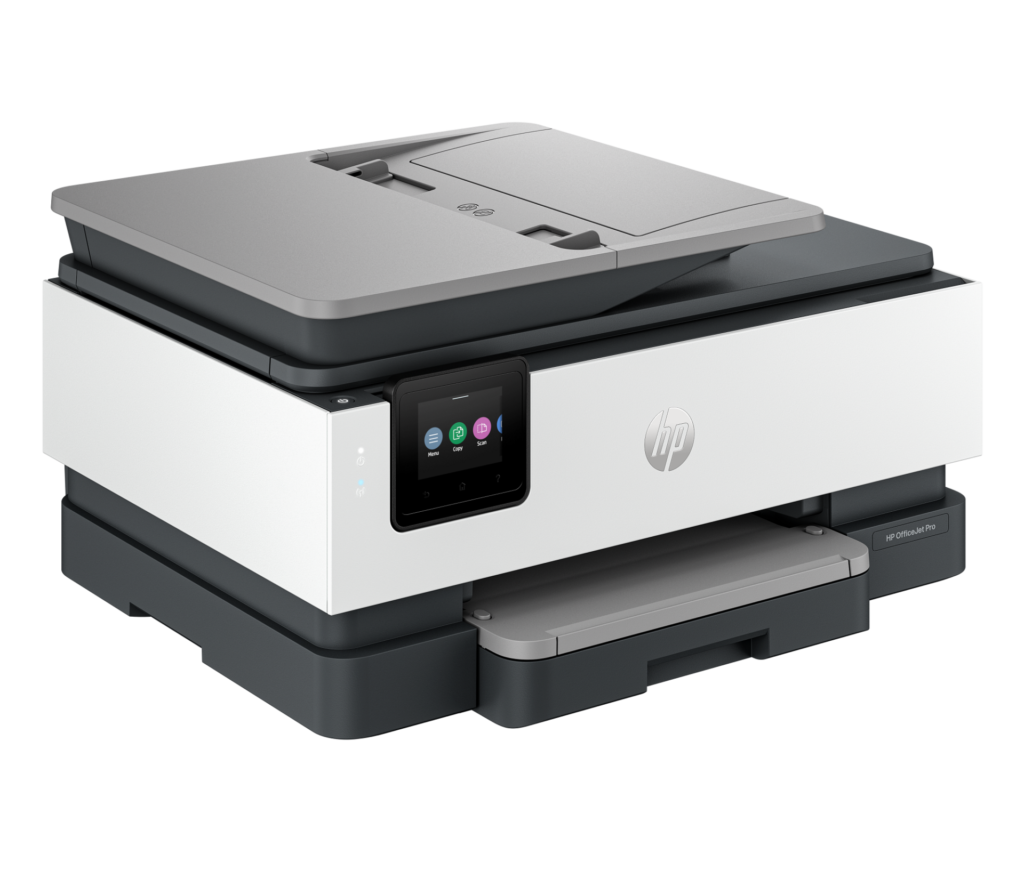
HP OfficeJet Pro 8125: Specs, Price, Pros & Cons
The OfficeJet Pro 8125 accepts only cartridges with a new or reused HP chip, and HP's own product page warns that periodic firmware updates will block cartridges that previously worked. Refilled and remanufactured cartridges still run if they carry a reused HP chip. Compatibles made with their own chips do not, and those are the usual way to cut what an inkjet costs to run.
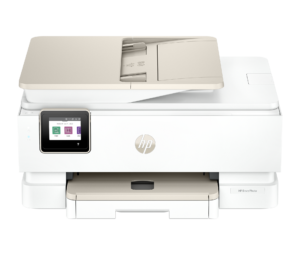
Beyond that policy, it is a compact all-in-one from HP's OfficeJet Pro 8120 series, built for a home office. It prints on both sides of the sheet automatically, copies and scans through a document feeder on top, and is run from a small color touchscreen. Ink goes in as four separate cartridges, so one empty color does not force a whole tricolor replacement. Fax is missing. The paper tray holds a little under half a ream, and borderless printing works only on photo and brochure paper, so photos are a sideline here.
The feeder is rated at up to 8 pages a minute in black and 3.5 in color at 200 ppi, and it reads one side of a sheet at a time, so a stack of two-sided originals goes through twice, turned over by hand in between.
HP rates the 8125 at 20 pages a minute in black under the ISO test for ordinary documents, and color at half that, with the first black page out in as little as 15 seconds. The 29 pages a minute that also appears in HP's specifications is the draft-mode rate, so the lower figure is the one to set against other makers' ISO ratings.
Category strengths
Where the HP OfficeJet Pro 8125 beats the median
- A much higher input tray capacity ?225 sheets vs 112.5 sheets (median)
- A much higher monthly duty cycle ?20,000 pages vs 5,000 pages (median)
- A higher print speed (black) ?20 ppm vs 14 ppm (median)
- Has ethernet ?
- Has touchscreen display ?
- A higher print speed (color) ?10 ppm vs 8 ppm (median)
- A much higher output tray capacity ?60 sheets vs 40 sheets (median)
Where the HP OfficeJet Pro 8125 trails the median
- A heavier build ?8 kg vs 7.2 kg (median)
How this VS Score was computed
Score 75: each known spec is measured against the median of inkjet printers (44 products), then weighted; 50 means level with that median. In classes of six or more, a value beyond the class’s 10th–90th percentile range counts as that limit, so one extreme product cannot set the scale. 63% of the scoreable weight could be used; unknown values, features not applicable to this class and proxies (battery capacity where a rated life exists) add or remove nothing.
| Specification | This product | Cohort median | Score weight | Points moved |
|---|---|---|---|---|
| Automatic duplex printing | Yes | 72% of the class have it | 1 | +50.0 |
| Automatic document feeder | Yes | 57% of the class have it | 1 | +50.0 |
| Input tray capacity | 225 | 112.5 | 1 | +50.0 |
| Print speed (black) | 20 | 14 | 2 | +42.0 |
| Ethernet | Yes | 41% of the class have it | 0.5 | +25.0 |
| Touchscreen display | Yes | 41% of the class have it | 0.5 | +25.0 |
| Supertank / refillable ink | No | 41% of the class have it | 0.5 | −24.0 |
| Monthly duty cycle | 20,000 | 5,000 | 0.3 | +15.0 |
| Print speed (color) | 10 | 8 | 1 | +13.0 |
| Fax | No | 34% of the class have it | 0.2 | −9.6 |
| Output tray capacity | 60 | 40 | 0.3 | +7.5 |
| Weight | 8 | 7.2 | 0.3 | −1.5 |
| Print resolution | 4,800 | 4,800 | 0.5 | +0.0 |
| ADF capacity | 35 | 35 | 0.5 | +0.0 |
Not scored: Color printing (standard for the class (100% have it)); All-in-one (standard for the class (100% have it)); Duplex scanning (not applicable: only 17% of this class have it); Wi-Fi (standard for the class (100% have it)); Wi-Fi Direct (standard for the class (90% have it)); USB (standard for the class (100% have it)); Apple AirPrint (standard for the class (100% have it)); Mobile app printing (standard for the class (100% have it)).
Editor’s note
HP's standard 923 cartridges are rated at about 500 pages for black and 400 for each color, and the larger 923e EvoMore versions at about 1,000 and 800. HP recommends printing no more than 800 pages a month on this model and describes the 20,000-page duty cycle as a ceiling not to be reached on an ongoing basis. At that recommended maximum, a standard black cartridge lasts under three weeks, and even the EvoMore black runs out in about five.
A few hundred pages a month is the workload where those yields stop being a nuisance. HP bundles three months of Instant Ink, its subscription in which every page costs the same in color or black and cartridges arrive by post, and after the trial it is the simplest way to keep the cost of a page predictable on this printer.
For heavier printing, HP's Smart Tank 7303 is the better fit. It keeps a 35-sheet feeder, two-sided printing and Ethernet, and it fills its tanks from bottles instead of taking cartridges.
The OfficeJet Pro 9125e reads both sides of a page in one pass and takes a larger paper tray. For an office that digitizes contracts or tax paperwork every week, that single pass saves more time than the 9125e's small lead in print speed.
Ethernet beside dual-band Wi-Fi, a touchscreen instead of buttons and automatic duplex printing cover what a shared home office printer needs, and none of them was dropped to reach this price.
Specifications
Quality bars show where each figure sits between the lowest and highest of the 44 inkjet printers this VS Score is measured against.
Printing
Scanning & copying
Paper handling
Connectivity
Design
Sources and verification
Where the specifications come from
- Official product pagehp.com
- Retailer listing (cross-check)bestbuy.com
Verification
- First published
- Specifications last checked
- Sheet completeness
- 24 of 24 specifications verified; the rest show as Unknown and are never estimated or scored
- Page type
- Product specification page — Compiled from the manufacturer’s published specifications and the cited sources; this is not a hands-on test.
- Basis
- Research-based: specifications and editorial text were compiled from the documents listed here and the manufacturer’s published data. We have not tested this unit ourselves; where independent measurements are mentioned they belong to the linked publication.
Where to buy
Prices and availability may change. Check the retailer before buying. We may earn a commission on purchases.
Price history
Printers with similar specs to the HP OfficeJet Pro 8125
Ratings & reviews
No reviews yet. Be the first to share your experience.
The bottom line
The HP OfficeJet Pro 8125 earns a VS Score of 75, above the median of the 44 inkjet printers it is measured against (a score of 50 is level with that median).
- Who it’s for
- A home office printing a few hundred pages a month that wants two-sided printing and a document feeder on Wi-Fi or Ethernet, and is happy to buy HP cartridges or subscribe to Instant Ink.
- Who should look elsewhere
- Anyone who buys compatible cartridges with their own chips, since HP's firmware is built to reject them, and anyone who still sends faxes. For heavy monthly volumes, look elsewhere.
- The trade-off that matters
- The hardware covers what a small office asks for, but the cartridges are small and tied to HP, so the cost of each page stays in HP's hands.
- The main alternative
- HP OfficeJet Pro 8135e: the same generation with fax added, for an office that still sends signed forms that way.
The VS Score is calculated from the weighted specifications above, each measured against the median of comparable inkjet printers — a shortlisting guide, not a substitute for your own priorities. See how we score.





