
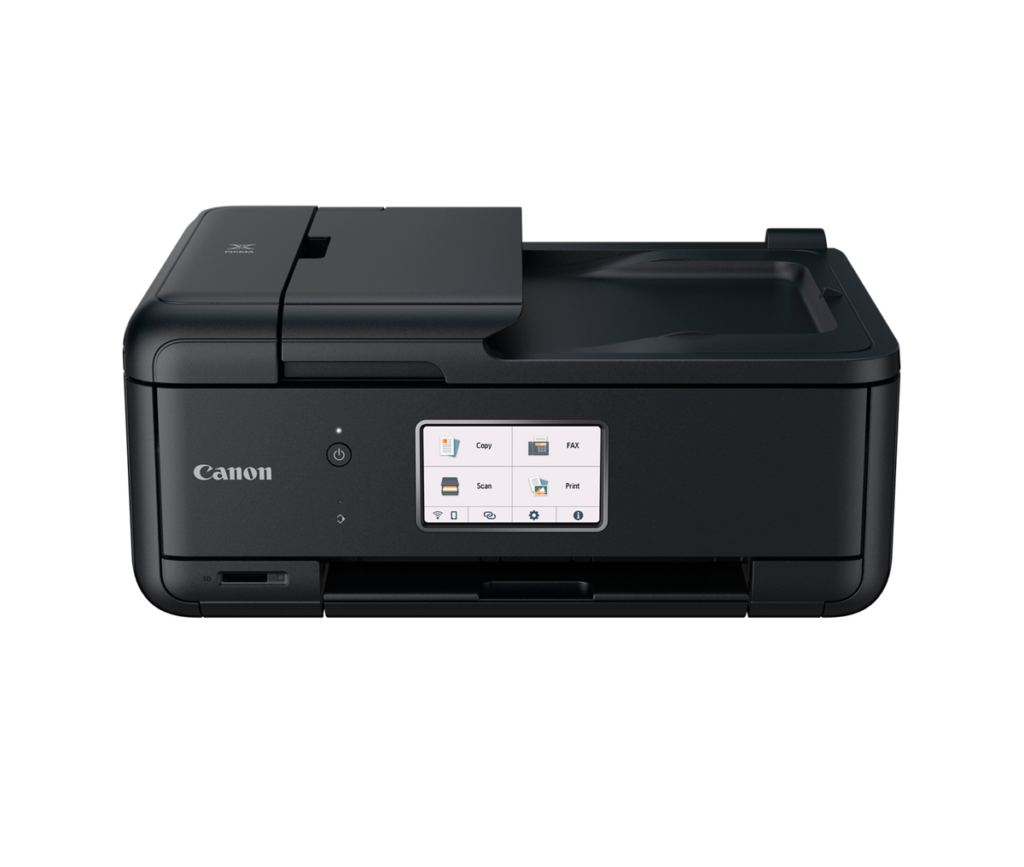
Canon PIXMA TR8620a: Specs, Features, Pros & Cons
Most home printers are quietly built for one job. Office-style all-in-ones handle documents well and treat photos as an afterthought, while photo inkjets print pictures beautifully and struggle with a stack of paperwork. The PIXMA TR8620a is Canon's attempt to sit between the two, and that dual role explains nearly every decision in it.
On the office side it has the features a busy household or small home office leans on: a document feeder, automatic two-sided printing, fax, a touchscreen and wired networking alongside Wi-Fi. On the photo side it uses a separate ink tank for each color, includes an extra black for photo work, prints borderless and reads memory cards directly. Few cartridge machines try to cover both sets of needs this completely.
The cost of that breadth is the ink model itself. It is still a cartridge printer, and for anyone printing steadily a refillable tank machine will be cheaper to run within a fairly short time. The document feeder is also built for light duty, scanning one side at a time, so it is a convenience for light jobs.
Positioning has shifted too. Canon no longer sells it directly, so buyers will find it through retailers, where pricing varies more than it did. That makes it a considered purchase for a specific household: one that prints school or work documents most weeks, wants proper photo prints from the same machine and does not print enough for tank economics to dominate. Someone whose printing is almost all documents, or almost all volume, has better-focused options elsewhere.
Category strengths
Where the Canon PIXMA TR8620a beats the median
- Has touchscreen display ?
- A higher input tray capacity ?200 sheets vs 150 sheets (median)
- Has fax ?
- A higher print speed (color) ?10 ppm vs 9 ppm (median)
- A slightly lighter build ?7.89 kg vs 7.98 kg (median)
Where the Canon PIXMA TR8620a trails the median
- A lower ADF capacity ?20 sheets vs 35 sheets (median)
- A slightly lower print speed (black) ?15 ppm vs 16 ppm (median)
How this VS Score was computed
Score 63: each known spec is measured against the median of all printers (65 products), then weighted; 50 means level with that median. In classes of six or more, a value beyond the class’s 10th–90th percentile range counts as that limit, so one extreme product cannot set the scale. 62% of the scoreable weight could be used; unknown values, features not applicable to this class and proxies (battery capacity where a rated life exists) add or remove nothing.
| Specification | This product | Cohort median | Score weight | Points moved |
|---|---|---|---|---|
| Automatic duplex printing | Yes | 73% of the class have it | 1 | +50.0 |
| Automatic document feeder | Yes | 55% of the class have it | 1 | +50.0 |
| Ethernet | Yes | 54% of the class have it | 0.5 | +25.0 |
| Touchscreen display | Yes | 45% of the class have it | 0.5 | +25.0 |
| Supertank / refillable ink | No | 30% of the class have it | 0.5 | −24.0 |
| Duplex scanning | No | 23% of the class have it | 0.5 | −24.0 |
| Input tray capacity | 200 | 150 | 1 | +17.0 |
| ADF capacity | 20 | 35 | 0.5 | −10.5 |
| Fax | Yes | 35% of the class have it | 0.2 | +10.0 |
| Print speed (black) | 15 | 16 | 2 | −6.0 |
| Print speed (color) | 10 | 9 | 1 | +6.0 |
| Weight | 7.89 | 7.98 | 0.3 | +0.3 |
| Print resolution | 4,800 | 4,800 | 0.5 | +0.0 |
Not scored: Color printing (standard for the class (88% have it)); Monthly duty cycle (unknown: not scored); All-in-one (standard for the class (85% have it)); Output tray capacity (unknown: not scored); Wi-Fi (standard for the class (97% have it)); Wi-Fi Direct (standard for the class (90% have it)); USB (standard for the class (100% have it)); Apple AirPrint (standard for the class (97% have it)); Mobile app printing (standard for the class (100% have it)).
Editor’s note
The TR8620a is what Canon's home-office line looks like one step before you leave cartridges behind: five individual inks, a proper 4.3-inch touchscreen, Ethernet alongside Wi-Fi, an SD card slot, dual 100-sheet paper sources, automatic duplex and a color fax. At 15 pages a minute in black and 10 in color it's respectably quick for its class, and unlike the cheaper TR4720, an empty cyan means replacing one small tank, where the TR4720 needs a whole new tri-color cartridge.
The five-ink design is also what makes it quietly good at photos for an office machine. The dye color set plus a dedicated photo-friendly black prints borderless up to Letter, handles square media, and turns out a 4×6 in about 37 seconds, a real perk if family printing shares the desk with work.
Two limitations define its ceiling. First, the document feeder is 20 sheets and single-sided, and two-sided scanning is a manual flip. This is light-duty office equipment, not workgroup gear. Second, cartridges: a full color set costs real money, and if your volumes are steady, an Epson EcoTank or Canon's own MegaTank machines will beat it decisively on cost per page. One data quirk worth knowing: Canon's own spec table mislabels the paper inputs as output tray capacity, and the 200-sheet figure on our page is the two input sources combined.
Canon has stopped selling it directly, so it now lives at retailers, where prices vary. At the lower end of that spread I'd call it a strong buy for a busy household with mixed document-and-photo needs and modest monthly volume. High-volume printers should skip straight to a tank machine and never look back.
Specifications
Quality bars show where each figure sits between the lowest and highest of the 65 printers this VS Score is measured against.
Printing
Scanning & copying
Paper handling
Connectivity
Design
Sources and verification
Where the specifications come from
- Official product pagecanon.ca
- Independent testingrtings.com
Verification
- First published
- Specifications last checked
- Sheet completeness
- 22 of 24 specifications verified; the rest show as Unknown and are never estimated or scored
- Page type
- Product specification page — Compiled from the manufacturer’s published specifications and the cited sources; this is not a hands-on test.
- Basis
- Research-based: specifications and editorial text were compiled from the documents listed here and the manufacturer’s published data. We have not tested this unit ourselves; where independent measurements are mentioned they belong to the linked publication.
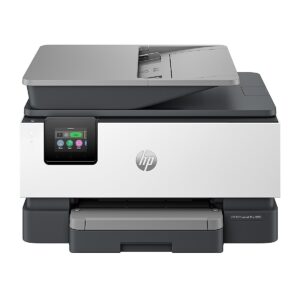
Printers with similar specs to the Canon PIXMA TR8620a
Ratings & reviews
No reviews yet. Be the first to share your experience.
The bottom line
The Canon PIXMA TR8620a earns a VS Score of 63, above the median of the 65 printers it is measured against (a score of 50 is level with that median).
- Who it’s for
- Busy households mixing documents and photos: individual inks, a real touchscreen, Ethernet, an SD slot, dual paper trays and color fax make it the most complete cartridge PIXMA for light office duty.
- Who should look elsewhere
- Steady-volume printers, for whom cartridge costs lose badly to supertank economics, and anyone needing duplex scanning or a larger document feeder.
- The trade-off that matters
- Convenience inks versus running costs: individual tanks beat tri-color cartridges, but the whole cartridge model is the thing a tank printer retires.
- The main alternative
- Epson EcoTank ET-4903: for steady volume its tank economics and ADF beat any cartridge machine. The TR8620a answers with a touchscreen, Ethernet and better photo output.
The VS Score is calculated from the weighted specifications above, each measured against the median of comparable printers — a shortlisting guide, not a substitute for your own priorities. See how we score.





