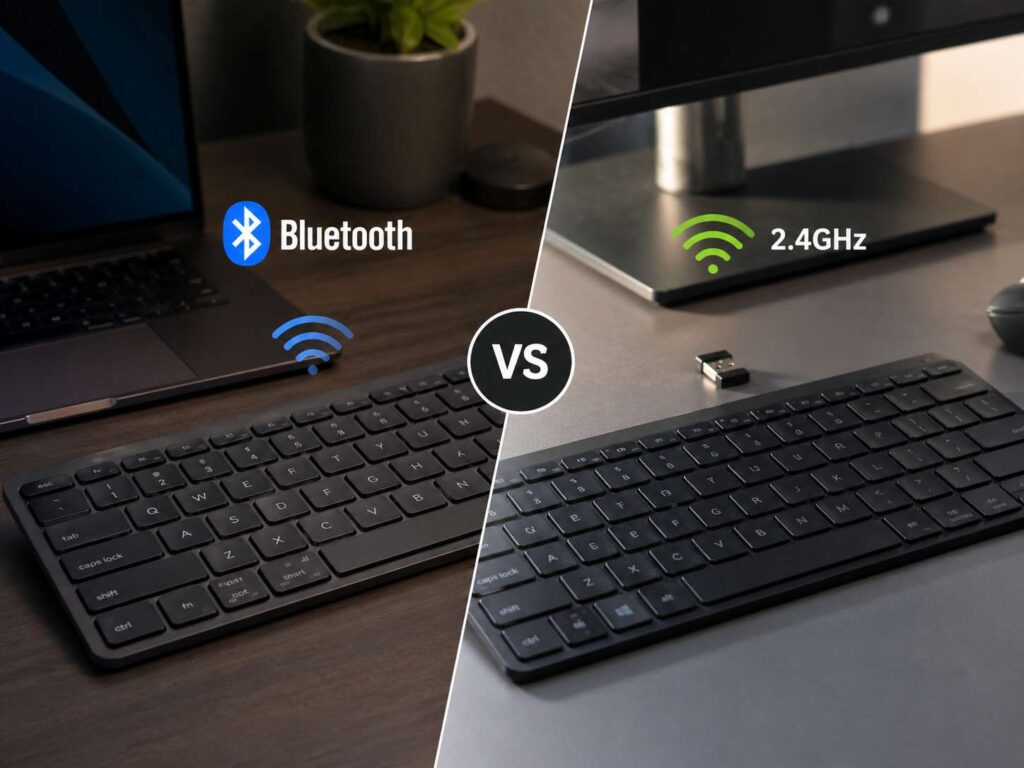
A Bluetooth keyboard is a wireless keyboard, and so is one sold as “2.4G”. They differ in what they connect to. A 2.4G keyboard needs the small USB receiver from its box. Bluetooth uses the radio that’s already inside a computer, tablet or phone, so there’s nothing to plug in.
On a desktop PC, the receiver is the better connection, because it works before Windows starts and a Bluetooth keyboard usually doesn’t. Bluetooth makes more sense when the keyboard also has to reach a tablet or a phone. For typing, either one keeps up.
What 2.4G means on a keyboard
2.4G is short for 2.4 GHz, a radio band. Intel’s 2012 white paper on USB 3.0 interference describes it as the band that routers, mice and keyboards share. They use Wi-Fi, Bluetooth or protocols their makers designed themselves, and a keyboard sold as 2.4G uses the last kind through its receiver.
So “2.4G” and “Bluetooth” on a box describe two ways of using one band, and a keyboard that lists both can do either. Wi-Fi links devices to a router, which makes it no keyboard connection at all.
A wired keyboard sends keystrokes and draws power through its cable, so it needs no receiver, no pairing and no battery.
Before Windows starts
Bluetooth usually isn’t recognized until the operating system loads, Logitech says in a support article about its K810 keyboard. The K810 has no receiver that the BIOS could see as a keyboard. The article’s advice for the BIOS is a wired keyboard or a wireless one that doesn’t use Bluetooth.
On most PCs, that keeps a Bluetooth-only keyboard out of the BIOS setup screen and the boot menu, which run before the operating system. A 2.4G keyboard can work there because the BIOS sees its receiver as a keyboard.
If the wireless keyboard will be the only one on a desktop PC, get one with a receiver or a USB cable. Otherwise keep a spare wired keyboard in a drawer.
Typing speed and fast games
Over Bluetooth Low Energy, the keyboard and the computer talk at a fixed rhythm. The Bluetooth SIG describes the gap between those exchanges as a balance between delay, data rate and power use.
Until version 6.2 of the standard, the shortest gap allowed was 7.5 ms, and the SIG calls that limit restrictive for gaming. Version 6.2 allows gaps as short as 375 µs, if the keyboard and the computer both support it.
Typing never comes close to it. At 100 words a minute and five letters a word, you press about eight keys a second. That gap means a polling rate of about 133 Hz. There is room for every press and every release to go out on its own.
In a game, a key pressed just after an exchange can wait a full gap for the next one. A 144 Hz monitor draws a frame every 6.9 ms, so that wait can cost a whole frame.
A 2.4G receiver runs the maker’s own protocol, which Bluetooth’s minimum doesn’t govern.
Tablets, phones and two computers
A receiver needs a free USB port that fits its plug. Bluetooth needs no port, which makes it the connection for tablets, phones and laptops whose ports are already taken. A keyboard with both connections can keep its receiver in a desktop PC and switch to a tablet over Bluetooth.
Where to plug in the receiver
USB 3 ports, the drives in them and their cables give off radio noise across the 2.4 GHz band, Intel’s paper shows. The effect on a nearby receiver was the same whether the drive was busy or just plugged in.
In one setup, the receiver sat in a port stacked directly above a USB 3.0 flash drive. The mouse didn’t respond at all, even at 2 feet. Moving the receiver to the laptop’s other side on an extension cable cured it.
These tests used a wireless mouse, and the paper says the noise could affect any radio whose antenna sits close by. Plug the keyboard’s receiver into a port away from any USB 3 drive or flash drive, or put it on an extension cable.