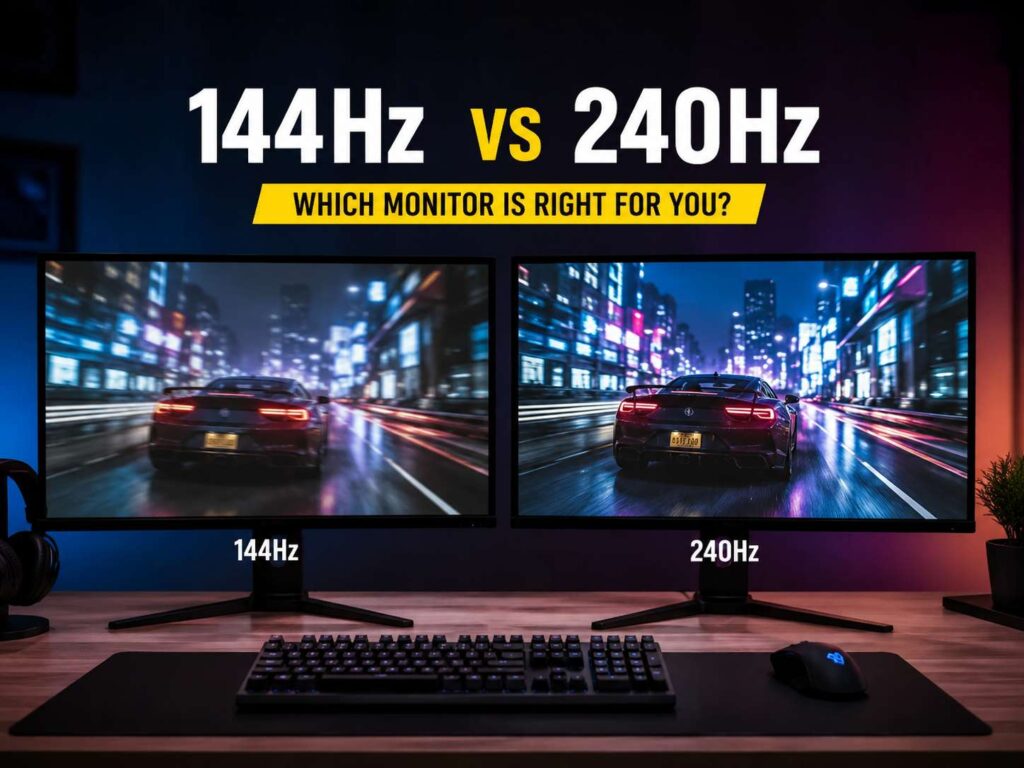
A 144Hz vs 240Hz monitor comparison sounds simple at first. One screen refreshes 144 times per second. The other refreshes 240 times per second. So, the 240Hz model looks like the easy winner.
Still, the right choice is not always the fastest screen.
A 240Hz monitor can feel quicker, smoother, and more direct. It works best for fast games and players who care about reaction time. A 144Hz monitor is still a big jump over 60Hz. It feels smooth in games, clean on the desktop, and easier to live with if you want better image quality for the money.
So, which one should you buy? Most users should pick 144Hz or 165Hz. Competitive FPS players who can push high frame rates should look at 240Hz.
What Refresh Rate Means
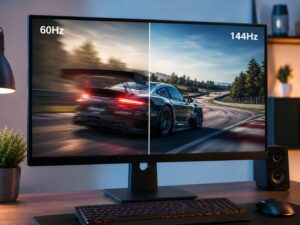
Refresh rate tells you how many times a monitor updates the image each second. A 60Hz screen refreshes 60 times per second. A 144Hz screen refreshes 144 times per second. A 240Hz screen refreshes 240 times per second.
Here is the basic timing:
- 60Hz: one refresh every 16.67 ms
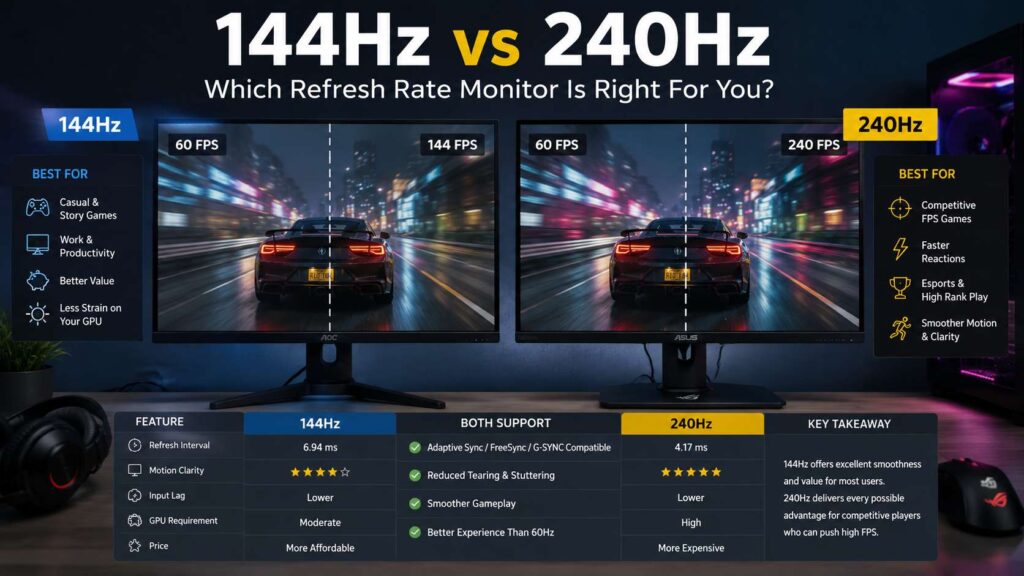
- 144Hz: one refresh every 6.94 ms
- 240Hz: one refresh every 4.17 ms
That means 240Hz updates the screen about 2.78 ms faster than 144Hz. The gap is real, but it is much smaller than the jump from 60Hz to 144Hz.
For that reason, 144Hz feels like a major upgrade after a basic office monitor. The mouse feels quicker. Games look smoother. Camera movement feels cleaner. Then 240Hz improves that feel again, but the change feels smaller.
For office users, the jump from 60Hz to 120Hz or 144Hz often matters more than the jump from 144Hz to 240Hz. For a deeper office-focused breakdown, read this guide on 60Hz vs 120Hz vs 144Hz for office work.
144Hz vs 240Hz: The Main Difference
The main difference comes down to motion clarity and input delay.
A 144Hz monitor already gives a smooth image. It works well for single-player games, racing games, RPGs, sports games, and many online shooters. It feels good for web browsing, coding, editing, and daily PC use too.
A 240Hz monitor targets speed first. It refreshes more often, so it can show a newer game frame sooner. That helps in games where quick aim and fast reactions matter. Think Counter-Strike 2, Valorant, Fortnite, Apex Legends, Rainbow Six Siege, Overwatch 2, and similar fast titles.
Still, a 240Hz screen needs enough frames from your PC. A game running at 110 fps will not feel like true 240Hz. It will still run fine, but you will not get the full benefit.
Is 240Hz Better Than 144Hz for Gaming?
Yes, 240Hz is better for competitive gaming under the right setup.
You need three things:
- A game that can run close to 240 fps
- A PC strong enough to hold high frame rates
- A player who cares about fast aim, quick reactions, and lower input lag
For esports games, 240Hz can give you a cleaner view during fast movement. Targets look easier to track. Mouse movement feels more direct. Flick shots can feel tighter. Small changes matter more at higher skill levels, so many serious players prefer 240Hz or faster screens.
For casual gaming, 144Hz often feels fast enough. A story game at 144Hz can look smooth and clear. Many AAA games still struggle to hit 240 fps at high settings, even with strong hardware. So, a 240Hz screen can sit underused in demanding games.
If you play mostly cinematic games, open-world games, strategy games, or slower action games, buy a better 144Hz or 165Hz monitor instead of a weak 240Hz model.
Can You Tell the Difference Between 144Hz and 240Hz?
Usually, yes, but the change is smaller than the jump from 60Hz.
The jump from 60Hz to 144Hz feels clear right away. The jump from 144Hz to 240Hz feels more subtle. You notice it most during fast mouse movement, quick turns, and high-speed aiming. Daily browsing feels smoother too, but not enough to justify the price for every user.
The change can show up in minutes or take a few days to notice. After using 240Hz for a long time, going back to 144Hz can feel a little slower.
Frame rate stability matters too. A steady 240 fps feels better than a game bouncing between 140 fps and 230 fps. Clean frame pacing matters. A stable 144 fps can feel better than an unstable 240 fps setup.
144Hz Monitor Pros
A 144Hz monitor gives the best value.
It usually costs less than a 240Hz model. It works well with mid-range graphics cards. It gives you more room to choose better resolution, better color, stronger contrast, or a larger screen.
A good 144Hz monitor works well for:
- Casual gaming
- Beginner and mid-level competitive gaming
- Console gaming at 120Hz
- Work and study
- Photo editing
- Video editing
- General desktop use
A 144Hz gaming monitor gives you more freedom. You can buy 1080p, 1440p, ultrawide, or 4K models. You can pick IPS, OLED, VA, or mini LED. You do not have to chase frame rate at the cost of image quality.
144Hz Monitor Cons
A 144Hz monitor is not the fastest choice now.
Ranked shooter players can outgrow it. A 240Hz monitor gives lower scanout delay and smoother motion. High-skill players can feel that extra speed.
Motion blur can appear more clearly on some 144Hz screens too. Panel quality matters here. A slow VA 144Hz monitor can smear dark scenes. A fast IPS or OLED 144Hz monitor looks much cleaner.
So, do not buy by refresh rate alone. Check response time, input lag, VRR support, panel type, and real user feedback.
240Hz Monitor Pros
A 240Hz monitor gives a faster feel. It can reduce input delay, improve motion clarity, and make fast games feel more connected to your mouse.
It works best for:
- Esports players
- Competitive FPS games
- Fast battle royale games
- Aim trainers
- High-refresh 1080p gaming
- High-refresh 1440p gaming
- Players with powerful CPUs and GPUs
A 240Hz monitor can make the desktop feel very smooth too. Mouse movement looks cleaner. Scrolling feels sharper. Window movement feels more fluid.
Newer 240Hz monitors come in better forms now. You can find 1080p 240Hz, 1440p 240Hz, 4K 240Hz, OLED 240Hz, and ultrawide 240Hz options. Many models support Adaptive Sync, AMD FreeSync, or NVIDIA G-SYNC Compatible modes to reduce tearing and stutter.
240Hz Monitor Cons
A 240Hz monitor costs more. It needs more PC power too.
To get real value from 240Hz, your PC should hit close to 240 fps in the games you play. That often means lower graphics settings, a strong CPU, fast RAM, and a capable GPU. In esports games, this is realistic. In demanding AAA games, it is much harder.
There is another trade-off. A cheap 240Hz screen can have weaker color, lower contrast, a basic stand, or poor HDR next to a better 144Hz monitor at the same price. Speed alone does not make a monitor good.
Ports and cables matter too. High refresh rates at high resolution need enough bandwidth. For 1440p or 4K at high refresh rates, check the monitor’s HDMI and DisplayPort support before you buy.
1080p, 1440p, or 4K: Which Resolution Fits Best?
Resolution matters as much as refresh rate.
A 1080p 240Hz monitor is the classic esports choice. It is easier to drive at high fps. It keeps cost lower too. The downside is image sharpness, mostly on 27-inch screens and larger.
A 1440p 144Hz monitor gives a strong balance. It looks sharper than 1080p, feels smooth, and works well with mid-range or upper mid-range GPUs. This is the sweet spot for a mid-range PC.
A 1440p 240Hz monitor is a better pick for competitive players who want speed and sharpness. It needs a faster PC, but it feels great in esports titles.
A 4K 144Hz monitor fits users who care about sharp visuals, console gaming, single-player games, and work. A 4K 240Hz monitor sits at the high end. It needs strong hardware and the right cable setup. It can look excellent, but it costs much more.
Panel Type Matters: IPS, OLED, and VA
Do not pick a monitor by refresh rate alone. Panel type changes the whole experience.
IPS monitors usually offer good color, wide viewing angles, and fast response times. Many 144Hz and 240Hz IPS monitors work well for gaming and work.
OLED monitors offer very fast pixel response and excellent contrast. A 240Hz OLED can look much clearer in motion than many LCD screens. It gives deep blacks too. The trade-offs are price, brightness limits in some scenes, and burn-in risk with static desktop use.
VA monitors often give better contrast than IPS. Dark scenes can look richer. Yet some VA panels show smearing in fast motion, mostly in dark transitions. A good VA monitor can still work well, but check response time tests before you buy one for esports.
Response Time and Input Lag
Refresh rate is only one part of speed.
Response time tells you how fast pixels change from one shade to another. A monitor with poor response time can blur even at 240Hz. That is why a good 144Hz monitor can look better than a weak 240Hz monitor.
Input lag tells you how long the display takes to show your action. Lower input lag helps games feel more direct.
For gaming, look for:
- Low measured input lag
- Fast response times across many transitions
- Good overdrive tuning
- Low overshoot
- VRR support
- Stable performance at your target refresh rate
Do not trust “1ms” marketing by itself. Many monitors claim 1ms, but real testing often shows a wider range.
Your mouse matters too. A fast monitor works best with a good mouse sensor, low click latency, and a shape that fits your hand. For more detail, read this guide to the best FPS gaming mouse features.
FreeSync, G-SYNC, and VRR
VRR means variable refresh rate. It lets the monitor match the game’s frame rate more closely. This helps reduce tearing and stutter.
AMD FreeSync, NVIDIA G-SYNC Compatible, and full G-SYNC displays all aim to make games feel smoother across changing frame rates. For 144Hz and 240Hz monitors, VRR helps most in games where frame rates move up and down.
It matters less in esports titles locked at a steady high fps cap. Still, it is useful to have. Most modern gaming monitors include some form of VRR support.
144Hz vs 240Hz for Console Gaming
For PlayStation 5 and Xbox Series X, 144Hz is usually enough. Most console games target 30 fps, 60 fps, or 120 fps. A 240Hz monitor will still work, but the console will not use 240Hz in normal play.
For console gaming, focus on:
- 120Hz support
- HDMI 2.1 support
- VRR support
- Good HDR
- Low input lag
- 1440p or 4K resolution
A good 4K 144Hz monitor often makes more sense than a 1080p 240Hz monitor for console players.
144Hz vs 240Hz for Work
For office work, coding, writing, and web browsing, 144Hz already feels smooth. Text scrolling looks cleaner than 60Hz. Mouse movement feels better. Long sessions can feel more pleasant.
A 240Hz monitor can feel nicer, but the gain is small for work. Higher resolution, better text clarity, better ergonomics, and better color accuracy add more.
For work, pick:
- 1440p or 4K resolution
- Good stand adjustment
- Flicker-free backlight
- Comfortable brightness range
- USB-C with power delivery, if you need one-cable desk setup
- Matte coating that does not look grainy
A 240Hz refresh rate is a bonus for work. It should not be your main reason to buy.
Which One Should You Buy?
Buy a 144Hz monitor if you want the best value. It is the right choice for most gamers, students, office users, and console players. A good 144Hz or 165Hz monitor gives smooth motion, lower lag than 60Hz, and plenty of options at fair prices.
Buy a 240Hz monitor if you play competitive games and your PC can reach high fps. It makes sense for esports players, aim-focused FPS users, and anyone who values speed above screen size or image quality.
Here is the easiest way to choose:
- Best value: 27-inch 1440p 144Hz or 165Hz IPS
- Best esports budget pick: 24-inch 1080p 240Hz IPS
- Best balanced gaming pick: 27-inch 1440p 240Hz
- Best high-end pick: 27-inch or 32-inch 4K 240Hz OLED
- Best console pick: 27-inch or 32-inch 4K 144Hz with HDMI 2.1
Final Verdict
The 144Hz vs 240Hz monitor choice comes down to your games, your PC, and your budget.
A 144Hz monitor is still the smarter buy for most users. It gives a big jump over 60Hz, works well across many games, and leaves more room in your budget for better resolution, color, contrast, and build quality.
A 240Hz monitor is the better choice for serious competitive gaming. It lowers the time between screen updates and can make fast games feel cleaner and more direct. Still, it needs high frame rates to prove its value.
If you play esports daily, choose 240Hz. If you play mixed games, work on the same screen, or want better value, choose 144Hz or 165Hz.