
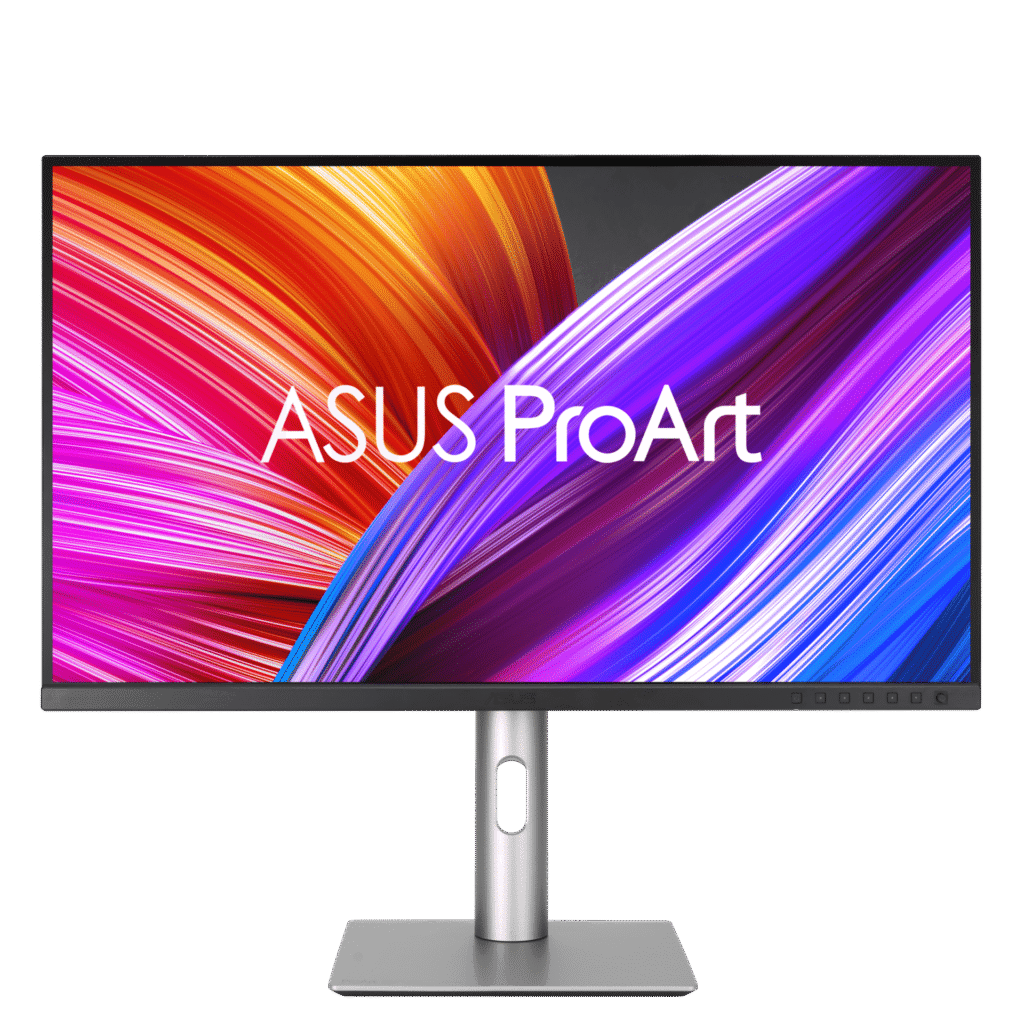
ASUS ProArt Display PA279CRV: Specs, Price, Pros & Cons
ASUS arranges its ProArt monitors as a ladder, and this is the rung where most creative work starts. Above it sit OLED models with deeper blacks and faster refresh, and larger, higher-resolution screens for studios with a bigger budget. This one is a calibrated panel at the size and resolution most photo and design work already assumes, priced for freelancers and students as well as studios.
What defines it is that the calibration is done before it leaves the factory, with a report in the box, so colors match a reference from the first day and not after an afternoon with a colorimeter. It also covers the wide color spaces used for video and for print, which matters to anyone sending files to a lab or a press. For people who later want to verify or refine that result, the monitor supports hardware calibration with ASUS's own software.
It suits photographers, illustrators, print designers and students on creative courses, and it fits a laptop-centered desk well. One cable carries the picture and charges most notebooks, and a second screen can be chained from the first without a separate dock. The stand turns to portrait, which helps with magazine layouts and tall retouching work.
Motion and spectacle are left out. Refresh is the office standard, response is slow by gaming measures, and the HDR badge adds little on a panel without local dimming. Its contrast is ordinary too, so dark scenes look greyer than on the OLED models a rung up. Anyone whose evenings are spent in fast games will find it sluggish, and it was never built to please them.
Category strengths
Where the ASUS ProArt Display PA279CRV beats the median
- More HDMI ports ?2 vs 1 (median)
- Has built-in speakers ?
Where the ASUS ProArt Display PA279CRV trails the median
- A much lower contrast ratio ?1000:1 vs 2500:1 (median)
- A much lower refresh rate ?60 Hz vs 110 Hz (median)
- Lower peak brightness ?400 nits vs 500 nits (median)
- No KVM switch ?
- Slower USB-C charging ?96 W vs 118 W (median)
How this VS Score was computed
Score 53: each known spec is measured against the median of IPS office monitors, 27 to 31 inches (8 products), then weighted; 50 means level with that median. In classes of six or more, a value beyond the class’s 10th–90th percentile range counts as that limit, so one extreme product cannot set the scale. 71% of the scoreable weight could be used; unknown values, features not applicable to this class and proxies (battery capacity where a rated life exists) add or remove nothing.
| Specification | This product | Cohort median | Score weight | Points moved |
|---|---|---|---|---|
| USB-C | Yes | 75% of the class have it | 0.5 | +25.0 |
| HDMI ports | 2 | 1 | 0.4 | +20.0 |
| Local dimming | No | 33% of the class have it | 0.4 | −19.2 |
| Contrast ratio | 1,000 | 2,500 | 0.6 | −18.0 |
| USB hub | Yes | 75% of the class have it | 0.3 | +15.0 |
| Refresh rate | 60 | 110 | 0.6 | −13.8 |
| Swivel | Yes | 75% of the class have it | 0.2 | +10.0 |
| Pivot | Yes | 75% of the class have it | 0.2 | +10.0 |
| Built-in speakers | Yes | 38% of the class have it | 0.2 | +10.0 |
| Headphone output | Yes | 57% of the class have it | 0.2 | +10.0 |
| KVM switch | No | 50% of the class have it | 0.2 | −9.6 |
| Ethernet | No | 38% of the class have it | 0.2 | −9.6 |
| Peak brightness | 400 | 500 | 0.8 | −8.0 |
| Adaptive sync | FreeSync | None | 0.12 | +6.0 |
| Variable refresh rate | Yes | 75% of the class have it | 0.1 | +5.0 |
| USB-C power delivery | 96 | 118 | 0.3 | −2.7 |
| Screen size | 27 | 27 | 1.2 | +0.0 |
| Resolution | 4K | 4K | 1.2 | +0.0 |
| Panel type | IPS | IPS | 0.8 | +0.0 |
| Color depth | 10 | 10 | 0.3 | +0.0 |
| Response time | 5 | 5 | 0.24 | +0.0 |
| DCI-P3 coverage | 99 | 99 | 0.6 | +0.0 |
| HDR | DisplayHDR 400 | DisplayHDR 400 | 0.5 | +0.0 |
| Pixel density | 163 | 163 | 0.5 | +0.0 |
| DisplayPort inputs | 2 — capped at the class’s upper range (1) | 1 | 0.4 | +0.0 |
Not scored: Local dimming zones (unknown: not scored); Motion blur reduction (unknown: not scored); Input lag (unknown: not scored); Height adjustment (standard for the class (88% have it)); Tilt (standard for the class (100% have it)); Webcam (not applicable: only 13% of this class have it); Microphone (not applicable: only 14% of this class have it); Picture-by-picture (standard for the class (86% have it)).
Editor’s note
The ASUS ProArt PA279CRV is aimed squarely at people who make things for a living, and it is one of the best values in the creator-monitor space. It is a 27-inch 4K IPS panel that ships factory-calibrated to Delta E under 2, covering 99% of both DCI-P3 and Adobe RGB. For photographers, video editors and print designers, that combination of resolution, gamut and out-of-box accuracy is exactly what the job needs.
ASUS also gets the ergonomics and connectivity right. The stand offers full height, tilt, swivel and pivot, so you can flip it into portrait for retouching or code. The USB-C port supplies 96 W of power delivery (enough to run and charge most 14- and 16-inch laptops), and DisplayPort-out lets you daisy-chain a second panel. There is a built-in USB hub, dual HDMI, and even a preset-rich OSD with a hardware calibration workflow.
The honest limitation is that this is not a gaming monitor. It runs at 60 Hz, response time is a leisurely 5 ms, and while it carries DisplayHDR 400, the lack of local dimming means HDR is a mild enhancement rather than a spectacle. If your day involves fast motion or competitive play, this is the wrong tool.
Color consistency is the real selling point: the anti-glare coating tames reflections in a bright studio, and the calibrated Adobe RGB coverage matters for anyone sending work to print.
Buy it if you edit photos or video, do graphic or print design, or simply want a reference-grade 4K panel with laptop-charging USB-C. Skip it if you are primarily a gamer, or if you need higher peak brightness and full-array dimming for serious HDR grading. Those needs push you toward a very different, pricier class of display.
Specifications
Quality bars show where each figure sits between the lowest and highest of the 8 IPS office monitors, 27 to 31 inches this VS Score is measured against.
Picture
Gaming
Ergonomics & design
Connectivity
Features
Sources and verification
Where the specifications come from
- Official product pageasus.com
- Independent testingrtings.com
Verification
- First published
- Specifications last checked
- Sheet completeness
- 37 of 42 specifications verified; the rest show as Unknown and are never estimated or scored
- Page type
- Product specification page — Compiled from the manufacturer’s published specifications and the cited sources; this is not a hands-on test.
- Basis
- Research-based: specifications and editorial text were compiled from the documents listed here and the manufacturer’s published data. We have not tested this unit ourselves; where independent measurements are mentioned they belong to the linked publication.
Where to buy
Prices and availability may change. Check the retailer before buying. We may earn a commission on purchases.
Price history
Monitors with similar specs to the ASUS ProArt Display PA279CRV


Ratings & reviews
No reviews yet. Be the first to share your experience.
The bottom line
The ASUS ProArt Display PA279CRV earns a VS Score of 53, above the median of the 8 IPS office monitors, 27 to 31 inches it is measured against (a score of 50 is level with that median).
- Who it’s for
- A photographer, designer or illustrator who needs accurate color from the first day and works from a laptop that can charge over the same cable.
- Who should look elsewhere
- Gamers, and anyone grading bright HDR video. It is also more monitor than an office worker needs if color accuracy never leaves the screen.
- The trade-off that matters
- Accuracy is bought with speed. Motion is slow by gaming standards, which is irrelevant in an editing suite and obvious everywhere else.
- The main alternative
- Dell U2725QE, a similar-sized UltraSharp at the same resolution with higher contrast, a faster refresh and a full Thunderbolt dock, for a creator who wants the hub built into the screen.
The VS Score is calculated from the weighted specifications above, each measured against the median of comparable IPS office monitors, 27 to 31 inches — a shortlisting guide, not a substitute for your own priorities. See how we score.





