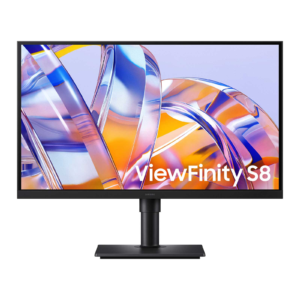
Samsung Odyssey OLED G5 G50SF: Specs, Price, Pros & Cons
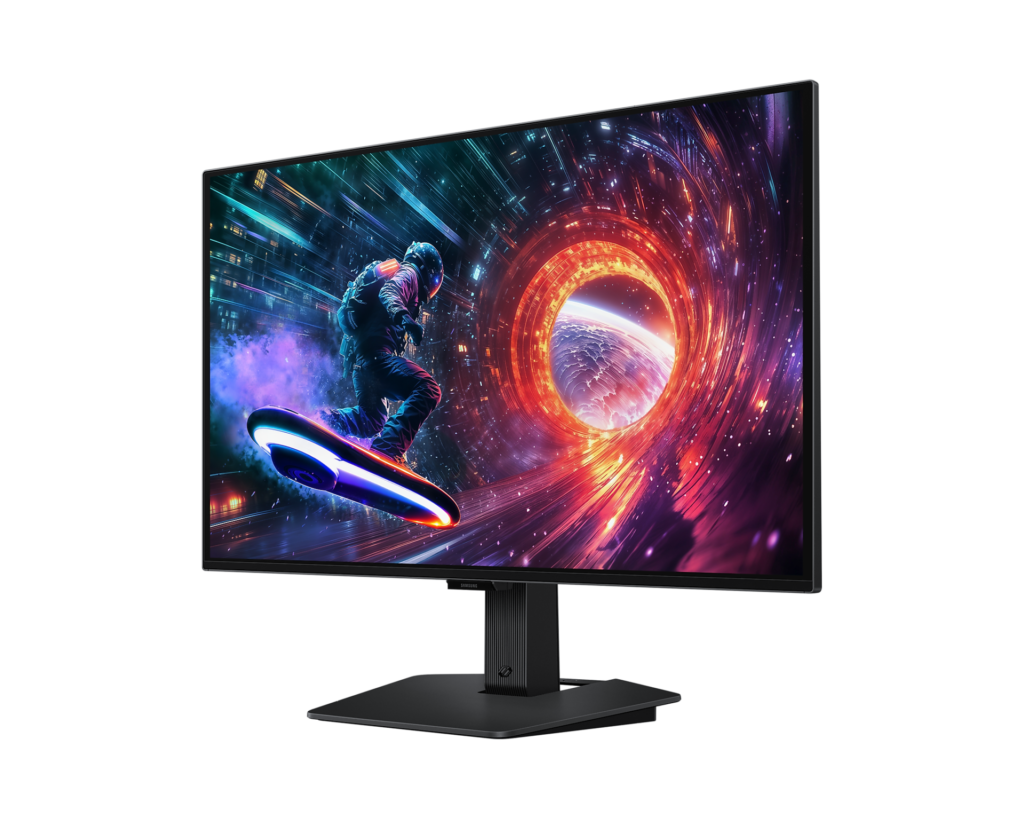
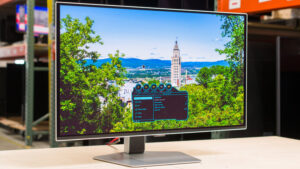
Samsung's cheapest way into its Odyssey OLED range keeps the expensive part and strips out almost everything around it. The G50SF puts a 27-inch QD-OLED panel at QHD, from the same panel family as the higher Odyssey OLED models, behind one input of each kind, no USB ports and a stand that tilts and does nothing else.
It sits at the bottom of Samsung's OLED gaming line, under the G6 and G8 series, and it is built for one gaming PC on one desk. DisplayPort carries the full 180 Hz. The HDMI 2.0 input stops at 144 Hz, so a console or a work laptop on the second cable runs slower than the PC, and there is no USB-C input for a laptop at all.
Glare Free is the part worth having day to day. It is Samsung's matte film, verified by UL, and it suits a desk beside a window where a glossy QD-OLED would mirror the room behind you. The response time and contrast ratio in the table look dramatic, but every OLED monitor at this size quotes the same figures, so they will not separate it from its rivals. Pantone validation is a pleasant extra for anyone who edits photos now and then.
There are no speakers and no USB hub, and HDR support stops at plain HDR10 with no DisplayHDR True Black badge. For a gamer with a monitor arm already clamped to the desk, those gaps cost little. Anyone who wants to raise the screen without extra hardware, or to run a laptop from one cable, will find the stripped body turning into a shopping list.
Category strengths
Where the Samsung Odyssey OLED G5 G50SF trails the median
- No height adjustment ?
- No swivel adjustment ?
- Fewer HDMI ports ?1 vs 2 (median)
- A lower contrast ratio ?1000000:1 vs 1500000:1 (median)
- No picture-by-picture ?
- No USB hub ?
- No pivot adjustment ?
How this VS Score was computed
Score 41: each known spec is measured against the median of OLED gaming monitors, 27 to 31 inches (16 products), then weighted; 50 means level with that median. In classes of six or more, a value beyond the class’s 10th–90th percentile range counts as that limit, so one extreme product cannot set the scale. 65% of the scoreable weight could be used; unknown values, features not applicable to this class and proxies (battery capacity where a rated life exists) add or remove nothing.
| Specification | This product | Cohort median | Score weight | Points moved |
|---|---|---|---|---|
| USB-C | No | 33% of the class have it | 0.5 | −24.0 |
| HDR | HDR10 | True Black 400 | 0.5 | −20.0 |
| Height adjustment | No | 94% of the class have it | 0.4 | −19.2 |
| Contrast ratio | 1,000,000 | 1,500,000 | 0.6 | −10.2 |
| HDMI ports | 1 | 2 | 0.4 | −10.0 |
| Headphone output | Yes | 75% of the class have it | 0.2 | +10.0 |
| Swivel | No | 88% of the class have it | 0.2 | −9.6 |
| Picture-by-picture | No | 50% of the class have it | 0.2 | −9.6 |
| USB hub | No | 73% of the class have it | 0.05 | −2.2 |
| Pivot | No | 81% of the class have it | 0.02 | −1.0 |
| KVM switch | No | 33% of the class have it | 0.02 | −1.0 |
| Screen size | 27 | 27 | 1.2 | +0.0 |
| Resolution | 1440p | 1440p | 1.2 | +0.0 |
| Panel type | OLED | OLED | 0.8 | +0.0 |
| Color depth | 10 | 10 | 0.3 | +0.0 |
| Refresh rate | 180 — capped at the class’s lower range (240) | 240 | 1.2 | +0.0 |
| Response time | 0.03 | 0.03 | 0.8 | +0.0 |
| DCI-P3 coverage | 99 | 99 | 0.6 | +0.0 |
| Adaptive sync | G-Sync Compatible | G-Sync Compatible | 0.6 | +0.0 |
| DisplayPort inputs | 1 | 1 | 0.4 | +0.0 |
Not scored: Peak brightness (unknown: not scored); Pixel density (unknown: not scored); Local dimming (unknown: not scored); Local dimming zones (unknown: not scored); Variable refresh rate (standard for the class (100% have it)); Motion blur reduction (unknown: not scored); Input lag (unknown: not scored); Tilt (standard for the class (100% have it)); USB-C power delivery (unknown: not scored); Built-in speakers (not applicable: only 0% of this class have it); Webcam (not applicable: only 0% of this class have it); Microphone (not applicable: only 0% of this class have it); Ethernet (not applicable: only 0% of this class have it).
Editor’s note
On an OLED the warranty carries more weight than the refresh rate. Samsung's spec sheet says burn-in from normal use is covered and commercial use is excluded, so a reception screen showing the same logo all day is on its own. Samsung US advertises a three-year term with burn-in cover for its OLED monitors but marks it as select models only. Check the term printed on the receipt for this one.
Thermal modulation dims the panel when it heats up, and a screen saver darkens it after ten minutes without input. Logo and taskbar detection, the feature that would help most on a Windows desktop, does not work in PC mode, as Samsung's own footnote admits. If the screen will also spend afternoons on spreadsheets, an auto-hidden taskbar and a dark theme are your job.
Samsung publishes a typical figure of 200 nits and no peak value at all, and the HDR label carries no VESA certification behind it. Games in a dim room will not suffer. For HDR films in a sunny room, a buyer has nothing from Samsung to judge it by.
Desk height decides where the screen sits, and if that is too low the fix is an arm, so count that cost before comparing it with monitors that ship with a full stand. The Odyssey OLED G60SD fixes exactly this, along with a faster HDMI port, and if a console shares the desk I would pay the difference for it. The Gigabyte MO27Q28G suits a different buyer, someone splitting one screen between a laptop and a desktop, with a KVM switch and a USB-C input.
Specifications
Quality bars show where each figure sits between the lowest and highest of the 16 OLED gaming monitors, 27 to 31 inches this VS Score is measured against.
Picture
Gaming
Ergonomics & design
Connectivity
Features
Sources and verification
Where the specifications come from
- Official product pagesamsung.com
- Independent testingpcmonitors.info
- Retailer listing (cross-check)bestbuy.com
Verification
- First published
- Specifications last checked
- Sheet completeness
- 34 of 42 specifications verified; the rest show as Unknown and are never estimated or scored
- Page type
- Product specification page — Compiled from the manufacturer’s published specifications and the cited sources; this is not a hands-on test.
- Basis
- Research-based: specifications and editorial text were compiled from the documents listed here and the manufacturer’s published data. We have not tested this unit ourselves; where independent measurements are mentioned they belong to the linked publication.
Where to buy
Prices and availability may change. Check the retailer before buying. We may earn a commission on purchases.
Price history
Monitors with similar specs to the Samsung Odyssey OLED G5 G50SF

Ratings & reviews
No reviews yet. Be the first to share your experience.
The bottom line
The Samsung Odyssey OLED G5 G50SF earns a VS Score of 41, below the median of the 16 OLED gaming monitors, 27 to 31 inches it is measured against (a score of 50 is level with that median).
- Who it’s for
- A PC gamer with one tower and a monitor arm already on the desk, who wants OLED contrast and a matte finish for a bright room without paying for ports they will never use.
- Who should look elsewhere
- Anyone sharing the screen with a console or a laptop, since the second input is the slower one. Look elsewhere too if you need USB, speakers or a stand that raises the screen.
- The trade-off that matters
- The panel comes from a more expensive class than the rest of the monitor. You get the picture at a lower price and pay separately for ergonomics, usually in the form of an arm.
- The main alternative
- HyperX OMEN OLED 27q: a QD-OLED at the same size and resolution with a stand that raises, swivels and pivots, and two HDMI inputs so a console does not have to share.
The VS Score is calculated from the weighted specifications above, each measured against the median of comparable OLED gaming monitors, 27 to 31 inches — a shortlisting guide, not a substitute for your own priorities. See how we score.