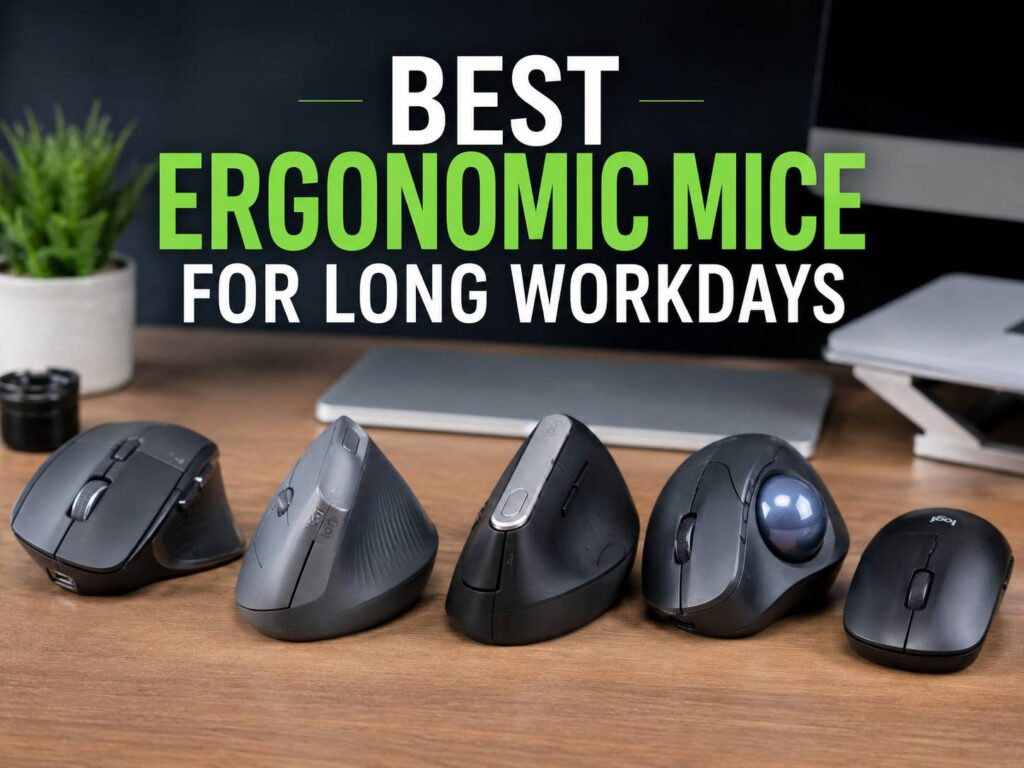
A good ergonomic mouse will not fix a poor desk setup on its own. Still, it can make long workdays feel much easier on your wrist, hand, thumb, and forearm. The right mouse keeps your hand in a more relaxed position. It reduces awkward twisting and can make scrolling, clicking, and dragging feel less tiring after six, eight, or ten hours at a desk.
The best ergonomic mice for long workdays are not always the most expensive models. Some users need a tall vertical mouse. Others feel better with a sculpted productivity mouse and a wide thumb rest. A trackball can work well too, mainly for people who want less arm movement.
Fit matters more than hype. Your hand size, grip style, desk space, software needs, and daily tasks all affect comfort. For that reason, this guide covers the best options for office work, remote work, coding, writing, spreadsheets, browsing, and laptop use.
Best Overall Ergonomic Mouse for Work: Logitech MX Master 3S
The Logitech MX Master 3S is the safest pick for most office users who want comfort without moving to a full vertical shape. It has a large sculpted body, a deep thumb rest, quiet clicks, fast scrolling, and strong software support. It feels made for people who jump between documents, browser tabs, email, spreadsheets, and creative apps all day.
Its 8,000 DPI optical sensor tracks on many surfaces, including glass. That matters more than it sounds. You do not always work on a perfect desk mat, and a better sensor saves small, annoying pointer problems during the day.
The MagSpeed scroll wheel helps during long work sessions too. You can move through long pages fast, then stop with control. For wide spreadsheets and creative timelines, the side wheel can save time as well.
Real opinion: this is the mouse I would suggest first for most people who want one premium work mouse. It feels natural after a short learning period, and the buttons sit in sensible places. Still, the size can be a problem. Small hands may find it bulky, and users with wrist pain from forearm rotation may prefer a true vertical mouse.
Best for:
- Office work
- Spreadsheets
- Design apps
- Coding
- Multitasking across several devices
- Users who want comfort but dislike vertical mice
Potential issues:
- Too large for small hands
- Right-hand shape only
- Costs more than basic office mice
Best Vertical Ergonomic Mouse for Small and Medium Hands: Logitech Lift
The Logitech Lift is one of the best ergonomic mice for people who want a true vertical grip but do not want a huge device. Its 57-degree vertical angle places the hand closer to a handshake position. In practice, that can feel more relaxed than a flat mouse, mainly for users who feel wrist tension during long workdays.
The Lift suits small to medium hands. That detail matters. Many vertical mice feel too tall, too wide, or too clumsy for smaller hands. Lift avoids much of that problem with a compact body, a soft thumb area, and quiet buttons.
It supports Bluetooth and Logi Bolt, and it can switch between up to three devices. So, if you work on a laptop and desktop during the same day, you will not need to keep changing mice.
Real opinion: this is the best first vertical mouse for most people. It feels less strange than many cheap vertical mice, and the button placement feels clean. The scroll wheel works well for office tasks, research, and daily browsing. Larger hands may need more palm support, though, so the MX Vertical makes more sense for them.
For a deeper explanation of the shape and hand position, read this guide on what a vertical mouse is.
Best for:
- Small to medium hands
- Remote workers
- Writers
- Admin work
- Long browsing sessions
- Users who want a quieter mouse
Potential issues:
- Not ideal for large hands
- Uses an AA battery
- Vertical grip takes a few days to learn
Best Ergonomic Mouse for Large Hands: Logitech MX Vertical
The Logitech MX Vertical is a better fit for users with larger hands who want a stronger vertical grip. It uses a 57-degree angle and a tall body that supports the hand in a more upright position. It has a 4,000 DPI sensor and a rechargeable battery, so it feels more like a serious work tool than a cheap vertical mouse.
The shape encourages you to move from the arm more and twist the wrist less. For users who feel forearm tightness with flat mice, that can make a real difference during long desk sessions. Plus, it supports multi-device use, which helps if you work with a laptop, desktop, and tablet in the same setup.
Real opinion: the MX Vertical feels more committed than the Lift. That is good for larger hands and users who already know they like vertical mice. New users may need more time to adjust. It is tall, so it can feel awkward during fast pointer moves or casual gaming.
Best for:
- Large hands
- Wrist strain from flat mice
- Long office sessions
- Multi-device desks
- Users who want a rechargeable vertical mouse
Potential issues:
- Too large for small hands
- Not ideal for gaming
- Takes more desk space
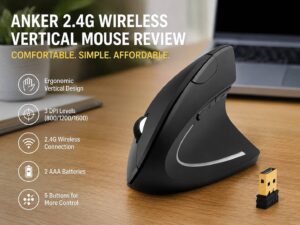
Best Budget Ergonomic Mouse on Amazon.com: Anker 2.4G Wireless Vertical Ergonomic Optical Mouse
The Anker 2.4G Wireless Vertical Ergonomic Optical Mouse is a smart low-cost pick for users who want to try a vertical mouse without paying premium prices. It has a handshake-style shape, adjustable DPI levels, and a simple wireless USB receiver.
This mouse makes sense for home offices, student desks, and basic office setups. It is not as polished as Logitech’s Lift or MX Vertical, but it gives you the main vertical-mouse feel at a much lower price. For that reason, it works well as an Amazon.com suggestion for first-time ergonomic mouse buyers.
Real opinion: the Anker vertical mouse is a good test product. Buy it if you want to learn whether a vertical mouse suits your hand. Do not expect premium buttons, advanced software, or the same finish as Logitech. Still, the shape can help if you feel wrist strain from a flat mouse.
Best for:
- Budget buyers
- First vertical mouse
- Basic office work
- Laptop users with a USB-A port
- Users who want a simple plug-and-play device
Potential issues:
- No premium software
- Build feels basic
- Shape may not suit every hand size
Best Ergonomic Trackball Mouse: Kensington Pro Fit Ergo Vertical Wireless Trackball
A trackball mouse works in a different way. The device stays still, and your thumb moves the ball. This can reduce arm movement across the desk. For users with shoulder pain, limited desk space, or wrist discomfort from repeated sweeping movements, a trackball can feel better than a standard mouse.
The Kensington Pro Fit Ergo Vertical Wireless Trackball has a vertical-style shape, wireless support, and several programmable buttons. It can connect through Bluetooth or a 2.4 GHz receiver. It is right-handed, and it uses a thumb-controlled trackball.
Real opinion: this is not the best pick for everyone. Trackballs need patience. The first few days can feel slow, mainly for precise cursor work. After that, the lower arm movement is easy to appreciate. It works well for office tasks, forms, research, and dashboards. For detailed design work, a regular mouse may still suit you better.
Best for:
- Small desks
- Shoulder strain
- Low arm movement
- Office work
- Users who like programmable buttons
Potential issues:
- Learning curve
- Thumb fatigue for some users
- Not ideal for every design task
Best Adjustable Ergonomic Mouse: Contour Unimouse
The Contour Unimouse stands out because it lets you adjust the vertical angle. Instead of forcing one hand position, it lets you set the tilt between lower and higher angles. That helps users who cannot find comfort with fixed-shape mice.
The adjustable body makes sense for people who have tried several mice and still feel wrist or forearm tension. It comes in right-handed and left-handed versions, which is rare in the ergonomic mouse market. Many work mice ignore left-handed users, so this detail matters.
Real opinion: the Unimouse is best for users who already know they need more control over hand position. It is not the cheapest option, but the adjustable angle makes it more flexible than many fixed vertical mice. The downside is simple. It can feel less natural than a normal mouse at first, mainly if you keep changing the angle.
Best for:
- Users with specific comfort needs
- Left-handed users
- Adjustable desk setups
- Long office sessions
- People who dislike fixed vertical angles
Potential issues:
- Higher price
- More parts to adjust
- Takes time to tune
Best Ergonomic Mouse for Quiet Offices: Razer Pro Click Mini
The Razer Pro Click Mini is not a full vertical ergonomic mouse, but it deserves a place here for users who want a compact, quiet productivity mouse. It has silent mechanical switches, a 12,000 DPI optical sensor, a HyperScroll tilt wheel, and multi-device support.
This mouse works well in shared offices, late-night home work, libraries, and quiet meeting spaces. It is smaller than the MX Master 3S, so it suits users who want portability. The main comfort benefits come from the low click noise, clean button feel, and productivity-focused layout.
Real opinion: choose this if noise matters as much as shape. It is not the top pick for wrist strain, and it will not replace a vertical mouse for users with strong discomfort. Still, it feels refined, quick, and easy to carry.
Best for:
- Quiet offices
- Hybrid workers
- Laptop bags
- Small hands
- Users who want silent clicks
Potential issues:
- Not a true vertical mouse
- Compact shape may feel cramped
- Less palm support than larger mice
Best Classic Ergonomic Mouse for Serious Wrist Support: Evoluent VerticalMouse D
The Evoluent VerticalMouse D is built for users who want a proper vertical shape with a mature ergonomic design. Evoluent has focused on vertical mice for many years, and the VerticalMouse D shows that experience. It uses a tall body, multiple buttons, and a hand position that reduces forearm twisting.
This mouse suits users who dislike shallow ergonomic shapes. It feels more like a dedicated workstation tool than a normal office mouse. It comes in different sizes too, which helps with fit.
Real opinion: the Evoluent VerticalMouse D is a strong pick for users who care more about comfort than looks or portability. It can feel large and formal, but that is part of the point. It gives the hand a clear resting shape. The price is higher than many basic vertical mice, and the design will not please every user.
Best for:
- Serious workstation use
- Users with large hands
- Long desk sessions
- Buyers who want size options
- Users who prefer strong vertical support
Potential issues:
- Higher price
- Not very portable
- Shape may feel too specialized
How to Choose the Right Ergonomic Mouse
Start with your hand size. A mouse that feels good in one hand can feel awful in another. Small hands often do better with Logitech Lift, Razer Pro Click Mini, or ProtoArc EM11 NL. Larger hands often do better with MX Master 3S, MX Vertical, or Evoluent VerticalMouse D.
Next, check your pain point. Wrist twisting points toward a vertical mouse. Shoulder movement points toward a trackball. Thumb pain may rule out thumb trackballs. Finger strain may need lighter clicks. Palm discomfort may need a larger mouse with more support.
Then look at your daily tasks. Writers, coders, and office workers can use most ergonomic mice. Designers may need a precise sensor and stable shape. Spreadsheet users may love horizontal scrolling. Travelers may prefer smaller wireless models.
Your desk setup matters too. Keep the mouse close to the keyboard. Let your upper arm stay near your body. Keep your wrist straight. Do not reach far to the side. A great mouse placed too far away can still cause strain.
Vertical Mouse vs Regular Ergonomic Mouse
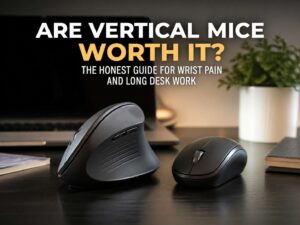
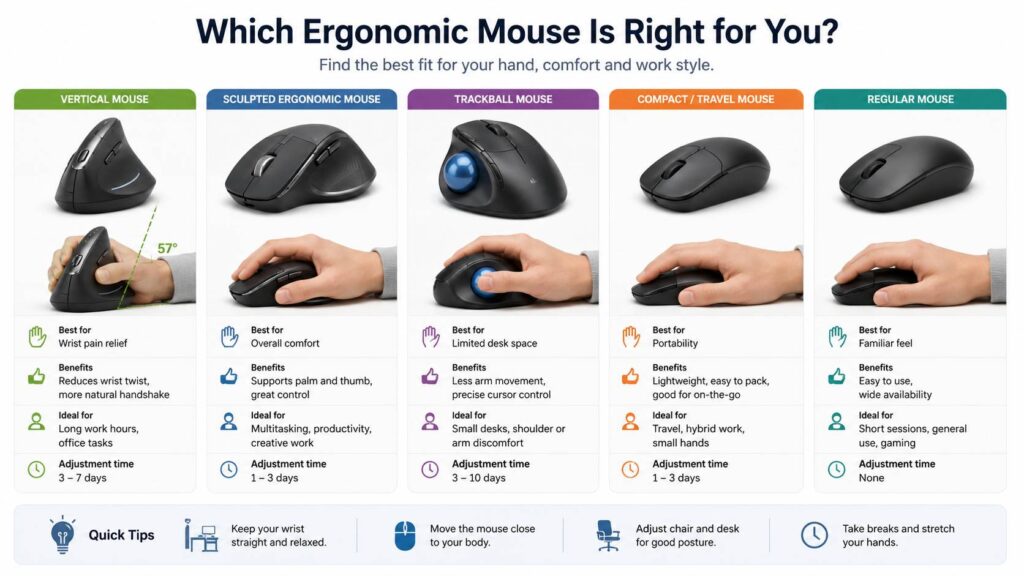
A vertical mouse turns your hand into a more upright position. This can reduce forearm rotation. It often helps users who feel wrist or forearm tension with flat mice. The tradeoff is speed. It can feel slower for precise work at first.
A sculpted regular ergonomic mouse keeps a familiar top-down grip but adds better palm support. The MX Master 3S fits this group. It feels easier to learn than a vertical mouse, and it often works better for mixed tasks.
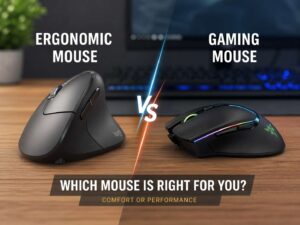
So, which one feels better? Choose vertical if wrist twisting bothers you. Choose sculpted horizontal if you want comfort but still want a familiar feel. For a full breakdown, read this comparison of a vertical mouse vs regular mouse.
Features That Matter During Long Workdays
The best ergonomic mouse should do more than look comfortable. Before buying, check the details that affect daily use:
- Hand size fit: Small, medium, and large hands need different shapes.
- Button pressure: Lighter clicks reduce finger fatigue.
- Scroll wheel quality: A better wheel saves effort during long pages.
- Sensor range: Higher DPI can reduce hand movement.
- Wireless mode: Bluetooth works well for laptops, but a receiver can feel steadier.
- Battery type: Rechargeable batteries cost less over time, but AA batteries can last months.
- Software support: Custom buttons help with copy, paste, back, forward, app switching, and zoom.
- Left-handed option: Many ergonomic mice still favor right-handed users.
- Desk space: Trackballs need less movement space than standard mice.
Common Issues People Notice After Buying an Ergonomic Mouse
The first issue is adjustment time. A vertical mouse can feel strange for three to seven days. Your pointer movement may feel slower. That does not mean the mouse is bad. Your hand has learned years of flat-mouse movement.
The second issue is size. A mouse that reviews well can still be too large for your hand. Check hand size guidance before buying. If your fingers hang off the buttons or your palm floats awkwardly, comfort will suffer.
The third issue is thumb strain. Trackballs and thumb buttons can help productivity, but too much thumb use can create new discomfort. Use shortcuts wisely. Do not map every action to your thumb.
The fourth issue is desk height. A mouse cannot save a desk that is too high. Your shoulders should stay relaxed. Your elbows should stay close to your body. Your wrists should stay straight.
Best Suggestion for Most Buyers
Start with the Logitech Lift if you want a vertical ergonomic mouse and have small to medium hands. It feels polished, quiet, and easy to use. It has strong brand support and a shape that works well for long office sessions.

For a lower-cost test option, pick the Anker 2.4G Wireless Vertical Ergonomic Optical Mouse. It gives you the vertical feel at a much lower price. That makes it a good first step before spending more.

For the best productivity mouse without a vertical grip, choose the Logitech MX Master 3S. It costs more, but its scroll wheel, sensor, quiet clicks, and software make daily work faster and more comfortable.

Final Buying Advice
A good ergonomic mouse should fit your hand, match your tasks, and keep your wrist in a calmer position. Do not buy only from hype or star ratings. Look at shape, size, weight, click feel, scroll wheel, and device switching.
The Logitech MX Master 3S is the best all-around work mouse. The Logitech Lift is the best vertical mouse for small to medium hands. The Logitech MX Vertical suits larger hands. The Kensington Pro Fit Ergo Vertical Wireless Trackball is best for users who want less arm movement. The Anker vertical mouse is the best low-cost test pick.
For long workdays, comfort wins over flashy specs. A mouse that reduces strain at 4 p.m. is worth more than one that only looks good in photos.