Quick answer
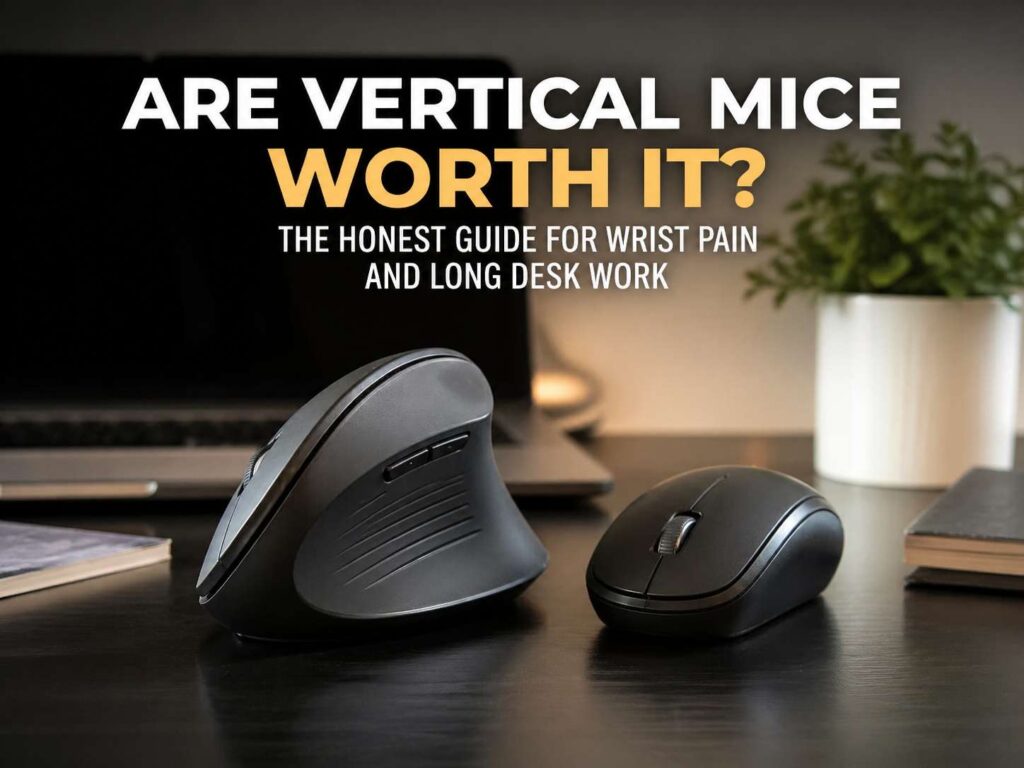
Yes, vertical mice are worth it for many office workers, remote workers, writers, editors, programmers, and anyone who spends long hours at a desk. They are not a miracle fix, but they can make daily computer use feel easier on your wrist and forearm.
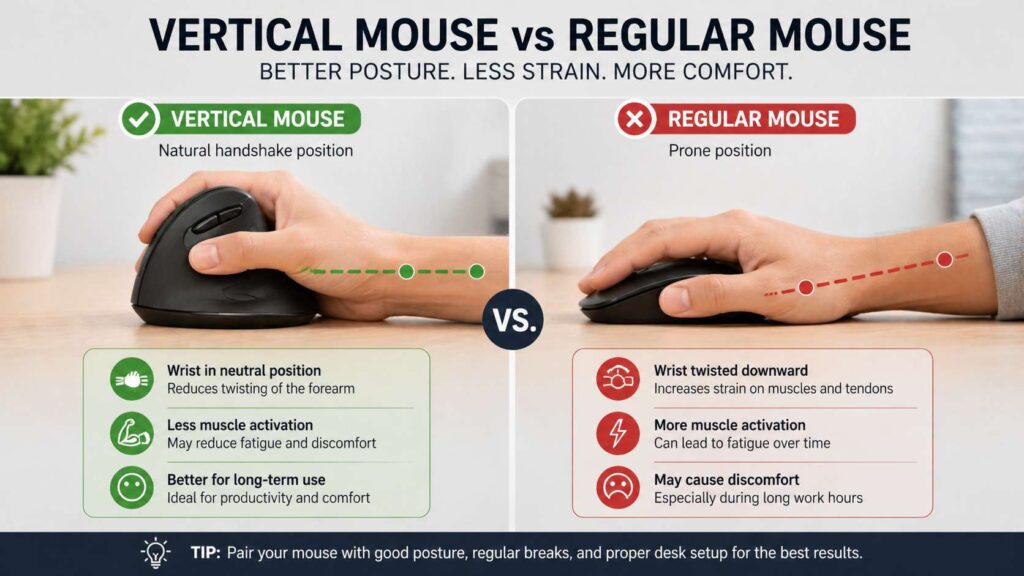
A normal mouse keeps your palm facing down. That position twists the forearm and can feel tiring after long sessions. A vertical mouse turns your hand sideways, closer to a handshake grip. So, your wrist sits in a more natural position.
That small change can make a real difference. Still, a vertical mouse will not fix everything by itself. Your chair height, desk height, keyboard position, mouse sensitivity, and break habits matter too.
If your current mouse leaves your wrist stiff or sore, a vertical mouse is worth trying. If you want to understand the basic shape difference first, this guide on vertical mouse vs regular mouse gives a clear comparison.
What a vertical mouse actually does
A vertical mouse changes how your hand sits on the desk. Instead of laying your palm flat over the mouse, you hold the mouse from the side. Your thumb rests on one side, and your fingers rest on the other side.
This design reduces forearm twist. That matters during long work sessions, since small strain can build up hour after hour. Then, by the end of the day, your wrist can feel tired even if you did not notice much pain earlier.
A vertical mouse also changes how you move. With a flat mouse, you tend to bend your wrist from side to side. With a vertical mouse, you often guide more from the arm. That can reduce small repeated wrist movements.
Still, the first few days can feel strange. Your hand knows the regular mouse shape already. So, your clicks, scrolls, and pointer moves may feel a little less natural at first.
Why vertical mice feel better for some users
The biggest benefit is the wrist angle. A vertical mouse places the hand in a more neutral position. As a result, your wrist does not need to twist as much during normal use.
This can help people who feel tension from long hours of browsing, writing, editing, coding, or spreadsheet work. It can also help people who grip a flat mouse too hard. The side grip often feels more relaxed once you get used to it.
Another benefit is awareness. After switching, you may notice how tense your old mouse grip was, and start clicking more gently, moving more calmly, and keeping the mouse closer to the keyboard.
That said, comfort still depends on fit. A vertical mouse that is too large can make your hand stretch. A model that is too small can make your fingers curl. So, shape and size matter as much as the vertical design.
Vertical mouse vs regular mouse
A regular mouse feels familiar right away. It works well for gaming, travel, fast pointer work, and general use. It also comes in more shapes, sizes, and price ranges.
A vertical mouse focuses more on comfort. It places your hand at an angle that can reduce wrist twist. So, it often feels better during long office sessions.
The trade-off is precision. You may feel less accurate for the first few days. Very upright models can feel harder to control, especially during photo editing, design work, or gaming.
For daily work, that trade-off can still make sense. Comfort matters more than perfect speed for emails, documents, admin panels, online research, and normal browsing. For fast gaming, a lightweight gaming mouse still makes more sense.
Are vertical mice good for wrist pain?
A vertical mouse can help with mild wrist discomfort from computer use. It changes your hand angle, reduces forearm twist, and can encourage a lighter grip.
Still, wrist pain has many causes. Poor posture, a high desk, a low chair, a far-away keyboard, or too much mouse use can all add strain. So, the mouse is only one part of the setup.
If your wrist aches after long workdays, a vertical mouse is a smart and low-risk change. Start with a medium-angle model. Then adjust the pointer speed so you do not drag your arm across the desk.
If you have numbness, tingling, weakness, or pain that wakes you at night, treat that as a medical issue. A different mouse can improve comfort, but it should not replace proper care.
Are vertical mice good for carpal tunnel?
A vertical mouse can support a better wrist position, but it does not cure carpal tunnel syndrome. Carpal tunnel involves pressure on a nerve in the wrist. So, the problem goes beyond mouse shape.
That said, looking for an ergonomic mouse after carpal tunnel symptoms start makes sense. A more comfortable mouse can reduce daily strain and help you avoid awkward wrist positions.
The safest view is simple: use a vertical mouse as a comfort tool, not as treatment. It can make computer work easier. It can reduce the stress caused by a flat mouse. Still, it should sit alongside better posture, better breaks, and medical advice if symptoms are strong.
Who should buy a vertical mouse?
A vertical mouse makes the most sense for people who spend many hours at a computer and feel wrist or forearm tension from a regular mouse.
It is a strong pick for office workers, writers, editors, programmers, remote workers, students, and people who work across spreadsheets, browsers, documents, emails, and dashboards. It can also help users who want a more relaxed hand position during normal work.
It is not the best pick for everyone. Competitive gamers often need faster movement and lighter weight. Travelers may prefer a small flat mouse. Designers who need very fine control may prefer a regular mouse, trackpad, pen tablet, or angled ergonomic mouse.
So, think about your real use. If comfort matters more than speed, a vertical mouse is a strong option. If speed and tiny movements matter most, test one before you switch full-time.
What to look for in a good vertical mouse
Start with size. Your hand should rest on the mouse without stretching. Your fingers should reach the main buttons easily. Your thumb should sit naturally, not pushed too far out.
Next, check the angle. A medium-angle vertical mouse often feels easier than a very tall one. It still reduces wrist twist, but it does not feel as extreme.
Then, look at button placement. Forward and back buttons are useful, but they should sit where your thumb can reach them without strain. The scroll wheel should feel firm and easy to control.
DPI settings also matter. Adjustable DPI lets you change pointer speed. That helps you reduce large arm movements and avoid dragging the mouse too far.
Wireless models keep the desk cleaner. Rechargeable models save money over time. Still, a wired model can work well if you want simple plug-and-play use.
For a deeper beginner explanation, this guide on what is a vertical mouse covers the shape, purpose, and basic benefits in plain terms.
How to use a vertical mouse the right way
Give it time. Do not judge it after one hour. Your hand has used a regular mouse for years, so the new shape needs a short adjustment period.
Start with easy tasks. Use it for browsing, emails, simple writing, and normal document work. Then move to harder tasks after your hand feels more confident.
Next, adjust the pointer speed. If the speed is too low, you will move too much. If it is too high, you will lose control. Test a few settings until the pointer reaches each side of the screen without a big arm movement.
Keep the mouse close to your keyboard. If it sits too far away, your shoulder will work harder. That can create a new problem even if your wrist feels better.
Relax your grip too. A vertical mouse works best with a soft hold. You guide it, you do not squeeze it.
Common mistakes to avoid
The first mistake is buying the biggest model. Bigger does not always mean more comfortable. A mouse should match your hand, not fill your whole palm.
The second mistake is choosing the steepest angle right away. A very upright mouse can feel awkward. A moderate angle often works better for everyday users.
The third mistake is keeping the same bad desk setup. If your chair is too low or your desk is too high, wrist comfort will still suffer. So, fix the setup around the mouse too.
The fourth mistake is using it only when pain gets bad. A vertical mouse works better as a daily comfort tool. Use it before discomfort builds up.
The fifth mistake is ignoring breaks. Even the best ergonomic mouse cannot make nonstop clicking healthy. Short breaks help your hand, wrist, forearm, shoulder, neck, and eyes.
Vertical mouse vs trackball mouse
A vertical mouse still moves across the desk. A trackball stays in place, and you move the pointer with a ball.
A vertical mouse feels closer to a normal mouse. So, it is easier to learn. It is a good first step if you want better wrist comfort without changing everything.
A trackball can help if arm movement bothers you or your desk space is limited. Still, it can place more work on your thumb or fingers, based on the model.
For most office users, a vertical mouse feels like the safer first choice. It changes your hand angle but keeps the same basic mouse habits.
Are vertical mice good for gaming?
For casual gaming, yes. For competitive gaming, usually no.
Most vertical mice focus on comfort. Gaming mice focus on speed, low weight, fast clicks, sensor quality, and control during quick movements. That difference matters in shooters, fast strategy games, and ranked play.
Still, you can use both. Use a vertical mouse for work and a gaming mouse after work. That setup gives your wrist a break during the day without hurting game performance at night.
Final verdict
Vertical mice are worth it for many people who spend long hours at a computer. They can reduce wrist twist, support a more natural hand position, and make daily work feel more comfortable.
They are not a cure for pain, and they do not replace a good desk setup. Still, they can make a clear difference if your regular mouse leaves your wrist tired or stiff.
For most users, the best choice is a medium-angle vertical mouse that fits the hand well. Use it for one or two weeks. Adjust the pointer speed. Keep it close to the keyboard. Then judge it after your hand has had time to adapt.
If comfort is your main goal, a vertical mouse is worth trying. If gaming speed or tiny pointer control matters most, keep a regular mouse nearby too.