Logitech Ergo K860 Review: Quick Verdict
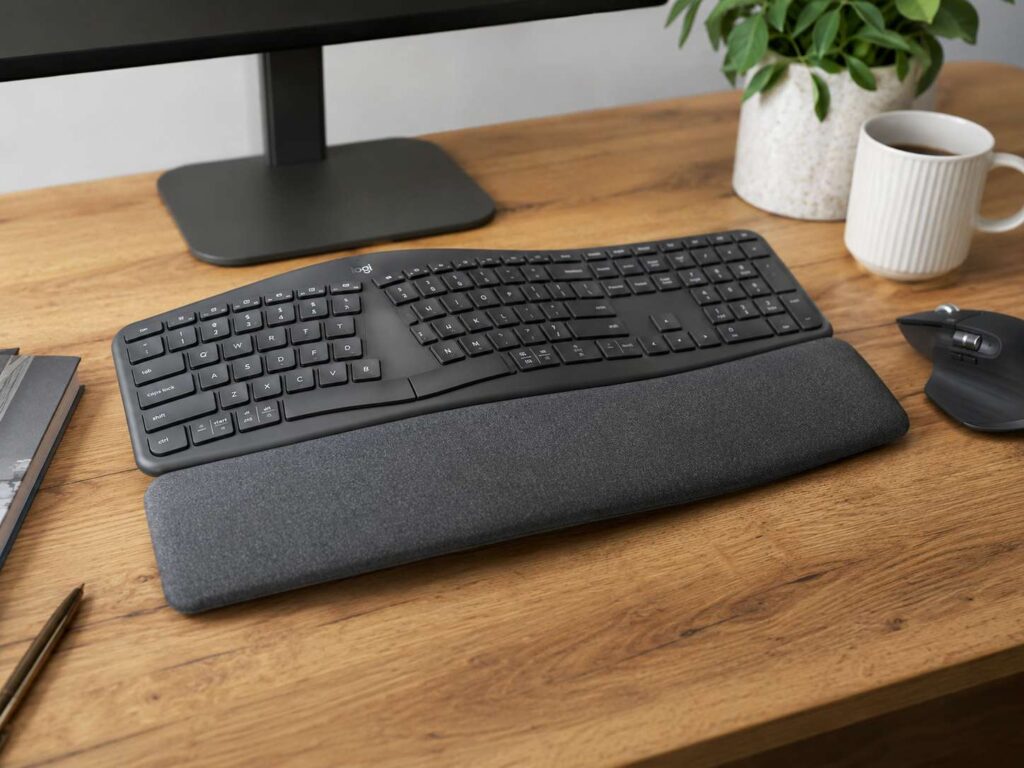
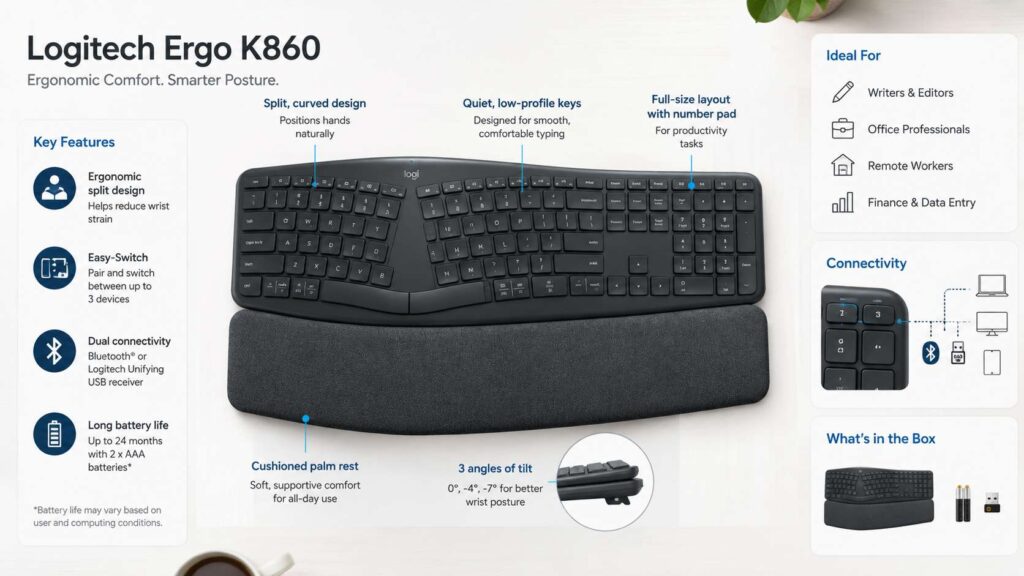
The Logitech Ergo K860 is still one of the most sensible ergonomic keyboards for office work, writing, spreadsheets, and long typing sessions. It has a curved split layout, a large cushioned palm rest, quiet keys, wireless pairing, and a full number pad. So, it gives you a more relaxed typing position without forcing you into a tiny or strange keyboard design.
This keyboard is not made for everyone, though. It takes up a lot of desk space, it has no backlit keys, and the split layout needs a short adjustment period. Still, for the right person, the comfort gain can feel worth it after only a few long workdays.
The best part is the shape. Your hands sit farther apart than they do on a regular flat keyboard. Your wrists bend less, and the front lift helps your palms rest in a more natural position. If you spend most of your day typing, that matters.
If you are trying to decide between a standard layout and a comfort-first setup, this guide on ergonomic keyboard vs regular keyboard is a useful place to start. The Ergo K860 fits the same idea: it trades compact size and backlighting for better hand and wrist posture.
My rating: 3.8 out of 5
It is comfortable, quiet, and easy to live with once you adjust. The missing backlight and large size stop it from feeling perfect, but it still does its main job very well.
Design and Build Quality
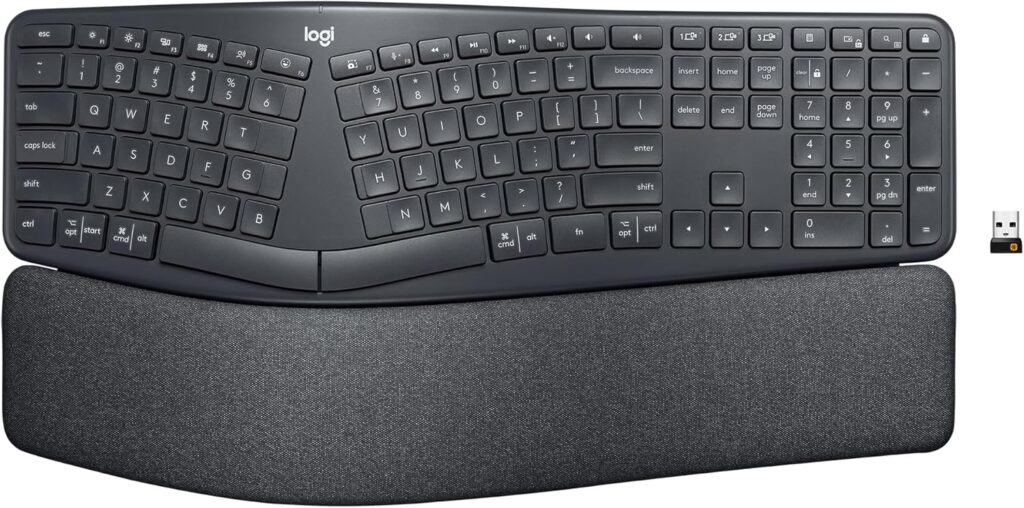
The Logitech Ergo K860 looks different right away. The keyboard rises in the middle, curves outward, and has a large palm rest built into the front. It does not try to look like a slim laptop keyboard. Instead, it looks like a proper desk tool made for long sessions.
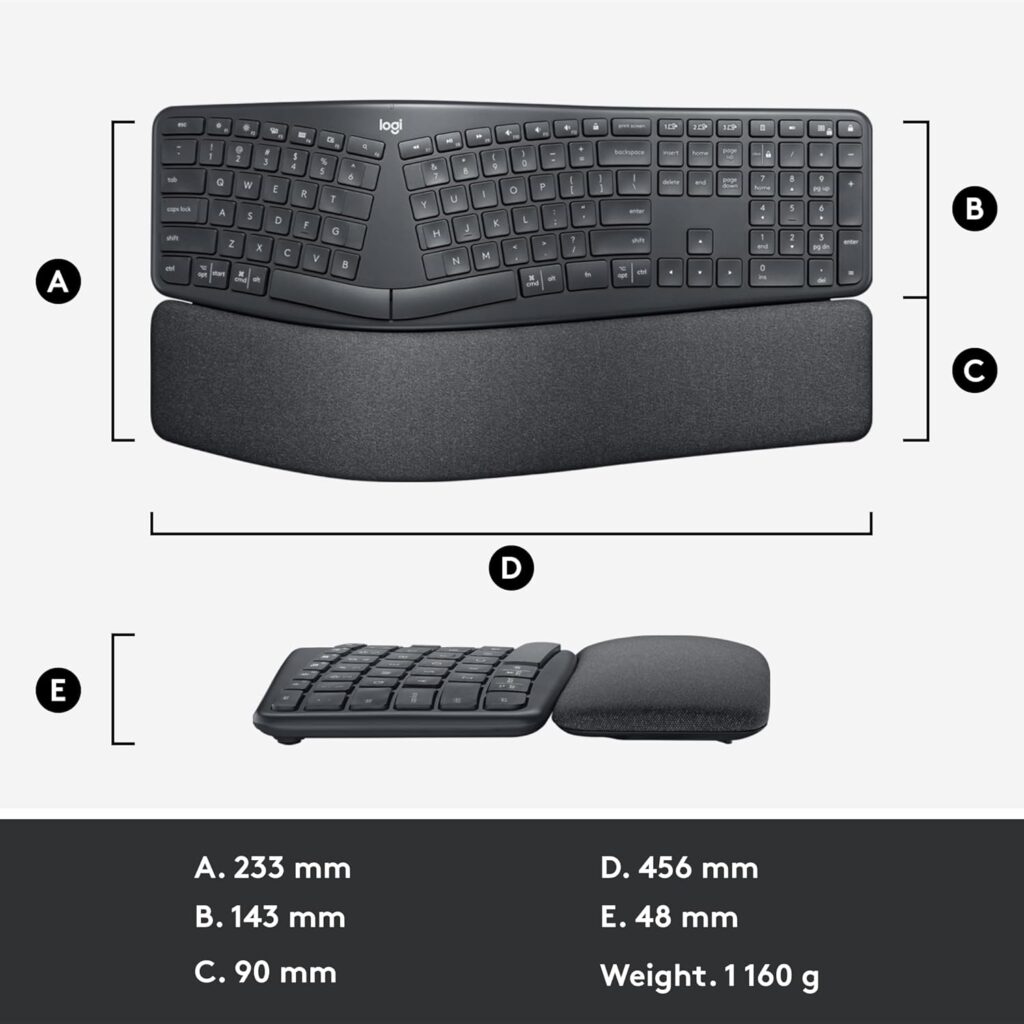
The size is the first thing you notice. This is a wide and deep keyboard, so it needs room. If your desk already feels crowded with a monitor stand, speakers, notebooks, and a large mouse pad, the K860 may feel bulky. That said, the large frame gives your hands more space and helps the keyboard stay stable.
The build feels solid for office use. It does not slide around easily during normal typing. The full-size layout includes a number pad, arrow keys, and a function row, so you do not lose the parts many workers need every day.
The palm rest is one of the strongest parts of the design. It feels soft, wide, and supportive. It gives your palms a comfortable landing area, which helps during long typing sessions. A hard plastic edge can get annoying after a few hours. This one feels much kinder on the hands.
Still, the palm rest is fixed. You cannot remove it. If you prefer a separate wrist rest, or if you like keeping your keyboard close to the desk edge, this may bother you. Fabric surfaces can collect dust and marks over time too. So, it needs a bit more care than plain plastic.
Ergonomics and Comfort
The main reason to buy the Logitech Ergo K860 is comfort. The split curved key frame places your hands in a more open position. This reduces the cramped feeling of a flat rectangular keyboard.
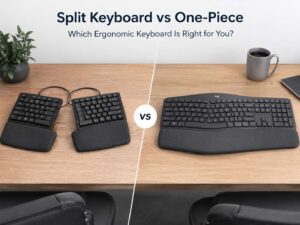
In practice, the layout feels like a friendly step into ergonomic keyboards. It is not as extreme as a fully split keyboard with two separate halves. So, you can adjust without feeling lost. At the same time, it gives more wrist relief than a normal office keyboard.
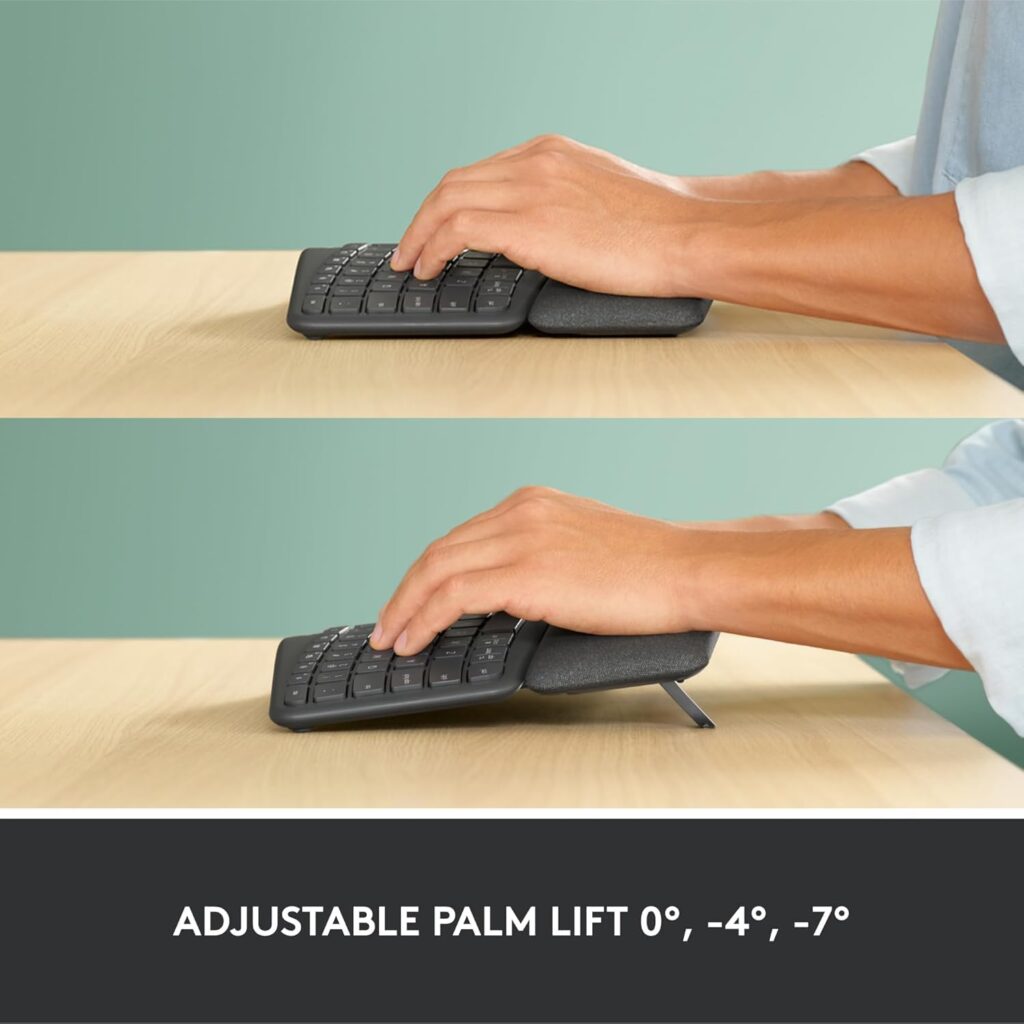
The negative tilt legs are a smart feature. Many keyboards lift the back edge, which can bend your wrists upward. The K860 lifts the front edge instead. This helps your wrists stay closer to a neutral line.
You can use the keyboard flat, or you can use the palm lift settings. The lifted positions make the most sense at a standing desk or at a seated desk where your hands naturally angle downward. The shape encourages better posture without making the keyboard feel too technical.
To be clear, this keyboard is not a medical fix. It will not solve pain caused by a poor chair, a desk that is too high, or typing for hours without breaks. Even so, it can make good posture easier. For many office users, that alone is a real benefit.
Typing Experience
The Logitech Ergo K860 uses quiet, low-profile keys. They feel soft and controlled, not sharp or clicky. If you like loud mechanical keyboards, this one may feel too gentle. If you share a room or take many video calls, the quiet sound is a big plus.
The scooped key tops help guide your fingers into place. That detail sounds small, but it helps during longer writing sessions. Your fingers do not feel like they are sliding across flat keycaps.
Typing feels smooth once your hands learn the split layout. The first few days can feel odd, especially near the center keys. Letters like B, T, Y, G, H, and N may cause mistakes at first. Then your fingers start to stay on their own side of the keyboard, and the layout feels more natural.
This keyboard works best for touch typists. If you type with two fingers, or if you cross your hands over the center often, the K860 may slow you down at the start. That is not a defect. It simply exposes typing habits that a regular keyboard hides.
For writing articles, emails, reports, and product descriptions, the typing feel suits long work sessions. It does not feel exciting, but it feels calm and steady. That is exactly what many office keyboards should do.
Practical Desk Test Notes
A short typing test does not tell the full story with this keyboard. The Ergo K860 makes more sense after several hours of real work. A better test is simple: use it for emails, writing, spreadsheets, browser shortcuts, and chat replies during a normal workday.
The first thing to check is wrist angle. Your hands should feel less squeezed toward the center. Next, check shoulder position. If the keyboard pushes your mouse too far away, your right shoulder may stretch more than before. That can reduce some of the ergonomic benefit.
The second thing to check is the palm rest. It feels supportive, but it is large. On the other hand, it can push the keyboard too far back on the desk.
The third thing to check is lighting. The K860 has no backlit keys. That may not matter in a bright room. In a dim office, though, it can get annoying. Touch typists will care less, but anyone who looks down at the keys will notice.
The fourth thing to check is desk depth. This keyboard is not compact. If you use a large wireless mouse, a trackball, or a desk mat, plan your setup before buying. A comfort keyboard should not force your mouse into a bad position.
Wireless Connection and Multi-Device Use
The Logitech Ergo K860 supports wireless use and can pair with up to three devices. You can switch between them with dedicated Easy-Switch keys. That makes it useful for people who move between a desktop, laptop, and tablet.
For a home office, this is a very practical feature. You can type on your work laptop, then switch to your personal computer without moving keyboards around. The switch is quick enough for normal daily use.
The keyboard uses AAA batteries, and Logitech rates battery life for long-term use. That is good for users who dislike charging another device every week. The trade-off is clear: no backlighting helps battery life, but it makes the keyboard less useful in low light.
The standard model works with Bluetooth and a compatible Logitech receiver. Some business versions use Logitech’s newer receiver system. So, check the exact version before buying, mainly if you already use other Logitech accessories.
If you care about a clean desk setup, pairing this keyboard with a good wireless mouse makes sense. For productivity setups, this guide to the best wireless mouse for productivity can help you match the keyboard with a better pointing device.
Software and Shortcuts
The Ergo K860 works with Logitech software for key customization on supported systems. This lets you change some function key behavior and set useful shortcuts.
For office work, that can save time. You can set keys for screen capture, mute, app switching, media control, or other daily tasks. Writers can use shortcuts for dictation or screenshots. Spreadsheet users may prefer quick access to calculator, search, or window controls.
Still, the keyboard does not feel like a deep enthusiast keyboard. It is not made for complex layers, gaming profiles, or heavy macro setups. It is made for practical office control. That is enough for most users, but power users may want more.
One workplace issue is software access. Some company laptops block installs. If that happens, the keyboard still works as a normal wireless keyboard, but you lose some customization options.
Logitech Ergo K860 vs Logitech MX Keys S
The Logitech MX Keys S is the better choice for people who want a slim premium keyboard with backlit keys. It looks cleaner on a modern desk, and it feels more familiar right away.
The Ergo K860 is better for wrist comfort. The split curved layout, palm rest, and negative tilt legs make it more supportive during long typing sessions. It is bigger, less stylish, and not backlit, but it focuses harder on posture.
Pick the MX Keys S if you type in low light, want a slimmer desk setup, or prefer a standard layout. Pick the Ergo K860 if your wrists feel tired after long work sessions and you want a more relaxed typing position.
The choice is simple. MX Keys S feels more premium. Ergo K860 feels better for comfort.
Logitech Ergo K860 vs Logitech Wave Keys
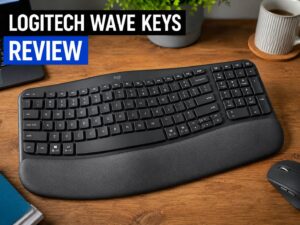
The Logitech Wave Keys is smaller, cheaper in many markets, and easier to use from day one. It has a wavy layout and a cushioned palm rest, but it does not give the same split-hand position as the K860.
The Wave Keys is a good middle ground for casual users. It gives some comfort without asking you to relearn much. It also fits smaller desks better.
The Ergo K860 is the stronger ergonomic option. It gives your hands more separation and better wrist positioning. It asks for more desk space, but it gives more comfort in return.
Choose Wave Keys for simple comfort and smaller setups. Choose Ergo K860 for longer typing sessions and stronger ergonomic support.
Logitech Ergo K860 vs Regular Keyboard
A regular keyboard wins on size, price, and familiarity. It is easier to place on a desk, easier to replace, and easier for anyone to use right away.
The Ergo K860 wins on posture. The split layout helps your hands sit at a more natural angle. The palm rest supports long sessions. The front lift helps reduce wrist extension.
If you only type for short periods, a regular keyboard is fine. If you type for hours every day, the K860 makes more sense. The comfort gain becomes more noticeable over time, not during the first five minutes.
Productivity and Office Use
The Logitech Ergo K860 is made for productivity. It fits writers, editors, support agents, accountants, developers, office workers, and remote workers who type for hours.
The full number pad is a real advantage. Many ergonomic keyboards remove it to save space. The K860 keeps it, so spreadsheets and number entry feel normal.
The quiet keys help in shared spaces. They are calm enough for calls and office work. You can type quickly without making the room sound busy.
For long writing sessions, the K860 feels steady and relaxed. It does not try to impress with flashy features. It simply makes typing feel easier on your hands. That is the point.
Gaming and Creative Work
The Ergo K860 is not a gaming keyboard. It has no RGB lighting, no mechanical switches, no wired gaming mode, and no compact shape for large mouse movement. Casual games are fine. Competitive gaming is not the target.
For creative work, the answer is mixed. Photo editors, video editors, and designers can use it well, especially if they need a number pad and full function row. Yet the split layout can make some shortcuts feel strange at first.
For coding, it can work nicely after adjustment. The quiet feel and better wrist angle help during long sessions. Still, programmers who want programmable layers or mechanical switches may prefer a more specialized ergonomic keyboard.
Common Issues
The biggest issue is the learning curve. The split layout feels strange during the first few days. If your typing habits are messy, the center keys may cause errors.
The second issue is size. This keyboard can push your mouse farther to the side. That can create shoulder strain if your desk is narrow.
The third issue is the missing backlight. A keyboard at this level feels like it should have illuminated keys. Logitech likely saved battery life by leaving it out, but the omission still stands out at this price.
The fourth issue is the fixed palm rest. It feels good, but it cannot be removed or replaced.
The fifth issue is key feel. The keys are quiet and pleasant, but they are not crisp like mechanical switches.
Pros and Cons
Pros:
- Very comfortable split ergonomic shape
- Curved key frame supports a more relaxed hand position
- Large cushioned palm rest feels soft during long sessions
- Negative tilt legs help wrist posture
- Quiet keys work well for shared spaces
- Full-size layout includes a number pad
- Easy-Switch supports up to three devices
- Strong battery life
- Good for writing, office work, and spreadsheets
- Easier to learn than many fully split ergonomic keyboards
Cons:
- No backlit keys
- Large footprint can crowd small desks
- Built-in palm rest cannot be removed
- Split layout takes time to learn
- Not a good choice for gaming
- Key feel may be too soft for mechanical keyboard fans
- Fabric palm rest may show wear over time
- Receiver type can differ by model version
Price

Who Should Buy the Logitech Ergo K860?
Buy the Logitech Ergo K860 if you type for long hours and want better wrist comfort. It suits office workers, writers, editors, finance users, support teams, and remote workers.
It is a strong pick if you need a full number pad. Many comfort keyboards skip it, but the K860 keeps it. That makes it better for Excel, reports, invoices, and data entry.
It is also a good choice if you want quiet keys. The typing sound stays low, so it works well in shared rooms or during video calls.
Most of all, buy it if comfort matters more than backlighting, compact size, or gaming features.
Who Should Not Buy the Logitech Ergo K860?
Skip the Logitech Ergo K860 if you have a small desk. It is wide and deep, so it can crowd your setup.
Do not buy it if you need backlit keys. The K860 does not have them, and software will not add them.
Skip it if you want mechanical switches, RGB lighting, gaming features, or deep key programming. This is an office comfort keyboard, not an enthusiast board.
It may not suit you if you dislike changing typing habits. The split layout rewards proper hand placement, but the first few days can feel awkward.
Final Verdict
The Logitech Ergo K860 remains a smart ergonomic keyboard for people who type a lot. It gives you a more relaxed hand position, a soft palm rest, quiet keys, and a full-size layout with a number pad.
Its comfort makes the biggest difference during long workdays. A normal keyboard can feel fine for short tasks. After hours of typing, the K860 starts to make more sense.
Still, it has clear flaws. No backlighting is disappointing. The large body needs desk space. The fixed palm rest will not suit every setup.
Even with those issues, the K860 does its main job well. If you want a full-size wireless ergonomic keyboard for work, it is still one of the safest choices to buy.