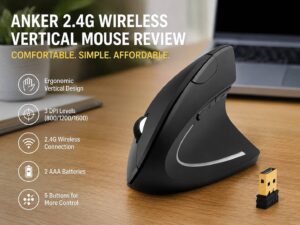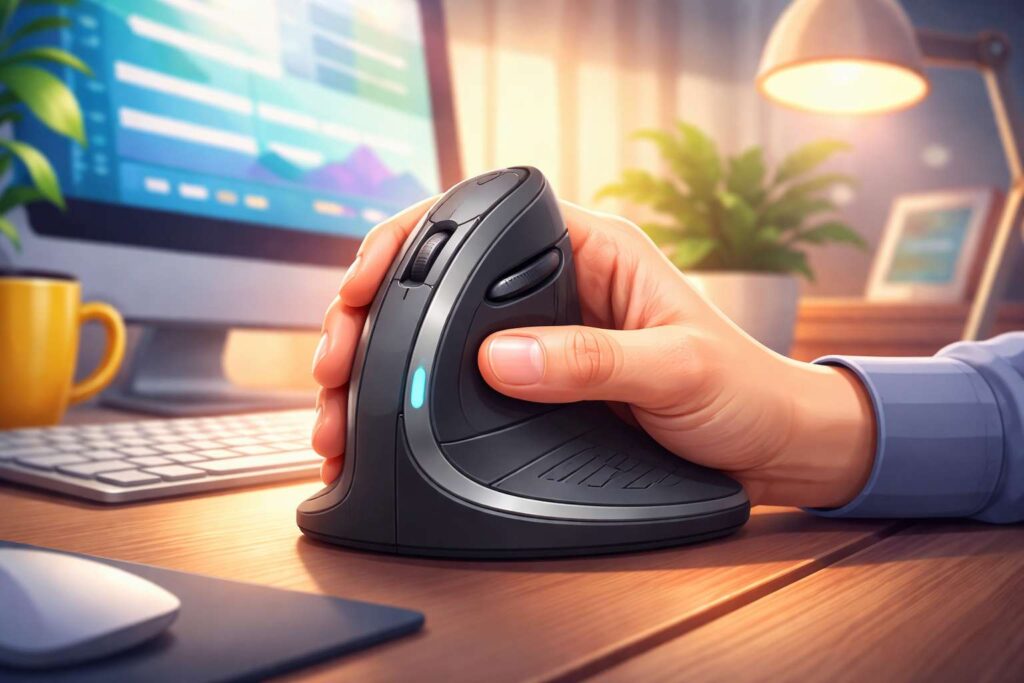
A vertical mouse is a computer mouse with a tall shape that keeps your hand in a more upright position. Instead of turning your palm flat toward the desk, it places your hand closer to a handshake posture. That single change is the whole point.
For many people, a regular mouse feels normal at first. Still, long desk sessions can put extra strain on the wrist, forearm, and hand. A vertical mouse tries to reduce that strain by changing the angle of your grip. So the idea is simple. Change the hand position, and daily mouse use feels easier for many users.
This design has grown far beyond a niche office gadget. Now, you can find vertical mice for office work, remote work, creative tasks, and even mixed work and gaming setups. Yet the main reason people search for one stays the same. They want more comfort during long hours at a desk.
People often search for this topic in different ways. Some type ergonomic mouse. Some search mouse for wrist pain, handshake mouse, upright mouse, or best mouse for office work. Others compare shapes before they buy. That is why this guide covers the basics, the real benefits, the limits, and the details that matter before you spend money.
Why a vertical mouse exists
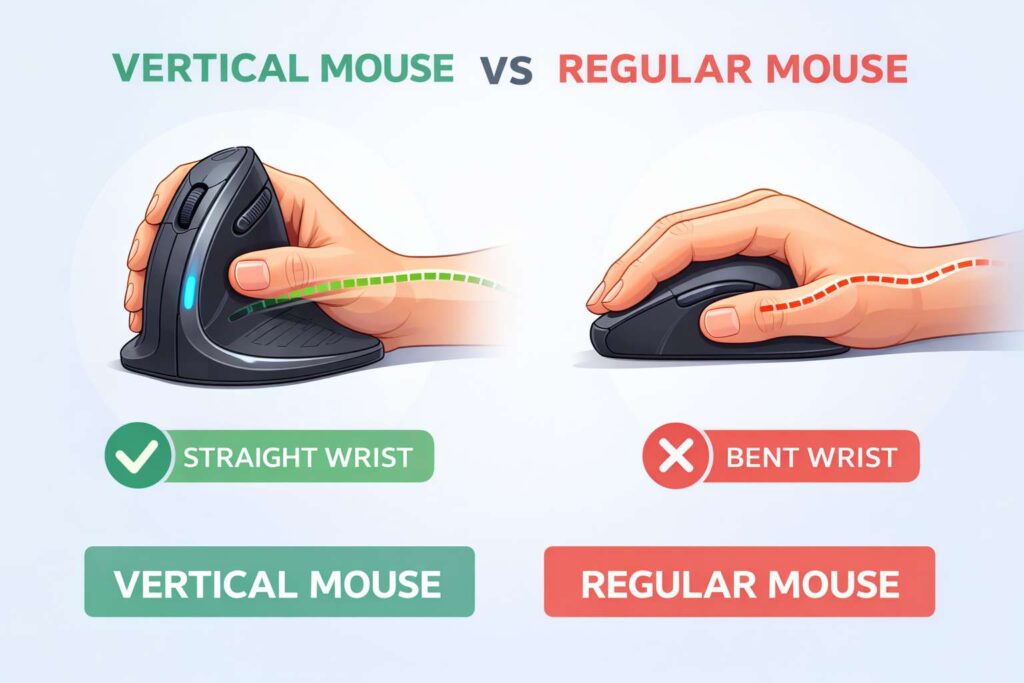
A standard mouse keeps the hand flat. For short use, that feels fine to many people. Over time, though, repeated clicking and scrolling can leave the wrist tight and the forearm tired. A vertical mouse changes that angle and gives the hand a more natural resting position.
The goal is not to make the mouse look unusual. The goal is to reduce awkward posture. So the shape is not just for style. It is built around comfort.
That matters most for people who spend hours in spreadsheets, email, design software, web browsers, or admin tools. A few minutes of mouse use will not push most people to change. Eight hours a day is a different story. Then small design changes start to feel much more useful.
The design can help in another way too. Many vertical mice support a looser grip. That means you do not need to clamp the mouse as tightly. Over a full workday, that lighter grip can make a real difference.
How a vertical mouse works
A vertical mouse still does the same job as any other mouse. It moves the cursor, clicks, scrolls, and opens menus. The real difference sits in the shell.
The body of the mouse rises upward instead of staying low and flat. Your thumb often rests on the side. Your fingers sit over buttons on a steeper surface. Then your hand stays turned inward instead of facing down toward the desk.
That changes how your wrist and forearm sit during use. A flatter mouse often encourages more forearm rotation. A vertical model reduces that rotation. So the hand, wrist, and lower arm can stay in a calmer position.
Many models add a thumb rest, a textured grip, and side buttons for back and forward commands. Some include quiet clicks. Others include device switching, wireless support, or software for custom buttons. Those extras help, but the shape remains the main reason to buy one.
At first, the grip can feel strange. That reaction is normal. Your hand has already learned years of flat mouse use. So a new angle feels unfamiliar for a few days. Then, for many people, it starts to feel more natural than the old style.
Vertical mouse vs regular mouse
The easiest way to compare the two is to focus on posture.
A regular mouse keeps your palm down. A vertical mouse turns your hand inward. That is the biggest difference.
A regular mouse often feels faster on day one. Most people already know how to use one, so there is no learning curve. A vertical mouse asks your hand to move in a new way. So the first day can feel slower, less precise, or slightly awkward.
Still, that early adjustment does not tell the whole story. Comfort over weeks matters more than comfort over ten minutes. For many office users, the vertical design starts to feel better once the hand adapts.
Button placement changes too. On a flat mouse, the main buttons sit on top. On a vertical mouse, the buttons sit more to the side. The thumb often gets more support as well. That can help reduce pressure from constant gripping.
Desk space stays about the same in many cases. So a vertical mouse does not demand a huge setup change. You can swap it into a normal desk setup without much trouble.
For a closer side by side breakdown, read this guide on vertical mouse vs regular mouse. It helps show where each style fits best.
Vertical mouse vs trackball
Some shoppers compare a vertical mouse with a trackball. The two products solve comfort in very different ways.
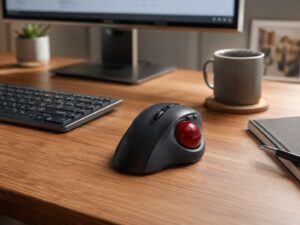
A vertical mouse still moves across the desk. So your hand travels with the device. A trackball stays in one place, and your thumb or fingers move the ball to control the cursor. That means less desk movement and a very different control style.
A vertical mouse feels closer to a normal mouse. So the change is smaller for most people. A trackball often asks for a bigger adjustment, but it can work very well for users who want to keep the arm still.
The better choice depends on what feels natural in daily use. Some people want a familiar pointer with better wrist posture. A vertical mouse fits that goal. Others want almost no desk movement at all. A trackball fits that need better.
This trackball vs mouse guide is useful here. It explains how each device changes hand movement and cursor control.
Who benefits most from a vertical mouse
A vertical mouse makes the most sense for people who use a computer for long stretches. Office workers fit that group. Remote workers fit too. Students, writers, coders, video editors, support staff, and finance teams often benefit as well.
It can be a strong pick for users who feel wrist fatigue at the end of the day. Forearm tightness, hand pressure, and finger strain are common reasons people start looking at ergonomic mice. So the switch often starts with discomfort, not curiosity.
Laptop users can benefit too. Many people work on a laptop in a cramped posture. Then the trackpad and low screen height make things worse. A separate mouse helps create a more relaxed desk setup, and a vertical mouse pushes that setup a step further.
People with smaller hands should pay close attention to size. A large mouse can force the fingers to stretch too far. A smaller model often feels more controlled and more comfortable. So fit matters just as much as shape.
Left-handed users should check product listings with care. Many vertical mice are made only for right-handed use. Left-handed versions exist, but the range is smaller.
What a vertical mouse does not fix
A vertical mouse can improve comfort, but it does not fix every desk problem.
A bad chair still creates tension. A desk that sits too high can still lift the shoulders. A keyboard placed too far away can still pull the arm into an awkward position. So the mouse is one part of the setup, not the whole answer.
Grip force matters too. Some people squeeze the mouse all day without noticing. A better shaped mouse helps, but a tight grip can still leave the hand tired.
Breaks matter as well. Long sessions without movement can create stiffness no matter what mouse you buy. So a vertical mouse works best with short breaks, relaxed shoulders, and a desk layout that keeps everything within easy reach.
The same point applies to serious pain. Tingling, numbness, swelling, or weakness need proper attention. A new mouse can support comfort. It is not a cure.
How to choose the right vertical mouse
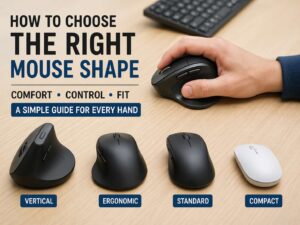
Start with size. This is the first thing many buyers get wrong. A mouse that is too large feels clumsy. A mouse that is too small can feel cramped. So check hand size guides when a brand provides them.
Next, look at the angle. Some vertical mice use a moderate tilt. Others go much steeper. A mild angle feels easier for beginners. A steeper angle pushes the hand closer to a handshake position. Neither style wins for everyone, so comfort should guide the choice.
Then look at the buttons. Back and forward buttons help with browsing. Quiet clicks help in shared rooms. A good scroll wheel matters more than people expect, especially for office work and research.
Wireless support is useful for a cleaner desk. Rechargeable batteries save money over time. Multi-device switching helps users who move between a work laptop and a home PC. So think about your actual routine, not just the headline feature list.
Sensor performance matters too. Office users need smooth tracking and stable control. Gamers care more about very high precision and fast response. Some vertical mice now target both groups, but many models still focus on productivity first.
Build quality should not be ignored. A vertical mouse sits under your hand for hours every day. Cheap plastic, noisy clicks, and loose buttons get old very fast.
Setup tips that make a real difference
A good mouse still needs a good position on the desk.
Keep the mouse close to the keyboard. That reduces shoulder reach. Place both on the same surface. Then your arm stays in a more relaxed position.
Set the cursor speed high enough to reduce large sweeping movements. That can cut down on repeated arm motion. Many people never change pointer speed, yet that small setting can improve comfort a lot.
Use a light grip. Let the mouse rest in your hand instead of squeezing it. That sounds minor, but it changes fatigue over a full day.
Take short breaks. Open the hand. Roll the shoulders. Stand up for a minute. Then return to work. These small habits support the mouse and make the whole setup feel better.
Give yourself a few days to adapt. Precision often improves once the new grip feels familiar. So do not judge the mouse too quickly after ten minutes of use.
Final thoughts
A vertical mouse is a standard computer mouse with a different hand position. That position is the reason people buy it. It keeps the hand more upright, supports a straighter wrist, and often feels better during long work sessions.
It is not a magic fix. Still, it is a smart upgrade for many people who work at a desk every day. The design makes sense, the comfort gains are real for many users, and the setup change is small.
For most buyers, the question is not whether a vertical mouse works at all. The real question is whether your current mouse leaves your hand, wrist, or forearm tired by the end of the day. For many people, the answer is yes. So a vertical mouse becomes an easy next step.