Discover smart buying decisions with Better Buy Base. We provide clear comparisons, pros and cons, and tailored recommendations for every budget and need.
Review · Mice
Logitech ERGO M575S Review: The Quiet Update to a Favorite Thumb Trackball
The Logitech ERGO M575S is the 2024 update of one of the most recommended thumb trackballs, the ERGO M575. Logitech kept the shape and added quieter clicks, a Logi Bolt receiver and new colors (Logitech announcement). Wirecutter covered it in its trackball guide updated on June 16, 2026.
Nobody on our team has used this trackball. We built it from Logitech's product, specification and support pages, Wirecutter's and Root-Nation's coverage of the M575S, and lab measurements that RTINGS made on the original M575. Where a measurement only applies to the original model, we say so.
Affiliate disclosure: the price links on this page may earn us a commission at no extra cost to you. Retailers cannot pay for placement or influence the score. How we stay independent
Editorial ratingGoodWeighted average of 6 rated sections.
A quiet, comfortable thumb trackball with a long-proven shape and more than a year of battery on one AA. It keeps the old limits, with no tilt, no horizontal scroll and unclear multi-device switching.
Strengths
Comfortable, long-proven right-handed shape shared with the original M575
Quiet clicks, the main upgrade over the original
More than a year on one AA battery, and the receiver stores inside the battery door
Weaknesses
No tilt adjustment and right-handed only
No horizontal scrolling and no DPI button
Not compatible with Unifying receivers, and multi-device switching is limited and not clearly documented
Research-based: assessed from the manufacturer’s published specifications, documentation and the independent sources listed at the end. We have not tested this unit ourselves; any measurement quoted belongs to the cited source.
Research period
September 11, 2026
Method
Research-based assessment. We took specifications, controls, connectivity, battery and warranty details from Logitech's US product page, specification page, Getting Started guide and FAQ for the ERGO M575S, and the launch details from Logitech's September 13, 2024 announcement. Independent coverage of the M575S comes from Wirecutter's trackball guide (updated June 16, 2026) and Root-Nation's review (November 30, 2024). Lab measurements from RTINGS and notes from Tom's Hardware (updated June 25, 2026) apply to the original ERGO M575, which shares the shell, and we label them that way. Scores use the site's 1 to 10 scale with comfort weighted one and a half times.
Evidence
Logitech: 134 x 100 x 48 mm, 145 g, right-handed, Advanced Optical Tracking up to 2000 DPI, 125 Hz on Logi Bolt, five buttons with three customizable, silent switches rated for three million clicks, Logi Bolt and Bluetooth, not Unifying compatible, one AA for up to 18 months, receiver storage, ball eject hole, one-year US warranty. RTINGS (original M575): 157.6 g measured, comfortable for nearly all hand sizes, notched wheel. Wirecutter (M575S, June 2026): solid build, not rechargeable, no DPI button, one Bluetooth pairing. Root-Nation (M575S): ball needs slight pressure, plastic body.
Limitations
Nobody on our team has used an M575S. No outlet has published sensor, click-latency or noise measurements for the M575S. The RTINGS measurements describe the original M575, which has different switches and a Unifying receiver. Logitech's own pages conflict on the minimum DPI, the number of customizable buttons and the Bluetooth battery rating, and this review uses the specification sheets. Logitech does not state whether the M575S keeps a receiver pairing and a Bluetooth pairing at the same time, and the listing does not show the exact part number behind it. Owner forums could not be opened.
Product illustration based on manufacturer imagery: Logitech render on a generated backdrop. Product illustration based on manufacturer imagery (Logitech render)
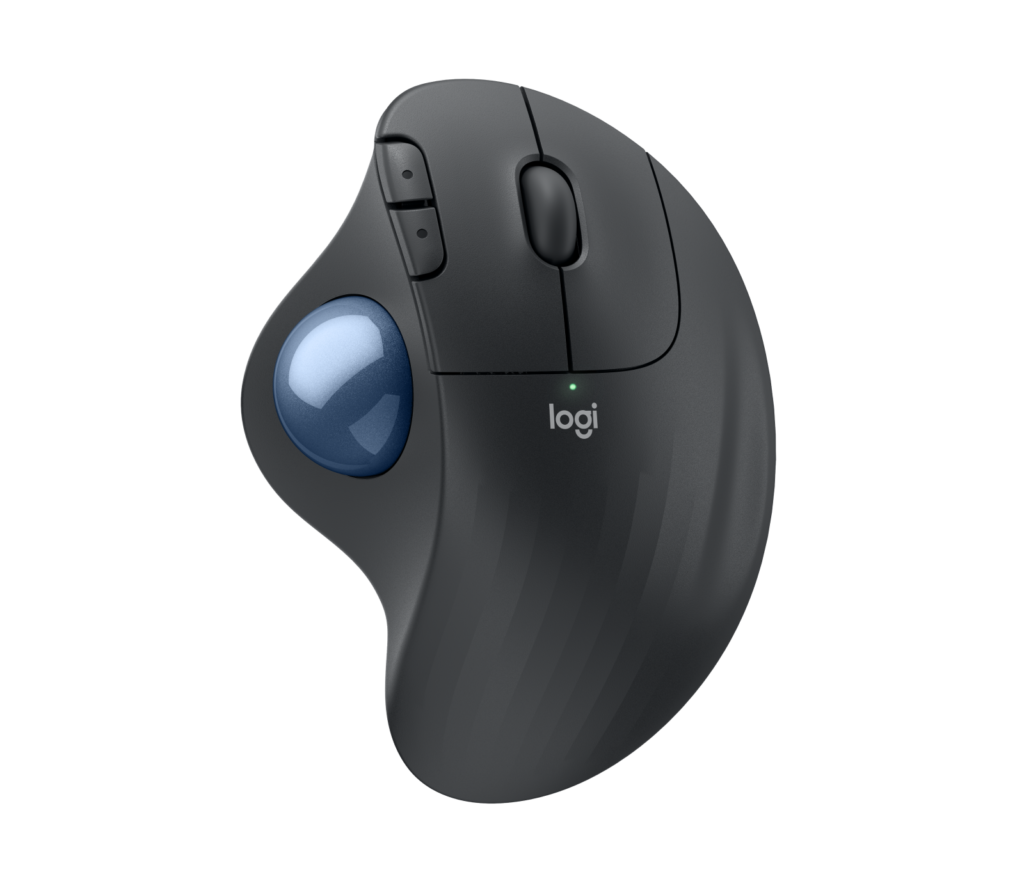
The ERGO M575S is a right-handed, thumb-operated trackball. Your hand rests on a sculpted shell and your thumb moves the ball, so the device stays still and your arm does not travel across the desk the way it does with a mouse. Logitech lists it at 134 x 100 x 48 mm and 145 g, and says it is right-handed only (product page).
Logitech says the shape reduces forearm muscle strain compared with a standard mouse. That is Logitech's own claim, and no independent study has tested it on this model, as far as our research shows.
The shell is shared with the original ERGO M575, which Logitech gives identical dimensions and weight in its spec tables, so the long-running reviews of that model are a fair guide to the fit. RTINGS called the original M575 remarkably comfortable and suited to nearly all hand sizes with a palm or claw grip, and weighed its unit at 157.6 g against Logitech's lighter figure. Tom's Hardware, in a guide updated June 25, 2026, still names the original M575 its best trackball and describes it as comfortable with a small desk footprint.
There is no tilt adjustment. The M575S sits at one fixed angle, while Logitech's pricier MX Ergo S adds a tilting base. Left-handers should look elsewhere.
Sensor and tracking
6.8/10Fair
Product illustration based on manufacturer imagery: Logitech render on a generated backdrop. Product illustration based on manufacturer imagery (Logitech render)
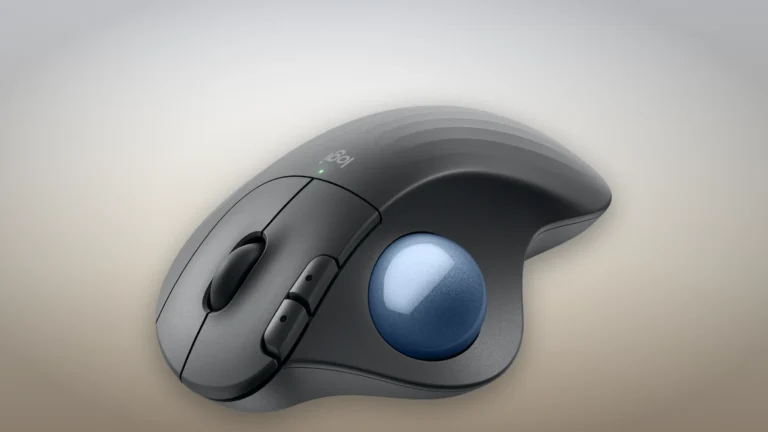
Logitech lists an Advanced Optical Tracking sensor with a maximum of 2000 DPI and a report rate of 125 Hz over the Logi Bolt receiver (specification page). Its pages disagree on the minimum: the product page gives a nominal 400 DPI, while the support specification says it starts at 100 DPI, adjustable in Logi Options+. Logitech has not said which is the true lower limit.
No outlet has measured the M575S sensor. RTINGS measured the original M575 and found a 400 to 2000 CPI range in 50-step increments, but that unit used a different receiver and different switches, so we do not carry its figures over.
Reviewers agree on the practical limits. Tom's Hardware found controlled flicks and steady tracking harder on the original M575 than on a mouse, which rules it out for most games. Root-Nation, which used the M575S itself, notes that the ball needs slight pressure and that fine control takes practice, and suggests turning on pointer acceleration. Wirecutter points out that there is no DPI button, so speed changes go through software.
Buttons and scrolling
7.0/10Good
Product illustration based on manufacturer imagery: Logitech render on a generated backdrop. Product illustration based on manufacturer imagery (Logitech render)
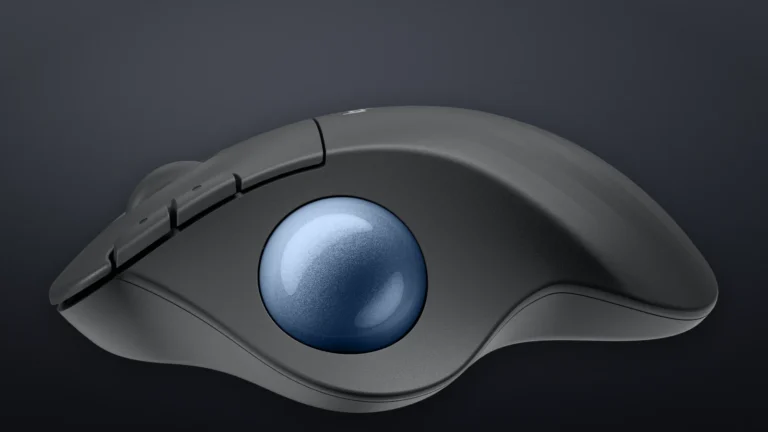
The M575S has five buttons: left and right click, back and forward keys beside the ball, and a scroll wheel with a middle click (product page). Logitech's specification lists three of them as customizable in Logi Options+ (back, forward and middle click), although one FAQ answer says five. We go with the two specification sources.
Quiet clicks are the headline change from the original. Logitech calls the switches silent, rates the main buttons for three million clicks (specification page), and claims far less click noise than the ERGO M575. No reviewer has measured the noise. Wirecutter calls it a solid trackball with great build quality.
The wheel is basic. It has no side tilt, so there is no horizontal scrolling, and the original M575's wheel measured by RTINGS was notched with no free-spin mode. Wide spreadsheets and timelines are slower to move through than on Logitech's MX mice.
Connectivity and battery
7.6/10Good
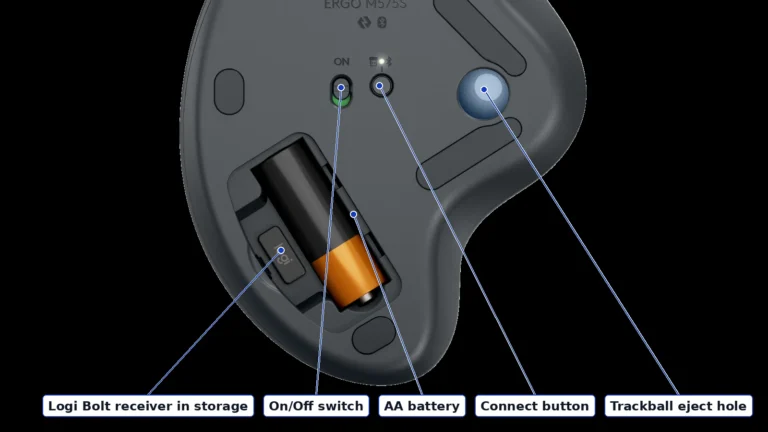
Authentic crop of Logitech's underside render. Labels follow Logitech's Getting Started guide. Authentic crop of Logitech's ERGO M575S underside render, labels from Logitech's Getting Started guide
The M575S connects through a Logi Bolt USB receiver or Bluetooth Low Energy, with a stated range of 10 m (product page). Logi Bolt replaces the Unifying receiver of the original M575, and Logitech says the M575S does not work with Unifying receivers. If your keyboard uses Unifying, you cannot share one dongle.
A single AA battery, included in the box, powers it for up to 18 months, according to Logitech's specification page. One product-page FAQ answer says up to 20 months over Bluetooth, which matches the older M575's rating, so we use the 18-month figure from the spec sheets. The receiver stores inside the battery door (Getting Started guide), which helps when you carry it in a laptop bag.
Multi-device use is limited. The Connect button on the underside switches pairing, but Wirecutter says the M575S pairs to only one device over Bluetooth. Tom's Hardware ran the original M575 on one receiver device and one Bluetooth device at once. Logitech does not state whether the M575S keeps both pairings at the same time.
The AA battery cuts both ways. There is nothing to recharge for more than a year, but Wirecutter lists the lack of a rechargeable battery as a drawback.
Build and maintenance
7.2/10Good
Product illustration based on manufacturer imagery: Logitech render on a generated backdrop. Product illustration based on manufacturer imagery (Logitech render)
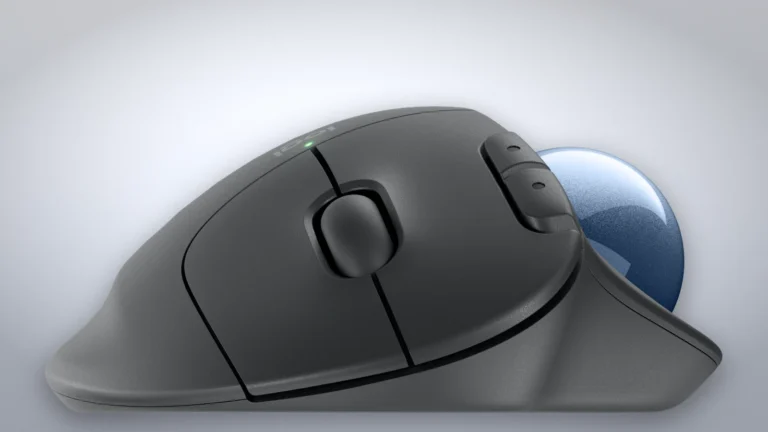
The body is made from partly recycled ABS plastic with an epoxy-coated ball, according to Logitech's specification page. Wirecutter calls the build quality great, and Root-Nation notes that the M575S body is plain plastic where the MX Ergo S has a rubberized finish.
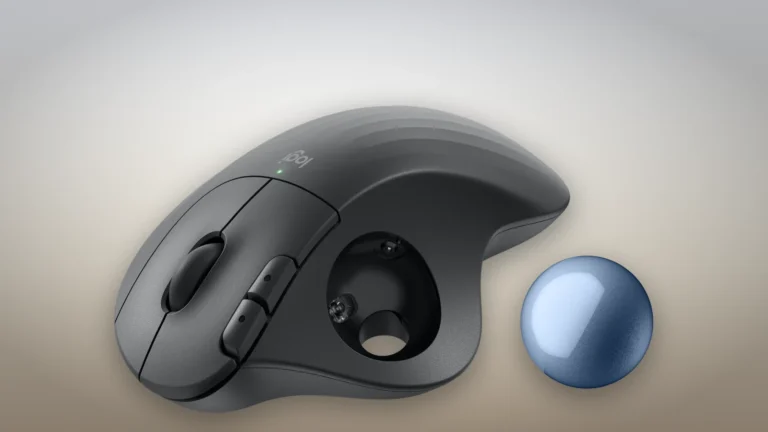
Trackballs collect dust and skin oil on the small supports that hold the ball, which makes the ball feel sticky over time. The M575S makes cleaning easy: you push the ball out through the eject hole on the underside, wipe the supports and drop it back in (Logitech FAQ). No owner threads specific to the M575S could be opened for this review, so we cannot say how often it needs cleaning in practice.
The US warranty is one year (product page). The otherwise similar ERGO M575 for Business, which also uses Logi Bolt and quiet clicks, carries two years (Logitech Business page).
Value
7.3/10Good
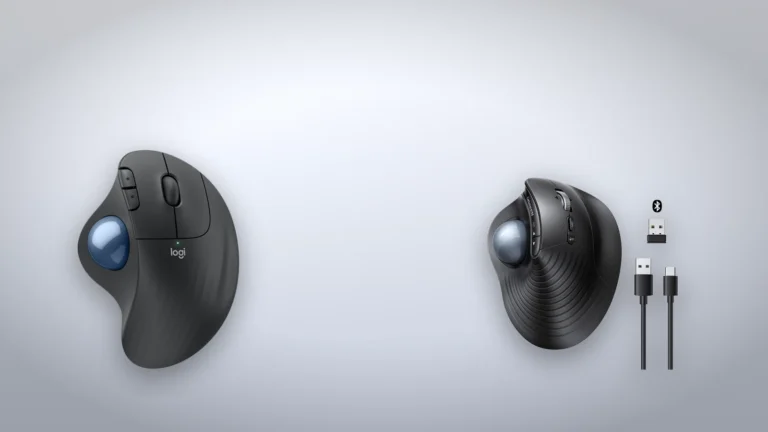
Two-product illustration: Logitech's ERGO M575S render and the UGREEN M785DR render from this site's product page, on a generated backdrop. Not to scale. Two-product illustration: Logitech ERGO M575S render and UGREEN M785DR render from this site's media library, not to scale
Logitech launched the M575S on September 13, 2024 at the same list price as the original M575 (Logitech announcement), and the original now shows as unavailable on Logitech's US store (M575 page). Current prices appear in the offers table on this page.
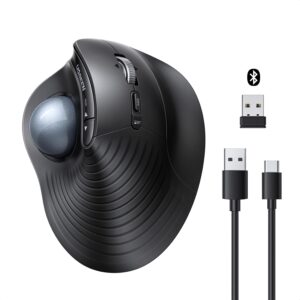
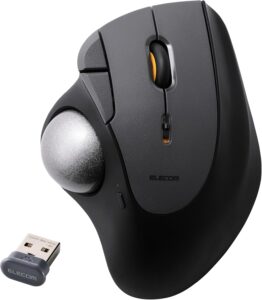
It is not the only sensible thumb trackball. Wirecutter, updated June 16, 2026, picks the Nulea M501 and Logitech's MX Ergo S ahead of it, citing the M575S's AA battery, missing DPI button and single Bluetooth pairing. The UGREEN M785DR's Amazon listing claims a rechargeable battery, three-device switching and a tilting wheel (UGREEN listing), although no independent test backs those claims yet. ELECOM's IST PLUS uses bearing supports and three connection channels, per its manual.
The M575S earns its price through comfort, quiet clicks and long battery life from a brand with mature software. If you would rather keep a conventional grip, our Logitech Lift review covers Logitech's vertical mouse for the same goal of reducing strain.
In-stock offers for this exact model, sorted by item price in USD. Shipping is not included unless a retailer supplies it. Not every retailer is listed. Prices last checked 20 hours ago.
Retailer prices for the Logitech ERGO M575S wireless trackball, Graphite + Blue Ball (Logitech part 910-007027), US
Prices and availability come from retailer feeds and change without notice; the retailer’s page is authoritative. We may earn a commission if you buy through these links.
✓
Final verdict
Logitech ERGO M575S wireless trackball, Graphite + Blue Ball (Logitech part 910-007027), US
Scores run from 1.0 to 10.0: 9+ exceptional, 8–8.9 excellent, 7–7.9 good, 6–6.9 fair, 5–5.9 mediocre, below 5 poor. The overall score is the weighted average of the rated sections. Unrated sections do not count.
Pros
Comfortable, long-proven right-handed shape shared with the original M575
Quiet clicks, the main upgrade over the original
More than a year on one AA battery, and the receiver stores inside the battery door
Logi Bolt and Bluetooth
Ball pops out for cleaning
Cons
No tilt adjustment and right-handed only
No horizontal scrolling and no DPI button
Not compatible with Unifying receivers, and multi-device switching is limited and not clearly documented
Only a one-year US warranty
Conclusion
The ERGO M575S keeps what made the original M575 a long-running favorite: a comfortable, well-proven right-handed shape, a thumb ball that saves desk space, and a battery that lasts well over a year. The 2024 update adds quieter clicks and a Logi Bolt receiver.
It does not fix the older limits. There is no tilt adjustment, no horizontal scrolling, no DPI button and no rechargeable battery, and multi-device switching is unclear. Rivals now cover some of those gaps, and no outlet has published sensor or click-latency measurements for the M575S itself.
Buy it if you want a quiet, comfortable trackball for office work at a modest price. Look at the MX Ergo S or a rechargeable rival if you switch between several computers or want more controls.
Andreea-Viviana Jitaru’s take
Editorial assessment, based on the sources cited rather than personal use: the M575S is still the safe first trackball for most right-handed office workers, mainly because its shape has years of positive independent reviews behind it. It is an incremental update, so owners of a working original M575 have little reason to switch unless click noise bothers them.
Buy it if
Right-handed office workers who want to cut arm movement at the desk
Cramped desks
Shared offices where click noise matters
Consider an alternative if
You are left-handed
Fast-paced gaming
You switch between several computers throughout the day
Andreea edits the written side of the site: the editor's note on each product page, the category buying guides and the blog. Her brief is to say what a specification table cannot: where a product is good, where it quietly compromises, and who should walk past it. A note that reads like marketing copy, or that praises a product without naming a drawback, does not go live.
This is a research-based assessment: the reviewer compiled it from published specifications, documentation and independent measurements rather than from testing the unit.
7.4/10Logitech ERGO M575S wireless trackball, Graphite + Blue Ball (Logitech part 910-007027), USCompare prices
Cookies on BetterBuyBase
We keep cookies to a minimum. The only ones this site sets are the ones it needs to work: remembering your answer here, keeping the site secure, and signing you in if you choose to post a review. We run no advertising cookies, and we measure traffic without cookies at all.Cookie policy
Customise consent preferences
Each category below lists the exact cookies behind it, what they do and how long they last. Strictly necessary cookies cannot be switched off because the site would stop working without them. Anything else is yours to decline.
NecessaryAlways active
Strictly necessary cookies keep the site working and secure: they remember your choice here, protect forms from abuse and keep you signed in to the admin area. The site cannot run without them.
Show the cookies in this category (7)
cmp_consent
BetterBuyBase · 1 year
Remembers your consent choice for each cookie category, so the banner does not ask again on every page.
cmp_visitor
BetterBuyBase · Session (until you close the browser)
Marks your browser as a real visitor, so a comparison page is built when someone actually opens one rather than when a crawler passes through. It holds the value 1 and nothing else: no identifier, no history.
wp-settings-(id), wp-settings-time-(id)
WordPress · 1 year
Remembers layout preferences inside the WordPress admin screens. Set only for accounts that sign in to run the site, never for ordinary visitors.
wfwaf-authcookie-(hash)
Wordfence (Defiant, Inc.) · 12 hours
Lets the Wordfence firewall check a signed-in user’s access level before WordPress loads, so administrators are not blocked by firewall rules. Set only when you log in to the site.
wf_loginalerted_(hash)
Wordfence (Defiant, Inc.) · Persistent
Records that the administrator has already been alerted about a sign-in from this device. Only used if login alerts are enabled, and set only when you log in to the site.
wfCBLBypass
Wordfence (Defiant, Inc.) · Only if enabled
Allows a visitor who knows a hidden bypass address to pass country blocking. It is only used if country blocking is enabled, and we do not currently use it.
wfls-remembered-(hash)
Wordfence (Defiant, Inc.) · Up to 30 days
Remembers a trusted browser for two-factor login when a signed-in user chooses “remember this device”. Set only for site accounts that use two-factor authentication.
Functional
Functional cookies are set only when you choose a feature that needs them, such as signing in with Google to post a review. Decline and the rest of the site works exactly as before. Only that button stops working.
Show the cookies in this category (1)
g_state (and Google’s own sign-in cookies)
Google · Set by Google
Set only if you use the Google sign-in button to post a review. It remembers the state of that prompt so it is not shown again. Governed by Google’s own policy.
Set by other sites
These are set on a retailer’s own website after you click through to it, so they are governed by that site rather than by this banner.
Show the cookies in this category (1)
Retailer / affiliate cookies
Amazon & affiliate networks · Set by the retailer
Set on the retailer’s own website after you click a “View deal” link, to attribute a purchase. We do not set or read these.