
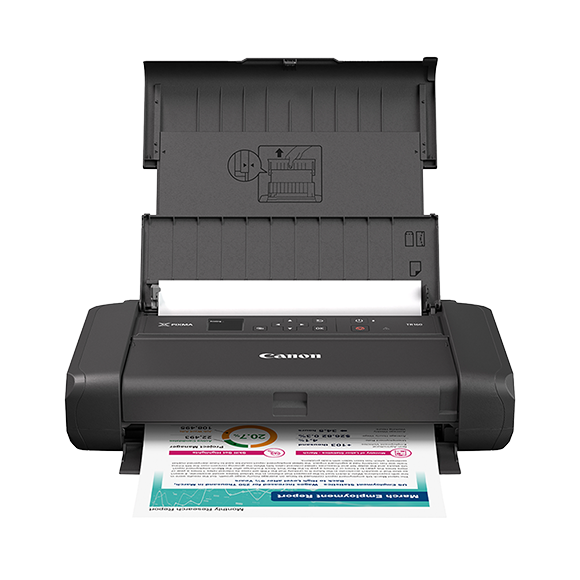
Canon PIXMA TR160: Specs, Features, Pros & Cons
Printers that travel usually make a choice between color and simplicity. Thermal mobile printers are small and ink-free but print only in black on special paper, while the few portable all-in-ones carry scanners and batteries at the cost of size. Canon's PIXMA TR160 takes the third route: a color inkjet that prints on ordinary paper and does nothing else.
That focus shapes the product. It is slim enough to carry in a bag, takes paper up to Legal size and connects directly to phones and laptops without needing a local network, which matters in a client's office, a vehicle or a trade-show booth. Canon's spec sheet also lists a small status display, a security slot for anchoring it, and support for charging its optional battery over USB, all details that make sense for a machine that moves between locations.
The limits are equally deliberate. It cannot scan, copy or fax, so it will not capture a signed page. It prints on one side only, loads a small stack of paper and uses tiny cartridges, which makes regular printing expensive. The battery that makes it portable is an extra purchase, and without it the printer needs a wall socket.
Those choices narrow the audience to people who need to produce professional documents or photos away from a desk: field sales staff, inspectors, agents and event teams. For them the added cost of the battery and consumables is part of doing the job on site. As a home or student printer it makes little sense, because a stationary all-in-one does far more for similar money.
Category strengths
Where the Canon PIXMA TR160 beats the median
- A much lighter build ?2.04 kg vs 7.98 kg (median)
Where the Canon PIXMA TR160 trails the median
- No automatic duplex printing ?
- No all-in-one ?
- No automatic document feeder ?
- A lower print speed (black) ?9 ppm vs 16 ppm (median)
- A much lower input tray capacity ?50 sheets vs 150 sheets (median)
- No ethernet ?
- A lower print speed (color) ?5.5 ppm vs 9 ppm (median)
- A much lower monthly duty cycle ?500 pages vs 10,000 pages (median)
How this VS Score was computed
Score 17: each known spec is measured against the median of all printers (65 products), then weighted; 50 means level with that median. In classes of six or more, a value beyond the class’s 10th–90th percentile range counts as that limit, so one extreme product cannot set the scale. 68% of the scoreable weight could be used; unknown values, features not applicable to this class and proxies (battery capacity where a rated life exists) add or remove nothing.
| Specification | This product | Cohort median | Score weight | Points moved |
|---|---|---|---|---|
| Automatic duplex printing | No | 73% of the class have it | 1 | −48.0 |
| All-in-one | No | 85% of the class have it | 1 | −48.0 |
| Automatic document feeder | No | 55% of the class have it | 1 | −48.0 |
| Print speed (black) | 9 | 16 | 2 | −44.0 |
| Input tray capacity | 50 — capped at the class’s lower range (60) | 150 | 1 | −30.0 |
| Supertank / refillable ink | No | 30% of the class have it | 0.5 | −24.0 |
| Duplex scanning | No | 23% of the class have it | 0.5 | −24.0 |
| Ethernet | No | 54% of the class have it | 0.5 | −24.0 |
| Touchscreen display | No | 45% of the class have it | 0.5 | −24.0 |
| Print speed (color) | 5.5 | 9 | 1 | −19.0 |
| Weight | 2.04 — capped at the class’s lower range (4) | 7.98 | 0.3 | +15.0 |
| Monthly duty cycle | 500 — capped at the class’s lower range (1,000) | 10,000 | 0.3 | −13.5 |
| Fax | No | 35% of the class have it | 0.2 | −9.6 |
| Print resolution | 4,800 | 4,800 | 0.5 | +0.0 |
Not scored: Color printing (standard for the class (88% have it)); ADF capacity (unknown: not scored); Output tray capacity (unknown: not scored); Wi-Fi (standard for the class (97% have it)); Wi-Fi Direct (standard for the class (90% have it)); USB (standard for the class (100% have it)); Apple AirPrint (standard for the class (97% have it)); Mobile app printing (standard for the class (100% have it)).
Editor’s note
The single most common mistake people make with the PIXMA TR160 is assuming it is an all-in-one. It is not. Canon's function list reads print, mobile printing and cloud link, and that is the whole machine: no scanner, no copier, no fax. If you need to capture a signed page as well as produce one, this is the wrong product and no amount of portability fixes that.
What it does uniquely well is fit in a bag. Closed, it is 12.7 x 7.3 x 2.6 inches and 4.5 lb, and it handles paper up to Legal from a 50-sheet rear tray. The 2025 refresh over the old TR150 is mostly about networks rather than printing: dual-band 2.4 and 5 GHz Wi-Fi with an access-point mode, WPA3 and TLS 1.3. That sounds like box copy until you have tried to get an older portable printer past a corporate IT policy.
Speeds are modest and honest: 9.0 ipm black and 5.5 ipm color, both ISO figures rather than draft mode. There is no automatic duplex at all.
The part that would make me hesitate is the ink. The cartridges hold 9.3 ml of black and 12.0 ml of color, roughly a tenth of what a home all-in-one carries, and replacing them is expensive. There is no refillable tank option and no page subscription to soften it, so per-page cost sits at the bottom of the inkjet market.
Also budget properly: the LK-72 battery is sold separately, and a portable printer chained to a wall socket has rather given up its purpose. Printer plus battery is the real cost of doing the job properly.
For field sales, inspections, or anyone who currently drives back to an office to print a contract, that is money well spent. As a household printer it would be a poor decision.
Specifications
Quality bars show where each figure sits between the lowest and highest of the 65 printers this VS Score is measured against.
Printing
Scanning & copying
Paper handling
Connectivity
Design
Sources and verification
Where the specifications come from
- Official product pagecanon.ca
- Independent testingrtings.com
Verification
- First published
- Specifications last checked
- Sheet completeness
- 22 of 24 specifications verified; the rest show as Unknown and are never estimated or scored
- Page type
- Product specification page — Compiled from the manufacturer’s published specifications and the cited sources; this is not a hands-on test.
- Basis
- Research-based: specifications and editorial text were compiled from the documents listed here and the manufacturer’s published data. We have not tested this unit ourselves; where independent measurements are mentioned they belong to the linked publication.
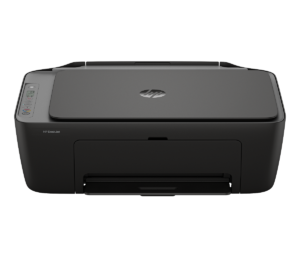
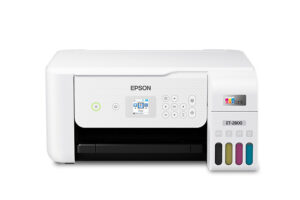
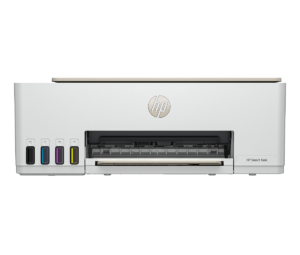
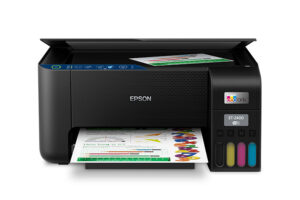
Printers with similar specs to the Canon PIXMA TR160

Ratings & reviews
No reviews yet. Be the first to share your experience.
The bottom line
The Canon PIXMA TR160 earns a VS Score of 17, below the median of the 65 printers it is measured against (a score of 50 is level with that median).
- Who it’s for
- People who print a handful of contracts, permits or forms a week away from an office: field sales, inspectors, agents, trade-show staff. It is one of very few printers that fits in a backpack and still takes Legal paper.
- Who should look elsewhere
- Anyone who needs to scan, copy or fax, because it does none of the three. Also wrong as a household or student printer: the tiny cartridges make regular printing expensive, and there is no automatic duplex.
- The trade-off that matters
- Portability paid for in consumables. The small cartridges are what let it be bag-sized, and they are also why the cost per page is among the worst in the category.
- The main alternative
- HP OfficeJet 250 Mobile All-in-One: the answer if you assumed the TR160 could scan, since it is a true portable all-in-one with a scanner and a battery included.
The VS Score is calculated from the weighted specifications above, each measured against the median of comparable printers — a shortlisting guide, not a substitute for your own priorities. See how we score.




