
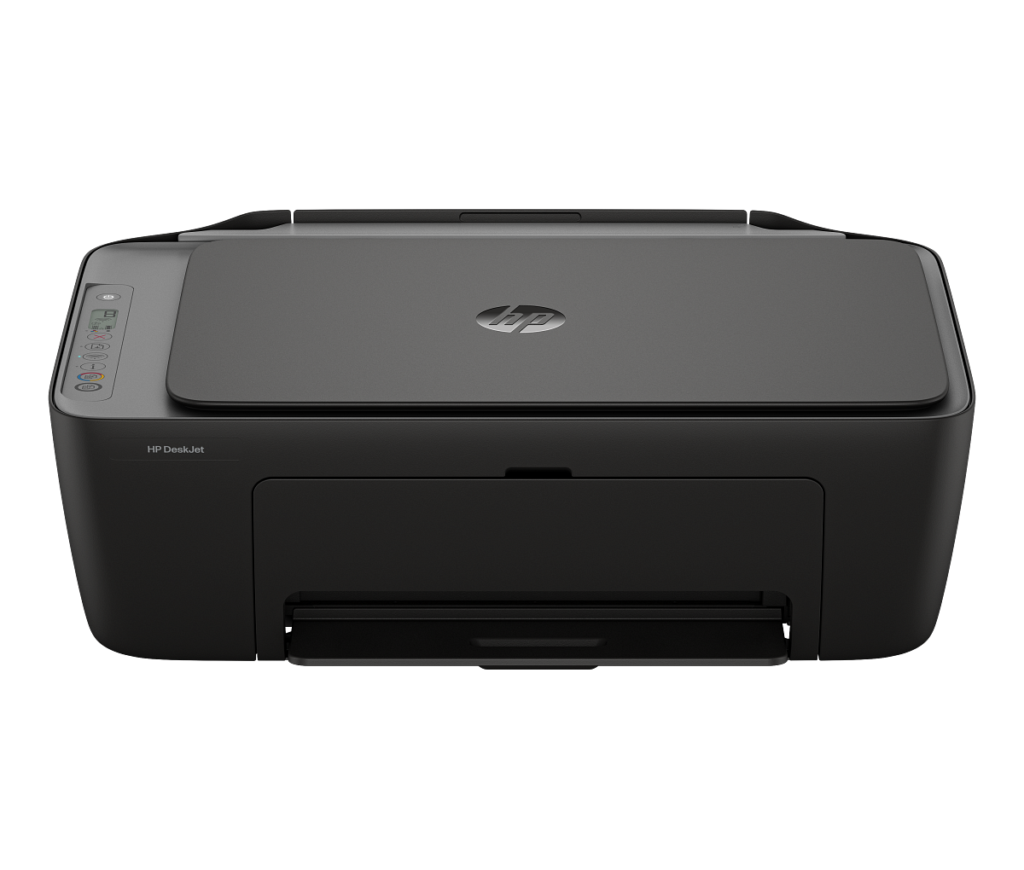
HP DeskJet 2955: Specs, Price, Pros & Cons
Some printers exist for people who print four times a year and resent owning a printer at all. The DeskJet 2955 is built squarely for them: small, light enough to carry one-handed, cheap enough to be an impulse buy, and undemanding about where it lives.
It prints, scans and copies, joins a dual-band home network, and is driven mostly from a phone app, which is the right interface for a machine whose control panel is a few buttons. HP's setup routine is among the easiest in the category and the wireless connection holds up better than the price suggests. For a returns label, a boarding pass or a page of homework, it does the job without ceremony.
What it leaves out is the ordinary omission list of the cheapest tier. Two-sided printing is manual. There is no document feeder, so a ten-page scan is ten lifts of the lid. The tray is shallow and the engine is slow.
The part that deserves attention before the specification table is not the hardware but the consumables, because this is a machine sold cheaply and paid for afterwards. Its cartridges hold very little, the chip inside them is enforced by firmware updates, and the box includes a trial of HP's ink subscription that turns into a paid plan unless somebody cancels it. None of this is concealed, but all of it is easy to miss when the printer itself costs so little. Print rarely and the machine is a perfectly sensible purchase. Print every week and the arithmetic turns quietly against it.
Category strengths
Where the HP DeskJet 2955 beats the median
- A much lighter build ?3.4 kg vs 7.98 kg (median)
Where the HP DeskJet 2955 trails the median
- A much lower print speed (black) ?7.5 ppm vs 16 ppm (median)
- No automatic duplex printing ?
- No automatic document feeder ?
- A much lower input tray capacity ?60 sheets vs 150 sheets (median)
- No ethernet ?
- A lower print speed (color) ?5.5 ppm vs 9 ppm (median)
- No Wi-Fi Direct ?
- A much lower monthly duty cycle ?1,000 pages vs 10,000 pages (median)
- A much lower output tray capacity ?25 sheets vs 67.5 sheets (median)
How this VS Score was computed
Score 18: each known spec is measured against the median of all printers (65 products), then weighted; 50 means level with that median. In classes of six or more, a value beyond the class’s 10th–90th percentile range counts as that limit, so one extreme product cannot set the scale. 65% of the scoreable weight could be used; unknown values, features not applicable to this class and proxies (battery capacity where a rated life exists) add or remove nothing.
| Specification | This product | Cohort median | Score weight | Points moved |
|---|---|---|---|---|
| Automatic duplex printing | No | 73% of the class have it | 1 | −48.0 |
| Automatic document feeder | No | 55% of the class have it | 1 | −48.0 |
| Print speed (black) | 7.5 — capped at the class’s lower range (8.8) | 16 | 2 | −44.0 |
| Input tray capacity | 60 | 150 | 1 | −30.0 |
| Supertank / refillable ink | No | 30% of the class have it | 0.5 | −24.0 |
| Duplex scanning | No | 23% of the class have it | 0.5 | −24.0 |
| Ethernet | No | 54% of the class have it | 0.5 | −24.0 |
| Touchscreen display | No | 45% of the class have it | 0.5 | −24.0 |
| Print speed (color) | 5.5 | 9 | 1 | −19.0 |
| Weight | 3.4 — capped at the class’s lower range (4) | 7.98 | 0.3 | +15.0 |
| Wi-Fi Direct | No | 90% of the class have it | 0.3 | −14.4 |
| Monthly duty cycle | 1,000 | 10,000 | 0.3 | −13.5 |
| Fax | No | 35% of the class have it | 0.2 | −9.6 |
| Output tray capacity | 25 | 67.5 | 0.3 | −9.3 |
| Print resolution | 4,800 | 4,800 | 0.5 | +0.0 |
Not scored: Color printing (standard for the class (88% have it)); All-in-one (standard for the class (85% have it)); ADF capacity (unknown: not scored); Wi-Fi (standard for the class (97% have it)); USB (standard for the class (100% have it)); Apple AirPrint (standard for the class (97% have it)); Mobile app printing (standard for the class (100% have it)).
Editor’s note
The DeskJet 2955 is the best-selling inkjet on Amazon at the time of writing, and the reason is the sticker: a printer, scanner and copier from the biggest name in printing for well under a hundred dollars. It is worth being clear-eyed about what that money buys and what it commits you to.
The hardware is honest entry-level. Print speeds of 7.5 ppm black and 5.5 color, a 60-sheet tray, dual-band Wi-Fi that reconnects itself, and a good mobile app. There is no automatic duplex (every two-sided page means reinserting paper by hand), no document feeder, no fax, and copying maxes out at nine copies per run. For homework, returns labels and the occasional recipe, all of that is fine.
The commitment is the ink. HP's 68 Black cartridge is rated at about 160 pages, which puts a black page at roughly 13 to 17 cents. A single full cartridge set costs a meaningful fraction of the printer itself. HP's datasheet also documents its dynamic security system: cartridges without HP circuitry are blocked, and firmware updates keep them blocked, so bargain third-party ink is off the table.
HP's intended answer is Instant Ink. This bundle includes a three-month trial that converts to a paid monthly plan unless you cancel it, which is worth putting in your calendar on day one. On a light plan the economics work. Forget to cancel and you have a subscription you never chose.
Owners rate it 3.3 stars across 139 reviews, the weakest score in HP's current entry line-up. I would buy it for light, occasional printing on a tight budget. If you print weekly, the arithmetic points at a tank printer within a year.
Specifications
Quality bars show where each figure sits between the lowest and highest of the 65 printers this VS Score is measured against.
Printing
Scanning & copying
Paper handling
Connectivity
Design
Sources and verification
Where the specifications come from
- Official product pagesupport.hp.com
- Retailer listing (cross-check)amazon.com
Verification
- First published
- Specifications last checked
- Sheet completeness
- 23 of 24 specifications verified; the rest show as Unknown and are never estimated or scored
- Page type
- Product specification page — Compiled from the manufacturer’s published specifications and the cited sources; this is not a hands-on test.
- Basis
- Research-based: specifications and editorial text were compiled from the documents listed here and the manufacturer’s published data. We have not tested this unit ourselves; where independent measurements are mentioned they belong to the linked publication.
Where to buy
Prices and availability may change. Check the retailer before buying. We may earn a commission on purchases.
Price history
Printers with similar specs to the HP DeskJet 2955
Ratings & reviews
No reviews yet. Be the first to share your experience.
The bottom line
The HP DeskJet 2955 earns a VS Score of 18, below the median of the 65 printers it is measured against (a score of 50 is level with that median).
- Who it’s for
- Light printing on a tight budget: a few pages a week, mostly school and household paperwork, managed happily from a phone.
- Who should look elsewhere
- Anyone who prints regularly. At 13-17 cents a black page with third-party cartridges firmware-blocked, steady use costs more per year than a tank printer's whole price gap.
- The trade-off that matters
- The low sticker price is a down payment: the printer is cheap because the 160-page cartridges and the Instant Ink subscription are where HP earns it back.
- The main alternative
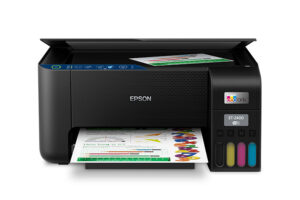
- Epson EcoTank ET-2903 costs more up front and roughly a tenth as much per page, so it is the better buy the moment printing becomes routine.
The VS Score is calculated from the weighted specifications above, each measured against the median of comparable printers — a shortlisting guide, not a substitute for your own priorities. See how we score.





