
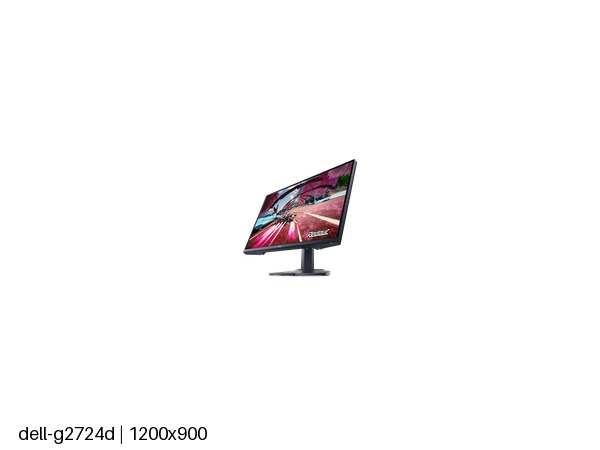
Dell G2724D: Specs, Features, Pros & Cons
Dell's monitor names carry a date: of the four digits, the first pair gives the screen size and the second pair the model year. That is why the G2725D is the following year's take on the same brief, and the two are closer to alternatives than to old and new. The later model runs a little faster, but it stands on a tilt-only base, which is exactly where the older one spent its money.
The G series is Dell's value gaming range, a step below Alienware, and this model follows the usual format for a first proper gaming monitor: a mid-size screen, a resolution that current graphics cards can drive at high frame rates, and a fast LCD panel with adaptive sync that works with both major graphics brands.
What decides between the two Dells is mostly the desk. Buyers who already own a monitor arm lose nothing by choosing the newer model, since the arm replaces the stand either way. Everyone else is choosing between a small step in smoothness that is hard to spot and a screen that can be moved to the right height and angle.
The input layout deserves a glance before ordering. Of its three video inputs, only one is the kind games consoles use, so a PC and one console fit comfortably while a second console means swapping cables. There is no single-cable connection for a laptop either, which makes this a monitor for a desktop tower.
As a first upgrade from an office screen, or a second display beside a larger gaming monitor, it remains a sensible and unshowy buy.
Category strengths
Where the Dell G2724D trails the median
- No motion blur reduction ?
- Fewer HDMI ports ?1 vs 2 (median)
- No headphone output ?
- A slightly lower refresh rate ?165 Hz vs 180 Hz (median)
- No USB hub ?
How this VS Score was computed
Score 46: each known spec is measured against the median of IPS gaming monitors, 27 to 31 inches (29 products), then weighted; 50 means level with that median. In classes of six or more, a value beyond the class’s 10th–90th percentile range counts as that limit, so one extreme product cannot set the scale. 75% of the scoreable weight could be used; unknown values, features not applicable to this class and proxies (battery capacity where a rated life exists) add or remove nothing.
| Specification | This product | Cohort median | Score weight | Points moved |
|---|---|---|---|---|
| USB-C | No | 24% of the class have it | 0.5 | −24.0 |
| Height adjustment | Yes | 79% of the class have it | 0.4 | +20.0 |
| Motion blur reduction | No | 67% of the class have it | 0.3 | −14.4 |
| Swivel | Yes | 64% of the class have it | 0.2 | +10.0 |
| HDMI ports | 1 | 2 | 0.4 | −10.0 |
| Built-in speakers | No | 31% of the class have it | 0.2 | −9.6 |
| Headphone output | No | 86% of the class have it | 0.2 | −9.6 |
| Refresh rate | 165 | 180 | 1.2 | −4.8 |
| USB hub | No | 50% of the class have it | 0.05 | −2.2 |
| Pivot | Yes | 75% of the class have it | 0.02 | +1.0 |
| Screen size | 27 | 27 | 1.2 | +0.0 |
| Resolution | 1440p | 1440p | 1.2 | +0.0 |
| Panel type | IPS | IPS | 0.8 | +0.0 |
| Color depth | 10 | 10 | 0.3 | +0.0 |
| Response time | 1 | 1 | 0.8 | +0.0 |
| Peak brightness | 400 | 400 | 0.8 | +0.0 |
| Contrast ratio | 1,000 | 1,000 | 0.6 | +0.0 |
| DCI-P3 coverage | 95 | 95 | 0.6 | +0.0 |
| HDR | DisplayHDR 400 | DisplayHDR 400 | 0.5 | +0.0 |
| Pixel density | 109 | 109 | 0.5 | +0.0 |
| Adaptive sync | G-Sync Compatible | G-Sync Compatible | 0.6 | +0.0 |
| DisplayPort inputs | 2 — capped at the class’s upper range (1) | 1 | 0.4 | +0.0 |
Not scored: Local dimming (not applicable: only 17% of this class have it); Local dimming zones (unknown: not scored); Variable refresh rate (standard for the class (100% have it)); Input lag (unknown: not scored); Tilt (standard for the class (100% have it)); USB-C power delivery (unknown: not scored); KVM switch (not applicable: only 0% of this class have it); Webcam (not applicable: only 0% of this class have it); Microphone (not applicable: only 0% of this class have it); Ethernet (not applicable: only 0% of this class have it); Picture-by-picture (not applicable: only 14% of this class have it).
Editor’s note
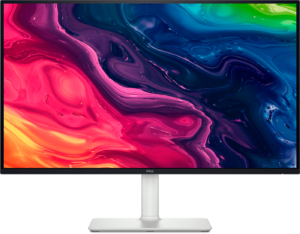
The G2724D is a straightforward 27-inch 1440p gaming monitor, and the most useful thing to say about it concerns a badge on the box rather than anything Dell got wrong.
That badge is DisplayHDR 400. It sounds like HDR support and functionally it is not: 400 nits peak, no local dimming, and a standard IPS contrast ratio of 1,000:1 mean the display has no way to make a bright highlight bright while keeping the rest of the frame dark. HDR content will play and will look flat. Treat this as an SDR monitor and it becomes a good one.
As an SDR gaming monitor it is well judged. Fast IPS at 165 Hz with a 1 ms response and G-Sync Compatible variable refresh from 48 Hz up, 95% DCI-P3 coverage, 10-bit color, and a matte coating that suits a lit room. At 109 ppi, 1440p on 27 inches is the mainstream format: sharper than 1080p, far easier to drive than 4K.
The stand is the quiet strength: height, tilt, swivel and pivot all adjust, which is unusual at this price and matters daily. Ports are one HDMI 2.1 and two DisplayPort 1.4. There is no USB-C, no hub, no speakers and no headphone output, so plan audio separately.
Buy it as an affordable, well-built 1440p gaming monitor with a proper stand. Look at the AOC alongside it if HDR matters: it is the one at this level that can deliver any.
Specifications
Quality bars show where each figure sits between the lowest and highest of the 29 IPS gaming monitors, 27 to 31 inches this VS Score is measured against.
Picture
Gaming
Ergonomics & design
Connectivity
Features
Sources and verification
Verification
- First published
- Specifications last checked
- Sheet completeness
- 37 of 42 specifications verified; the rest show as Unknown and are never estimated or scored
- Page type
- Product specification page — Compiled from the manufacturer’s published specifications and the cited sources; this is not a hands-on test.
- Basis
- Research-based: specifications and editorial text were compiled from the documents listed here and the manufacturer’s published data. We have not tested this unit ourselves; where independent measurements are mentioned they belong to the linked publication.
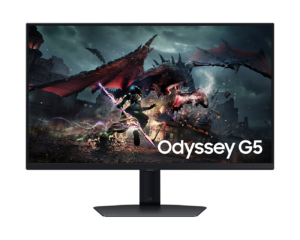
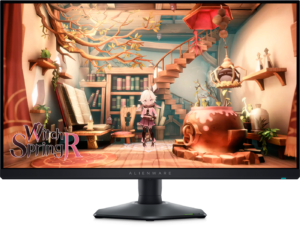
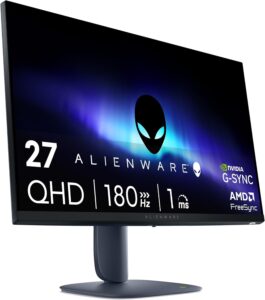
Monitors with similar specs to the Dell G2724D
Ratings & reviews
No reviews yet. Be the first to share your experience.
The bottom line
The Dell G2724D earns a VS Score of 46, below the median of the 29 IPS gaming monitors, 27 to 31 inches it is measured against (a score of 50 is level with that median).
- Who it’s for
- A first proper gaming monitor for a desktop PC, where a fully adjustable stand matters more than extras such as a laptop hookup or speakers.
- Who should look elsewhere
- Anyone expecting real HDR because of the badge, or needing a headphone socket or single-cable laptop charging on the monitor itself.
- The trade-off that matters
- The budget went into the stand and a solid panel rather than connectivity, so daily comfort is excellent and flexibility is thin.
- The main alternative
- Dell G2725D: the newer model with a faster refresh rate and a headphone output, if you already own a monitor arm and can do without this one's full stand.
The VS Score is calculated from the weighted specifications above, each measured against the median of comparable IPS gaming monitors, 27 to 31 inches — a shortlisting guide, not a substitute for your own priorities. See how we score.





