
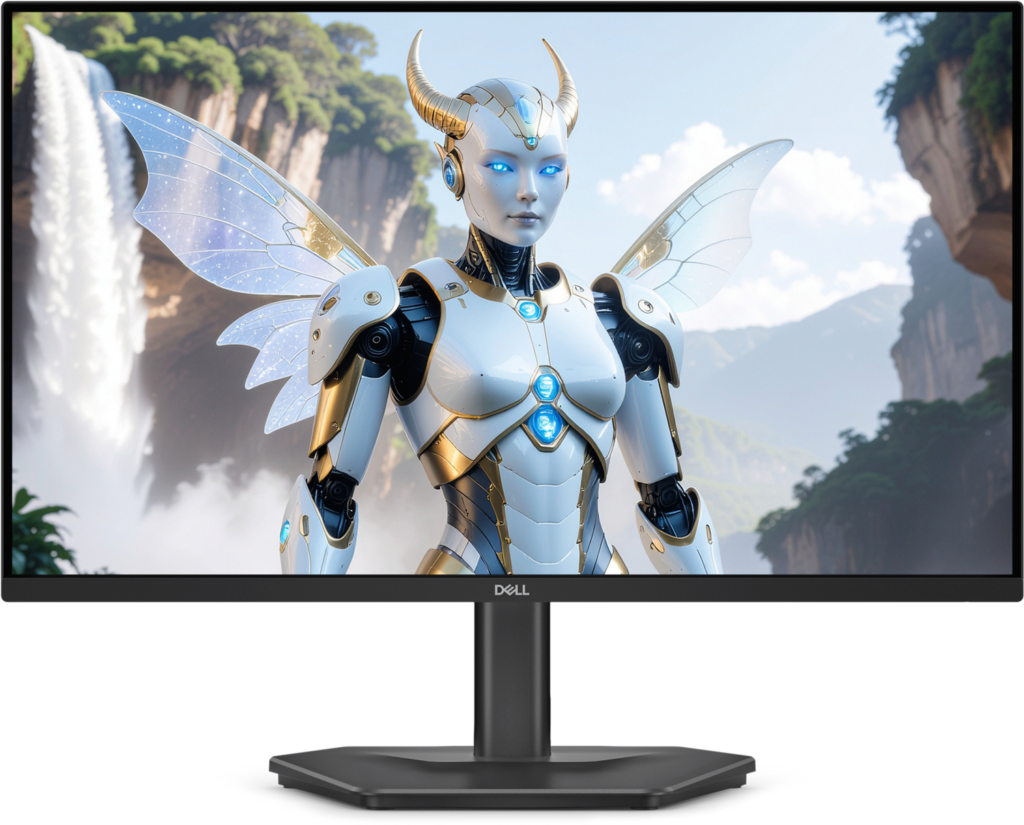
Dell SE2426HGS: Specs, Features, Pros & Cons
240 Hz used to mean paying for a gaming brand. This Dell reaches it from the SE line, the company's plain everyday range, on a small 1080p screen that looks like an office monitor from across the room.
The format is the one competitive players keep choosing. A screen this size stays inside a single glance at normal desk distance, so the minimap, the ammo counter and the crosshair are all visible without moving the head. The modest pixel count is also easy to drive. Esports titles are built to run fast on ordinary hardware, and at this resolution a mid-range graphics card, or an older one, can hold frame rates near the refresh ceiling. Tournament stages have used small high-refresh screens for years for the same reasons.
What the format costs shows up the moment the games close. Text and photos are visibly coarser than on a sharper screen, and a working day in documents or spreadsheets makes the grain obvious. Films and streamed video look fine at a normal distance, since they were never the point of a screen like this.
Where it sits in Dell's range explains the rest of the sheet. The SE models are built to a price, so the budget goes into the panel speed and the stand, and the extras found on pricier gaming models, such as lighting or extra USB ports, are absent. That makes it a sensible first high-refresh screen for a teenager's desk, a second gaming PC or a spare room, and a poor centrepiece for a setup where the same screen has to carry a full working day and an evening of games.
Category strengths
Where the Dell SE2426HGS beats the median
- More HDMI ports ?2 vs 1 (median)
- A higher refresh rate ?240 Hz vs 180 Hz (median)
- Has swivel adjustment ?
How this VS Score was computed
Score 52: each known spec is measured against the median of IPS gaming monitors, under 27 inches (7 products), then weighted; 50 means level with that median. In classes of six or more, a value beyond the class’s 10th–90th percentile range counts as that limit, so one extreme product cannot set the scale. 65% of the scoreable weight could be used; unknown values, features not applicable to this class and proxies (battery capacity where a rated life exists) add or remove nothing.
| Specification | This product | Cohort median | Score weight | Points moved |
|---|---|---|---|---|
| Adaptive sync | FreeSync | G-Sync Compatible | 0.6 | −28.8 |
| Refresh rate | 240 | 180 | 1.2 | +20.4 |
| Height adjustment | Yes | 71% of the class have it | 0.4 | +20.0 |
| HDMI ports | 2 | 1 | 0.4 | +20.0 |
| HDR | None | HDR10 | 0.5 | −12.5 |
| Swivel | Yes | 43% of the class have it | 0.2 | +10.0 |
| Built-in speakers | No | 29% of the class have it | 0.2 | −9.6 |
| Pivot | No | 29% of the class have it | 0.02 | −1.0 |
| Screen size | 24 | 24 | 1.2 | +0.0 |
| Resolution | 1080p | 1080p | 1.2 | +0.0 |
| Panel type | IPS | IPS | 0.8 | +0.0 |
| Color depth | 8 | 8 | 0.3 | +0.0 |
| Response time | 1 | 1 | 0.8 | +0.0 |
| Peak brightness | 300 | 300 | 0.8 | +0.0 |
| Contrast ratio | 1,000 | 1,000 | 0.6 | +0.0 |
| Pixel density | 92 | 92 | 0.5 | +0.0 |
| DisplayPort inputs | 1 | 1 | 0.4 | +0.0 |
Not scored: DCI-P3 coverage (unknown: not scored); Local dimming (not applicable: only 0% of this class have it); Local dimming zones (unknown: not scored); Variable refresh rate (standard for the class (100% have it)); Motion blur reduction (standard for the class (100% have it)); Input lag (unknown: not scored); Tilt (standard for the class (100% have it)); USB-C (not applicable: only 14% of this class have it); USB-C power delivery (unknown: not scored); USB hub (not applicable: only 0% of this class have it); Headphone output (standard for the class (86% have it)); KVM switch (not applicable: only 0% of this class have it); Webcam (not applicable: only 0% of this class have it); Microphone (not applicable: only 0% of this class have it); Ethernet (not applicable: only 0% of this class have it); Picture-by-picture (not applicable: only 0% of this class have it).
Editor’s note
The Dell SE2426HGS is the cheapest sensible route to high refresh. It pairs a 23.8-inch 1920×1080 IPS panel with a 1 ms gray-to-gray response time and AMD FreeSync that works from 48 Hz up to the panel's maximum, and it sells for a fraction of what high-refresh monitors cost a few years ago.
The choice of IPS matters here. Budget fast panels are often TN, which trades viewing angles and color for speed. This one keeps 178-degree viewing angles and 99% sRGB coverage, so it still looks reasonable for browsing and video between gaming sessions. Dell also gave it a proper stand. Height, tilt and swivel adjustment on a monitor this cheap is unusual, and there is a 100x100mm VESA mount if you would rather use an arm.
The cost-cutting is visible if you know where to look. Contrast is a modest 1000:1, brightness tops out at 300 nits, the panel is 8-bit, and Dell's own port specification lists HDR as not applicable. This monitor does not do HDR at all, whatever a retailer listing might imply. There are no speakers, no USB hub and no USB-C. It also will not pivot into portrait. Inputs are two HDMI 2.1 ports and one DisplayPort 1.4, which is enough for a PC and a console.
Buy it if you play competitive shooters on a mid-range PC, sit close to a 24-inch screen by preference, and want the frame rate rather than the picture quality. Skip it if you care about contrast, HDR, color work or docking a laptop. The money is much better spent on a 1440p panel if refresh rate is not your first priority.
Specifications
Quality bars show where each figure sits between the lowest and highest of the 7 IPS gaming monitors, under 27 inches this VS Score is measured against.
Picture
Gaming
Ergonomics & design
Connectivity
Features
Sources and verification
Where the specifications come from
- Datasheet or manualdell.com
- Independent testingrtings.com
Verification
- First published
- Specifications last checked
- Sheet completeness
- 37 of 42 specifications verified; the rest show as Unknown and are never estimated or scored
- Page type
- Product specification page — Compiled from the manufacturer’s published specifications and the cited sources; this is not a hands-on test.
- Basis
- Research-based: specifications and editorial text were compiled from the documents listed here and the manufacturer’s published data. We have not tested this unit ourselves; where independent measurements are mentioned they belong to the linked publication.
Monitors with similar specs to the Dell SE2426HGS
Ratings & reviews
No reviews yet. Be the first to share your experience.
The bottom line
The Dell SE2426HGS earns a VS Score of 52, above the median of the 7 IPS gaming monitors, under 27 inches it is measured against (a score of 50 is level with that median).
- Who it’s for
- A competitive shooter player on a mid-range PC who sits close to a small screen and cares about frame rate far more than picture quality.
- Who should look elsewhere
- Anyone who watches films in the dark, edits color or wants HDR. Contrast is modest and HDR is absent altogether.
- The trade-off that matters
- The money goes into refresh rate and the stand, so the picture stays low in contrast and brightness, which shows the moment a dark scene appears.
- The main alternative
- Dell G2725D: a larger Dell gaming screen at a higher resolution and a still-fast refresh, for sharper detail over top speed, on a stand that only tilts.
The VS Score is calculated from the weighted specifications above, each measured against the median of comparable IPS gaming monitors, under 27 inches — a shortlisting guide, not a substitute for your own priorities. See how we score.





