
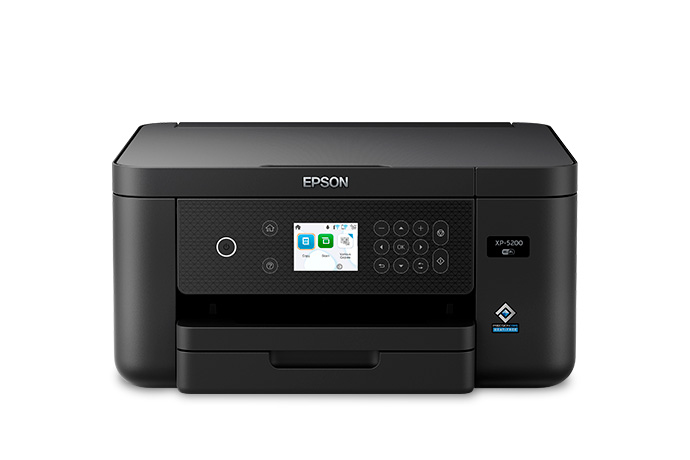
Epson Expression Home XP-5200: Specs, Features, Pros & Cons
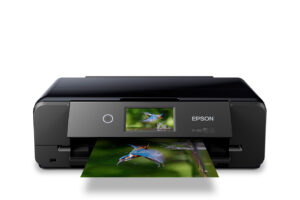
Epson has spent years steering households toward its refillable EcoTank range, yet it still sells small cartridge machines for people who do not want to pay tank-printer money up front. The Expression Home XP-5200 sits near the top of that cartridge family: a compact print, scan and copy unit meant to live on a shelf or a sideboard rather than in a home office.
What defines it is a set of sensible basics that cheaper home inkjets often skip. Paper loads into an enclosed front cassette instead of standing up out of the back, two-sided printing happens without flipping sheets by hand, and the printhead does not rely on heat, so nothing needs to warm up before a job starts. For a household that prints in short bursts, those details matter more than raw speed.
The limits are just as clear. Scanning and copying happen on the flatbed only, one sheet at a time, because there is no document feeder. The ink system uses separate cartridges that must all be present for the printer to run, and they are small. Put together, that makes the machine a reasonable fit for school forms, tickets and the occasional letter, and a poor one for anyone digitizing paperwork or printing daily.
Its appeal is therefore fragile in a specific way. The purchase price is modest, but running costs rise quickly with use, so the buyer most likely to be tempted by a low sticker is also the one who needs to be honest about how much they print. It makes the most sense where a small, tidy, front-loading printer is the priority and volume stays low.
Category strengths
Where the Epson Expression Home XP-5200 beats the median
- A lighter build ?5.4 kg vs 7.98 kg (median)
Where the Epson Expression Home XP-5200 trails the median
- No automatic document feeder ?
- No ethernet ?
- A lower print speed (black) ?14 ppm vs 16 ppm (median)
- A lower print speed (color) ?7.5 ppm vs 9 ppm (median)
How this VS Score was computed
Score 37: each known spec is measured against the median of all printers (65 products), then weighted; 50 means level with that median. In classes of six or more, a value beyond the class’s 10th–90th percentile range counts as that limit, so one extreme product cannot set the scale. 59% of the scoreable weight could be used; unknown values, features not applicable to this class and proxies (battery capacity where a rated life exists) add or remove nothing.
| Specification | This product | Cohort median | Score weight | Points moved |
|---|---|---|---|---|
| Automatic duplex printing | Yes | 73% of the class have it | 1 | +50.0 |
| Automatic document feeder | No | 55% of the class have it | 1 | −48.0 |
| Supertank / refillable ink | No | 30% of the class have it | 0.5 | −24.0 |
| Duplex scanning | No | 23% of the class have it | 0.5 | −24.0 |
| Ethernet | No | 54% of the class have it | 0.5 | −24.0 |
| Touchscreen display | No | 45% of the class have it | 0.5 | −24.0 |
| Print speed (black) | 14 | 16 | 2 | −12.0 |
| Fax | No | 35% of the class have it | 0.2 | −9.6 |
| Print speed (color) | 7.5 | 9 | 1 | −8.0 |
| Weight | 5.4 | 7.98 | 0.3 | +7.2 |
| Print resolution | 4,800 | 4,800 | 0.5 | +0.0 |
| Input tray capacity | 150 | 150 | 1 | +0.0 |
Not scored: Color printing (standard for the class (88% have it)); Monthly duty cycle (unknown: not scored); All-in-one (standard for the class (85% have it)); ADF capacity (unknown: not scored); Output tray capacity (unknown: not scored); Wi-Fi (standard for the class (97% have it)); Wi-Fi Direct (standard for the class (90% have it)); USB (standard for the class (100% have it)); Apple AirPrint (standard for the class (97% have it)); Mobile app printing (standard for the class (100% have it)).
Editor’s note
The XP-5200 gets the boring things right, which at this price is rarer than it should be. Paper comes from a closed 150-sheet front cassette rather than a rear feed that collects dust, two-sided printing is automatic, and the PrecisionCore printhead is heat-free, so there is no fuser to warm up: the first page starts immediately, idle draw is 5.3 W and sleep is 0.7 W. Epson calls it their fastest Expression Home model at 14 ppm black and 7.5 ppm color on ISO figures.
Two things spoil it.
The first is ink. Epson's own ISO yields for the 222 cartridges are 210 pages black and 185 pages color, and even the 222XL black only reaches 550. On a machine at this price those are very short runs, and every color cartridge must be installed for the printer to work at all, and color ink gets consumed even on black-only jobs. Print more than about 100 pages a month and the economics turn against you quickly.
The second is what is missing: there is no automatic document feeder. Every multi-page scan or copy is done one sheet at a time on the flatbed, which becomes tiresome the first time you handle a contract or a tax return.
That second point is sharpened by Epson's own catalog. The WorkForce WF-2960 runs the same 14 and 7.5 ppm engine and the same 150-sheet tray, and adds a 30-sheet ADF, fax and a real touchscreen. Epson has been promoting it for less than the XP-5200.
I would buy the XP-5200 only if I found it well below list and knew I would never scan more than one page at a time.
Specifications
Quality bars show where each figure sits between the lowest and highest of the 65 printers this VS Score is measured against.
Printing
Scanning & copying
Paper handling
Connectivity
Design
Sources and verification
Where the specifications come from
- Official product pageepson.com
- Independent testingrtings.com
Verification
- First published
- Specifications last checked
- Sheet completeness
- 21 of 24 specifications verified; the rest show as Unknown and are never estimated or scored
- Page type
- Product specification page — Compiled from the manufacturer’s published specifications and the cited sources; this is not a hands-on test.
- Basis
- Research-based: specifications and editorial text were compiled from the documents listed here and the manufacturer’s published data. We have not tested this unit ourselves; where independent measurements are mentioned they belong to the linked publication.
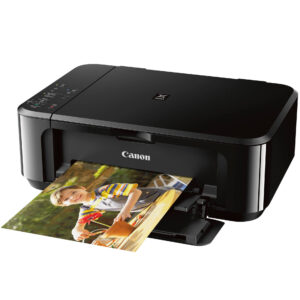
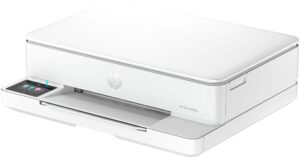
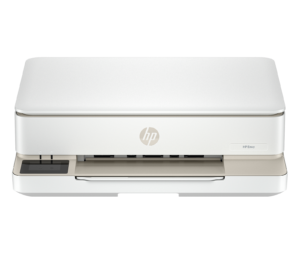
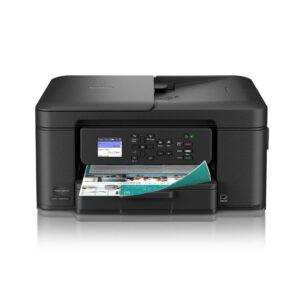
Printers with similar specs to the Epson Expression Home XP-5200
Ratings & reviews
No reviews yet. Be the first to share your experience.
The bottom line
The Epson Expression Home XP-5200 earns a VS Score of 37, below the median of the 65 printers it is measured against (a score of 50 is level with that median).
- Who it’s for
- A household printing a few dozen pages a month that wants automatic two-sided printing, a proper paper cassette and instant first pages, in something that looks acceptable in a living room.
- Who should look elsewhere
- Anyone who scans or copies multi-page documents, because there is no ADF, and anyone printing more than occasionally, where the short-yield cartridges make it the wrong economic choice.
- The trade-off that matters
- Good hardware fundamentals undermined by cartridge yields. You get duplex and a real tray at a low price, then pay it back in short-run cartridges that must all be installed to print at all.
- The main alternative
- Epson WorkForce WF-2960: the same print engine and paper tray plus an ADF, fax and touchscreen, and Epson has been selling it for less.
The VS Score is calculated from the weighted specifications above, each measured against the median of comparable printers — a shortlisting guide, not a substitute for your own priorities. See how we score.





