
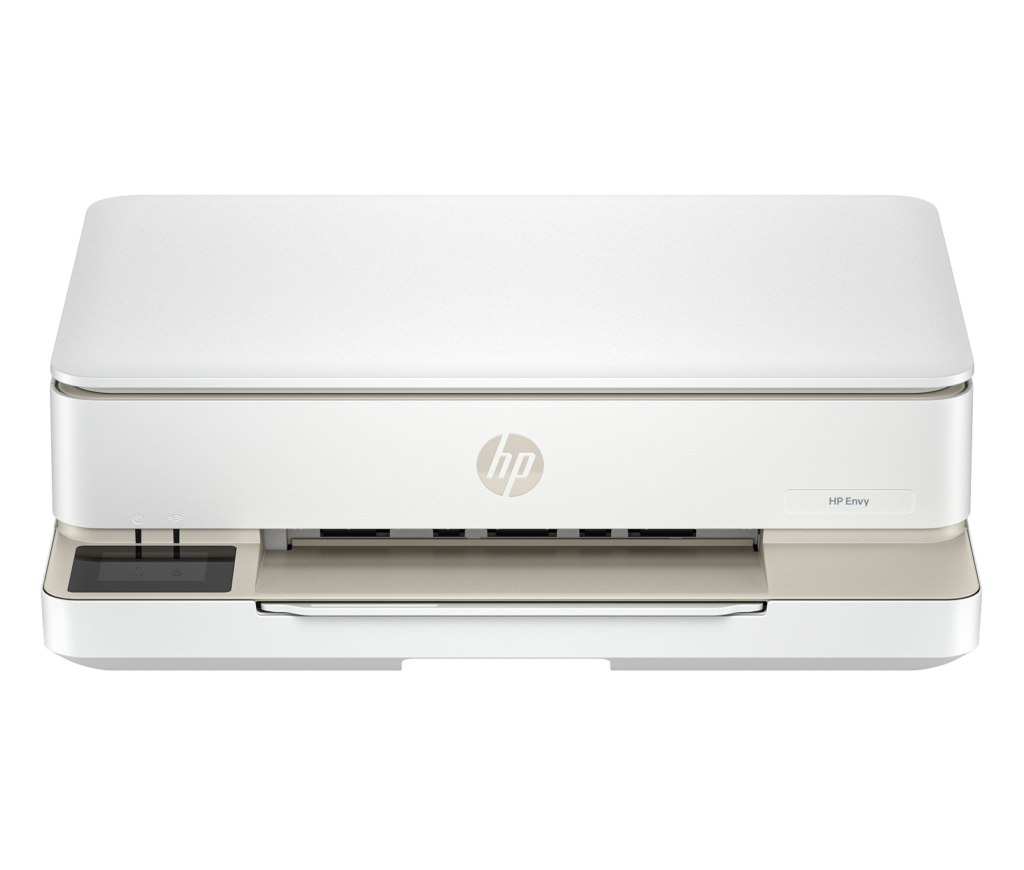
HP ENVY 6155e: Specs, Features, Pros & Cons
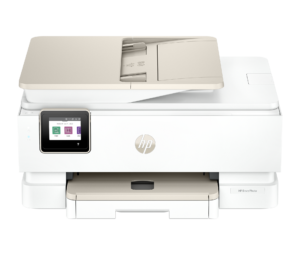
HP's ENVY 6155e can print a photograph on both sides of a sheet without anyone turning the paper over, a trick few home printers this small attempt. Within HP's home range it sits above the cheaper DeskJets, with a color touchscreen where they have buttons and lights, and a case styled to sit on a living-room shelf without looking like office kit.
Underneath, it is a flatbed all-in-one on Wi-Fi. It prints, copies and scans, takes jobs from phones through AirPrint and HP's app, prints photos without borders, and handles two-sided documents automatically. The spec sheet lists a maximum print resolution of 4,800 dpi. It is light enough to move from one room to another when the space is needed. It is sold as an HP+ printer, the program that ties the machine to Original HP ink and an HP account, so the choice of cartridges is made on the day it is set up.
The household it suits prints a few pages on some weeks and a handful of holiday photos a year, and cares how the printer looks on the shelf. School letters, concert tickets, a recipe, a greetings card with a picture on each side. Nobody in that house needs to scan a contract in a hurry.
It gives up everything that makes volume easy. Pages come out slowly, the scanner is a flatbed only, so a long document means lifting the lid for each sheet, and there is no wired network port. The ink comes in a single cartridge for all three colors, so one empty color retires the other two with it.
Category strengths
Where the HP ENVY 6155e beats the median
- Has touchscreen display ?
- A lighter build ?5.12 kg vs 7.98 kg (median)
Where the HP ENVY 6155e trails the median
- No automatic document feeder ?
- A lower print speed (black) ?10 ppm vs 16 ppm (median)
- No ethernet ?
- A lower input tray capacity ?100 sheets vs 150 sheets (median)
- A much lower monthly duty cycle ?1,000 pages vs 10,000 pages (median)
- A lower print speed (color) ?7 ppm vs 9 ppm (median)
- A much lower output tray capacity ?25 sheets vs 67.5 sheets (median)
How this VS Score was computed
Score 36: each known spec is measured against the median of all printers (65 products), then weighted; 50 means level with that median. In classes of six or more, a value beyond the class’s 10th–90th percentile range counts as that limit, so one extreme product cannot set the scale. 63% of the scoreable weight could be used; unknown values, features not applicable to this class and proxies (battery capacity where a rated life exists) add or remove nothing.
| Specification | This product | Cohort median | Score weight | Points moved |
|---|---|---|---|---|
| Automatic duplex printing | Yes | 73% of the class have it | 1 | +50.0 |
| Automatic document feeder | No | 55% of the class have it | 1 | −48.0 |
| Print speed (black) | 10 | 16 | 2 | −38.0 |
| Touchscreen display | Yes | 45% of the class have it | 0.5 | +25.0 |
| Supertank / refillable ink | No | 30% of the class have it | 0.5 | −24.0 |
| Duplex scanning | No | 23% of the class have it | 0.5 | −24.0 |
| Ethernet | No | 54% of the class have it | 0.5 | −24.0 |
| Input tray capacity | 100 | 150 | 1 | −17.0 |
| Monthly duty cycle | 1,000 | 10,000 | 0.3 | −13.5 |
| Print speed (color) | 7 | 9 | 1 | −11.0 |
| Fax | No | 35% of the class have it | 0.2 | −9.6 |
| Output tray capacity | 25 | 67.5 | 0.3 | −9.3 |
| Weight | 5.12 | 7.98 | 0.3 | +8.4 |
| Print resolution | 4,800 | 4,800 | 0.5 | +0.0 |
Not scored: Color printing (standard for the class (88% have it)); All-in-one (standard for the class (85% have it)); ADF capacity (unknown: not scored); Wi-Fi (standard for the class (97% have it)); Wi-Fi Direct (unknown: not scored); USB (standard for the class (100% have it)); Apple AirPrint (standard for the class (97% have it)); Mobile app printing (standard for the class (100% have it)).
Editor’s note
The Envy 6155e sits in an awkward but well-populated part of HP's range: a compact home all-in-one that prints photos properly but is not built to do volume. At 10 ISO ppm in black and 7 in color it is slow by any modern measure, and the 1,000-page monthly duty cycle, with a recommended 100 to 400 pages, tells you exactly who HP had in mind. This is a machine for households printing school forms, tickets, recipes and the occasional batch of 4×6 photos.
Where it earns its place is photo output. Borderless printing and HP's automatic two-sided photo printing are unusual on something this small, and the results on HP photo paper are pleasant and well saturated. The 2.4-inch capacitive touchscreen is also a clear step up from the button-and-LED panels on cheaper DeskJets, and the case is nice to look at, which matters when the thing lives in a living room rather than a study.
The compromises are real and worth understanding first. There is no automatic document feeder at all: the scanner is a plain flatbed, so a ten-page document means lifting the lid ten times. There is no Ethernet port, so Wi-Fi is the only network option. The 25-sheet output tray fills quickly. And the "mobile fax" in HP's feature list is a send-only cloud service inside the HP Smart app rather than a fax modem, so if you need to receive faxes this is not the machine.
The bigger question is running cost. A tri-color cartridge means buying all three inks again when one color runs dry, and like the rest of the current range this is an HP+ printer with the Original-HP-only commitment that implies. If you print more than a few pages a week, an Epson EcoTank ET-2800 will cost far less per page despite being no quicker. Buy the Envy for looks, photos and light duty, and look elsewhere for economy.
Specifications
Quality bars show where each figure sits between the lowest and highest of the 65 printers this VS Score is measured against.
Printing
Scanning & copying
Paper handling
Connectivity
Design
Sources and verification
Where the specifications come from
- Official product pagehp.com
- Independent testingrtings.com
Verification
- First published
- Specifications last checked
- Sheet completeness
- 22 of 24 specifications verified; the rest show as Unknown and are never estimated or scored
- Page type
- Product specification page — Compiled from the manufacturer’s published specifications and the cited sources; this is not a hands-on test.
- Basis
- Research-based: specifications and editorial text were compiled from the documents listed here and the manufacturer’s published data. We have not tested this unit ourselves; where independent measurements are mentioned they belong to the linked publication.
Printers with similar specs to the HP ENVY 6155e
Ratings & reviews
No reviews yet. Be the first to share your experience.
The bottom line
The HP ENVY 6155e earns a VS Score of 36, below the median of the 65 printers it is measured against (a score of 50 is level with that median).
- Who it’s for
- Households that print occasionally and want their photos to look good: borderless output and automatic two-sided photo printing in a small, tidy machine that is happy in a living room.
- Who should look elsewhere
- Anyone who regularly scans multi-page documents, needs a wired network connection, or prints enough that per-page cost starts to matter.
- The trade-off that matters
- You get photo quality and a proper touchscreen at a low purchase price, and you pay for it in speed, tri-color cartridge waste and the complete absence of a document feeder.
- The main alternative
- The Epson EcoTank ET-2800 is no faster and rather plainer, but its refillable tanks make it dramatically cheaper to run for anyone printing more than a handful of pages a week.
The VS Score is calculated from the weighted specifications above, each measured against the median of comparable printers — a shortlisting guide, not a substitute for your own priorities. See how we score.





